Page 1 of 2

PostPosted: Sat Oct 22, 2011 5:52 pm
by ardypilot
I've just bought and installed REX 2 and am kinda baffled by all the options.

Can someone here quickly explain in laymans terms, what options I need to tick, or how I go about loading real world weather from a flight from A - B? Am I right in thinking every time I want to fly between two new destinations, I need to open the REX2 GUI, enter the ICAO codes, download the metars and tafs for that area, then get REX to load the appropriate textures which takes about 5+ minutes before I can open FSX and then load the flight?

I remember ActiveSky for FS2004 being much simpler!

Cheers

PostPosted: Sat Oct 22, 2011 8:57 pm
by zkcav
Hi Trolly

It's been ages since I set REX up, but basicaly the way I did it was to set your options once then get it to auto load with real weather when you load FSX and forget about it. Then it only loads the metars when you load a flight and updates the weather along the way. It slows things down while it does it but only for about 10 - 15 seconds.

I don't use the flight planner as I found the default FSX one was more detailed (In REX 1) and you can export the FSX log to your FMC.

If you want more detail hit me back and I'll send you my set up.

Paul

PostPosted: Sun Oct 23, 2011 5:16 pm
by Barrington
zkcav wrote:
QUOTE (zkcav @ Oct 27 2011,9:57 AM) <{POST_SNAPBACK}>
Hi Trolly

It's been ages since I set REX up, but basicaly the way I did it was to set your options once then get it to auto load with real weather when you load FSX and forget about it. Then it only loads the metars when you load a flight and updates the weather along the way. It slows things down while it does it but only for about 10 - 15 seconds.

I don't use the flight planner as I found the default FSX one was more detailed (In REX 1) and you can export the FSX log to your FMC.

If you want more detail hit me back and I'll send you my set up.

Paul


I'm sure a number of simmers (including me) would appreciate some guidelines from your set-up.

PostPosted: Mon Oct 24, 2011 11:57 am
by Kahu
I have found the best set up for me was to load real world weather then let rex2 install textures for the real world weather theme, this way you get to see lots of
interesting texture/themes loaded.

The only problem with this way is it may take a while to load new textures and start the sim, but you dont have to install new textures each time, escpically if you come across a theme you really like, I just load real weather.

PostPosted: Mon Oct 24, 2011 1:33 pm
by zkcav
QUOTE
I'm sure a number of simmers (including me) would appreciate some guidelines from your set-up.[/quote]

Okay I'll have a go when I find some time to grab some shots - I've got a very grumpy Frog here at the moment (for some reason), so diplomacy it the only way to avoid an international incident blink.gif

In the mean time I wrote a review when REX was released Review I can't link to the page, but select reviews and it's about 7th down (Updated thanks Mat).

Cheers Paul

PS I'd update the rating I gave also to 5 stars with Ver 2 Overdrive

PostPosted: Mon Oct 24, 2011 1:40 pm
by ZK-MAT

PostPosted: Mon Oct 24, 2011 1:47 pm
by Ian Warren
zkcav wrote:
QUOTE (zkcav @ Oct 24 2011,2:33 PM) <{POST_SNAPBACK}>
I've got a very grumpy Frog here at the moment (for some reason), so diplomacy it the only way to avoid an international incident blink.gif

Solution .. idea.gif simply tell her its a 'Mirage' ... you saw nothing GREATidea.gif

PostPosted: Mon Oct 24, 2011 9:05 pm
by zkcav
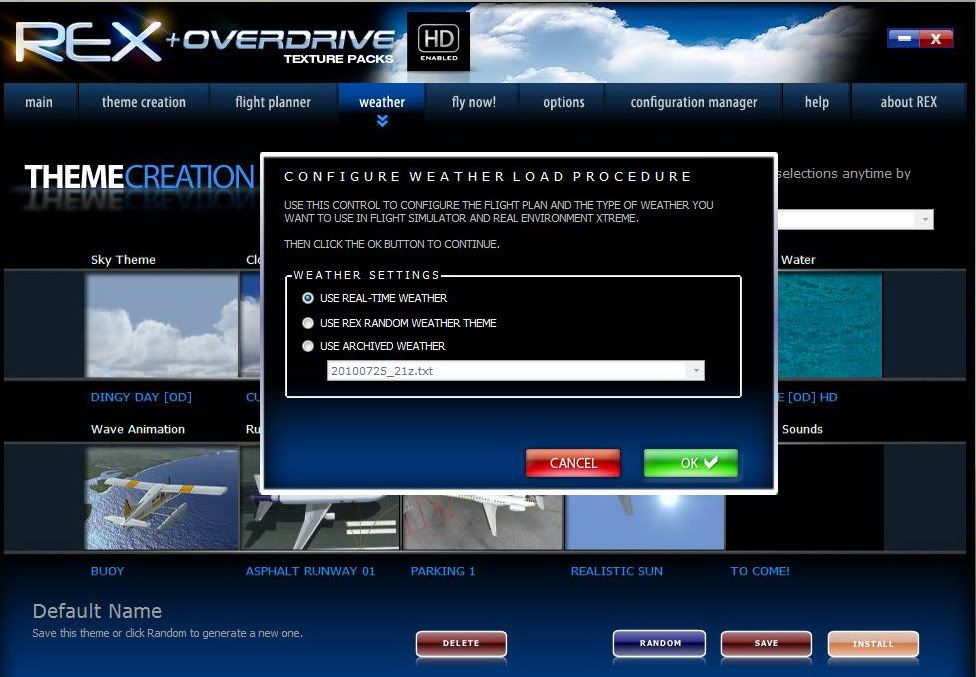
Go to Theme cratation tab and select what textures you like the look of


Select Use real time weather from the weather Tab


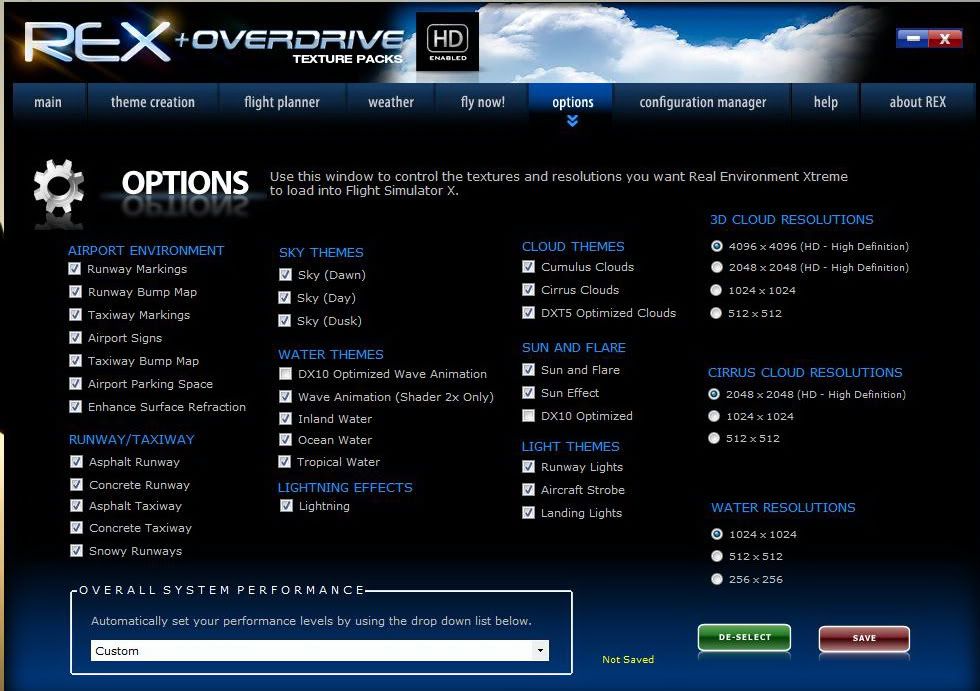
Select options to suit your PC’s performance


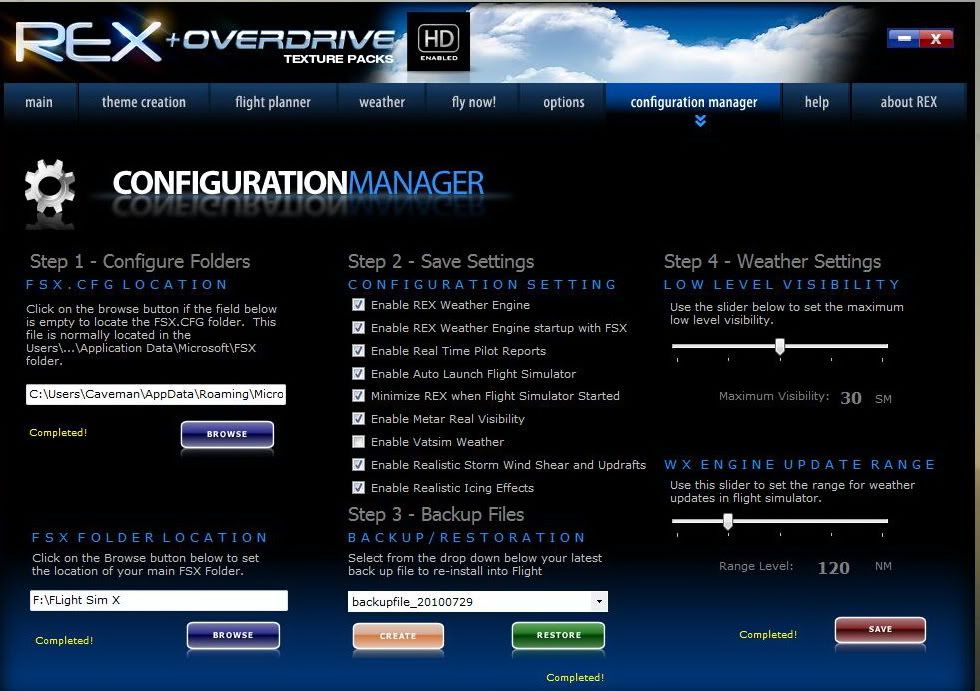
Select configuration manager
Make sure you enable weather engine,
Enable start up with FSX
Real Time PIREP
Metar etc
Make sure you save


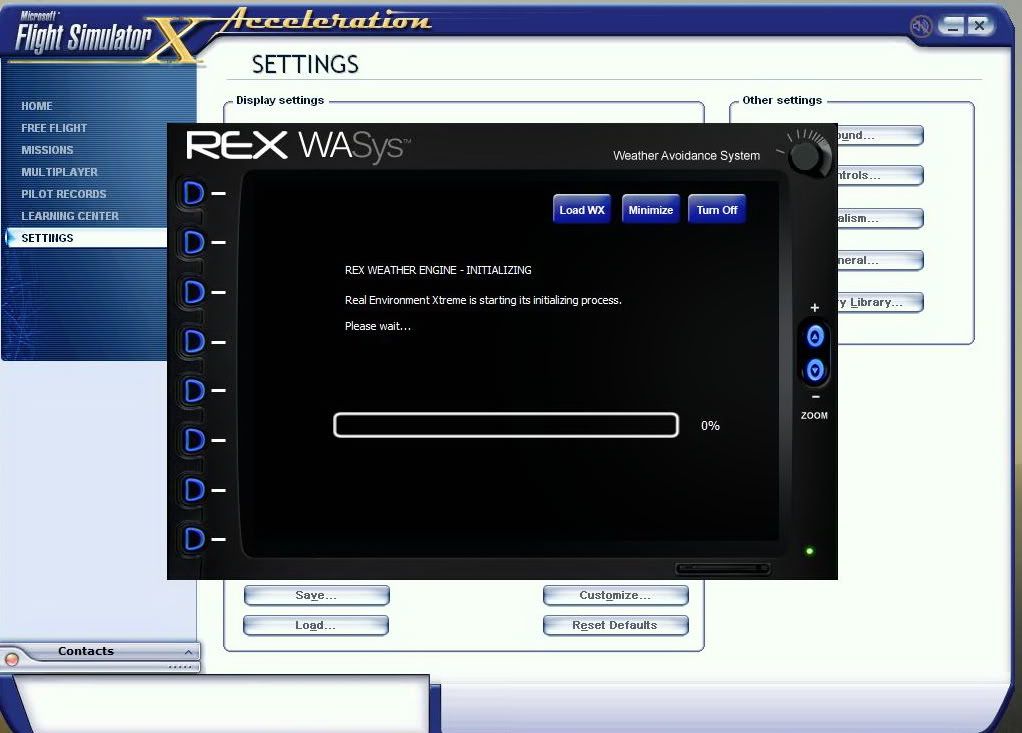
Then once you start FSX REX will load in the background


Hit minimise, load your flight and away you go...

Once you load your flight the weather engine updates, to check the weather you can maximise REX again

Hope this helps

Paul

PostPosted: Wed Oct 26, 2011 6:32 am
by Scupper
That's a very neat explanation, ZK, nice one.

PostPosted: Thu Oct 27, 2011 2:09 pm
by ardypilot
Many thanks zkcav- I've followed your instructions, yet when I load FSX- the WASys screen doesn't show up and it's just clear weather no matter where I go in the sim. I thought a green bar is meant to pop up the top of the screen showing progress of REX as it downloads real world weather...?

PostPosted: Thu Oct 27, 2011 8:09 pm
by zkcav
Ummm not sure why if you have the check boxes set up in the config manager you should get the following as it loads:

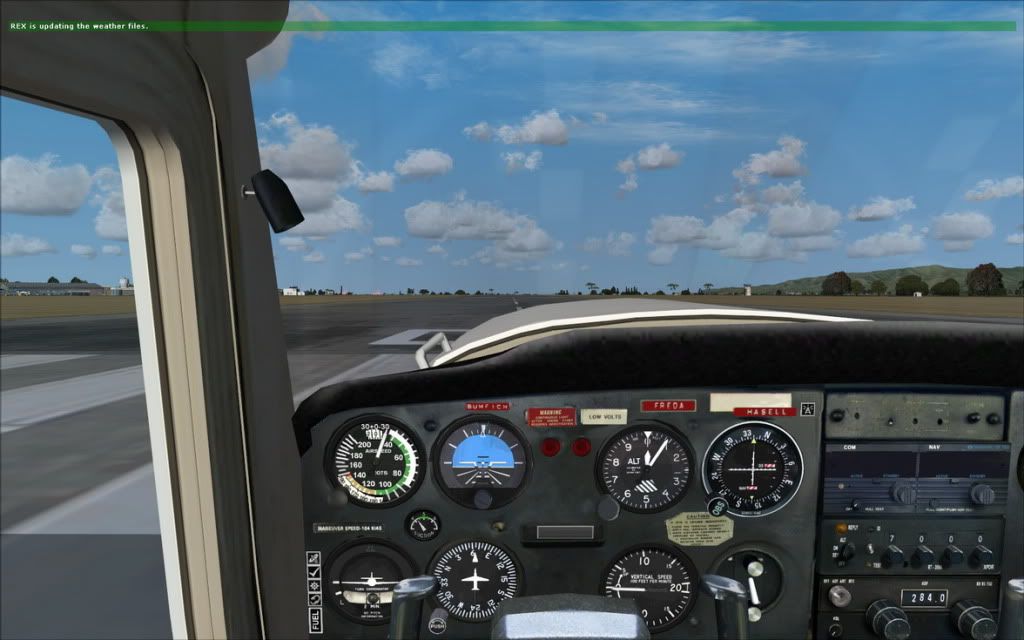
After about 5 seconds I get Rex is updating....


another 5 - 10 seconds REX is loading....


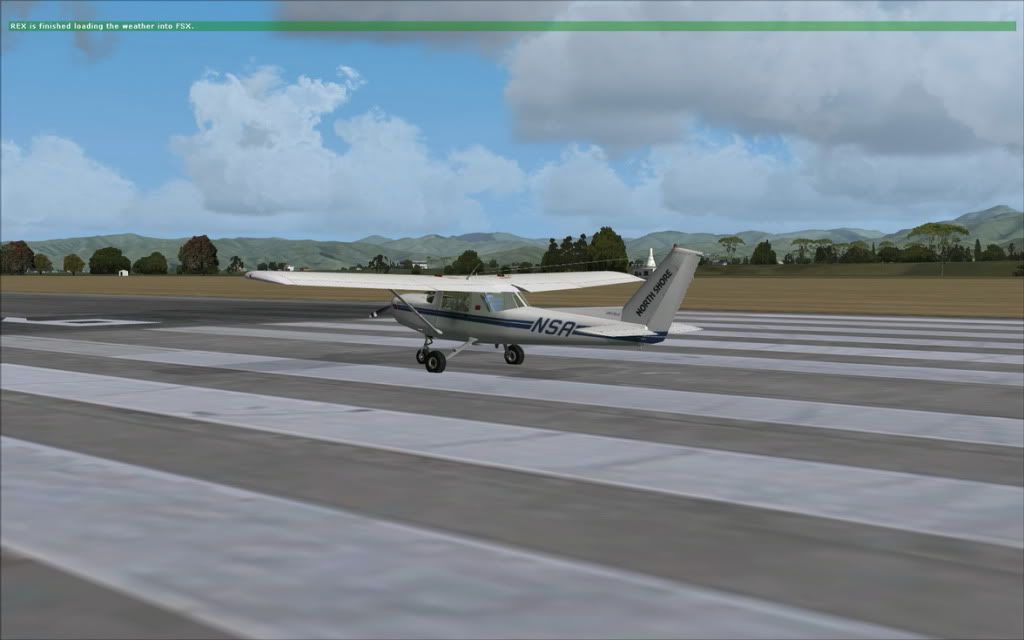
after about 20 - 30 seconds REX is finnished...


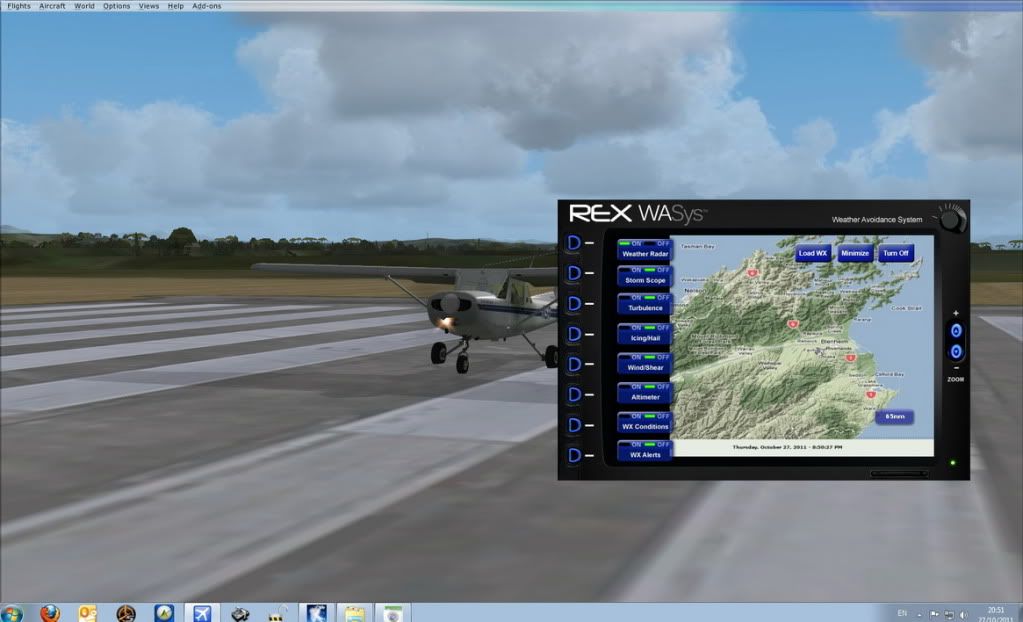
After about a 40 seconds to a minute I can exit full screen open REX from the task bar and see....


Note before that I get a blank WAS, but it does say loaded 100% on the progress bar in WAS (In this case it said NZKI -Kaikoura - which I guess was within the 120 miles radius set for weather)

Hope that makes things a bit more clear(er)

Cheers Paul

PostPosted: Thu Oct 27, 2011 8:33 pm
by ardypilot
Thanks for taking the time to explain that- I understand what should happen, however, it simply isn't loading, so I've filed a help request on the official REX forums. Cheers anyhow!

PostPosted: Thu Oct 27, 2011 9:05 pm
by zkcav
From memory I think Tim was the name of the devolper, he was really onto it when REX was released, if you get no replies on the forum drop him an email. He should have you sorted by tomorrow, and the joy is he's in Aussie - no 12 hour time difference with UK / Europe which takes 24 hours to send a mail and get a reply (suggesting something you've already tried)...

PostPosted: Thu Oct 27, 2011 9:39 pm
by frostynz
I use active sky weather generation with REX2. I tried the REX weather engine for some weeks and it just doesn't cut it for me.

Regards Dave

PostPosted: Thu Oct 27, 2011 9:50 pm
by toprob
Ever since (from memory) I installed Ultimate Traffic I haven't been able to get the REX autostart to 'stick', and I need to run this separately, so I have a REX WXengine shortcut on my desktop. There are a few niggly issues with REX since the last update, but it still works well enough to keep me happy.

PostPosted: Fri Oct 28, 2011 5:33 am
by zkcav
QUOTE
Ever since (from memory) I installed Ultimate Traffic I haven't been able to get the REX autostart to 'stick', and I need to run this separately, so I have a REX WXengine shortcut on my desktop. There are a few niggly issues with REX since the last update, but it still works well enough to keep me happy.[/quote]

Robin, I've got UT2 and REX runnng side by side both autostarting on FSX boot

PostPosted: Fri Oct 28, 2011 6:22 pm
by ardypilot
Again, thanks for the replies guys.

From REX, I've found out that 'rexwxengine2.exe' should be included in my exe.xml (in the same directory as my fsx.cfg)- but it isn't. I can start rexwxengine2.exe from the REX2 programs folder and get real world weather running, but no one has replied yet telling me how to do it automatically- even though the options are ticked in the GUI.

Can anyone running v2 copy and paste the contents of their own exe.xml so I can add it to mine and give it a go?

Cheers winkyy.gif

PostPosted: Fri Oct 28, 2011 8:57 pm
by zkcav
Here you go... Ive added the start of the file... and the one after if you need it

<?xml version="1.0" encoding="WINDOWS-1252"?>
-<SimBase.Document version="1,0" Type="Launch"> <Descr>Launch</Descr> <Filename>exe.xml</Filename> <Disabled>False</Disabled> <Launch.ManualLoad>False</Launch.ManualLoad>

-<Launch.Addon> <Name>Couatl</Name> <Disabled>False</Disabled> <ManualLoad>False</ManualLoad> <Path>fsdreamteam\couatl\couatl.exe</Path> </Launch.Addon>

-<Launch.Addon> <Name>Real Environment Xtreme - Weather Engine 2</Name> <Path>F:\REX\rexwxengine2.exe</Path> <Disabled>False</Disabled> <ManualLoad>False</ManualLoad> </Launch.Addon>

-<Launch.Addon> <Name>Texture Max Load Editor</Name> <Disabled>True</Disabled> <ManualLoad>False</ManualLoad> <Path>C:\Program Files\Frosty Software\Texture Max Load Editor\tml.exe</Path> </Launch.Addon>

PostPosted: Sat Oct 29, 2011 7:21 pm
by ardypilot
QUOTE
-<Launch.Addon> <Name>Real Environment Xtreme - Weather Engine 2</Name> <Path>F:\REX\rexwxengine2.exe</Path> <Disabled>False</Disabled> <ManualLoad>False</ManualLoad> </Launch.Addon>[/quote]

Copying the above line seemed to do trick, after I changed the rexwxengine2.exe to my own file path directory of course. Thanks biggrin.gif

However, this was only on the second go after changing the '<Filename>dll.xml</Filename> ' to '<Filename>exe.xml</Filename>'. I've never messed with this file before, so I hope I havn't damanged any other addons in the process? I've kept a backup of the original .xml of course.

Also, now when I close FSX, I get this error pop up:


No biggie, as I just close the message and nothing seems to happen. Can anyone translate it into layman's terms?

One more thing- I seem to be getting a bit of a performance hit with the REX clouds when I go searching for thunderstormy weather, which I really thought my PC would be able to handle. Even just normal overcast CU's are seeing my FPS drop down from a solid 30 to 8 or 9 every 10 seconds or so. This is with 3D clouds set at 2048x2048 in the GUI, not even the top option. Any tips?

PostPosted: Sat Oct 29, 2011 8:52 pm
by zkcav
Shouldn't have any issues with damaging any other add ons - You've just added one more that is all.

dot Net error, Sorry slipped my mind to mention, but once in while I get that also only started after overdrive was loaded. I just continue, never had any problems.

Normally if you have REX running exit FSX REX stays open and then you run FSX again you get that error when it tries to run a second time, on close down I'm not sure, perhaps the REX forum might be able to help on that one.

Tips have a go a tweeking your settings in config can't think of what would cause it to drop in 10 second cycles...

Any one else got any ideas?