Page 1 of 1

Posted:
Mon Sep 20, 2010 12:41 pmby Nzeddy
Hello,
I've noticed that AI traffic (Q300) always lands and stops on runway 25 at Tauranga airport. It stops and just stays there until it times out and disappears.
Im using Ultimate Traffic 2 and RealNZ Tauranga FSX Update.
Im guessing this is an AFCAD problem?
Posted:
Mon Sep 20, 2010 1:17 pmby pilotgallagher01
Yes this happens with FTX 3, bit of a pain in the ass..
Posted:
Mon Sep 20, 2010 2:09 pmby toprob
Provided you are using the RealNZtauranga 'AFCAD', this could be that there isn't a big enough parking spot. I wonder what the radius of the Q300 is... I would've thought no more than 14 metres, and the parking caters for 18, but you never know...
It's about time I looked at getting UT for FSX. I'll have a look at my finances at the end of the month.
In the meantime, let me know the date stamp on your NZTG_ADEX_GVF.BGL, and I'll see if a larger parking spot helps.
Posted:
Mon Sep 20, 2010 2:49 pmby Nzeddy
Ok, thanks for that.
Date stamp: 3/02/2010
Btw, Tauranga airport has new taxiways. Will you be including those?
 http://www.aip.net.nz/pdf/_aNZTG_51.1_51.2.pdf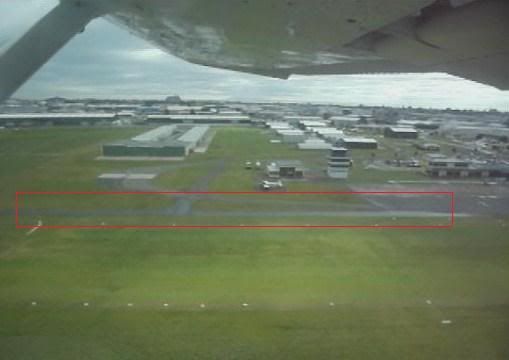
Posted:
Wed Sep 22, 2010 9:39 pmby pilotgallagher01
Rob don't know what you quite mean? Haven't really had the time to have a look though I was just letting you know the problem eddy described happens to me as well..
Posted:
Sun Nov 21, 2010 12:35 pmby toprob
I finally got around to purchasing Ultimate Traffic, but I need to spend a bit more time with it, as it differs a lot from the FS2004 version. But I've just uploaded a quick TG video to replace the old FS2004 one, and I do notice that there seems to be a lot of traffic on the tarmac since I've purchased Ultimate Traffic. I'll check it out this week. If a Q300 arrived with it that stacked up, it wouldn't have anywhere to go, so this may be the problem.
Posted:
Sun Nov 21, 2010 10:01 pmby pilotgallagher01
Thanks Rob, yea it seems it stays on the runway regardless if there's parks or not
Posted:
Tue Nov 30, 2010 10:31 amby Nzeddy
I think I've found the problem as to why the AI Q300 stops on runway 25. There's a hold short line on the runway. Im guessing you've put the holdshort node on the runway link? If so, try and change it to a normal node. Then use a apron link with the width of the runway and don't connect it to the runway link but move it as close to the runway link (parallel) and click on a node and change it to a holdshort node so the holdshort line will show on the runway but isn't connected to the runway link.
See if that helps.

Posted:
Tue Nov 30, 2010 4:26 pmby toprob
Cheers, thanks Eddy, I did have a look at it and decided that the hold-shorts would need to go, but your idea to make them still show is spot-on.
Posted:
Tue Nov 30, 2010 6:19 pmby Nzeddy
Sweet as. So does the ai not stop on the runway and then turn around to taxi to the gate?
Glad to help Robin.