De Roads

A forum specifically to discuss the latest and greatest of all flight simulators

Postby Charl » Sun Apr 15, 2007 1:19 pm

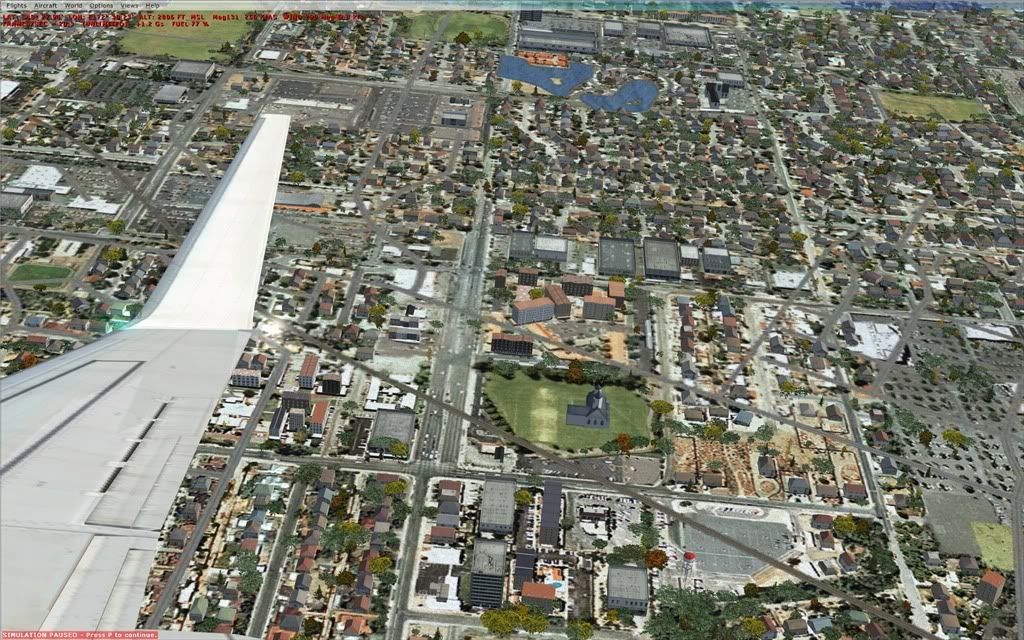
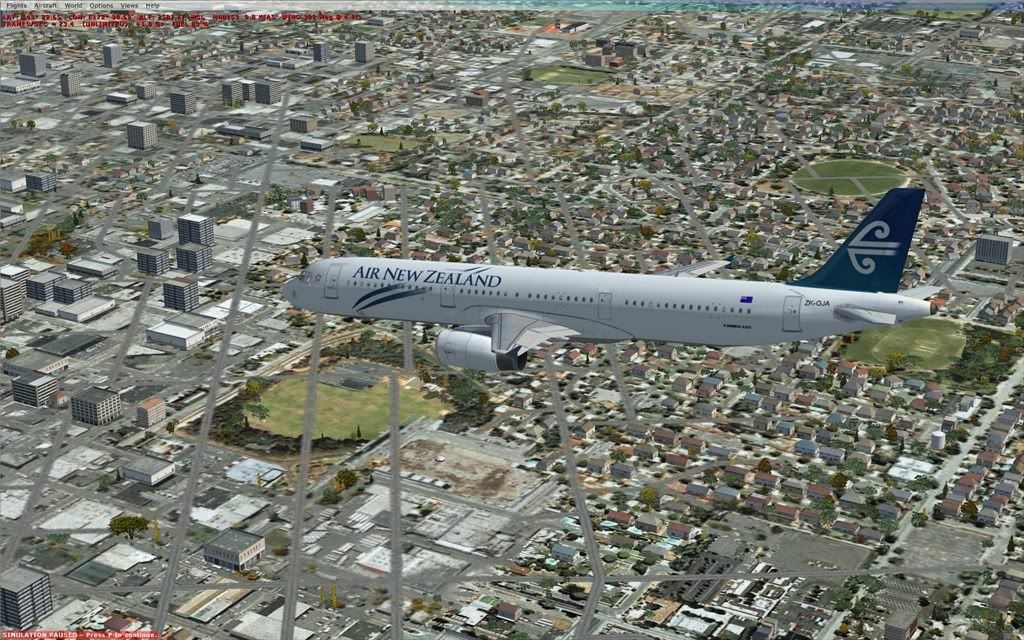
Couple of SS over Christchurch.
You'll notice the strange disparity of the roads overlay on the otherwise excellent autogen.
Anybody know if there's a fix?
user posted image
user posted image
Nice to have ANZ repaints, thanks Jon + Zolt :thumbup:
User avatar
Charl
NZFF Pro
 
Topic author
Joined: Mon May 01, 2006 8:28 am
Posts: 9691
Location: Auckland

Postby J_Eden » Sun Apr 15, 2007 1:49 pm

Only way I could think of would be to delete the scenery BGL that relates to the roads, or create a new file for roads that excluded going over certain types of autogen.

Not too sure if it's possible or not, but hey, I've been wrong before (so my ex girlfriend says!). :P

Maybe one of the scenery boffins can shed some light on this?

Nice shots btw ;)

James
J_Eden
 

Postby Zöltuger » Sun Apr 15, 2007 2:23 pm

Charl wrote: Nice to have ANZ repaints, thanks Jon + Zolt :thumbup:

Thanks :wub:

the overlay does look completely stupid, almost useless to have the actual roads. you seem to get a nice frame rate too which is promising
Zöltuger
 

Postby Timmo » Sun Apr 15, 2007 2:46 pm

not really possible unless you swap if for photoreal......remember that FS has to model the whole world and fit that data on a couple of discs so the vector data + landclass + autogen method is the only real way to accomplish this.

Remember that you have to 'tell' the computer everything....how would you tell the computer to align the textures with the vector data? Raster data is quite 'dumb' when it comes to knowing/calculating which way things are aligned (our brain is very good at, for example, 'seeing' roads on a photo...but to a computer, road pixels are no different to grass pixels)

Ive thought about it a bit....the only way i could see how to do it is to actually split the landclass textures into smaller blocks based on parcel sizes...each city block would be built up of several textures which hopefully line up with the vector data a bit better...but its a lot of work, a lot more data and it still wouldnt generate perfect results.

The other way is to remove any roads from the landclass textures/images....again not perfect but it might be an improvement.
Timmo
NZFF Pro
 
Joined: Wed Oct 25, 2006 6:28 pm
Posts: 2056
Location: Tauranga

Postby Christian » Sun Apr 15, 2007 5:41 pm

Hi Charl

As Timmo wrote, what you want to achieve isn't really possible. However, I have to admit I'm not a fan of the FSX roads, there are just too many of them and they wipe out too much autogen. I just released a patch (support.redbarent.com) and now you can disable the FSX roads and bring my topo ones over.

Won't completely help your problem, but may improve it a bit.

Cheers,
Christian
Breathtakingly gorgeous FS landscapes for New Zealand.
Visit Sim Pilot Experience now:
http://www.simpilotexperience.com
Follow me on twitter:
http://www.twitter.com/ChristianStock
User avatar
Christian
Forum Addict
 
Joined: Sun Apr 30, 2006 12:03 pm
Posts: 426
Location: melbourne

Postby JonARNZ » Sun Apr 15, 2007 6:07 pm

One of the advantages of FSX roads is they are very accurate, the disadvantage is the textures behind. Photoreal will be the way to go eventually, as long as its hi-rez.
ARNZX flightsim.co.nz
Asus Sabretooth X79 MB | i73930K CPU | 8GB DDR3 1600 C7 Ram | GTX 560Ti DCII OC | Corsair H80 Water Cooling
User avatar
JonARNZ
Senior Member
 
Joined: Sat Oct 21, 2006 12:49 pm
Posts: 1523
Location: Auckland


Return to All Flight Simulators

Who is online

Users browsing this forum: No registered users and 8 guests