ZK-MAT wrote:Slowly getting there... two more q's:
Scenery
Is it best to add scenery to the "Add On Scenery" folder then activate separately within FSX, or leave Add On Scenery empty and put additional scenery folders elsewhere. I've read conflicting views on this, (in FS9 I had my additional scenery separate to the Add On folder).
Honestly, whatever makes sense to you. If you have a separate physical drive, then it may make sense to put scenery on that, but apart from that it makes no difference to FSX. I keep away from Addon Scenery, for three reasons. First, I'm an oldie, going back to before addons existed. When the pre-activated Addon Scenery folder showed up, it make a lot of sense -- just drop scenery BGLs into it, and they were already activated. However after a while there were far too many files in there, which made it impossible to keep track of it, so it stopped being useful. But that's what Addon Scenery meant a home for BGL and texture files which didn't require their own folder.
The second reason is more to do with my tidy mind. A folder which contains scenery and textures is like a house, with two rooms -- the Scenery room, and the Texture room. The files inside those rooms are the furniture. Putting another scenery folder inside Addon Scenery is like building a house inside your house. So this happens:
Knock knock. Hi, is Bob home? Come on in -- his is the first house down the corridor.
Knock knock. Hi, is Bob home? Come on in -- I'll check his room.
See, does that make sense? Of course other people don't have my perception of things...
The last reason is to do with my customers who have to manually activate my scenery. When you access the Scenery Library, the default location is the main FSX folder. Having to say 'navigate to Addon Scenery...' all the time is a completely unnecessary and complex step for new users, so I just don't do it.
QUOTE
NavigationI'm missing not having FS Navigator in FSX. I've read about a program called Super Flight Planner (but download links are mostly dead), and wondered if there are any other alternatives? I don't really want to venture onto Vatsim without knowing where I am and where airways are... and speaking of that ... does FSX have a map? Probably a dumb question but can't seem to bring it up! I've never been a fan of the GPS but may have to be lol.
Thanks

[/quote]
The Map is accessed via the World menu -- Alt-W, M. If it doesn't show up, try windowed mode.

Posted:
Tue Jan 05, 2010 10:20 amby Ian Warren
Scenery - I do put all scenery into the addon scenery folder bar the self extracting , example Robin,s RealNZ scenery's
Navigation - Only brought again yesterday was flight maps , I have a file at flightsim.com , designed to be printed on A4 and placed in a clear file only 8 so pages including VOR/NDB s
Posted:
Thu Jan 07, 2010 10:34 amby ZK-MAT
Thanks Robin and Ian for the info. I personally go along with Robins' file structure ideas, it seems to me that putting scenery into the Add On Scenery folder, then adding that scenery from inside there, along with the Add On Scenery folder itself is "doing things twice". Right or wrong it makes me feel there's some organisation happening there
I'm looking for some good FSX ANZ planes, particularly a 733, if anyone can help.
I'll look for your flight map file Ian ... file number or link?
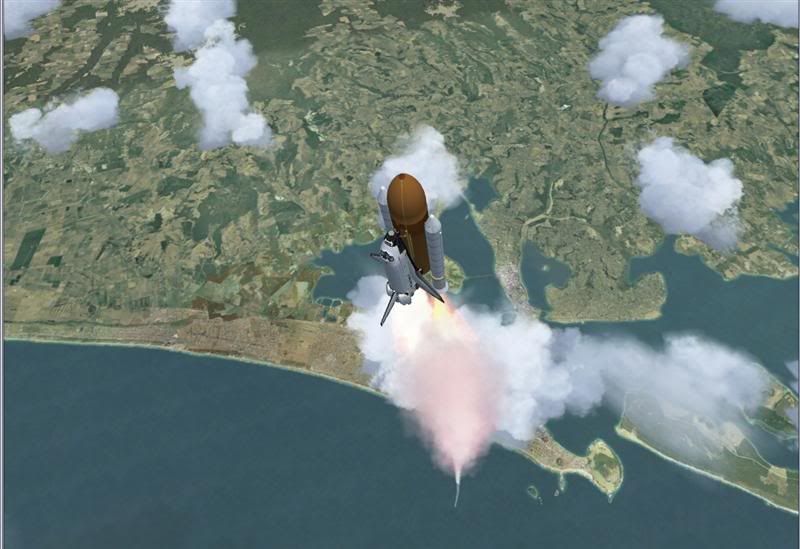
Finally, I spent a bit of time today with the space shuttle. It had me giggling away...
Posted:
Thu Jan 07, 2010 10:52 amby Ian Warren
File at flightsim.com
http://www.flightsim.com/file.php Name: nzmap.zip Size: 5,333,965 Date: 07-01-2007 The 737s possibly ProjectSky would be the best .
http://www.projectopensky.com/
Posted:
Thu Jan 07, 2010 4:22 pmby leow5263
if you want New Zealand paints for default aircraft, Flightsim.co.nz is the place to go

