Hi Guys
Can anyone give me a heads up on a process for this
Ive got a building in place and created an airport in ADE
Ive got a helipad
Is there an easy way to place the Pad on the building (Is this even possible)
Ive messed around with airport Heights etc
But fear im not on the right track , my concerns are that the pad moves all over the place when you aproach it and the building is obviously crashable ?
Im trying to create the Whangarei Hospital Basically to go with Onerahi
Thanks in advance for any input
INTOX
Helipad On Buildings
16 posts
• Page 1 of 1
 by INTOX » Mon Aug 10, 2009 11:22 am
An Update
Ive got the Helipad 100 Metres in the air
Ive got a Runway 20m By 20m and the Heli is sitting on the Pad at start No problem
So all good so far
My Problem is that the trees and buildings are being seen through the Pad and when I swing the view Around they Are on top of the Pad
Example Below
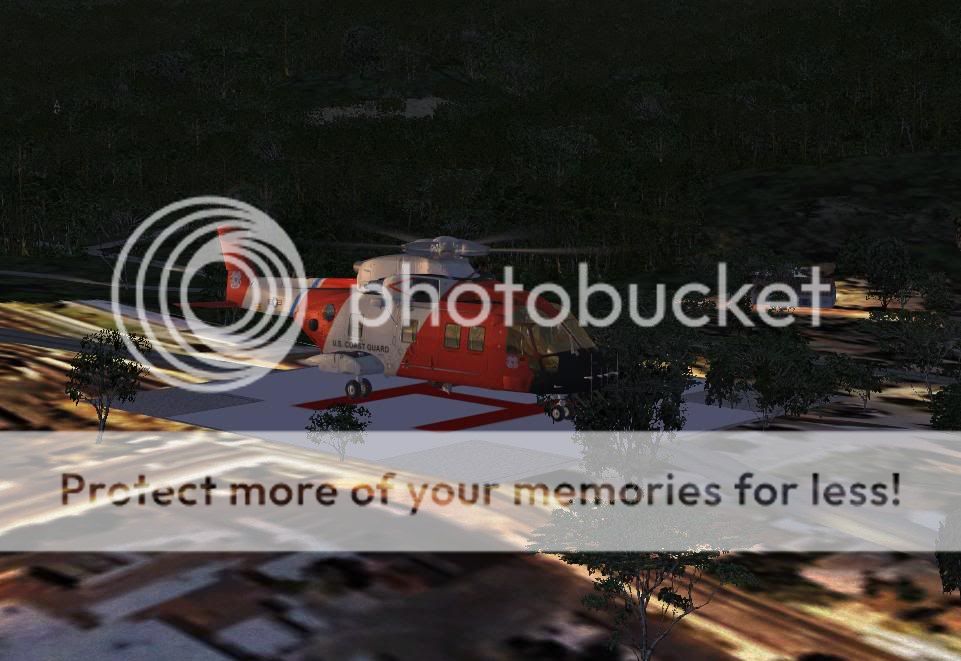
Ive got the Helipad 100 Metres in the air
Ive got a Runway 20m By 20m and the Heli is sitting on the Pad at start No problem
So all good so far
My Problem is that the trees and buildings are being seen through the Pad and when I swing the view Around they Are on top of the Pad
Example Below
- INTOX

by HardCorePawn » Mon Aug 10, 2009 12:06 pm
I used GMax to create 'Hardened' invisible platforms and just placed them using the builtin FSX Object Placement Tools...
I was able to harden a lot of the helipads around Robins RealNZ Auckland City scenery doing this... so you could land on ASB Building, Hospital Helipad, Mechanics Bay etc...
It's pretty easy once you know how... I can't remember the exact method, (create plane, run a script on it making it solid, export to MDL, place object), but I'm pretty sure I wrote it up somewhere on the board...
I did: http://nzff.org/forum/viewtopic.php?t=406
I originally did this in FS2004, but it worked in FSX as well... fairly sure I did hardened platforms for FSX as well at some point...
PROTIP: If you use this method, make 2 copies of your planes... one white, the other transparent... that way when placing the platform, you can use the white version to line it up just right... then change it to the transparent one
I was able to harden a lot of the helipads around Robins RealNZ Auckland City scenery doing this... so you could land on ASB Building, Hospital Helipad, Mechanics Bay etc...
It's pretty easy once you know how... I can't remember the exact method, (create plane, run a script on it making it solid, export to MDL, place object), but I'm pretty sure I wrote it up somewhere on the board...
I did: http://nzff.org/forum/viewtopic.php?t=406
I originally did this in FS2004, but it worked in FSX as well... fairly sure I did hardened platforms for FSX as well at some point...
PROTIP: If you use this method, make 2 copies of your planes... one white, the other transparent... that way when placing the platform, you can use the white version to line it up just right... then change it to the transparent one
"Son, we are about the break the surly bonds of gravity, and punch the face of God." -- Homer Simpson

-

HardCorePawn - Senior Member
- Joined: Fri Sep 01, 2006 4:18 pm
- Posts: 1277
- Location: 2500' above Godzone
by INTOX » Mon Aug 10, 2009 12:25 pm
using this Pad
Seemed to have worked
with airport set to SURFACE "UNKNOWN" in a 20 by 20 under it
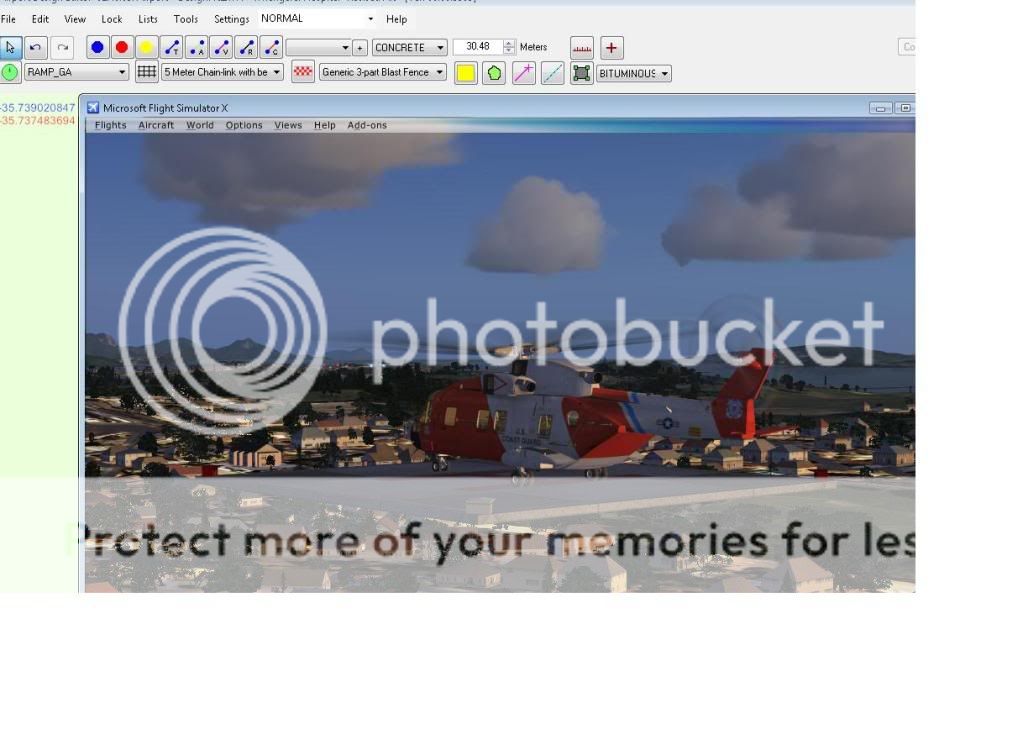
Seemed to have worked
with airport set to SURFACE "UNKNOWN" in a 20 by 20 under it
HardCorePawn wrote:QUOTE (HardCorePawn @ Aug 10 2009, 12:06 PM) <{POST_SNAPBACK}>I used GMax to create 'Hardened' invisible platforms and just placed them using the builtin FSX Object Placement Tools...
I was able to harden a lot of the helipads around Robins RealNZ Auckland City scenery doing this... so you could land on ASB Building, Hospital Helipad, Mechanics Bay etc...
It's pretty easy once you know how... I can't remember the exact method, (create plane, run a script on it making it solid, export to MDL, place object), but I'm pretty sure I wrote it up somewhere on the board...
I did: http://nzff.org/forum/viewtopic.php?t=406
I originally did this in FS2004, but it worked in FSX as well... fairly sure I did hardened platforms for FSX as well at some point...
PROTIP: If you use this method, make 2 copies of your planes... one white, the other transparent... that way when placing the platform, you can use the white version to line it up just right... then change it to the transparent one
thanks Ill look into that
- INTOX
by larral1123 » Mon Aug 10, 2009 6:25 pm
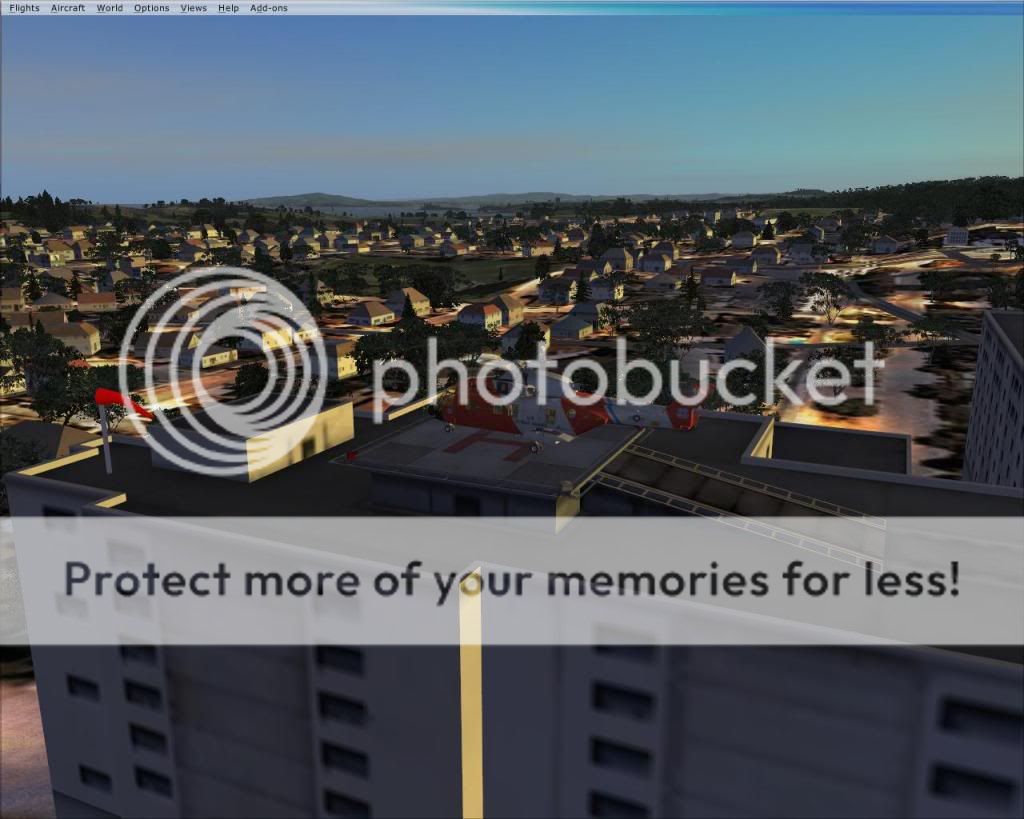
INTOX i cant wait to try this scenery the hospital shots look great

Have a GREAT holiday
From larral1123™
From larral1123™
-

larral1123 - Forum Addict
- Joined: Fri Apr 03, 2009 5:18 pm
- Posts: 189
- Location: Inside A house
by HardCorePawn » Tue Aug 11, 2009 12:02 pm
So which way did you go in the end??
Using a GMax hardened pad? Or by creating an 'airport'?
Also if you look up the Finney Air Chopperworld stuff, you'll find pretty much any helo related object you could possibly want!
Using a GMax hardened pad? Or by creating an 'airport'?
Also if you look up the Finney Air Chopperworld stuff, you'll find pretty much any helo related object you could possibly want!
"Son, we are about the break the surly bonds of gravity, and punch the face of God." -- Homer Simpson
-
HardCorePawn - Senior Member
- Joined: Fri Sep 01, 2006 4:18 pm
- Posts: 1277
- Location: 2500' above Godzone
by INTOX » Tue Aug 11, 2009 5:25 pm
Re Which Way
Hi Hardcore
I ended up adding an airport then dropping the Library Object Medical Pad on it and Setting up Starts etc
Then I actually deleted the Runway underneath And lined it all up in ADE
Object Placement tool does my head in
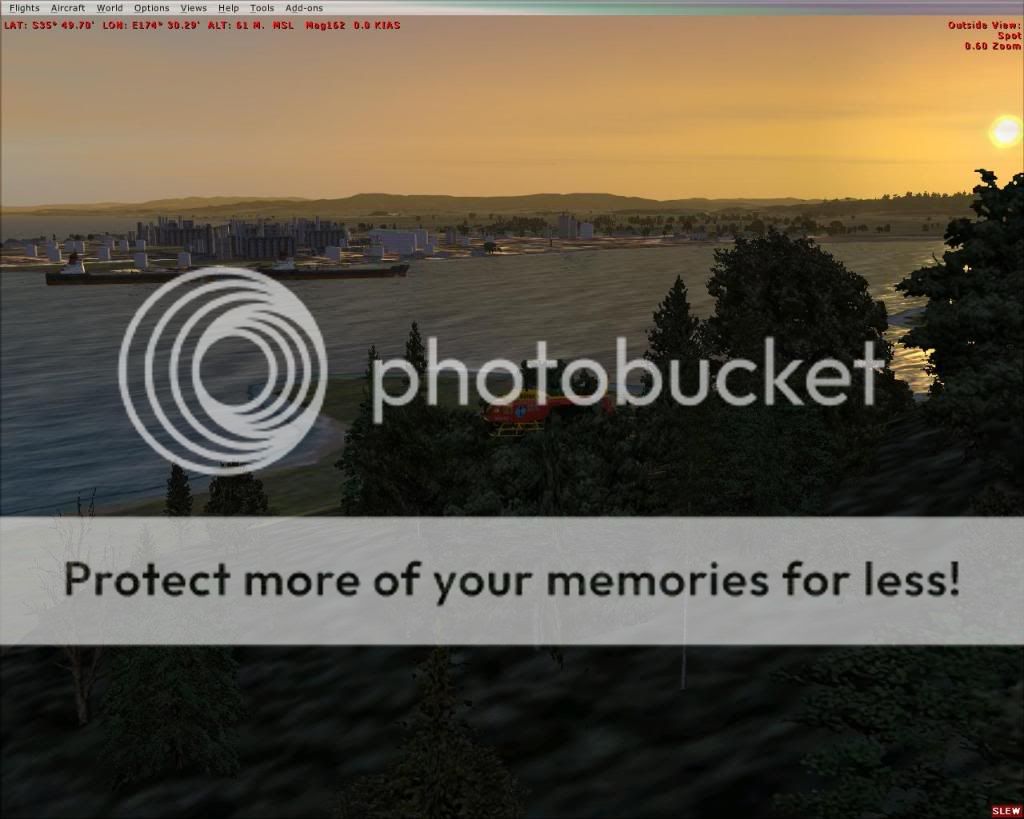
But I had another play around today with marsden point too
(Just trying to get some local landmarks done around the harbour.)
all just generic type stuff but hey !
Hi Hardcore
I ended up adding an airport then dropping the Library Object Medical Pad on it and Setting up Starts etc
Then I actually deleted the Runway underneath And lined it all up in ADE
Object Placement tool does my head in
But I had another play around today with marsden point too
(Just trying to get some local landmarks done around the harbour.)
all just generic type stuff but hey !
- INTOX
by larral1123 » Tue Aug 11, 2009 5:58 pm
INTOX wrote:QUOTE (INTOX @ Aug 11 2009, 05:25 PM) <{POST_SNAPBACK}>Re Which Way
Hi Hardcore
I ended up adding an airport then dropping the Library Object Medical Pad on it and Setting up Starts etc
Then I actually deleted the Runway underneath And lined it all up in ADE
Object Placement tool does my head in
But I had another play around today with marsden point too
(Just trying to get some local landmarks done around the harbour.)
all just generic type stuff but hey !
you are doing a great job
are you using an object placement tool
IF so which one ?Have a GREAT holiday
From larral1123™
-
larral1123 - Forum Addict
- Joined: Fri Apr 03, 2009 5:18 pm
- Posts: 189
- Location: Inside A house
by INTOX » Tue Aug 11, 2009 6:56 pm
larral1123 wrote:QUOTE (larral1123 @ Aug 11 2009, 05:58 PM) <{POST_SNAPBACK}>you are doing a great job
are you using an object placement tool
IF so which one ?
Hi Larral
Im Using ADE for around The airports
And SBuilderX along with The default Object Placement Utility
I however do not claim to know what Im doing .........lol ....but anything beats the default for Our harbour
Cheers
INTOX
- INTOX
by larral1123 » Tue Aug 11, 2009 7:35 pm
INTOX wrote:QUOTE (INTOX @ Aug 11 2009, 06:56 PM) <{POST_SNAPBACK}>Hi Larral
Im Using ADE for around The airports
And SBuilderX along with The default Object Placement Utility
I however do not claim to know what Im doing .........lol ....but anything beats the default for Our harbour
Cheers
INTOX
Thats True not many take notice about our small but Great townbut any way Good on ya mate on geting out there and doing it
Cant wait to try it (thats if you post it)
Have a GREAT holiday
From larral1123™

-
larral1123 - Forum Addict
- Joined: Fri Apr 03, 2009 5:18 pm
- Posts: 189
- Location: Inside A house
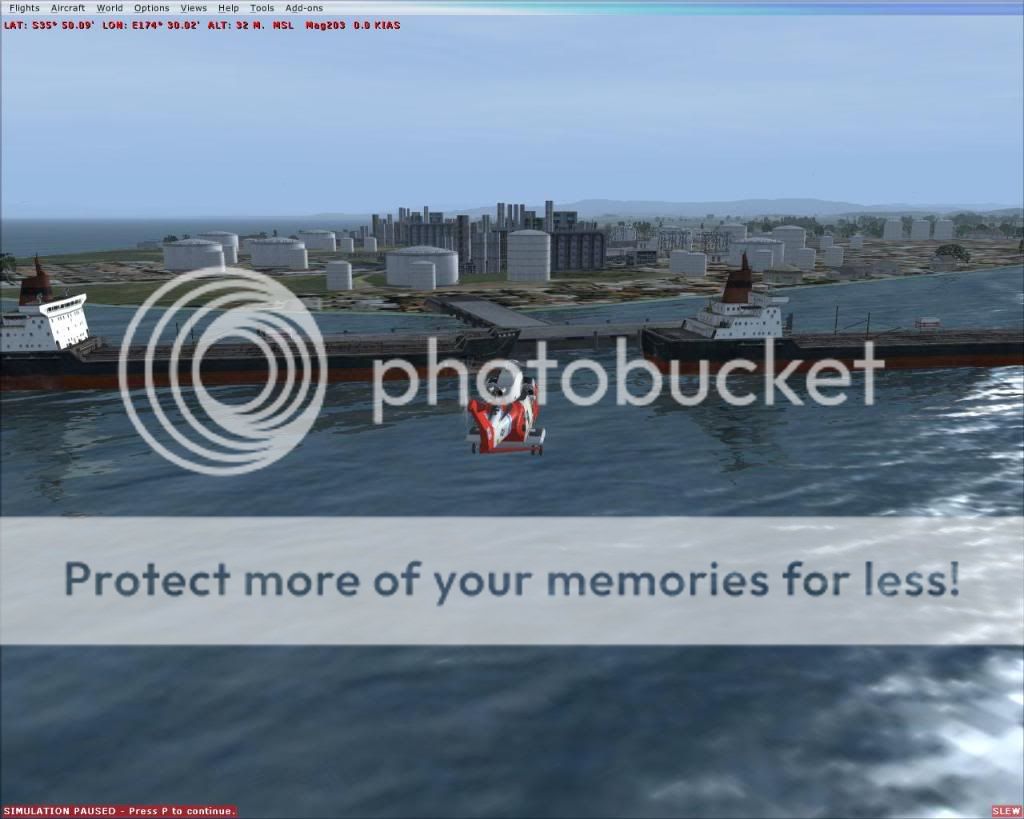
by larral1123 » Tue Aug 11, 2009 8:40 pm
INTOX wrote:QUOTE (INTOX @ Aug 11 2009, 07:45 PM) <{POST_SNAPBACK}>
Great Shot
That looks like the oil rifinery alrightHave a GREAT holiday
From larral1123™
-
larral1123 - Forum Addict
- Joined: Fri Apr 03, 2009 5:18 pm
- Posts: 189
- Location: Inside A house
by NZ255 » Tue Aug 11, 2009 10:50 pm
I can recommend the Flight 1 instant scenery for placing objects. Just bought it the other day and love it Quite a lot easier too.
Quite a lot easier too.Last edited by NZ255 on Tue Aug 11, 2009 10:51 pm, edited 1 time in total.
Nick
-

NZ255 - NZFF Pro
- Joined: Wed Jun 20, 2007 12:57 pm
- Posts: 2475
16 posts
• Page 1 of 1
Who is online
Users browsing this forum: No registered users and 29 guests