I have downloaded v.2 of the JF DC-8. Installs ok. As described they have overhauled basically all the cockpit textures and instrumentation, 10/10. They have fixed the mouse control issues, 10/10 and they have made the aircraft, less of a frame-rate hog, 10/10 there too. Generally the aircraft handles as one would expect, however the ground handling is still a little twitchy at a reasonable taxy speed +- 20 kts. The speed bugs on the ASI are now settable and V speeds provided in the aircraft reference notes. Not all the FE position is totally functionalbe, but enough for the time being, after all who wants to go as the FE I'd rather driver thanks.
Still no alternative camera views and I have issues the autopilot (AP) and altitude alert guage and indicator. Not sure about the WX radar install as my Capt Sim WXR comes ok as a toggle window but not in the pedestal (not sure if this achievable generally anyway). Had trouble getting cockpit lighting to work.
Any of you lots feedback appreciate, but alas still no 50 or later series yet to come and no Air NZ livery (even it is a cheat just loved the colour scheme).
JF DC-8 Update and Service Pack 2
9 posts
• Page 1 of 1
 by BendyFlyer » Tue Feb 18, 2014 5:08 pm
-

BendyFlyer - Member
- Topic author
- Joined: Tue Jul 02, 2013 10:02 pm
- Posts: 124
by Ian Warren » Tue Feb 18, 2014 6:10 pm
BendyFlyer wrote:QUOTE (BendyFlyer @ Feb 18 2014,6:08 PM) <{POST_SNAPBACK}>Any of you lots feedback appreciate, but alas still no 50 or later series yet to come and no Air NZ livery (even it is a cheat just loved the colour scheme).
It is a goodie , the 50 series and later variants are not that far off , a lot of people who tested the flight model and still continually working away tweaking and adjusting happened to be ole DC-8 pilots with many hours , great working with those guys ... David 'Dax' Sweetman .. a painter legend may come up a true ANZ/TEAL paint
-

Ian Warren - NZFF Pro
- Joined: Fri May 05, 2006 5:23 pm
- Posts: 41187
- Location: AREA 51
by BendyFlyer » Tue Feb 18, 2014 9:48 pm
Well I can get everything to work EXCEPT the Autopilot. Won't select pitch correctly and definitely will not hold alitude nor select to hold altitude. I am familiar with this type of autopilot. Having got pitch control you should be able to finely adjust climb or descent rates to arrive at the desired altitude and then select altitude hold and normally this will hold, because early autopilots were only two axis control not three (pitch and roll). Yep, and I have read and reread the new manual notes and tried it several times and with different aircraft, same outcome.
Oh and the altitude warning alert moves only in 1 ft increments - work out how many mouse clicks that is to get to F300.
SNAFU.
Oh and the altitude warning alert moves only in 1 ft increments - work out how many mouse clicks that is to get to F300.
SNAFU.
-
BendyFlyer - Member
- Topic author
- Joined: Tue Jul 02, 2013 10:02 pm
- Posts: 124
by Ian Warren » Tue Feb 18, 2014 10:54 pm
Bendy , Ill past this on to the SNAFUers and get a fix , I'm sure word is out and about these measures . 

-
Ian Warren - NZFF Pro
- Joined: Fri May 05, 2006 5:23 pm
- Posts: 41187
- Location: AREA 51
by zkbob » Wed Feb 19, 2014 7:03 am
BendyFlyer wrote:QUOTE (BendyFlyer @ Feb 18 2014,10:48 PM) <{POST_SNAPBACK}>CLIP LOTS
Oh and the altitude warning alert moves only in 1 ft increments - work out how many mouse clicks that is to get to F300.
SNAFU.
There are some realy useful "lua" commands for the full version of FSUIPC That allow for the ability to type in the usual autopilot parameters (height, course, descent/ascent rate). There are others too, one notable is adding the adf freqs to that most frustrating of radios adorning the DC3.
This would get around THAT problem quite neatly, until JF fix it.
How I survived FSX before the FSUIPC days is a miss tree.....
- zkbob
- Newbie
- Joined: Tue Jan 14, 2014 8:49 pm
- Posts: 5
by BendyFlyer » Wed Feb 19, 2014 9:11 am
zkbob wrote:QUOTE (zkbob @ Feb 19 2014,6:03 AM) <{POST_SNAPBACK}>There are some realy useful "lua" commands for the full version of FSUIPC That allow for the ability to type in the usual autopilot parameters (height, course, descent/ascent rate). There are others too, one notable is adding the adf freqs to that most frustrating of radios adorning the DC3.
This would get around THAT problem quite neatly, until JF fix it.
How I survived FSX before the FSUIPC days is a miss tree.....
Thanks for the tip will have a look at it. The altitude hold is via a central mouse click whilst hovering over the VC switch/roller, now new and most mouses don't have a central button only left/right and wheel, ooops!
Nope, the DC-8 stays in ze hangar awhile longer. Ah well least found I nice early JAL paint for it, second choice to and NZ scheme. No NZ in the just announced livery pack either.
-
BendyFlyer - Member
- Topic author
- Joined: Tue Jul 02, 2013 10:02 pm
- Posts: 124
by BendyFlyer » Tue Mar 04, 2014 10:17 am
Well put myself through and endorsement run of sorts with the DC-8. SP2 has really done some good stuff with the textures, VC and some of the cockpit controls. Alas a number of key problems here and there remain, but more on that later. I have a number of screenshots which I think illustrate the aircraft and model very well. The night VC is simply the best I have seen, excellent. Once you get the numbers right the DC8 is really very good. I guess we will have to await the release of the 50,60 and 70 series DC-8 to get some Air NZ colours. In the meantime Ship One or JAL is it for me. Oh and bugging JF with emails to address the fixes.
Here is the DC-8
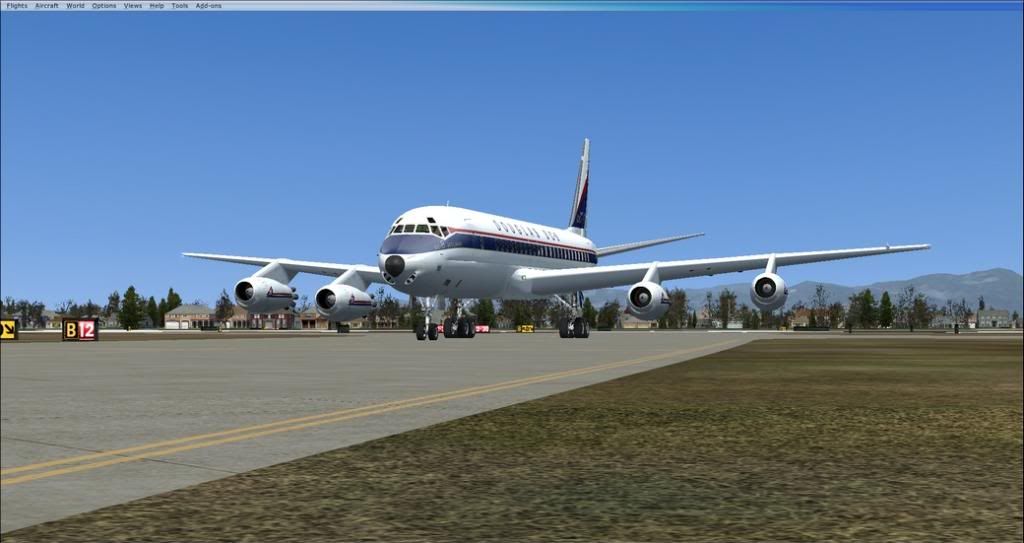
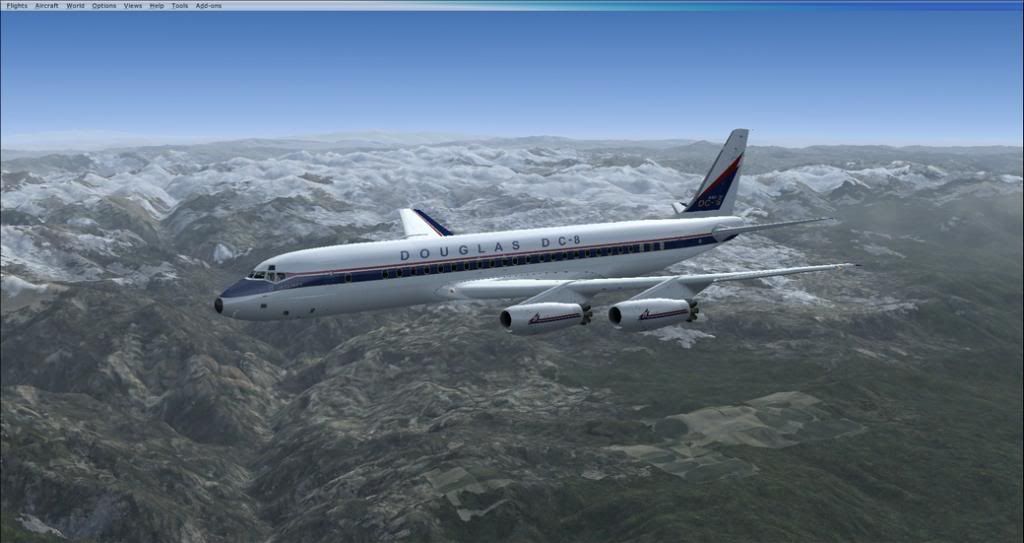
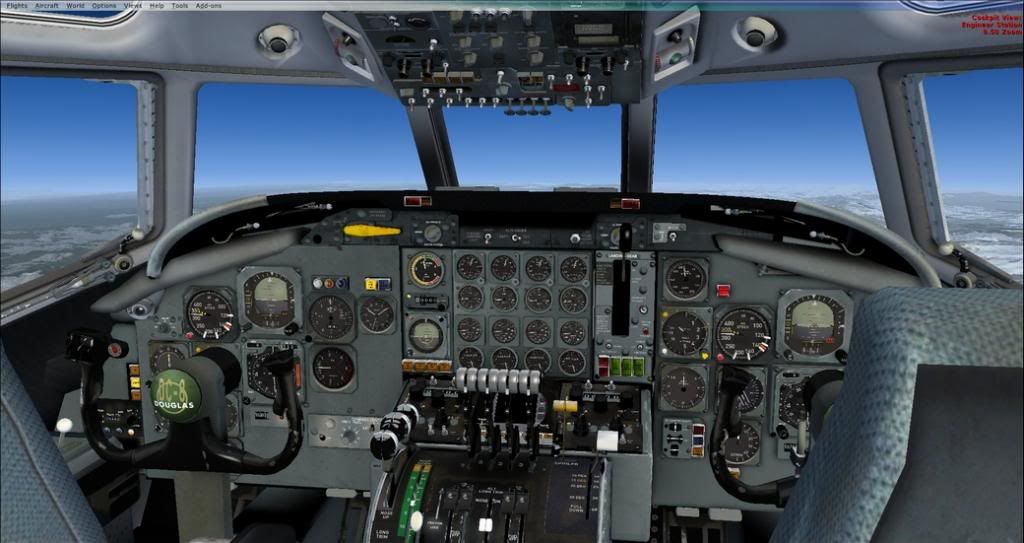
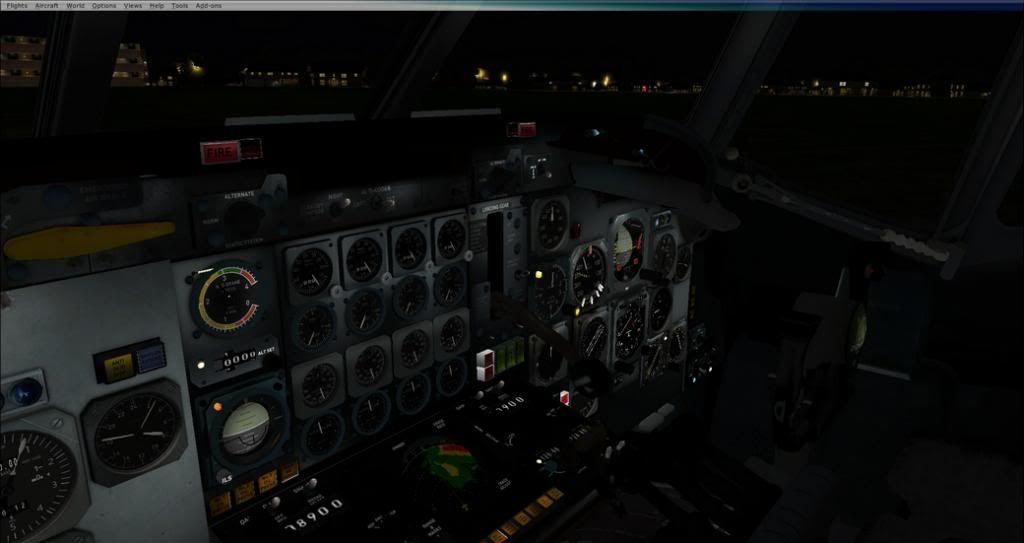
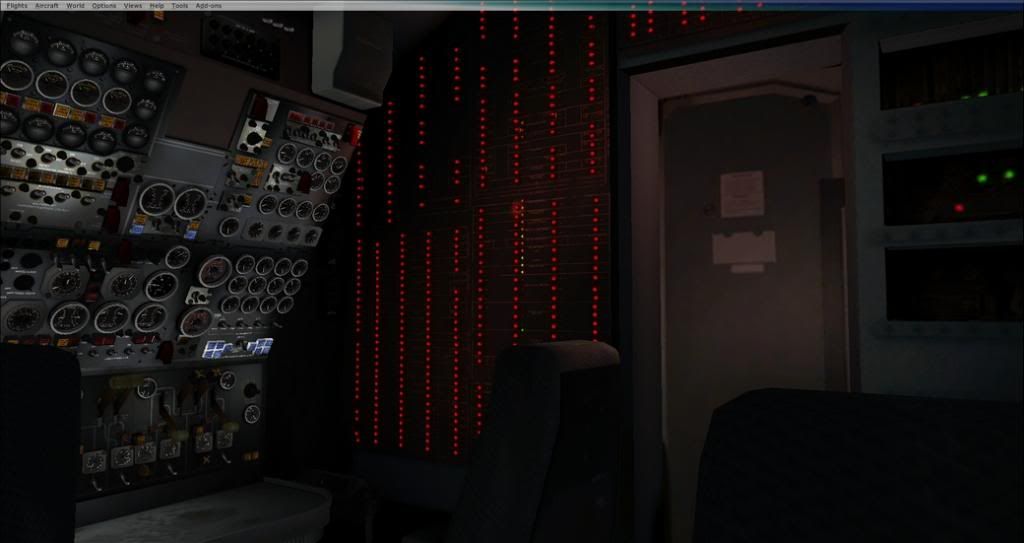
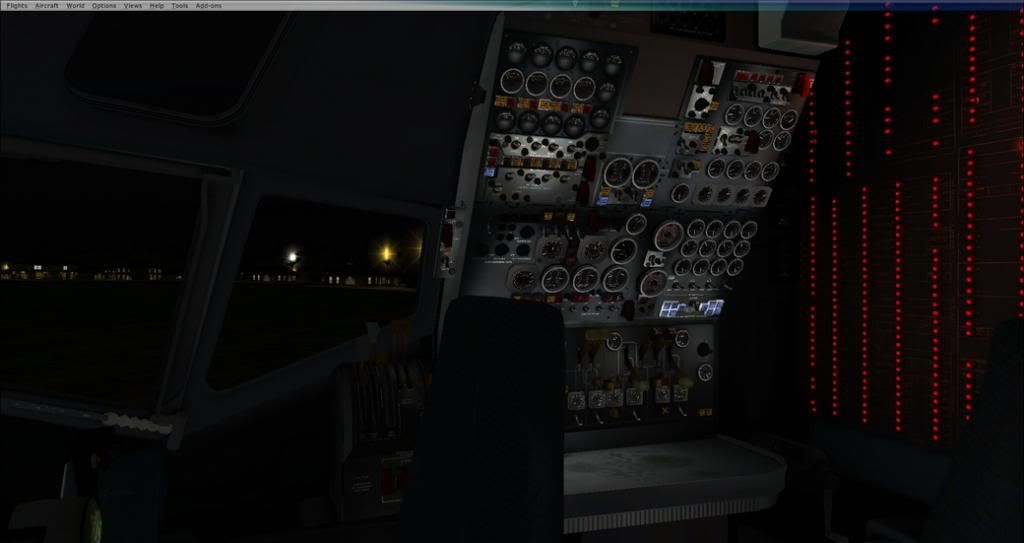
Here is the DC-8


-
BendyFlyer - Member
- Topic author
- Joined: Tue Jul 02, 2013 10:02 pm
- Posts: 124
by BendyFlyer » Tue Mar 04, 2014 10:26 am
Now what they need to fix. By the way the aircraft is perfectly flyable as it is and once you get used to a few key command controls is ok.
1. AUTOPILOT will not operate using mouse controls to hold altitude or control rate of climb or descent. (You can use standard FSX key commands to make it do that).
2. The Attendant call button for ground services etc., on the overhead panel does not function properly any more.
3. You can no longer shift key to the Navigators position.
4. The altitude alert dial is still in 1ft increments and therefore useless.
5. THERE IS NO OAT Guage or indicator.
6. The RMI indicator needles read the wrong way round, the tail is the head and the head is the tail, go figure!!
7. I cannot get the starter buttons to function and hence have to use CTL E to start, but start sequence is then normal.
8. The fuel system controls are still not correct or completely functional, as a result you can not control fuel flows or use correctly for a long range flight.
9. There are still no window or wing views available, its VC or outside or the other hopeless FSX external views.
10. The ground handling is iffy. The contact points are either incorrect or the CofG point is incorrect (too high) results feels like a Cessna C172 taxying not a 260000 lb airliner.
Guess that is s all. Really is great fun to fly and nicely functional otherwise and can only get better (I hope) will be a classic in time.
1. AUTOPILOT will not operate using mouse controls to hold altitude or control rate of climb or descent. (You can use standard FSX key commands to make it do that).
2. The Attendant call button for ground services etc., on the overhead panel does not function properly any more.
3. You can no longer shift key to the Navigators position.
4. The altitude alert dial is still in 1ft increments and therefore useless.
5. THERE IS NO OAT Guage or indicator.
6. The RMI indicator needles read the wrong way round, the tail is the head and the head is the tail, go figure!!
7. I cannot get the starter buttons to function and hence have to use CTL E to start, but start sequence is then normal.
8. The fuel system controls are still not correct or completely functional, as a result you can not control fuel flows or use correctly for a long range flight.
9. There are still no window or wing views available, its VC or outside or the other hopeless FSX external views.
10. The ground handling is iffy. The contact points are either incorrect or the CofG point is incorrect (too high) results feels like a Cessna C172 taxying not a 260000 lb airliner.
Guess that is s all. Really is great fun to fly and nicely functional otherwise and can only get better (I hope) will be a classic in time.
-
BendyFlyer - Member
- Topic author
- Joined: Tue Jul 02, 2013 10:02 pm
- Posts: 124
by Ian Warren » Tue Mar 04, 2014 10:45 am
Bendy, I was impressed with night-lighting myself, I have to check the ground services myself, one thing I missed .
-
Ian Warren - NZFF Pro
- Joined: Fri May 05, 2006 5:23 pm
- Posts: 41187
- Location: AREA 51
9 posts
• Page 1 of 1
Who is online
Users browsing this forum: No registered users and 9 guests