Page 1 of 1

PostPosted: Sat Oct 06, 2007 11:42 am
by creator2003
I was intrested to know is there a way of changing or modding the VC gauges in a aircraft ???
i can do the panel no problem but the VC panel is another story ,i just want to move them around and add some but i guess this is all done in the model making ,is this true ??
plz if you know or if there is someway to mod the VC gauges can ya let me know
cheers mike

PostPosted: Sat Oct 06, 2007 12:29 pm
by Kelburn
PMDG 1900d panel.vc wrote:[VCockpit01]
size_mm=512,512
pixel_size=512,512
texture=$DISPLAY1
background_color=1,1,1
visible=1

gauge00=KingAir!Pitot_Switch, 268,124,35,48
gauge01=KingAir!Vsi, 330,194,178
gauge02=KingAir!Altimeter, 322,3,183
gauge03=KingAir!Attitude, 3,4,249
gauge04=KingAir!Hsi, 3,243,275
gauge05=KingAir!Turn_Coordinator, 403,388,104,105
gauge06=KingAir!Prop_Sync, 338,375,57,53
gauge07=KingAir!Master_Caution, 264,70,47,47
gauge08=KingAir!Master_Warning, 265,12,48,48
gauge09=KingAir!Prop_Sync_Spinner, 339, 452 ,55


Look for this section in the panel.cfg
It works the same way as the 2D panel. Although some a/c have more than one VC area (e.g. the PMDG Beechcraft has [Vcockpit01] and 02 and 03 and 04) Play around a little and you should work it out.

PostPosted: Sat Oct 06, 2007 12:52 pm
by creator2003
Oh thanks heaps dude ,i was begining to think that it mite not be able to be done at all ,so thanks alot and ill get right on to doing the mods i have planned for the 222bell custom ,see if i cant touch it all up abit ,that vc and panel has bugged me enough now laugh.gif
mike

PostPosted: Sun Oct 07, 2007 11:38 am
by ardypilot
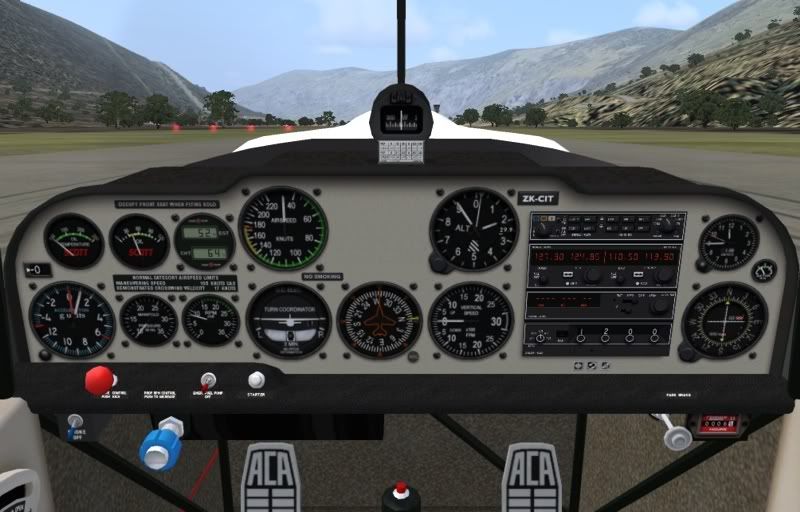
I made this one a while ago:

I just edited the text panel.cfg then edited the panel bmp image.