Taihape Airfield NZVR

Find everything related to the NZ Retro AI Project and Snowman's airport sceneries here, including downloads, previews and announcements

Postby Snowman » Sat Sep 06, 2008 12:28 pm

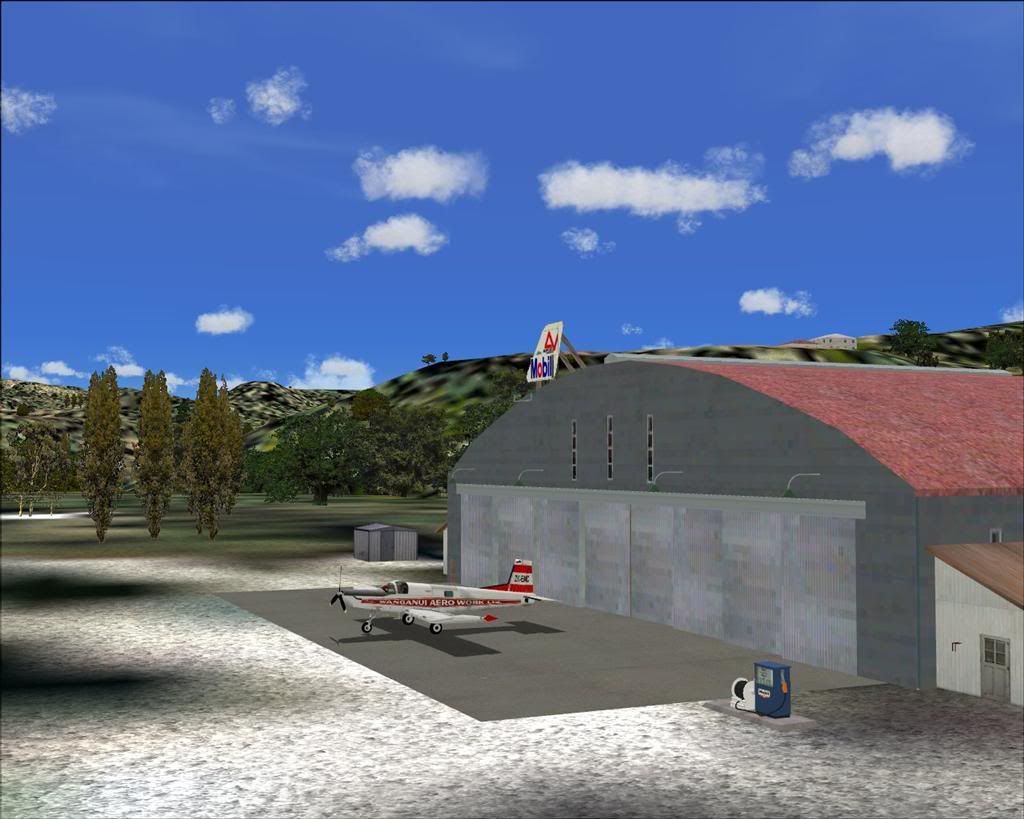
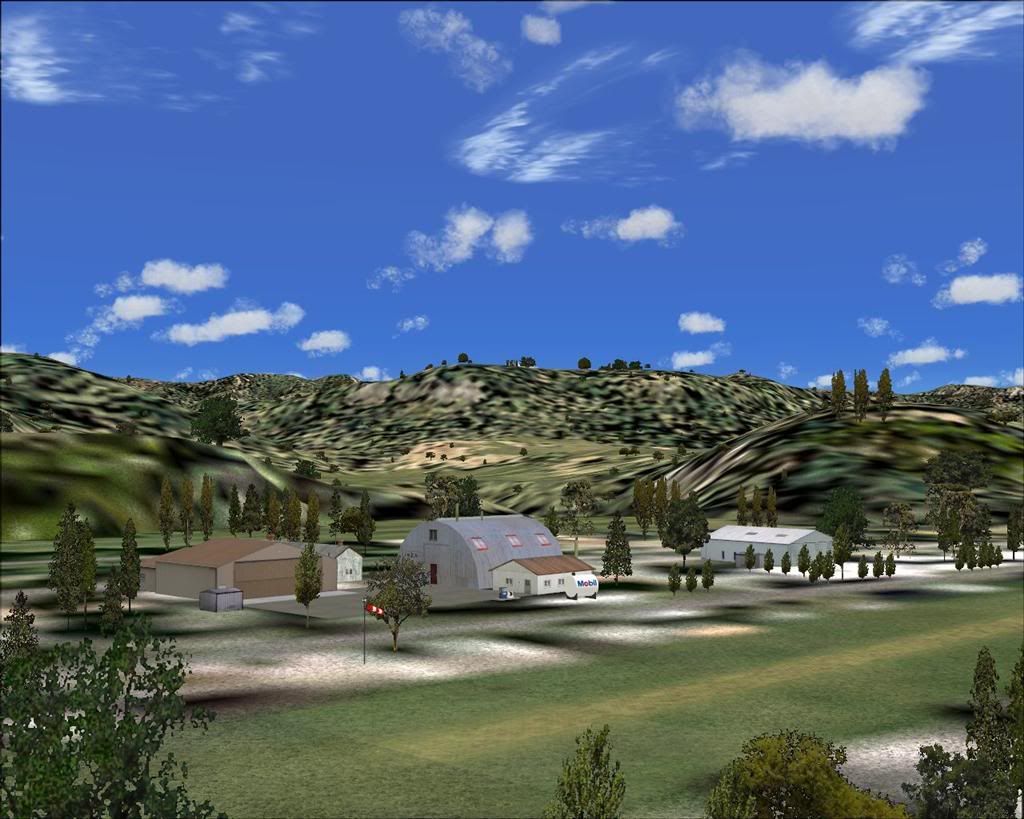
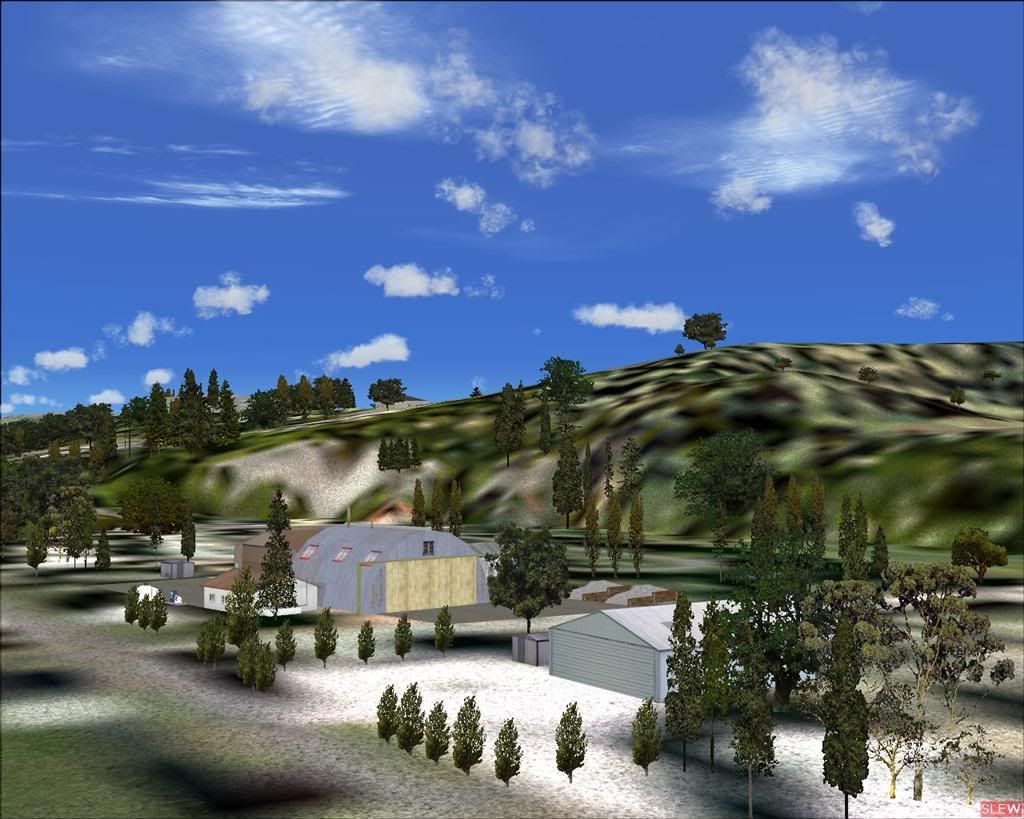
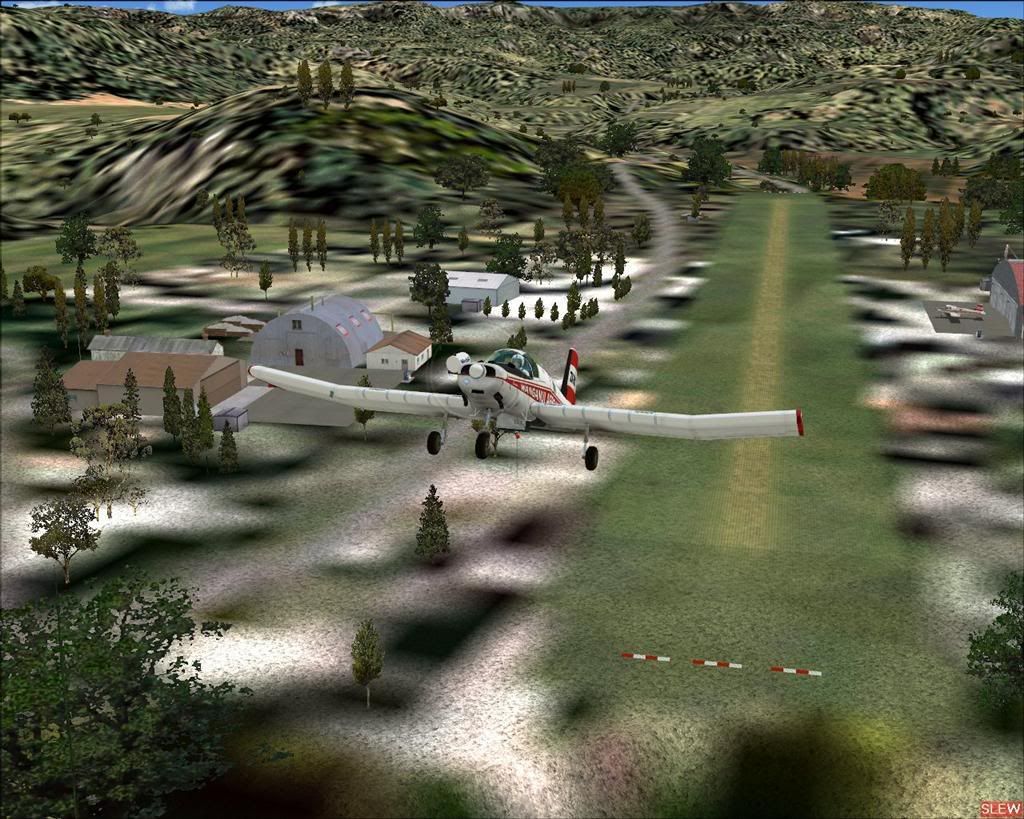
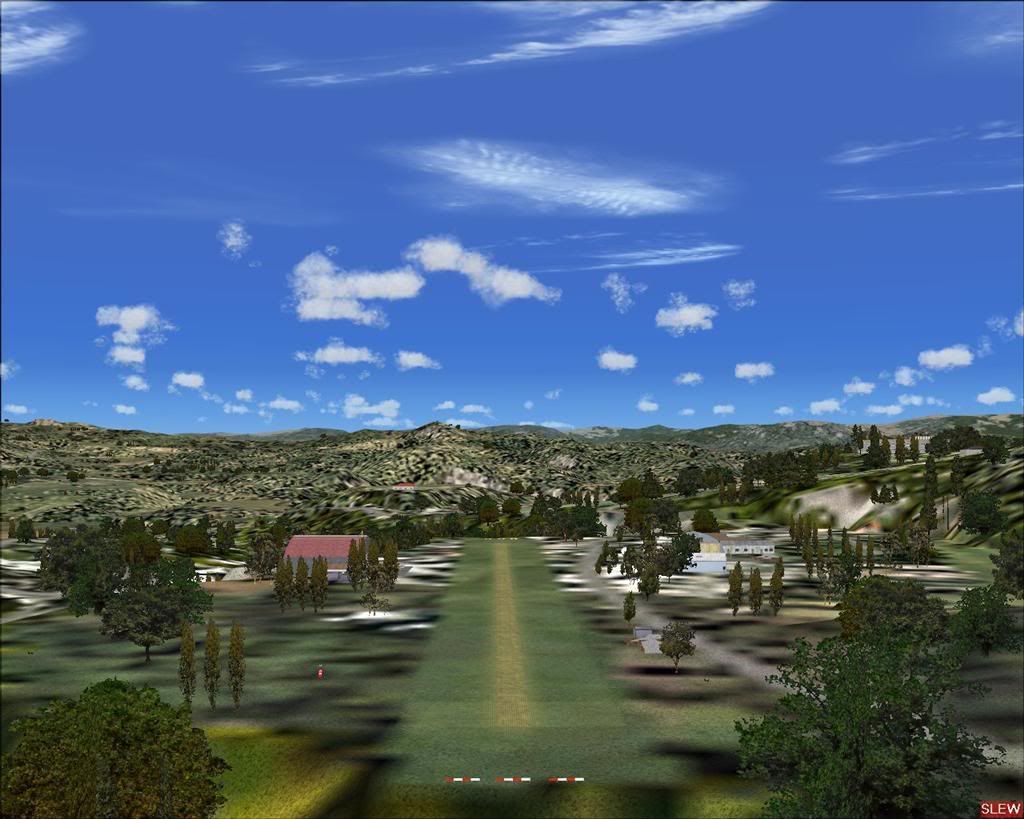
Welcome to Taihape, a small rural airfield in the Rangitikei region of the central North Island of New Zealand.
The airfield is situated 1 nautical mile south-west of the small town of Taihape, and is home to Rangitikei Air Services,
and also home to a couple of the Wanganui Aero Work agricultural Fletcher aircraft.
Wanganui Aero work is the largest agricultural aircraft fleet operator in New Zealand.
This scenery is designed specifically for use with the GNZLAP Special Release "A Flock of Fletchers",by Charl Du Toit.
This AI package is freely available here on avsim, filename....... GNZLAPA1.zip .
This scenery is REQUIRED for the AI package to work properly.

A few quick shots dashed off while building the scenery......................


Lawrie. New_Zealand_etc.gif
Last edited by Snowman on Sat Sep 06, 2008 12:43 pm, edited 1 time in total.
Image

Image
User avatar
Snowman
NZFF Pro
 
Topic author
Joined: Wed Jul 26, 2006 3:52 pm
Posts: 2427
Location: Tauranga, NZ.

Postby Warren » Sat Sep 06, 2008 8:55 pm

Yep. Just downloaded this baby but am having trouble with the levels. I copied the AFCAD across but hasn't solved my problem. Going to have to play with this one. Bloody looks good though. Thanks Lawrie.
Every one brings us happiness.........
Some as they arrive...Others as they leave.
User avatar
Warren
Member
 
Joined: Tue Jun 24, 2008 1:30 pm
Posts: 32
Location: South Western Australia. YBLN...Busselton

Postby NZ255 » Sat Sep 06, 2008 10:58 pm

Did you apply the flatten and excludes after installing it? If not....have a look through the read me. Near the bottom usually I think.

Nick
Nick
User avatar
NZ255
NZFF Pro
 
Joined: Wed Jun 20, 2007 12:57 pm
Posts: 2475

Postby Warren » Sun Sep 07, 2008 9:01 pm

Ahhh..Dont mind me. I have been to this airfield four times since I installed it and each time the error on the level was the same. The aircraft was sitting in the air at the end of the runway. Now, I have just been back and all the levels are correct. I have made no adjustments to the files except for copying the AFCAD which I did yesterday. Strange things happen Eh? Hope it stays this way. Looking forward to flying with the Fletchers.
Thanks for your comments Nick.
Last edited by Warren on Sun Sep 07, 2008 9:03 pm, edited 1 time in total.
Every one brings us happiness.........
Some as they arrive...Others as they leave.
User avatar
Warren
Member
 
Joined: Tue Jun 24, 2008 1:30 pm
Posts: 32
Location: South Western Australia. YBLN...Busselton

Postby Snowman » Mon Sep 08, 2008 3:36 pm

Warren wrote:
QUOTE (Warren @ Sep 7 2008, 09:01 PM) <{POST_SNAPBACK}>
Ahhh..Dont mind me. I have been to this airfield four times since I installed it and each time the error on the level was the same. The aircraft was sitting in the air at the end of the runway. Now, I have just been back and all the levels are correct. I have made no adjustments to the files except for copying the AFCAD which I did yesterday. Strange things happen Eh? Hope it stays this way. Looking forward to flying with the Fletchers.
Thanks for your comments Nick.


Where did you copy the AFCAD to ?? FS9 / Scenery / World / Scenery ???
I had no problems with trying to defeat any FS9 default flattens, so i didnt include this step in the install instructions for Taihape.

Lawrie. New_Zealand_etc.gif
Image

Image
User avatar
Snowman
NZFF Pro
 
Topic author
Joined: Wed Jul 26, 2006 3:52 pm
Posts: 2427
Location: Tauranga, NZ.

Postby Warren » Mon Sep 08, 2008 5:14 pm

I have just gone back today and the error has returned. I copied the AFCAD to Scenery/world/scenery after I realised I had a flatten issue. It made no difference. I still have the problem. A few minutes ago I deleted the AFCAD and went back to look. No difference. I took some pretty pictures. The problem is at both ends of the runway. Both ends drop away to a lower level before the end of the runway.


Strange, Eh.
Last edited by Warren on Wed Sep 10, 2008 4:21 pm, edited 1 time in total.
Every one brings us happiness.........
Some as they arrive...Others as they leave.
User avatar
Warren
Member
 
Joined: Tue Jun 24, 2008 1:30 pm
Posts: 32
Location: South Western Australia. YBLN...Busselton

Postby ZK-LGD » Mon Sep 08, 2008 8:08 pm

Hi Warren,

Errr ... the floating runway ends is a result of having your TERRAIN_MAX_VERTEX_LEVEL set at 19.

Assume you have the 20m Mesh? If so, try setting TERRAIN_MAX_VERTEX_LEVEL (in your FS.cfg) to 20 or 21. That fixes the problem.
Regards,
Dorian
User avatar
ZK-LGD
Sim-holic
 
Joined: Fri Apr 28, 2006 3:34 pm
Posts: 742
Location: Springfield, Canterbury

Postby Warren » Mon Sep 08, 2008 9:55 pm

Thanks for responding Dorian. I changed the setting from 19 to 20 and was halfway to fixin' the problem, however when I changed to 21 there was little difference. I thouight we had solved the problem there.


Yes, I am on 20mesh. New screen shot.
Every one brings us happiness.........
Some as they arrive...Others as they leave.
User avatar
Warren
Member
 
Joined: Tue Jun 24, 2008 1:30 pm
Posts: 32
Location: South Western Australia. YBLN...Busselton

Postby PiperDriver » Tue Sep 09, 2008 9:11 am

Excellent work Lawrie and Charl.

Its going to be alot of fun flying into some of these farm strips.
PiperDriver
 

Postby Snowman » Tue Sep 09, 2008 3:46 pm

Warren wrote:
QUOTE (Warren @ Sep 8 2008, 09:55 PM) <{POST_SNAPBACK}>
I changed the setting from 19 to 20 and was halfway to fixin' the problem, however when I changed to 21 there was little difference. I thouight we had solved the problem there.
Yes, I am on 20mesh.


Hi Warren.

Well,......... i must admit, im a little lost on this one. I changed the vertex level to 19, and got the same effect as you,.......... changed it back to 21, and all perfect again. Once you changed the vertex level to 21, you did SAVE it before exiting the cfg file ?? If so, did you then make a copy of the AFCAD to FS9 / Scenery / World / Scenery folder, to reinforce the flattens ??

I did however, come across one other instance where this is a problem,.......... using FS Global SRTM Terrain Mesh,.......... it upsets the RBE 20 m mesh in NZ.

Any one else have this problem ????...........................

Lawrie. New_Zealand_etc.gif
Image

Image
User avatar
Snowman
NZFF Pro
 
Topic author
Joined: Wed Jul 26, 2006 3:52 pm
Posts: 2427
Location: Tauranga, NZ.

Postby Warren » Tue Sep 09, 2008 4:13 pm

Greetings Lawrie,
I knew it was something I had done, or not done. At Dorian's suggestion I tried vertex level 20 and saved, however when I tried 21 I didn't save so I was still on 20. Good pick Lawrie about not saving the 21 setting. Bet I have learnt something here. Thank you all for helping an idiot sort out his problem.. It's all good now.... cheers1.gif
Every one brings us happiness.........
Some as they arrive...Others as they leave.
User avatar
Warren
Member
 
Joined: Tue Jun 24, 2008 1:30 pm
Posts: 32
Location: South Western Australia. YBLN...Busselton

Postby Snowman » Tue Sep 09, 2008 4:18 pm

Warren wrote:
QUOTE (Warren @ Sep 9 2008, 04:13 PM) <{POST_SNAPBACK}>
Greetings Lawrie,
I knew it was something I had done, or not done. At Dorian's suggestion I tried vertex level 20 and saved, however when I tried 21 I didn't save so I was still on 20. Good pick Lawrie about not saving the 21 setting. Bet I have learnt something here. Thank you all for helping an idiot sort out his problem.. It's all good now.... cheers1.gif


No problem............. only too happy you got it sorted.................. smile.gif

Lawrie. New_Zealand_etc.gif
Image

Image
User avatar
Snowman
NZFF Pro
 
Topic author
Joined: Wed Jul 26, 2006 3:52 pm
Posts: 2427
Location: Tauranga, NZ.


Return to South Pacific FlightSim Scenery

Who is online

Users browsing this forum: No registered users and 2 guests