Page 1 of 1

PostPosted: Mon Apr 07, 2014 4:01 pm
by Charl
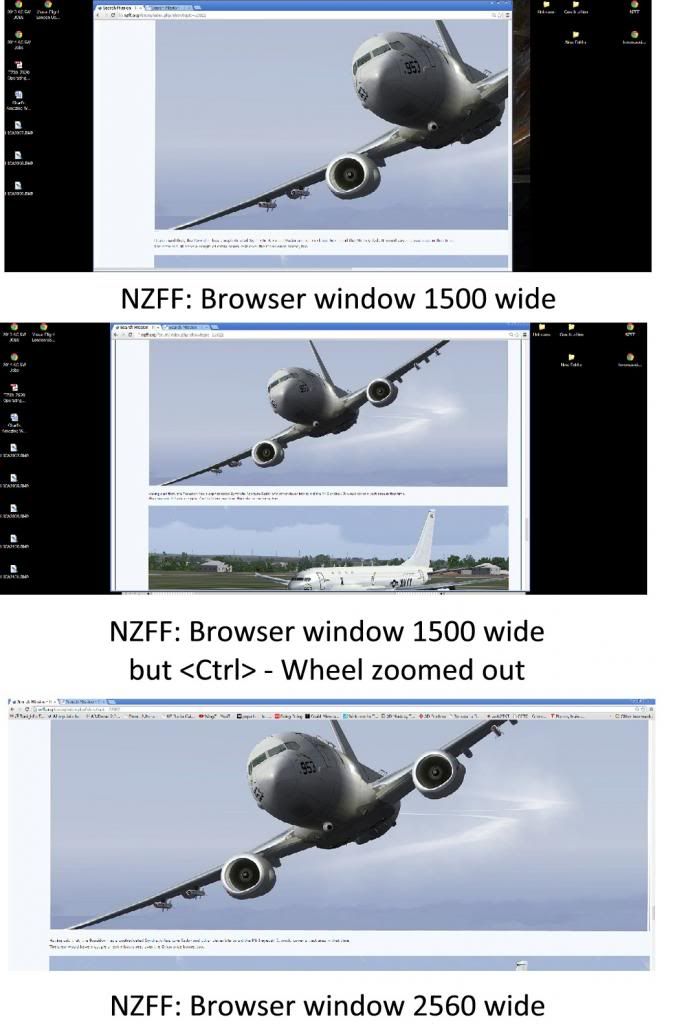
I notice that on some forums the screenshots are resized with whatever your browser is set to.
This is great when folks post 1900 pixels and beyond widths (I am also guilty).

At the moment NZFF doesn't resize, and I find myself having to zoom out 3 or 4 steps, by which time you can't read the text any more.

Might there not somewhere be a board setting that automatically resizes pictures to fit?
PostPosted: Mon Apr 07, 2014 4:56 pm
by toprob
Yes, for over-sized images in Firefox I right-click and 'view image' and it'll resize to fit the screen. Normal threads have some screen overhead anyway, so choosing to view interesting images this way cuts out all the clutter as well.

PostPosted: Mon Apr 07, 2014 6:00 pm
by Charl
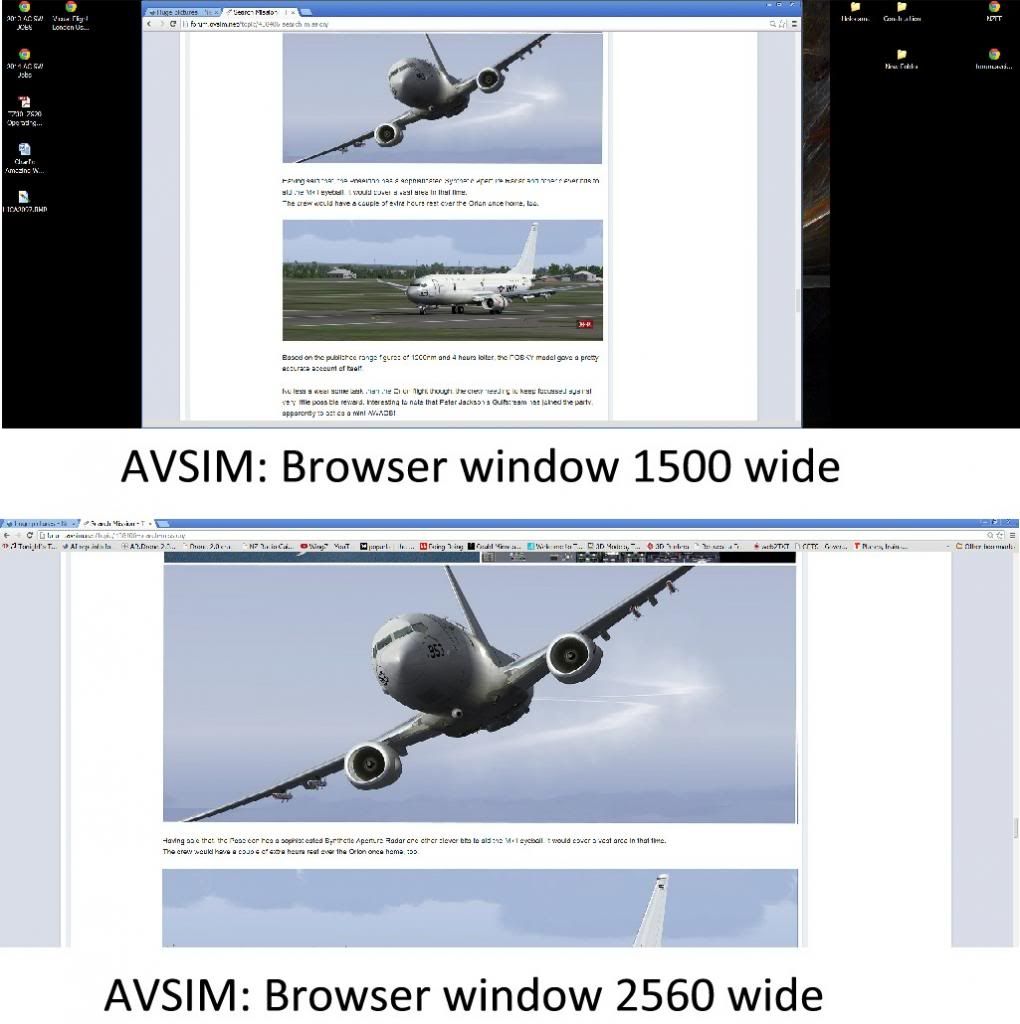
OK it may just be a Chrome thing... I noticed because I cross-posted to AVSIM where pictures were automatically resized.
At NZFF I have to use <Ctrl> - mousewheel to zoom out, and then text also goes with it, making it unreadable.


PostPosted: Tue Apr 08, 2014 2:55 am
by Fozzer
With my screen shots I mostly limit them to 1024 max pixels wide, and each one 250k max in size, to suit the majority of (small?) Monitor sizes (mine is 17 inches... ohmy.gif ....the Monitor!).

I often find it annoying having to scroll sideways to obtain the whole width of the thread in one go.

Some Sites put a limit on the width and size, (to reduce bandwidth?).

Paul...its size that counts....apparently...so I've been told.... rolleyes.gif ...!

PostPosted: Tue Apr 08, 2014 3:23 pm
by Ian Warren
Be now 10 years back i got the 28 in , great for graphics and design, fact is - its watch you need the PC's for, .. Huge pictures get reduced on other forum sites and we are so lucky to have the option.

PostPosted: Thu Apr 10, 2014 8:55 pm
by emfrat
It was the odd size of those YGAT Rapide landing pics I put up for Charl that made me suspect I had posted them to CBFS, and while I was asleep, I remembered the post.

PostPosted: Thu Apr 10, 2014 9:03 pm
by Splitpin
I now use the OZx place and keep them all to 1300 wide .... just my 10cents worth.

PostPosted: Thu Apr 10, 2014 10:28 pm
by Ian Warren
Splitpin wrote:
QUOTE (Splitpin @ Apr 10 2014,10:03 PM) <{POST_SNAPBACK}>
I now use the OZx place and keep them all to 1300 wide .... just my 10cents worth.

You want it set to 1280 wide, don't want to be caught out but yes indeed OZx-Image hosting is really the place to post screens.

PostPosted: Fri Apr 11, 2014 4:30 am
by Fozzer
The BIG disadvantage I find with members images stored on other 3rd-party Sites (Photobucket, etc), is that if the user then deletes or moves the image, this will result in a dead-link appearing in the screen shot, etc, thread!
For that reason I always store ALL my images on the Simviation Site where they are permanently stored within the Simviation Sites own Server....>>> http://simviation.com//

Once uploaded there...that's where they stay, and cannot be deleted or re-arranged!

Does the NZFF Site have its own uploading image store within the NZFF Site, for permanent storage?

Paul....1024 X 768 for a perfect fit!... biggrin.gif ...!

PostPosted: Fri Apr 11, 2014 7:32 am
by Charl
Conversely... putting your trust in a Forum Admin system means your efforts can be flushed at any time, for any of many reasons.
I lost a couple of extensive photo essays this way, when SOH decided it was easier just to start again, rather than rebuild the server.

So mine stay at a location of my choosing, sometimes Photobucket but generally Imageshack.
This also means I don't need to read the fine print of uploading the odd shot to every board I happen to drive by!
I get really annoyed by prissy admins demanding maximum file sizes and minimum pixels.
(Other than contest entries of course!)

Which brings me back to the original point: I like the AVSIM software whatever it might be, since it allows any old picture, any colour depth, any file size, and pixels, to appear in the forums from an externally stored site.

It simply resizes what you see on your particular monitor and settings.
If you really need to see the triple monitor 8000 pixel original, you can click through and see the rivets.