 Posted: Wed Jul 01, 2009 9:09 pm
Not sure how it happened however i've just discovered my airports/runways/navaids aren't aligned the way they should be. Sound confusing?? I'm not sure how to describe this problem so i'll show an example....
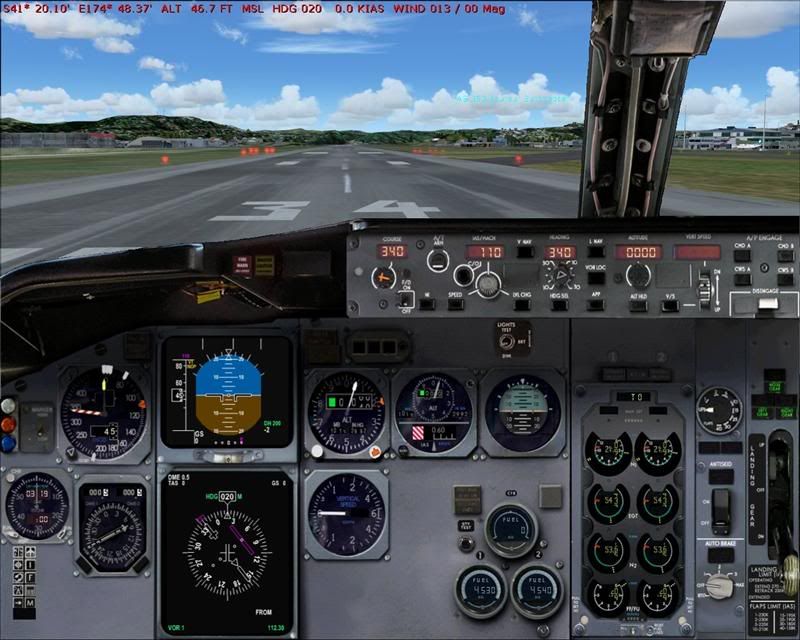
As you can see, i'm sitting on RWY34 at NZWN, I have tuned the WN VOR (112.3) and have selected course 340 however, the sim is saying that i'm on a heading of 020 (note red text at top of pic). Needless to say my navigation is all up the creek without the proverbial!
Heres a closeup....note sitting on RWY34....sim thinks its heading 020!!
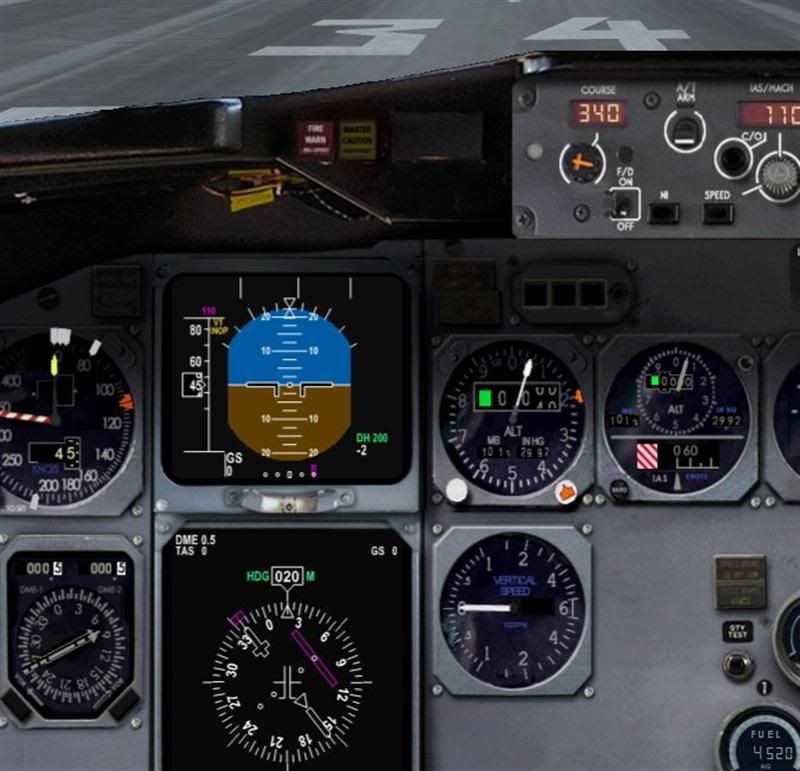
Also, when I bring up the GPS, it too shows an incorrect heading. All was fine up until recently, not sure what I could have done to stuff this up (only installed a couple of aircraft over the last few days) and this problem occurs with any aircraft I try to use at any airport. Any Ideas?? Please help!!
I'm using FS9 and don't have any other problems....starts up fine no error messages....aircraft and scenery show fine just this erroneous nav data!! Would a reset of FS9.cfg return my settings to normal??
As you can see, i'm sitting on RWY34 at NZWN, I have tuned the WN VOR (112.3) and have selected course 340 however, the sim is saying that i'm on a heading of 020 (note red text at top of pic). Needless to say my navigation is all up the creek without the proverbial!
Heres a closeup....note sitting on RWY34....sim thinks its heading 020!!
Also, when I bring up the GPS, it too shows an incorrect heading. All was fine up until recently, not sure what I could have done to stuff this up (only installed a couple of aircraft over the last few days) and this problem occurs with any aircraft I try to use at any airport. Any Ideas?? Please help!!
I'm using FS9 and don't have any other problems....starts up fine no error messages....aircraft and scenery show fine just this erroneous nav data!! Would a reset of FS9.cfg return my settings to normal??


 So i guess it was a corrupt AFCAD that caused my FS world to be un-aligned with reality......??