Page 1 of 1

PostPosted: Sun Oct 10, 2010 7:37 pm
by ShadowMystDK
I've had my GeForce 9500 GT graphics card for some time now, and while I get outstanding graphics during daytime flights, my night-time, dusk, and dawn graphics are horrid (especially in terms of aircraft and cloud textures) - worse even than on my old laptop (which had a built-in GPU with only a 4th of the graphics memory of the Nvidia card). Any ideas on what settings I can change (and what to change them to) to fix this?
I've included a couple screenshots to help diagnose what settings may be wrong.
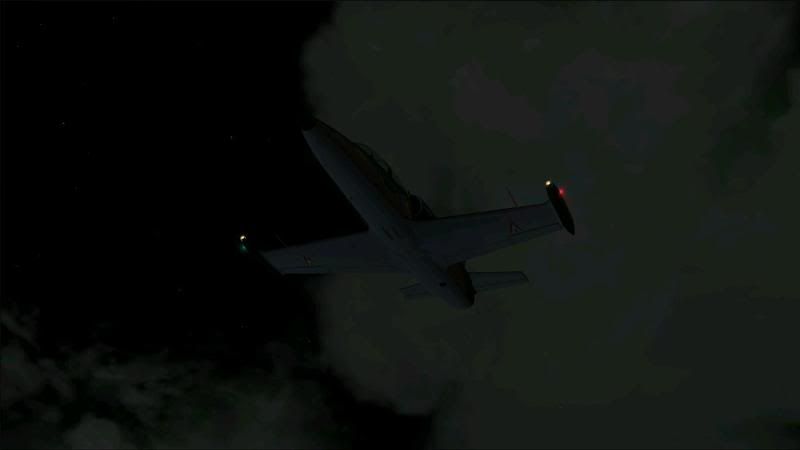
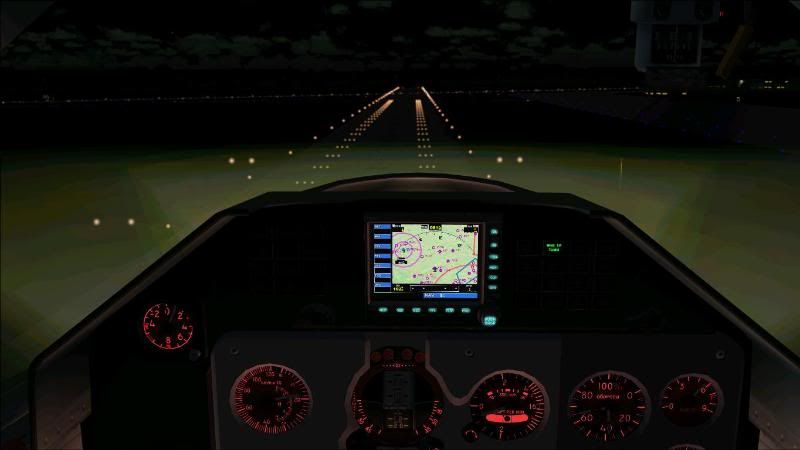


Any help would be much appreciated.

PostPosted: Sun Oct 10, 2010 8:16 pm
by IslandBoy77
The pics are a little low-res. Can you clarify - is the specific problem banding (gradation between shades of colours showing bands)? What else looks specifically "horrid"? It looks partly like a colour bit-depth problem on the surface.

PostPosted: Sun Oct 10, 2010 9:48 pm
by ShadowMystDK
Sorry about the resolution - it's the best I've been able to get as of late using Fraps.
As to the problem itself - the differentiation between colors and depth is what I'm referring to - i.e. the shades don't blend together like they should, and there is almost no depth to them whatsoever. Ground textures appear fine - it's the aircraft itself and sky/cloud textures that is off.

PostPosted: Mon Oct 11, 2010 7:05 am
by IslandBoy77
Hmmm. So what you're looking for then is colour bit depth settings - either in FSX, Windows or your video driver. Have you exhaustively searched those 3 things to make sure one isn't 'out'? Oft times it can be just one setting in one of those areas that will tip the whole thing off.

PostPosted: Mon Oct 11, 2010 12:01 pm
by ShadowMystDK
I have no clue as to what setting I should be looking for though lol.............

PostPosted: Mon Oct 11, 2010 12:38 pm
by IslandBoy77
ShadowMystDK wrote:
QUOTE (ShadowMystDK @ Oct 11 2010, 01:01 PM) <{POST_SNAPBACK}>
I have no clue as to what setting I should be looking for though lol.............

FSX has a bit-depth setting next to the screen resolution - make sure it's 32-bit. The general screen properties for Windows will tell you if you're using 16 or 32-bit. And somewhere in the video card driver control panel there will probably be some mention about colour depth - again, you need to look to make sure it's 32 not 16 or 24. I hope that at least points you in the right direction.