 Posted: Sun Jun 09, 2013 6:47 pm
Really stupid question, but how do you uninstall ORBX NZSI & NZNI???
Posted: Sun Jun 09, 2013 6:47 pmPosted: Sun Jun 09, 2013 7:16 pmraddragon wrote:QUOTE (raddragon @ Jun 9 2013,6:47 PM) <{POST_SNAPBACK}>Really stupid question, but how do you uninstall ORBX NZSI & NZNI???
Remove and reinstall ORBX
1 - Set FTXcentral to [Default FSX]
2 - Browse to FSX/ORBX and delete the FTX_NZ folder
3 - Browse to FSX/Scenery/World/Scenery and delete all 26 x NZNI and 57 x NZSI tagged elevation adjustment files
4 - Browse to FSX/ORBX/Scripts and delete scenerylib_NZNI.cfg and scenerylib_NZSI.cfg then while in that same folder ... double-click FTXconfigurator.exe (silent operation)
5 - Load up somewhere in New Zealand to confirm its stock/default FSX
If you suspect your default NZ/FSX install is not quite right somehow.. now is the time to do an FSX-repair using your FSX DVD, otherwise continue the installation steps below
Then when you reinstall:
- Run the NZSI installer,
- Set FTXcentral to [Oceania],
- Run the NZSI.001 servicepack,
- Run NZNI installer,
- Set FTXcentral to [Oceania],
- Run the latest ORBXlibs
Posted: Wed Jun 12, 2013 6:58 pmPosted: Thu Jun 13, 2013 8:53 amraddragon wrote:QUOTE (raddragon @ Jun 12 2013,7:58 PM) <{POST_SNAPBACK}>Just completed a full reinstall of both, still no NZQN airport in NZSI. Any ideas?
Any chance of a screen , .. same thing with other people with this problem - one fix again mention is re-install just over the top and may require it done a couple of times .. sounds silly but it works
Posted: Thu Jun 13, 2013 9:41 amPosted: Thu Jun 13, 2013 6:33 pm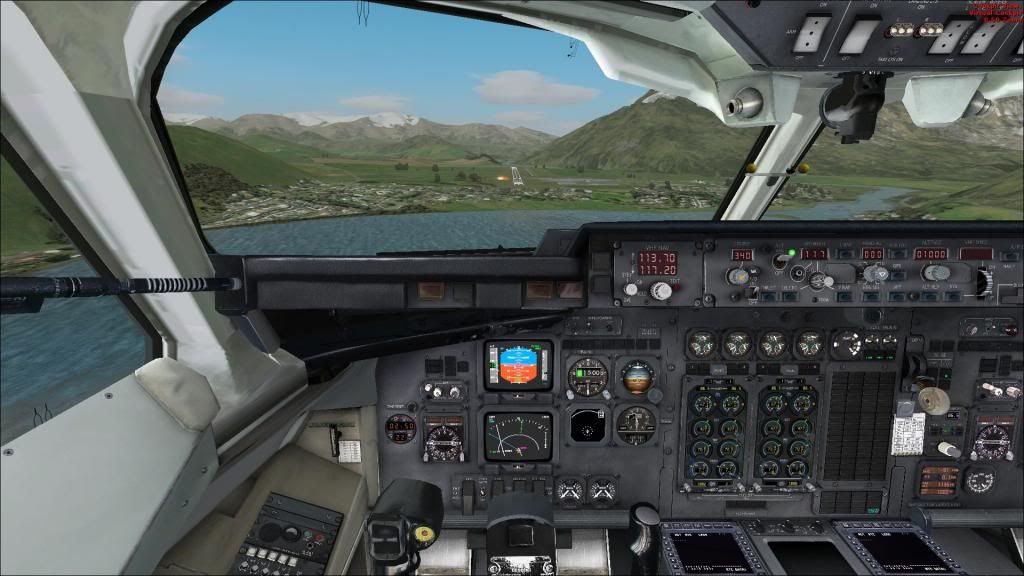 Posted: Thu Jun 13, 2013 6:58 pmPosted: Thu Jun 13, 2013 7:18 pmPosted: Sat Jun 15, 2013 7:05 pm
 Posted: Sun Jun 16, 2013 10:18 am