More problems

The place to ask for help or solve each others technical issues and discuss hardware

Postby Kelburn » Sun Oct 28, 2007 4:32 pm

After re-installing three times, FS9 Was running very well until I tried installing my PMDG 737Ng I got about 4 months ago. My Current system specs are: Laptop, NVIDIA GeForce 8400m G, AMD Turion 64 x2 TL-58 (1.9GHz) 160GB HDD.

This is annoying!!!!
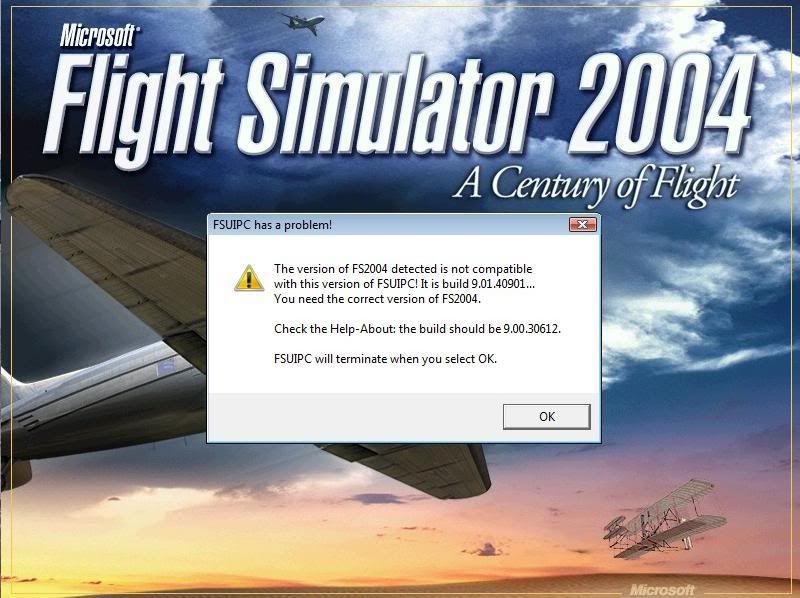
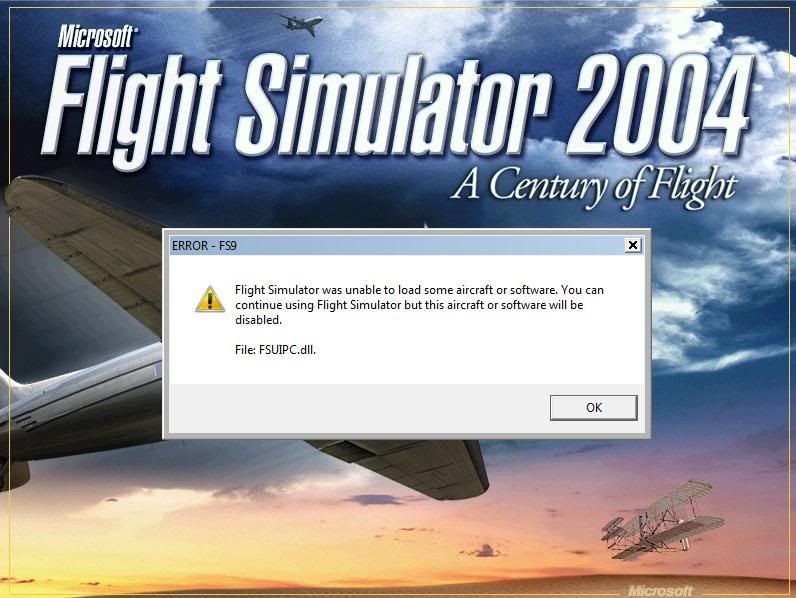
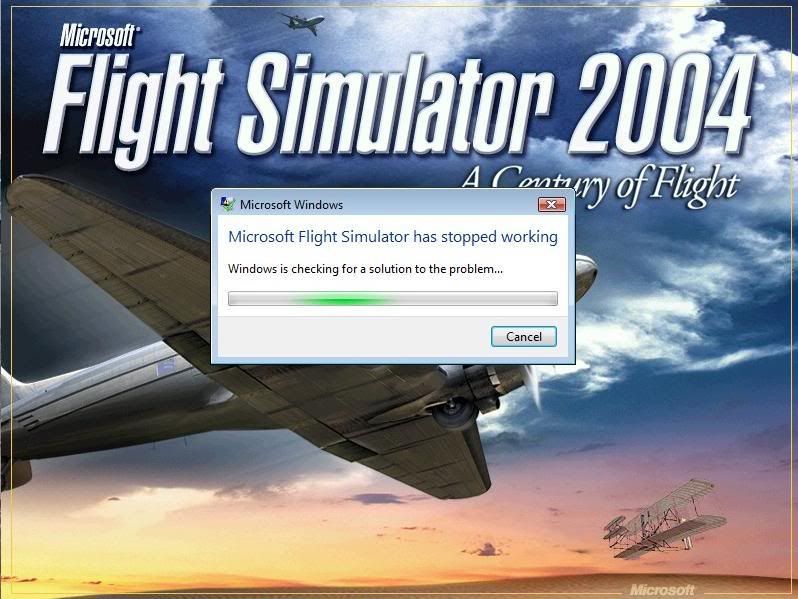
Image

Isn't it evident?? Boeing are my favourite aircraft.

P.S. that's is my real birthday but I wish to keep my real age secret to keep you all pondering.
Kelburn
NZFF Pro
 
Topic author
Joined: Sat Oct 14, 2006 10:59 am
Posts: 2193
Location: On a reverse 'hole'

Postby Kelburn » Sun Oct 28, 2007 4:39 pm

I have a feeling it's to do with FSUIPC or something to do with the 737 because as soon as I uninstall it FS9 is working again.
Image

Isn't it evident?? Boeing are my favourite aircraft.

P.S. that's is my real birthday but I wish to keep my real age secret to keep you all pondering.
Kelburn
NZFF Pro
 
Topic author
Joined: Sat Oct 14, 2006 10:59 am
Posts: 2193
Location: On a reverse 'hole'

Postby Mattnz » Sun Oct 28, 2007 5:24 pm

Have you updated FSUIPC to the latest version, and are you using the freeware or payware version of it?
Image
Mattnz
Sim-holic
 
Joined: Sun Feb 25, 2007 6:13 pm
Posts: 810
Location: Dunedin

Postby Kelburn » Sun Oct 28, 2007 5:51 pm

just the one that comes installed with the PMDG 737NG
Image

Isn't it evident?? Boeing are my favourite aircraft.

P.S. that's is my real birthday but I wish to keep my real age secret to keep you all pondering.
Kelburn
NZFF Pro
 
Topic author
Joined: Sat Oct 14, 2006 10:59 am
Posts: 2193
Location: On a reverse 'hole'

Postby Mattnz » Sun Oct 28, 2007 6:16 pm

Oh okay, I would assume that would be the latest version...

Try downloading it again, and installing it, and see if that works.

Link: http://www.schiratti.com/dowson.html - download the one for FS2004 fsuipc3.75
Image
Mattnz
Sim-holic
 
Joined: Sun Feb 25, 2007 6:13 pm
Posts: 810
Location: Dunedin

Postby ronindanbo » Sun Oct 28, 2007 6:57 pm

yoiur using Vista, dosent there have to be a Vista specific version of FSUIPC?
BSMP ltd Chairman of the board

Image
Visit www.bsmp.co.nz
User avatar
ronindanbo
Sim-holic
 
Joined: Fri Jul 14, 2006 5:59 am
Posts: 700
Location: Wellington

Postby brownbox » Sun Oct 28, 2007 7:01 pm

i beleive you problems may be vista related. Try what was mentioned above and make sure everything is vista compatible. Maybe try running fS9 in compatibility mode for windows XP
Desktop:Core 2 Duo E4300 1.8@ 3.0Ghz@ 1.36v. 4Gb Supertalent DDR2-800 2.1v@ 5-5-5-15. Asus P5N-E SLI Pencil Modded. Corsair TX 650. 512MB Palit Geforce 8800GT. 2x200GB IDE+640GB SATAII. Windows Vista Ultimate X86. Samsung SH-S222A
Phone:Nokia N900 Vodafone
Car: 1993 Mitsubishi Mirage Asti Z. Steel Blue Pearl

1996 Toyota Curren 2.0L 5 Spd Manual Silver. 205/50/R16 on Enkei K-95. Lowered on Jamex Superlows. Remote locking. Remote boot release. Cruise control
1996 Mitsubishi GTO MR

Image
User avatar
brownbox
Senior Member
 
Joined: Thu Apr 27, 2006 10:55 pm
Posts: 1318

Postby Kelburn » Wed Oct 31, 2007 3:56 pm

fixed now, it was FSUIPC I needed to update.
Image

Isn't it evident?? Boeing are my favourite aircraft.

P.S. that's is my real birthday but I wish to keep my real age secret to keep you all pondering.
Kelburn
NZFF Pro
 
Topic author
Joined: Sat Oct 14, 2006 10:59 am
Posts: 2193
Location: On a reverse 'hole'


Return to Technical Issues

Who is online

Users browsing this forum: No registered users and 7 guests


