Problem with display in Gmax

The place to ask for help or solve each others technical issues and discuss hardware

Postby NZ255 » Tue Sep 23, 2008 3:53 pm

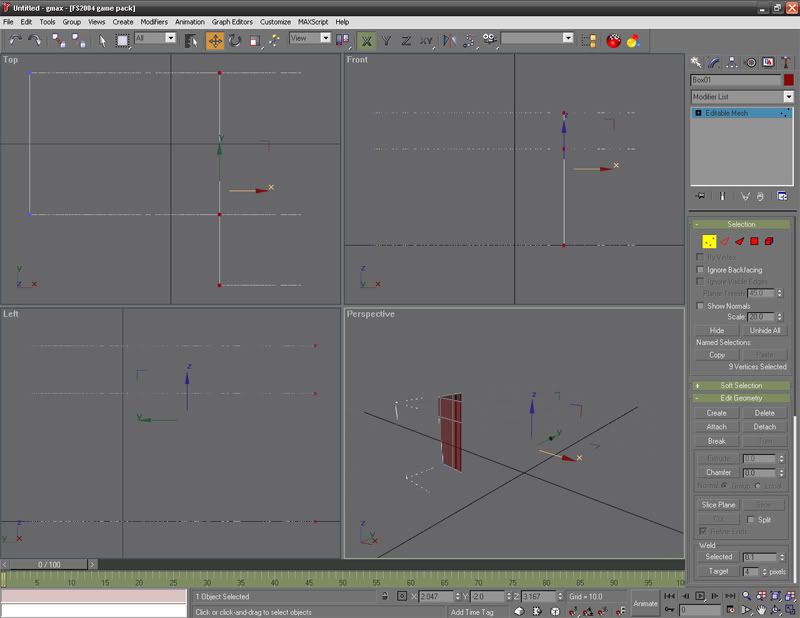
Hi, I'm having trouble with Gmax, when ever I click on something my work and the display's go all funny looking:


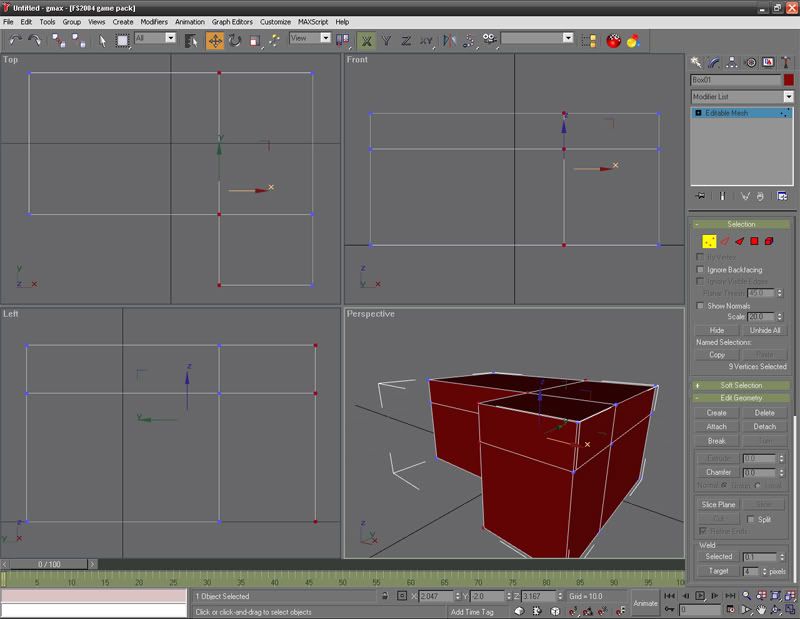
When I click on "Zoom Extents" it goes back to normal, but I have to press this everytime I click on something:

Thanks, Nick
Nick
User avatar
NZ255
NZFF Pro
 
Topic author
Joined: Wed Jun 20, 2007 12:57 pm
Posts: 2475

Postby creator2003 » Tue Sep 23, 2008 4:38 pm

Gmax is click click click but see in the customize settings /pref what drivers you are running Gmax in also somewhere you would pick GL mode or 3D mode option ,sorry cant really remember where those setting are ..
http://img87.imageshack.us/my.php?image=gmaxzm3.jpg
Last edited by creator2003 on Tue Sep 23, 2008 4:40 pm, edited 1 time in total.
User avatar
creator2003
NZFF Pro
 
Joined: Fri Jun 16, 2006 12:08 am
Posts: 4633
Location: Cant U C im LOCO

Postby toprob » Tue Sep 23, 2008 4:41 pm

I think you might just be zoomed in too close -- try reducing the angle of view using the Field of View tool, and then you might be able to zoom in a little closer.
User avatar
toprob
NZFF Pro
 
Joined: Sat Apr 29, 2006 4:56 pm
Posts: 6711
Location: Upper Hutt

Postby NZ255 » Tue Sep 23, 2008 6:05 pm

Thanks Creator......changed it from OpenGl to Direct3D, and works great now.

Thanks a lot,

Nick
Nick
User avatar
NZ255
NZFF Pro
 
Topic author
Joined: Wed Jun 20, 2007 12:57 pm
Posts: 2475


Return to Technical Issues

Who is online

Users browsing this forum: No registered users and 2 guests