Page 1 of 2

PostPosted: Fri Dec 19, 2008 12:01 am
by pilotgallagher01
Hey guys I am having issues with my addon aircraft. I had a addon patch that was for this freeware jet which I installed the wrong installer for the aircraft. Since then I have deleted it but my FSX is still corrupted somehow. I noticed the aircraft wouldnt work and I got a white picture when you go to select the menu in all my addon aircraft. And when flying it in FSX. I reinstalled FSX thinking I am a Idiot and deleted all the files in my FSX main folder so it was a clean install and it still did the same thing. So I got a developers tool from my PC shop and cleaned all the registry and looked for corrupted files. It cleaned a few from my FSX folder. I was Thinking something in the registry is corrupted and its cleaned now. Reinstalled my addon aircraft and it still does it. Help ohmy.gif

Have no idea eh, Have tried everything but still no luck:

Here is the pic, Hope somone knows out there as at the moment I can only fly default planes sad.gif
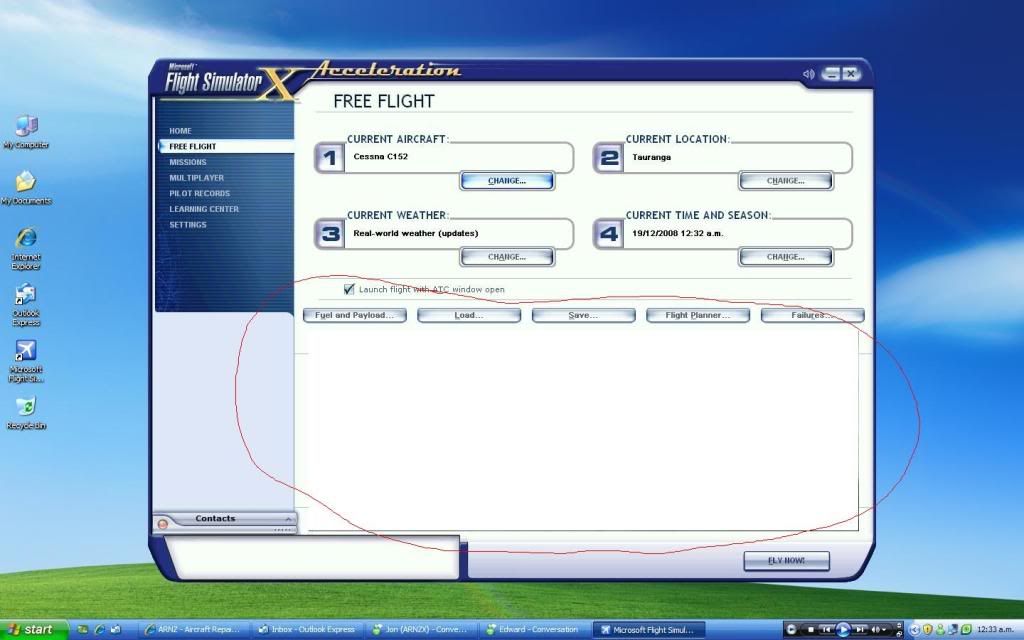


P.S It did this with the ohakea 08 Package and I just reinstalled FSX and the installer. And it was fixed. This however is beyond me unsure.gif

Also Direct X version seems fine:

Well might aswell try winkyy.gif
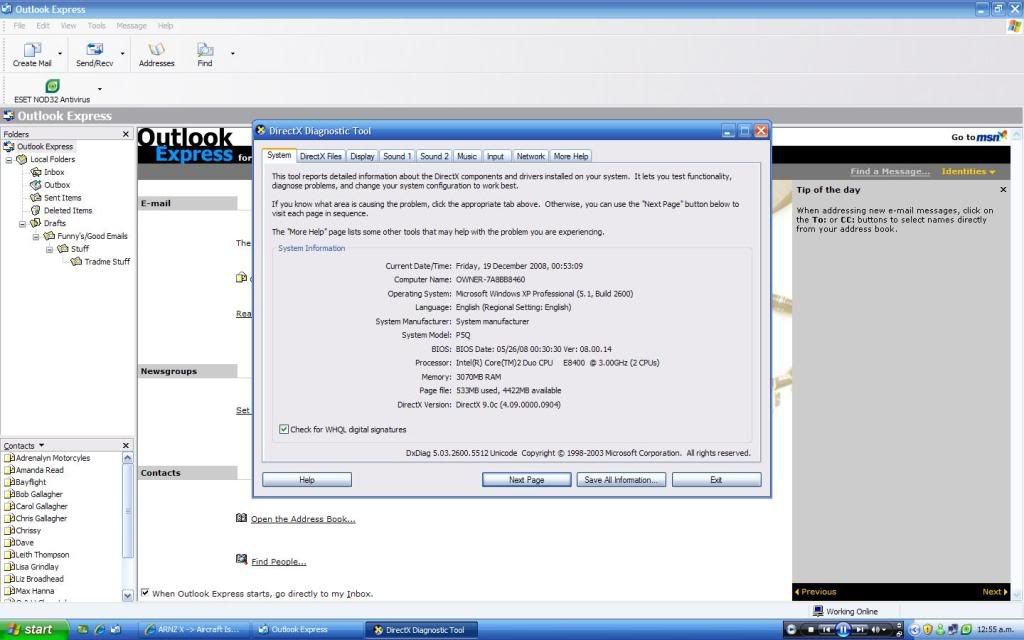


In Direct X files, No problems Found and everything in there seems fine to me.

If it was a direct X issue, Why did it come right with the Ohakea 08 Installer just by reinstalling FSX and the installer but not this?

PostPosted: Fri Dec 19, 2008 12:07 am
by ardypilot
Looks like a graphics card issue perhaps- try updating your driver to the latest version.

I've has simular issues in FS2004 and that fixed it for me.

PostPosted: Fri Dec 19, 2008 12:10 am
by pilotgallagher01
Really??
So do you sugest updating my drivers, Then reinstalling the my addons again??
Surely it wouldnt have gone all crazy from a addon if its a driver issues. Will try that
Thanks Trolly

PostPosted: Fri Dec 19, 2008 12:24 am
by pilotgallagher01
Downloading the latest now, Will let you know if it fixes it. Other ideas would be great also.

PostPosted: Fri Dec 19, 2008 10:49 am
by pilotgallagher01
No didn't work guys, Someone on the ARNZX forum said he had the same issue when he was runing the DX10 preview on Vista but I don't have that version as my pic above shows plus Im running Windows XP. Any other ideas?. I have the latest GPU drivers and DX seems fine. God this is such a pain.

PostPosted: Fri Dec 19, 2008 11:21 am
by Timmo
turn off bloom?

I get nasty whiteness with it on.....its a graphics card thing.

PostPosted: Fri Dec 19, 2008 11:29 am
by Adamski
pilotgallagher01 wrote:
QUOTE (pilotgallagher01 @ Dec 19 2008, 11:49 AM) <{POST_SNAPBACK}>
No didn't work guys, Someone on the ARNZX forum said he had the same issue when he was runing the DX10 preview on Vista but I don't have that version as my pic above shows plus Im running Windows XP. Any other ideas?. I have the latest GPU drivers and DX seems fine. God this is such a pain.

Try turning DX10 preview off *in FSX*.

I have Vista and a fairly beefy graphics card (with drivers continually updated) and DX10 preview gives me nothing but grief. It seems to work only for the odd aircraft, but most of my AI traffic doesn't use it (Ultimate Traffic or WOAI) ... so it's a huge waste of time for me.

PostPosted: Fri Dec 19, 2008 11:30 am
by pilotgallagher01
I don't have that in XP, "Direct X preview" I will try what timmo said and hopefully it fixes it.

PostPosted: Fri Dec 19, 2008 11:44 am
by pilotgallagher01
Thanks Timmo,'

It fixed it!!

You made my day mate and fixed it. Great reference for others. Thanks to Trolly,Timmo, and Adamaski.

You made my day guys

PostPosted: Fri Dec 19, 2008 4:00 pm
by Timmo
What is your graphics card out of interest? (Brand im especially interested in)

PostPosted: Fri Dec 19, 2008 6:45 pm
by pilotgallagher01
Asus nVidia 9600GT 512MB. Might be upgrading to the 4870 1GB.
Anyway main thing is it's fixed.

PostPosted: Sat Dec 20, 2008 6:35 pm
by pilotgallagher01
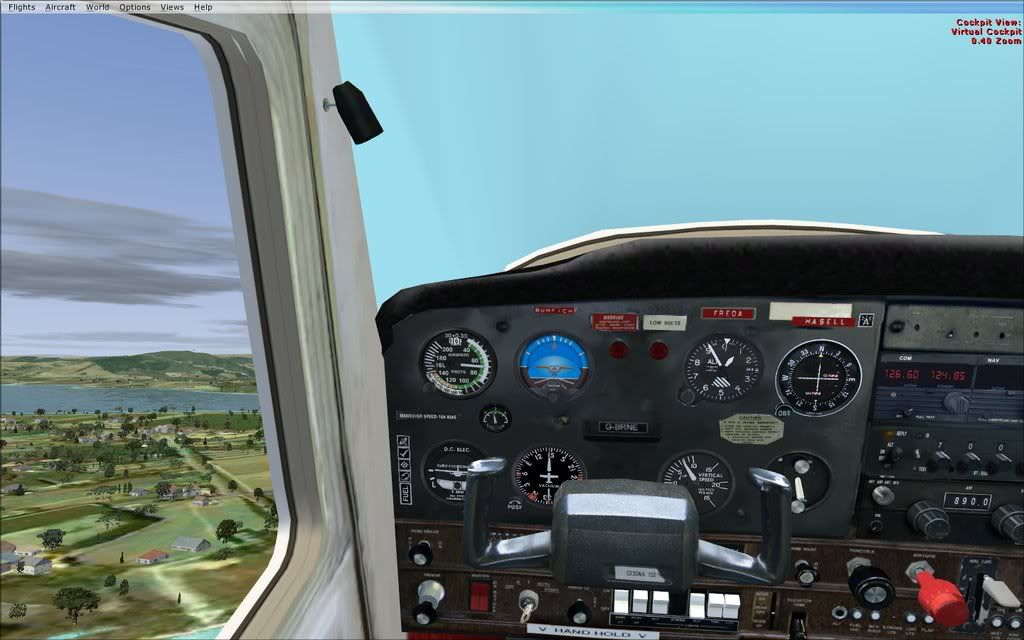
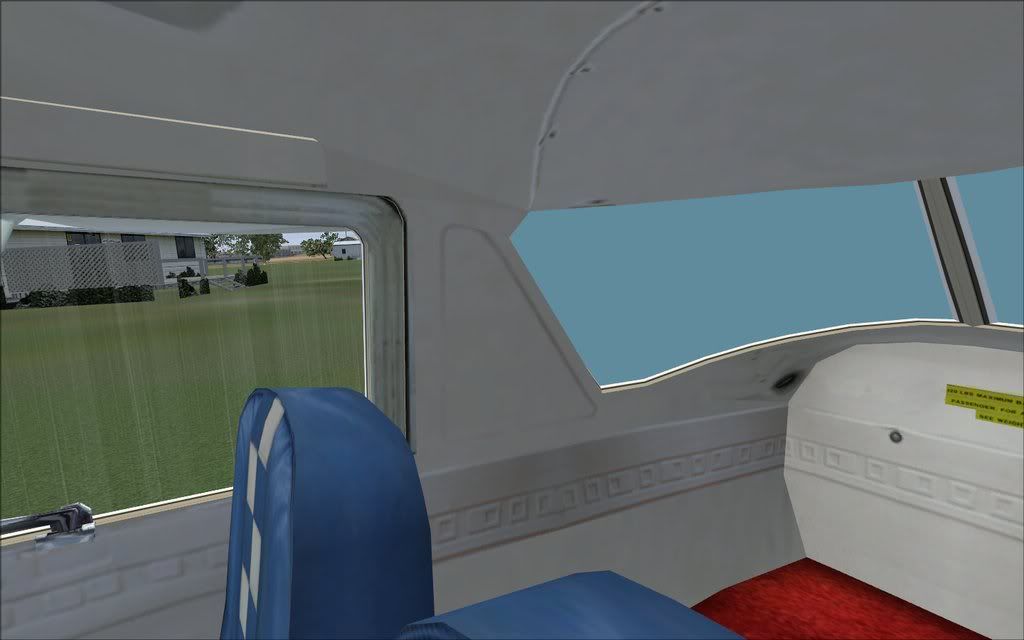
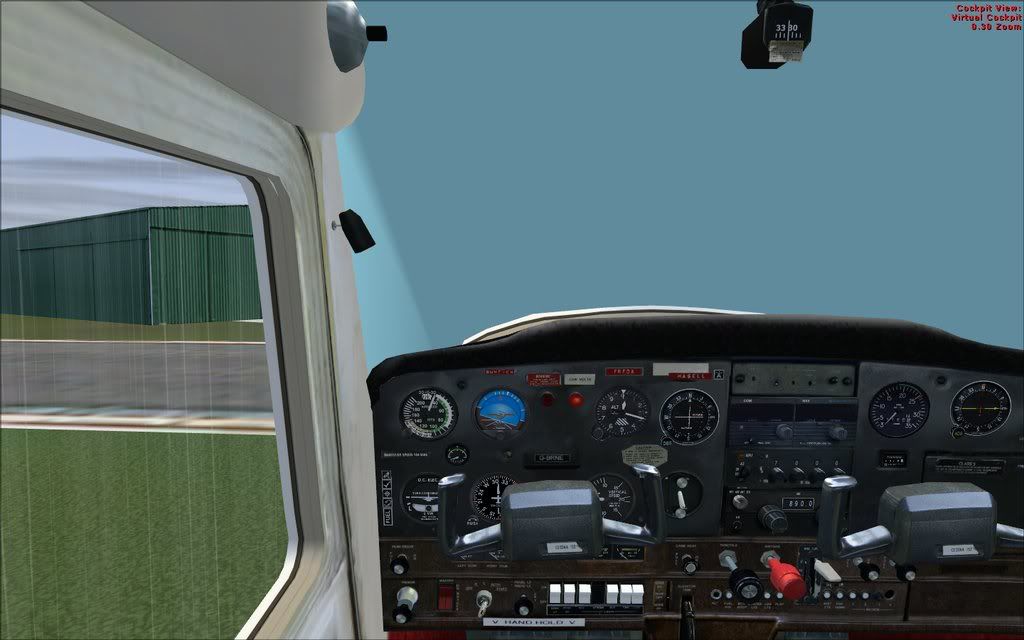
Previous issue is fixed but I get this issue in my Justflight 152:

I get this blue thing in my windscreen while in the virtual cockpit view. Very Weird and annoying after a issue before.
Help would be appreciated guys smile.gif
I wondered if its got to do with a texture for virtual cockpit that on my system is corrupted or something as it works fine in normal F10 mode. Surely I can change something without reinstalling FSX sad.gif


PostPosted: Sat Dec 20, 2008 6:54 pm
by pilotgallagher01
Perhaps it would be as easy as someone sending me a texture file or something :s

PostPosted: Sat Dec 20, 2008 8:38 pm
by Alex
Does it usually appear correctly or is it a recent thing?

Alex

PostPosted: Sat Dec 20, 2008 8:46 pm
by pilotgallagher01
Just noticed today once I intalled the 152 back in after my previous issue. It did do it before though only now and then flying around tauranga. Now it does it all flying around tauranga and occasioanlly fixes up when I make turns??
ANy ideas??

PostPosted: Sat Dec 20, 2008 8:54 pm
by pilot.masman
does it have a sort of lag between the aircraft spawning and the screen going like that...

eg is it normal for a few seconds then go strangley blue ??

PostPosted: Sun Dec 21, 2008 10:02 pm
by pilotgallagher01
No, Runs perfect fine with 80FPS plus. Very weird and I have no idea whats wrong. Somone suggested trying it without the rain.

Also could be to do with the addon skin I have.

PostPosted: Sun Dec 21, 2008 10:36 pm
by pilot.masman
no you mistake what i say smile.gif

i mean, is there a moment where it is good cockpit view, then goes into this weird blue clouded cockpit ?

PostPosted: Sun Dec 21, 2008 10:48 pm
by pilotgallagher01
Maybe a few seconds into the session.

PostPosted: Mon Dec 22, 2008 12:10 am
by pilot.masman
yeah thats the same prob i found on another Flight sim board

ill try find it again to seee the solution