Nothing from me ...but Im expecting LOTS from you that will have the new sim tonight.
Don't talk about it, dont analyze it ....just screen it.
The thread is yours ...I'm waiting with bated breath.
Your screenshot here.
96 posts
• Page 1 of 5 • 1, 2, 3, 4, 5
Your screenshot here.
 by Splitpin » Mon Aug 17, 2020 9:50 pm
-

Splitpin - NZFF Pro
- Topic author
- Joined: Mon Aug 03, 2009 12:15 pm
- Posts: 21383
- Location: Christchurch NZ
Re: Your screenshot here.
by toprob » Tue Aug 18, 2020 11:53 am
Ok, didn't want to be first, but I guess everyone else is off at work....
A new dawn - not actually taken at dawn, I did wake up to check if the install was complete (yes!) but I went back to bed because it was too cold. So I've wound back the time here, although it is real weather.
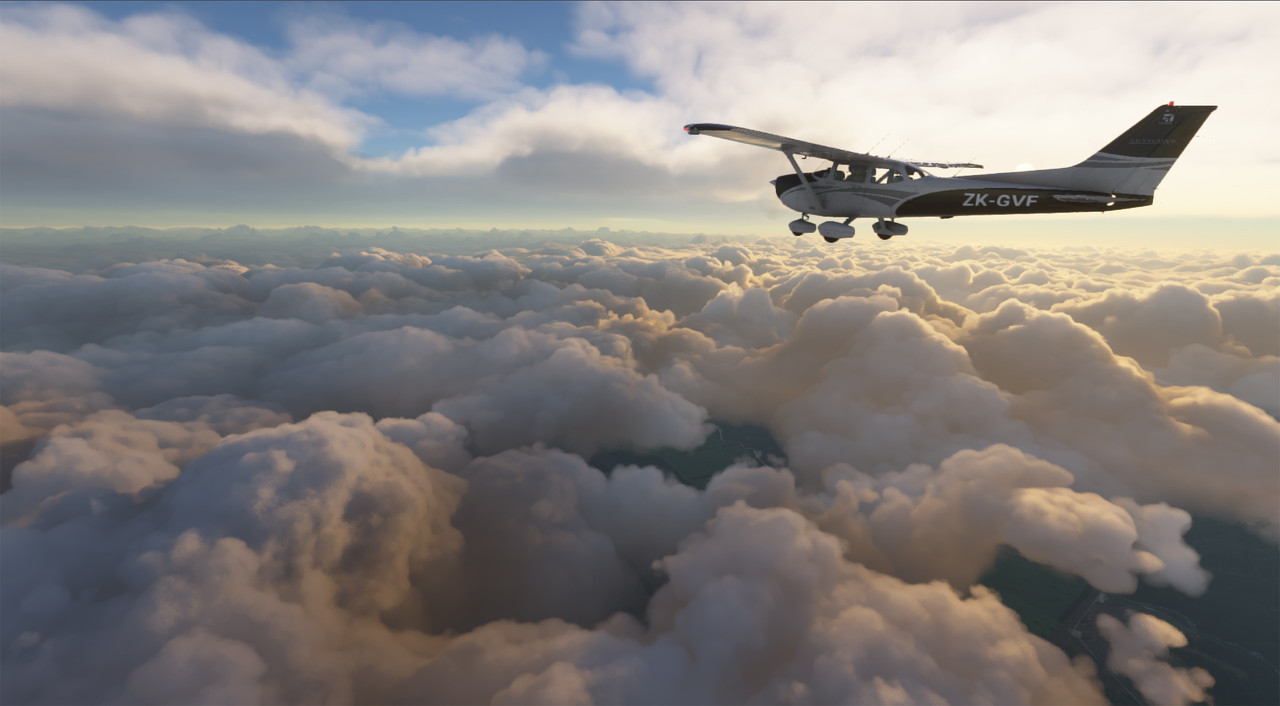
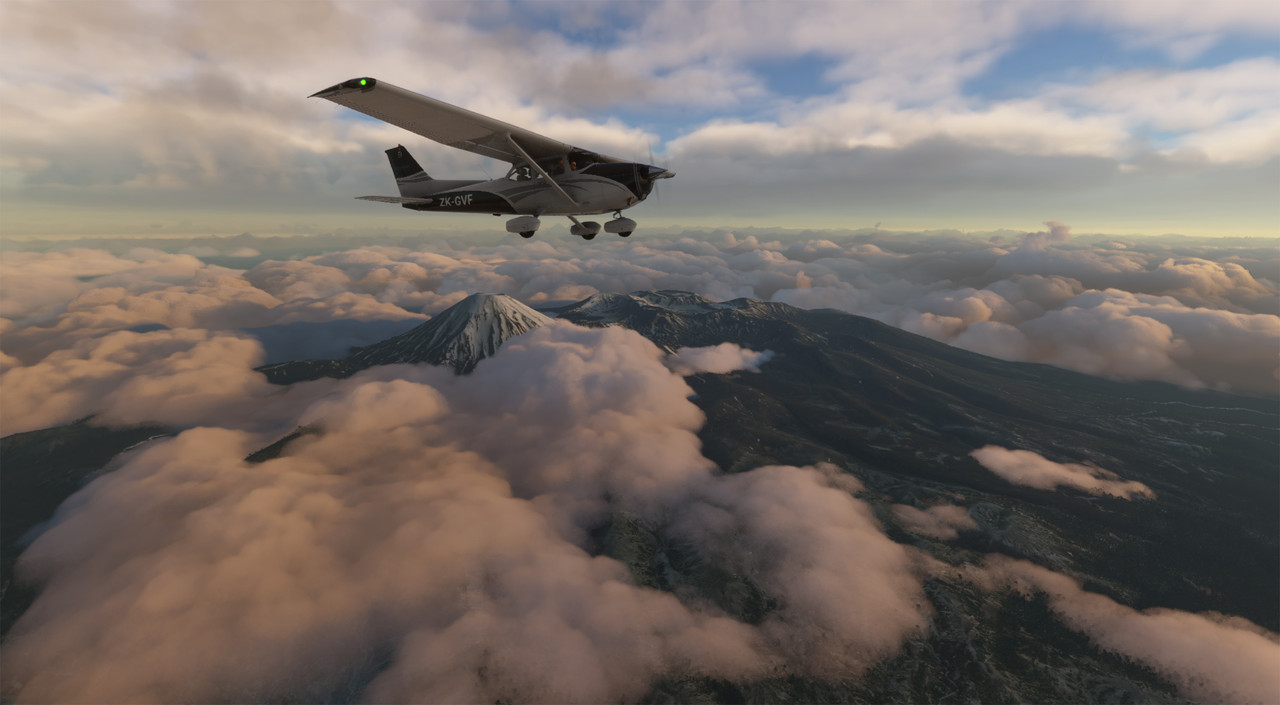
A new dawn - not actually taken at dawn, I did wake up to check if the install was complete (yes!) but I went back to bed because it was too cold. So I've wound back the time here, although it is real weather.
-

toprob - NZFF Pro
- Joined: Sat Apr 29, 2006 4:56 pm
- Posts: 6718
- Location: Upper Hutt
Re: Your screenshot here.
by Aharon » Tue Aug 18, 2020 1:44 pm
Wow this is Default clouds??
Regards,
Aharon
Regards,
Aharon
- Aharon
- NZFF Pro
- Joined: Sun Jul 23, 2017 11:39 am
- Posts: 2013
Re: Your screenshot here.
by toprob » Tue Aug 18, 2020 2:33 pm
Aharon wrote:Wow this is Default clouds??
Regards,
Aharon
Yes, that's all default.
-
toprob - NZFF Pro
- Joined: Sat Apr 29, 2006 4:56 pm
- Posts: 6718
- Location: Upper Hutt
Re: Your screenshot here.
by lordshola » Tue Aug 18, 2020 5:28 pm
Can you please post a few shots of Wellington? i'm waiting to build a pc so can't play it yet, but i'm dying to see what my home city looks like!
- lordshola
- Newbie
- Joined: Tue Aug 18, 2020 3:20 pm
- Posts: 2
Re: Your screenshot here.
by Splitpin » Tue Aug 18, 2020 6:57 pm
ROB  I couldnt wait to get home and reply to you .... cant do at work but I can see it ....Amazing ! Ive watched all the videos etc, but it seems somehow more "real" seeing screens from people I know.
Fluffy heaven I was seriously considering upgrading to P3DV5 ...even got it loaded in the shopping cart last night ... but after this , no thanks.
Great shots Ol chap ...well done indeed that man.
I couldnt wait to get home and reply to you .... cant do at work but I can see it ....Amazing ! Ive watched all the videos etc, but it seems somehow more "real" seeing screens from people I know.Fluffy heaven
I was seriously considering upgrading to P3DV5 ...even got it loaded in the shopping cart last night ... but after this , no thanks.Great shots Ol chap ...well done indeed that man.
-
Splitpin - NZFF Pro
- Topic author
- Joined: Mon Aug 03, 2009 12:15 pm
- Posts: 21383
- Location: Christchurch NZ
Re: Your screenshot here.
by toprob » Tue Aug 18, 2020 8:09 pm
Thanks, guys.
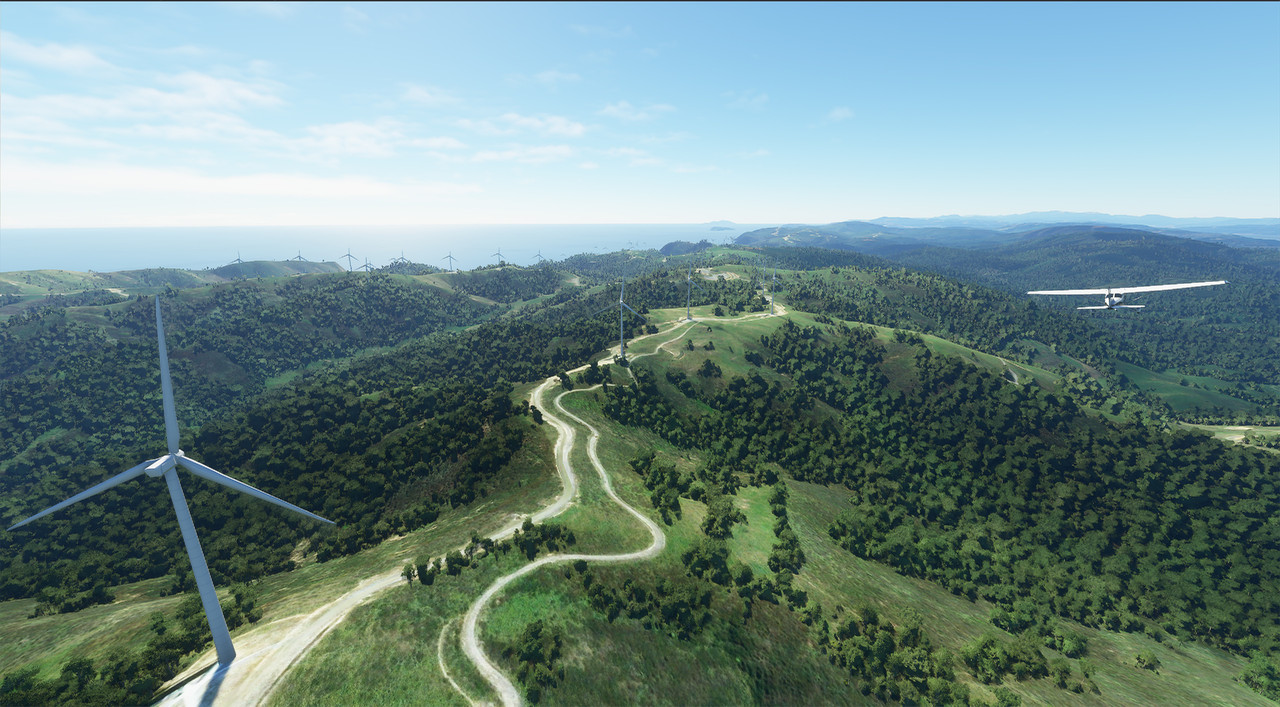
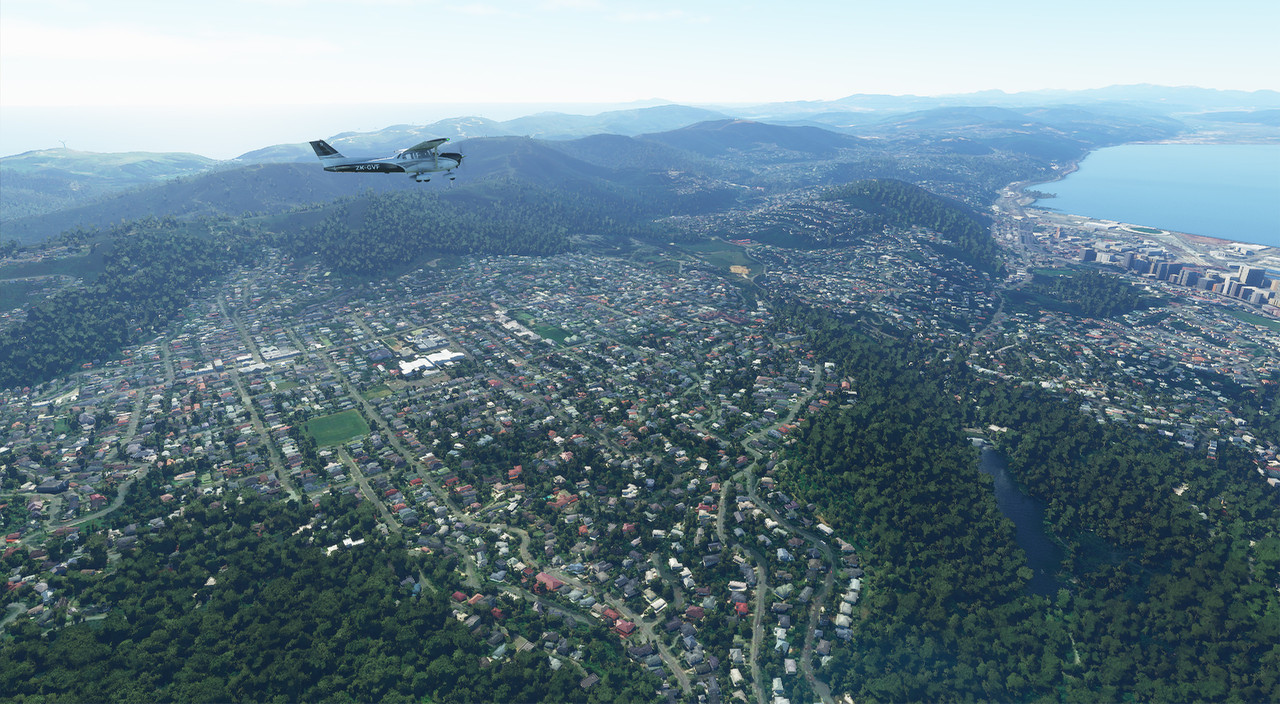
Any excuse... Wellington city is looking so much better in the release version, as they've reduced the size of the trees to somewhat realistic. We still need a proper native bush set, but there's plenty of time for that. No close-up of the airport, as it is quite blah.
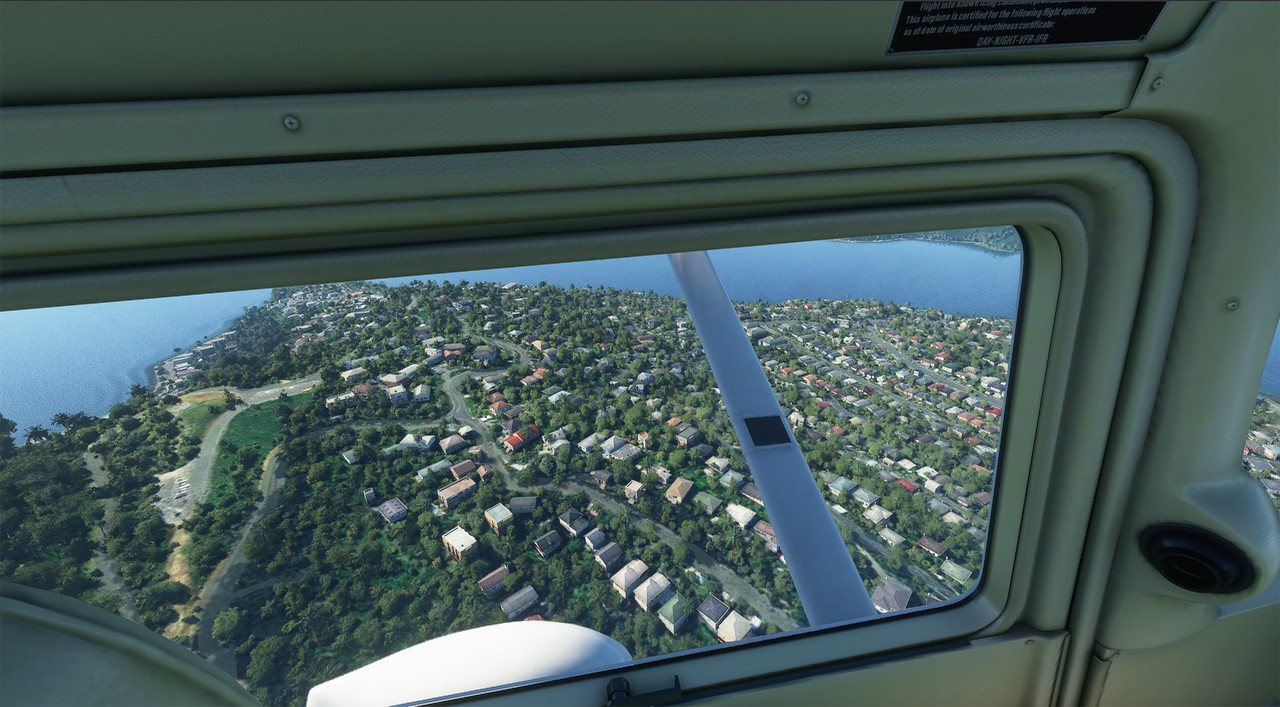
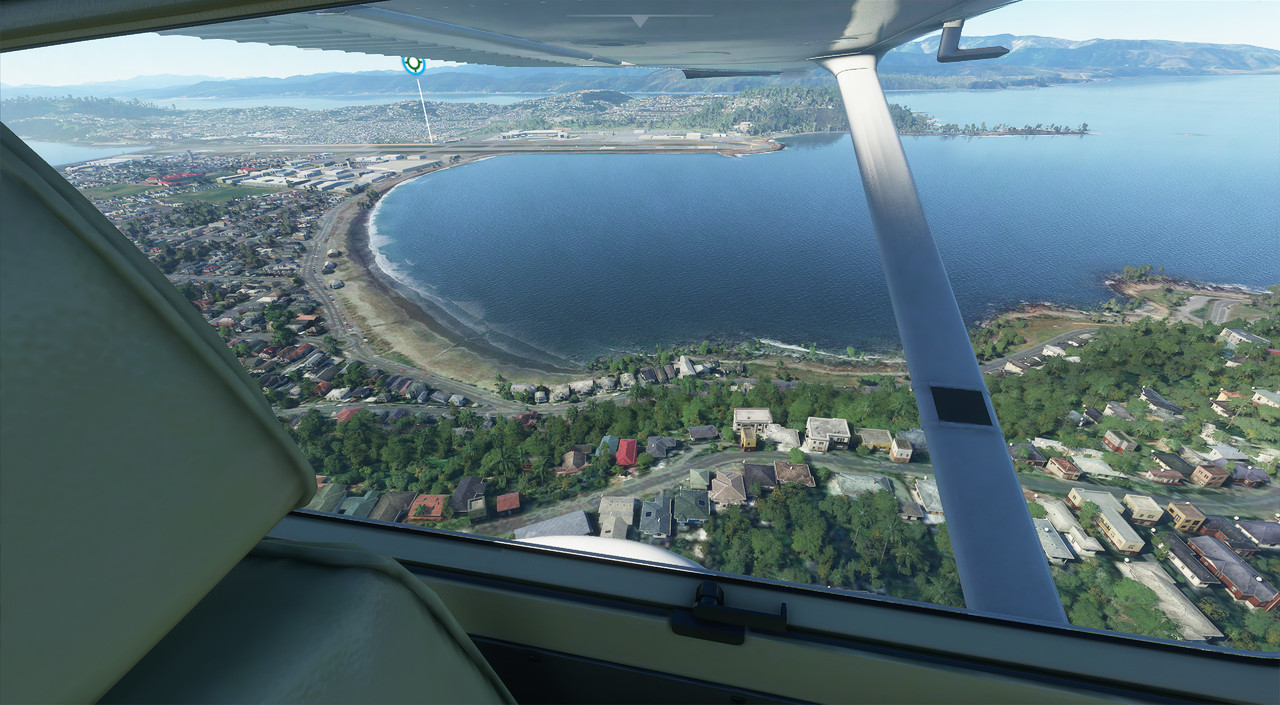
I've noticed that when I use the Win-PrtScn combo to get screenshots, it creates them at 4K, even though the sim is running full-screen 1440, so I need to reduce them each time. I might try another screenshot tool.
EDIT: I installed the latest Nvidia drivers, along with the support for MFS, and had GeForce experience optimise the sim -- well, it reduced everything to low, turned some things off and put the resolution down to what we had in the 1980s. I've put everything back to high.
lordshola wrote:Can you please post a few shots of Wellington?
Any excuse... Wellington city is looking so much better in the release version, as they've reduced the size of the trees to somewhat realistic. We still need a proper native bush set, but there's plenty of time for that. No close-up of the airport, as it is quite blah.
I've noticed that when I use the Win-PrtScn combo to get screenshots, it creates them at 4K, even though the sim is running full-screen 1440, so I need to reduce them each time. I might try another screenshot tool.
EDIT: I installed the latest Nvidia drivers, along with the support for MFS, and had GeForce experience optimise the sim -- well, it reduced everything to low, turned some things off and put the resolution down to what we had in the 1980s. I've put everything back to high.
-
toprob - NZFF Pro
- Joined: Sat Apr 29, 2006 4:56 pm
- Posts: 6718
- Location: Upper Hutt
Re: Your screenshot here.
by toprob » Tue Aug 18, 2020 8:20 pm
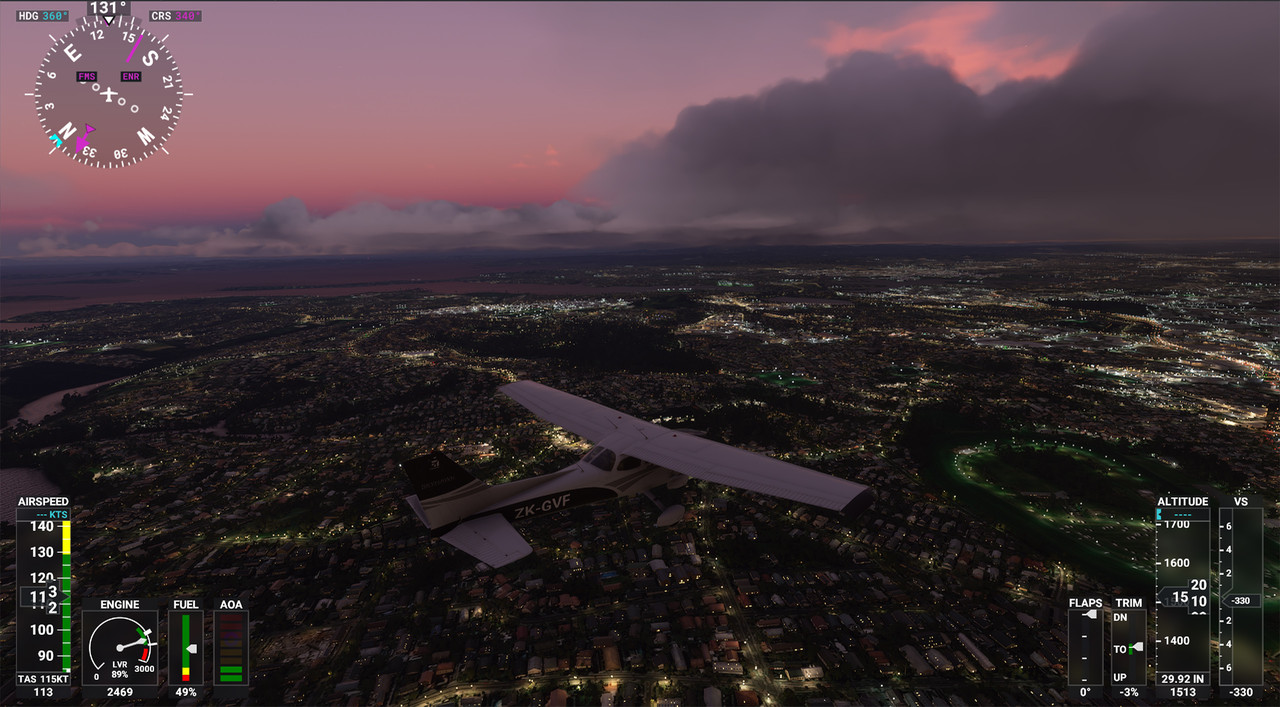
Here's a quick shot of Auckland, real-time real-weather flight early evening.
-
toprob - NZFF Pro
- Joined: Sat Apr 29, 2006 4:56 pm
- Posts: 6718
- Location: Upper Hutt
Re: Your screenshot here.
by Mynameisnemo » Wed Aug 19, 2020 5:58 am
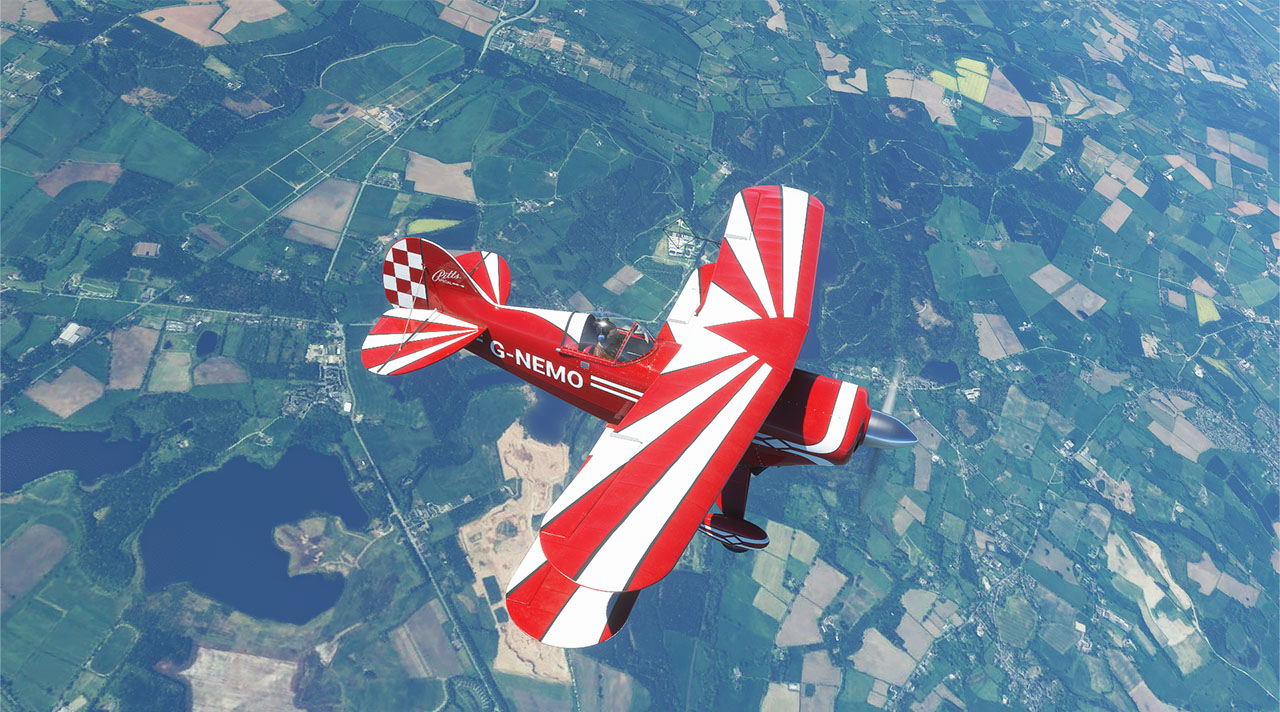
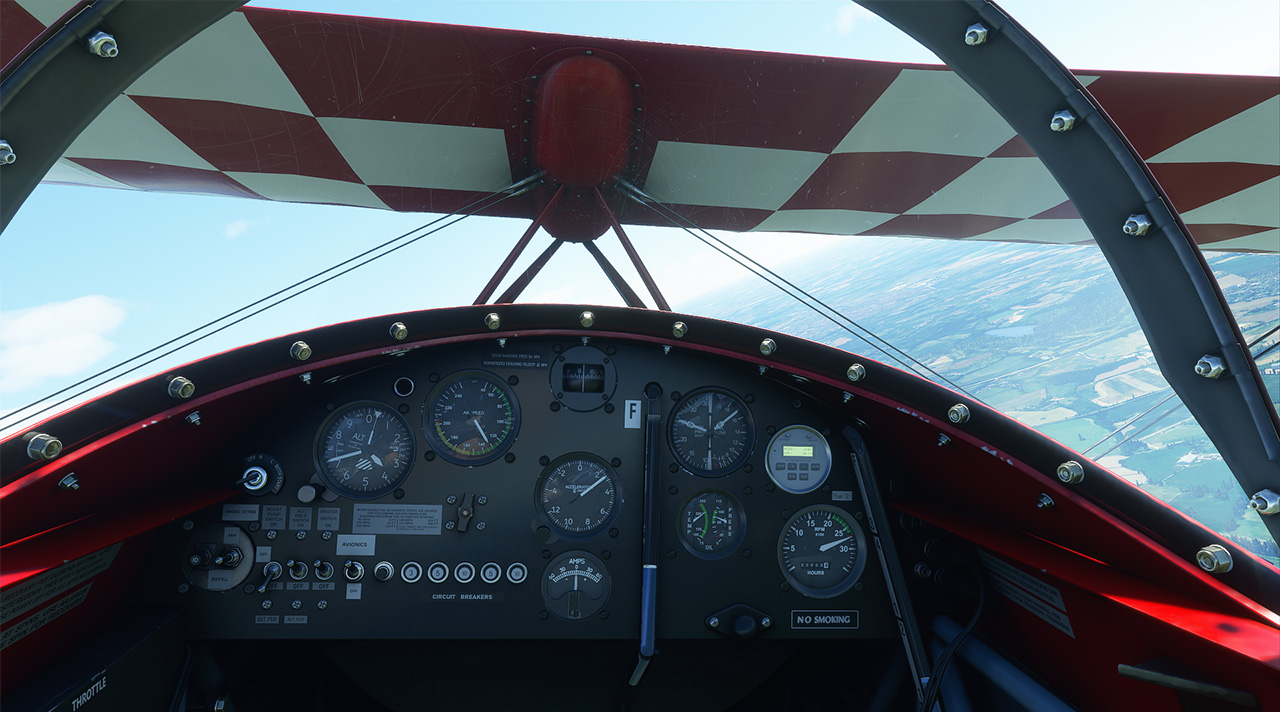
Definitely a thumbs up even on ultra:

- Mynameisnemo
- Forum Addict
- Joined: Wed Jan 19, 2011 12:06 pm
- Posts: 215
- Location: Runcorn, Near Liverpool John lennon Airport
Re: Your screenshot here.
by Naki » Wed Aug 19, 2020 7:01 am
I’ll post a screenshot if I could but I’m still trying to download it 
-

Naki - NZFF Pro
- Joined: Sat Aug 05, 2006 10:03 pm
- Posts: 7170
- Location: Tauranga
Re: Your screenshot here.
by lordshola » Wed Aug 19, 2020 4:29 pm
Thanks so much for those shots! Looks really good to me.
- lordshola
- Newbie
- Joined: Tue Aug 18, 2020 3:20 pm
- Posts: 2
Re: Your screenshot here.
by Charl » Thu Aug 20, 2020 9:31 am
Great looking screens...
The MS team understands what simmers are after: I saw the keyboard shortcuts summary for the sim, and about half are for the various cameras!
The AFS2 community was not so blessed, in fact I kind of lost interest there because the developers weren't all that interested in looking after the screenshotists.
I mean, what else do you come here for?
The MS team understands what simmers are after: I saw the keyboard shortcuts summary for the sim, and about half are for the various cameras!
The AFS2 community was not so blessed, in fact I kind of lost interest there because the developers weren't all that interested in looking after the screenshotists.
I mean, what else do you come here for?
-

Charl - NZFF Pro
- Joined: Mon May 01, 2006 8:28 am
- Posts: 9747
- Location: Auckland
Re: Your screenshot here.
by emfrat » Thu Aug 20, 2020 11:01 am
Charl wrote:The AFS2 community was not so blessed, in fact I kind of lost interest there because the developers weren't all that interested in looking after the screenshotists.
Charl - I swapped the AFS2 default screen capture so that S gives me a clear full screen, and Shift+S captures the overlays as well. When setting up a flight, I can adjust the cloud heights and density, although the clouds themselves are not very good.
Once in a flight, I can adjust - from the keyboard and on the fly - eye level, visibility, sun position, and zoom from a range of default camera views. I can also use the hat switch in most of the views to pan around, up, and down. In a couple of views, you can't pan, but you don't really need to, and you can still zoom. I think there is one where you can't zoom. With the flight paused, you can still make these adjustments.
What more do you need?
ATB, Mike.
MikeW
'Propliner' is actually short for 'Proper airliner, with big rumbly radials'

'Propliner' is actually short for 'Proper airliner, with big rumbly radials'
-

emfrat - NZFF Pro
- Joined: Sat May 07, 2011 7:41 pm
- Posts: 4129
- Location: 50 DME YBBN
Re: Your screenshot here.
by toprob » Thu Aug 20, 2020 11:12 am
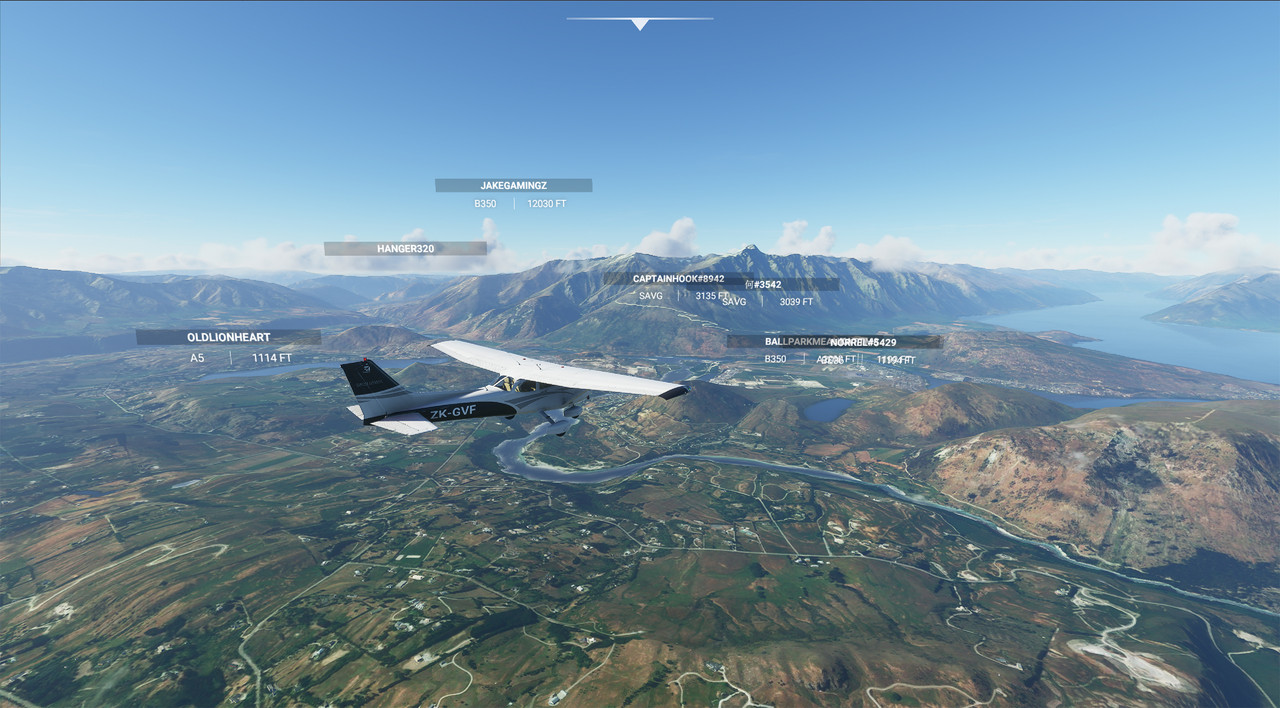
Busy day at NZQN:
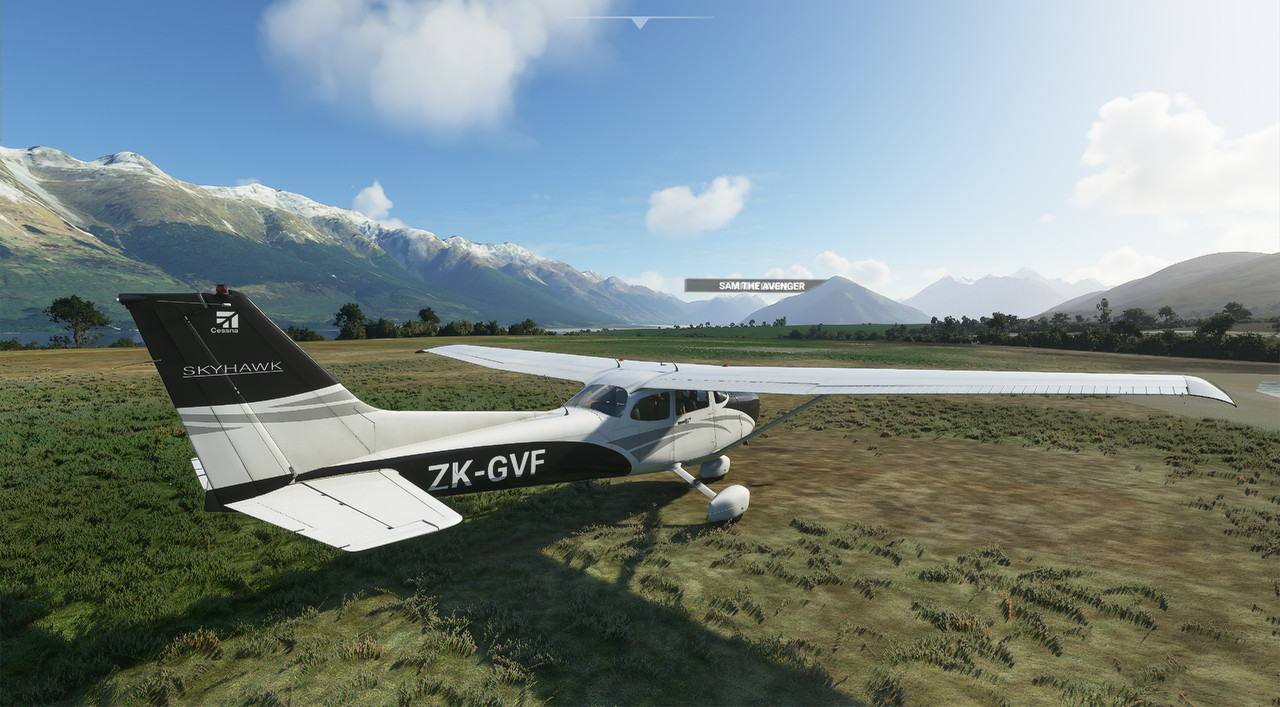
....although nice and quiet at Glenorchy.
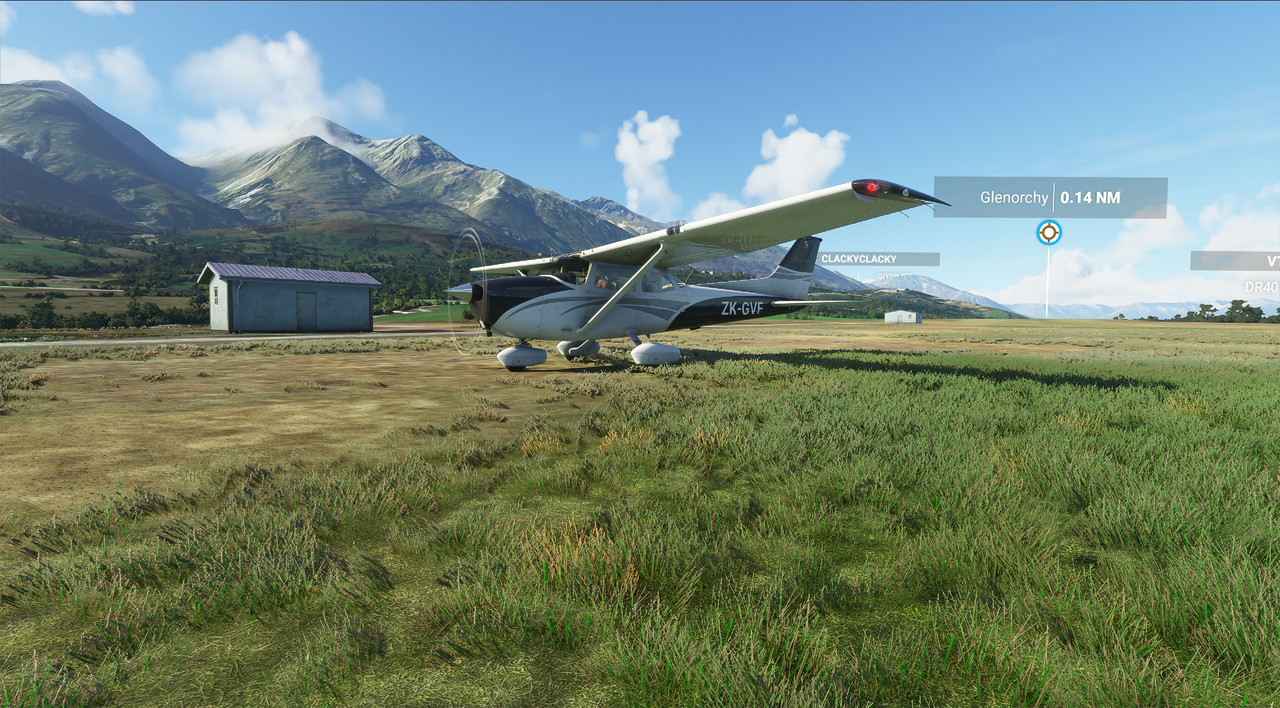
I just love this, it gets better and better the more I explore.
....although nice and quiet at Glenorchy.
I just love this, it gets better and better the more I explore.
-
toprob - NZFF Pro
- Joined: Sat Apr 29, 2006 4:56 pm
- Posts: 6718
- Location: Upper Hutt
Re: Your screenshot here.
by Naki » Thu Aug 20, 2020 1:44 pm
Great shots everyone !.., can’t wait to sort out my downloading issues.
In the meantime would love to see some shots of around Coromandel (Whitianga, Thames, Pauanui), the Waikato (Matamata) and Taranaki (Stratford, Hawera and the Mountain).
In the meantime would love to see some shots of around Coromandel (Whitianga, Thames, Pauanui), the Waikato (Matamata) and Taranaki (Stratford, Hawera and the Mountain).
-
Naki - NZFF Pro
- Joined: Sat Aug 05, 2006 10:03 pm
- Posts: 7170
- Location: Tauranga
Re: Your screenshot here.
by toprob » Thu Aug 20, 2020 2:10 pm
Sure, although I didn't want to spoil the naki for you, you should really discover that yourself. And Hobbiton has covid, apparently.
I'll take a look at the Coromandel, I explored that during the alpha, so interested to see any changes.
I'll take a look at the Coromandel, I explored that during the alpha, so interested to see any changes.
-
toprob - NZFF Pro
- Joined: Sat Apr 29, 2006 4:56 pm
- Posts: 6718
- Location: Upper Hutt
Re: Your screenshot here.
by Naki » Thu Aug 20, 2020 2:23 pm
 Yes best to have something left for me to discover
 -
Naki - NZFF Pro
- Joined: Sat Aug 05, 2006 10:03 pm
- Posts: 7170
- Location: Tauranga


Re: Your screenshot here.
by Kelvinr » Thu Aug 20, 2020 4:25 pm
-

Kelvinr - Sim-holic
- Joined: Sat May 03, 2008 1:06 pm
- Posts: 904
96 posts
• Page 1 of 5 • 1, 2, 3, 4, 5
Who is online
Users browsing this forum: No registered users and 35 guests