Bloom Tweak - Edited

Post and comment on screen captures from the beautiful game here. Home of the monthly screenshot competition

Postby Kelvinr » Sat Jan 01, 2011 2:37 pm

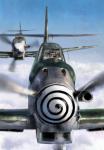
Some comparison screenshots with custom bloom. I have tweaked a little bit further to Tim Fuchs (from REX) tweak. NZAA Approach.


Last edited by Kelvinr on Sun Jan 02, 2011 11:29 pm, edited 1 time in total.
--------------------------------------
User avatar
Kelvinr
Sim-holic
 
Topic author
Joined: Sat May 03, 2008 1:06 pm
Posts: 904

Postby Charl » Sat Jan 01, 2011 5:36 pm

Like all things you have to be careful not to get triggerhappy with the new toy (and 1280 wide is enough pixels to make your point, incidentally).
Lots of screens appeared some time back, obviously delighted with Bloom, and totally washed out.
You need to tweak the contrast a bit too, otherwise its just a bloomin' picture.

I went the other way and overdid the contrast in this series
Turns out the enb plugin works sometimes for some models in some weather and some lighting conditions...
Keeps it interesting I guess.
Last edited by Charl on Sat Jan 01, 2011 5:41 pm, edited 1 time in total.
User avatar
Charl
NZFF Pro
 
Joined: Mon May 01, 2006 8:28 am
Posts: 9692
Location: Auckland

Postby Adamski » Sat Jan 01, 2011 8:10 pm

Is this basically for FS2004 ... and unnecessary for FSX <??>. I agree with Charl, though. Some of the effects are often overdone (on other pics I've seen elsewhere) ... and don't look very realistic.

It's a matter of [personal] taste, but I don't see the point of introducing lens-style effects/aberrations that you simply don't/can't see with the naked eye. Horses for courses! winkyy.gif
Image
User avatar
Adamski
NZFF Pro
 
Joined: Thu Nov 01, 2007 2:22 am
Posts: 5029
Location: Birkenhead, Auckland

Postby AndrewJamez » Sat Jan 01, 2011 9:41 pm

Charl wrote:
QUOTE (Charl @ Jan 1 2011, 06:36 PM) <{POST_SNAPBACK}>
Like all things you have to be careful not to get triggerhappy with the new toy (and 1280 wide is enough pixels to make your point, incidentally).
Lots of screens appeared some time back, obviously delighted with Bloom, and totally washed out.
You need to tweak the contrast a bit too, otherwise its just a bloomin' picture.

I went the other way and overdid the contrast in this series
Turns out the enb plugin works sometimes for some models in some weather and some lighting conditions...
Keeps it interesting I guess.


What settings did you change to alter the ENB contrast. I rather like the Mt cook pics v's the usual over bright washed out ENB pics you see everywhere.
AndrewJamez
Sim-holic
 
Joined: Sun Feb 14, 2010 5:04 pm
Posts: 766
Location: Hamilton

Postby Splitpin » Sat Jan 01, 2011 9:46 pm

Dont understand a lot of the tech talk....but i like the "before" shots.....just my humble opinion.
User avatar
Splitpin
NZFF Pro
 
Joined: Mon Aug 03, 2009 12:15 pm
Posts: 21333
Location: Christchurch NZ

Postby Alfashark » Sat Jan 01, 2011 9:47 pm

It'll work with FSX, I tried it (you run it in parallel with the standard FSX Bloom effect) and as Charl said, it was quite hit and miss depending on the model and the lighting of that particular moment... It is really just module pulled from a few of the FPShooter games that someone put a simple installer on to make it easy to apply to FS9/X.

If all you used FS for was creating screenshot art, and had the time to optimise your lighting then it really can do a much better job of the HDR/Bloom than the default.
For 99% of the time the stock effect is plenty enough smile.gif
ImageImage
User avatar
Alfashark
Sim-holic
 
Joined: Wed Jul 25, 2007 7:45 pm
Posts: 549
Location: Putaruru

Postby Kelvinr » Sat Jan 01, 2011 10:06 pm

I was just playing around with the bloom settings. There is probably hundreds of alternatives with this ini file. I agree, it is all about taste.
--------------------------------------
User avatar
Kelvinr
Sim-holic
 
Topic author
Joined: Sat May 03, 2008 1:06 pm
Posts: 904

Postby Ian Warren » Sat Jan 01, 2011 10:19 pm

Kelvin , One thing mentioned is you may want to reduce your screen shots sizes winkyy.gif
Last edited by Ian Warren on Sat Jan 01, 2011 10:20 pm, edited 1 time in total.
Image
User avatar
Ian Warren
NZFF Pro
 
Joined: Fri May 05, 2006 5:23 pm
Posts: 41187
Location: AREA 51

Postby Kelvinr » Sun Jan 02, 2011 8:52 pm

Ian Warren wrote:
QUOTE (Ian Warren @ Jan 1 2011, 11:19 PM) <{POST_SNAPBACK}>
Kelvin , One thing mentioned is you may want to reduce your screen shots sizes winkyy.gif


Have reduced images to a respectable size. While I was at it I made some alterations to the ini file to create a cooler environment. I also adjusted the bloom to eliminate dark fading of the ground. This is more consistent to the environment (in my opinion).
--------------------------------------
User avatar
Kelvinr
Sim-holic
 
Topic author
Joined: Sat May 03, 2008 1:06 pm
Posts: 904

Postby Ian Warren » Sun Jan 02, 2011 9:14 pm

Thanks Kelvin , she looks great cool.gif
Image
User avatar
Ian Warren
NZFF Pro
 
Joined: Fri May 05, 2006 5:23 pm
Posts: 41187
Location: AREA 51

Postby deaneb » Sun Jan 02, 2011 9:23 pm

Hmmm - I'm not overly convinced, or maybe the colouring of your screenshots looks different on different monitors? Personally I find the alterations make everything too washed out, too blue and in the case of the aircraft (especially the wing shot) too pale. I've done a lot of flying around the country in the past year and for me personally the colours in the first of each of your screenshots looks far more accurate.
Image
User avatar
deaneb
Senior Member
 
Joined: Sat Aug 12, 2006 4:40 pm
Posts: 1561
Location: Blenheim

Postby creator2003 » Sun Jan 02, 2011 9:39 pm

I have a movie hopefully coming shortly which is with only the bloom effect active ,this should show how cool in fact it is ,the green reminds me of a old photo though my setup is not like these shots shown.
User avatar
creator2003
NZFF Pro
 
Joined: Fri Jun 16, 2006 12:08 am
Posts: 4633
Location: Cant U C im LOCO

Postby Kelvinr » Sun Jan 02, 2011 10:57 pm

creator2003 wrote:
QUOTE (creator2003 @ Jan 2 2011, 10:39 PM) <{POST_SNAPBACK}>
I have a movie hopefully coming shortly which is with only the bloom effect active ,this should show how cool in fact it is ,the green reminds me of a old photo though my setup is not like these shots shown.


Look forward to viewing your video. With the palette included with the bloom ini file I believe there is the perfect atmospheric perspective to match reality. adjusting the environment on a granular scale means that it is possible to find the "perfect" setting, which I have been working on, I think I almost have it. I will add a few more pictures momentarilty with a re-edit of the ini file enhancing the shadows and creating more depth between foreground objects (such as the plane) and background scenery. I've gone for a cool look rather than the warm fuzzy look that most people seem to like.

Feast your eyes....


--------------------------------------
User avatar
Kelvinr
Sim-holic
 
Topic author
Joined: Sat May 03, 2008 1:06 pm
Posts: 904

Postby Kelvinr » Sun Jan 02, 2011 11:27 pm

Here's the link to my new re-edit of the enbseries.ini and enbpalette file:

DOWNLOAD (re-edit): http://www.filefactory.com/file/b4e9c9e/n/Custom_Bloomv2.zip
or
DOWNLOAD (re-edit): http://www.megafileupload.com/en/file/2934...loomv2-zip.html
Last edited by Kelvinr on Sun Jan 02, 2011 11:28 pm, edited 1 time in total.
--------------------------------------
User avatar
Kelvinr
Sim-holic
 
Topic author
Joined: Sat May 03, 2008 1:06 pm
Posts: 904

Postby Kelvinr » Mon Jan 03, 2011 12:01 am

A couple more images showing a comparison between default and customised environment. Please let me know your feedback.


If there is a screenshot you would like to see, let me know. NB: the textures I use are a customised set combining paware textures and freeware textures, also using Vector landclass. All in all, I think i've got a nicely customised FSX environment. my average frame rates fall in the vicinity of 30-80fps. With an extensively modified fsx.cfg, enbseries.ini, and enbpalette.
--------------------------------------
User avatar
Kelvinr
Sim-holic
 
Topic author
Joined: Sat May 03, 2008 1:06 pm
Posts: 904

Postby Kelvinr » Mon Jan 03, 2011 12:41 am

Ok a few more... can't help myself.


--------------------------------------
User avatar
Kelvinr
Sim-holic
 
Topic author
Joined: Sat May 03, 2008 1:06 pm
Posts: 904

Postby AlisterC » Mon Jan 03, 2011 12:53 am

I wish it looked that good on my PC Kelvin! laugh.gif Still a bit too blue for my liking on my PC at present, but certainly looks impressive in your screenshots.
Image
User avatar
AlisterC
NZFF Pro
 
Joined: Thu Jul 20, 2006 11:13 am
Posts: 2543
Location: Nelson, NZ

Postby Adamski » Mon Jan 03, 2011 1:04 am

W-a-y too blue on my monitor! Looks like one of those prints left out too long in the shop window laugh.gif. I see the pic setups are identical (before/after) - is this effect easy to toggle on/off on the fly?
Image
User avatar
Adamski
NZFF Pro
 
Joined: Thu Nov 01, 2007 2:22 am
Posts: 5029
Location: Birkenhead, Auckland

Postby Kelvinr » Mon Jan 03, 2011 9:34 am

Adamski wrote:
QUOTE (Adamski @ Jan 3 2011, 02:04 AM) <{POST_SNAPBACK}>
W-a-y too blue on my monitor! Looks like one of those prints left out too long in the shop window laugh.gif. I see the pic setups are identical (before/after) - is this effect easy to toggle on/off on the fly?


Thanks for your honesty. Very easy to change on the fly. I might pick up some pics from airliners.net and compare. Perhaps I can taken down the blue tone a smidgin.
--------------------------------------
User avatar
Kelvinr
Sim-holic
 
Topic author
Joined: Sat May 03, 2008 1:06 pm
Posts: 904

Postby Splitpin » Mon Jan 03, 2011 10:20 am

Kelvin, i really have to admire your devotion to this thumbup1.gif

To be honest, i dont like it ....could be my monitor , Im not sure. I understand (now) the theory, and can see what it's trying to do....but , to me...it takes away a lot of the halftones, and seems to flatten everything ...eg, the 737 flightdeck shots. But I do like the effect on the horizon.

I guess this may not be valid critique coming from someone who rarely posts anything with much scenery in it anyway rolleyes.gif ........keep it up, maybe I'll become a convert.....

Thanks again for the effort thumbup1.gif

Marty
User avatar
Splitpin
NZFF Pro
 
Joined: Mon Aug 03, 2009 12:15 pm
Posts: 21333
Location: Christchurch NZ

Next

Return to Screenshots

Who is online

Users browsing this forum: No registered users and 12 guests