 Posted: Thu Jan 05, 2012 2:33 pm
 Posted: Thu Jan 05, 2012 2:33 pmPosted: Thu Jan 05, 2012 2:43 pm
 i'll take the next trip upPosted: Thu Jan 05, 2012 3:16 pmPosted: Thu Jan 05, 2012 3:22 pm
 Posted: Thu Jan 05, 2012 3:45 pmPosted: Thu Jan 05, 2012 3:48 pm
Ian Warren wrote:QUOTE (Ian Warren @ Jan 5 2012,4:22 PM) <{POST_SNAPBACK}>Adam , search Jan Visser
THanks, Ian ... I did a search and came up with quite a few other authors/repainters (as well). Any idea which is the best/most FSX compatible version?
Posted: Thu Jan 05, 2012 3:50 pmAdamski wrote:QUOTE (Adamski @ Jan 5 2012,4:48 PM) <{POST_SNAPBACK}>THanks, Ian ... I did a search and came up with quite a few other authors/repainters (as well). Any idea which is the best/most FSX compatible version?
The fsx fixes are here http://www.sectionf8.com/
Posted: Thu Jan 05, 2012 3:57 pmlowflier wrote:QUOTE (lowflier @ Jan 5 2012,4:50 PM) <{POST_SNAPBACK}>The fsx fixes are here http://www.sectionf8.com/
Thanks, LF ... grabbing it now!
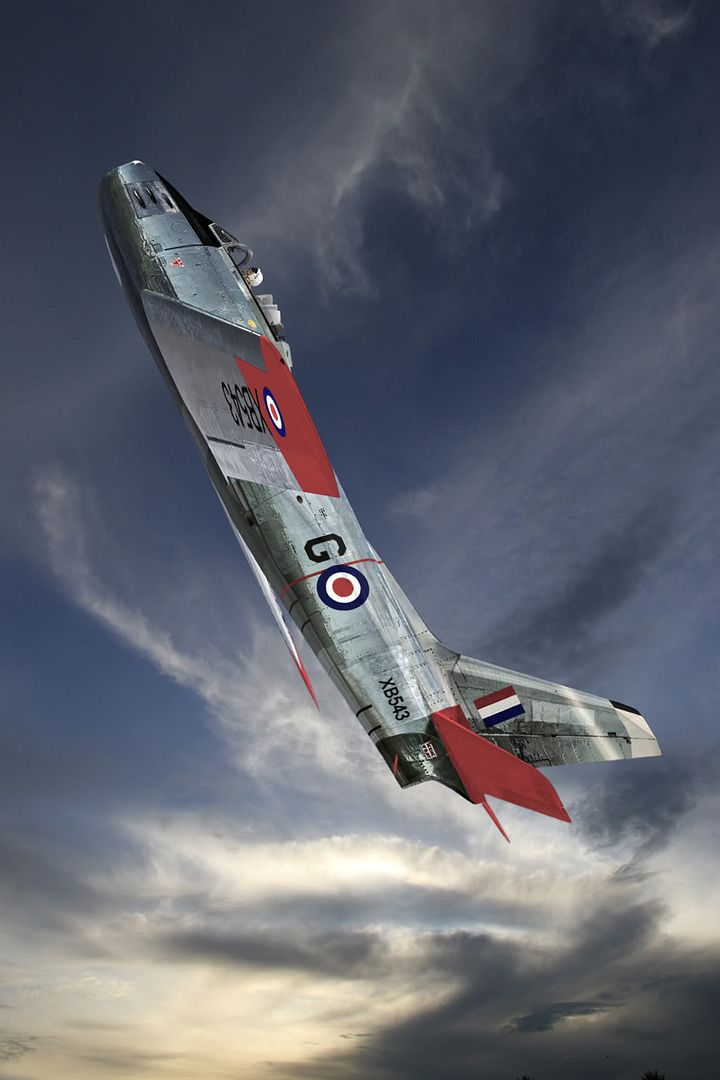
Posted: Thu Jan 05, 2012 4:19 pmPosted: Thu Jan 05, 2012 4:20 pm Stunning shot Dave......hard to tell its a screenshot........stars from me.
  Posted: Thu Jan 05, 2012 4:32 pm
Olderndirt wrote:QUOTE (Olderndirt @ Jan 5 2012,5:19 PM) <{POST_SNAPBACK}>Here's a thing I used along with the Section SF8 downloads.
https://docs.google.com/doc?docid=0AUBT ... l=en&pli=1
Sounds good ... except I get a "page not found" - even when I'm logged into (my) Google Docs
Posted: Thu Jan 05, 2012 4:56 pmAdamski wrote:QUOTE (Adamski @ Jan 4 2012,8:32 PM) <{POST_SNAPBACK}>Sounds good ... except I get a "page not found" - even when I'm logged into (my) Google DocsI see that - double checked the URL. Maybe a 'stab in the dark' google. I have a copy so if there're any problems give me a shout.
Posted: Thu Jan 05, 2012 5:15 pmOlderndirt wrote:QUOTE (Olderndirt @ Jan 5 2012,5:56 PM) <{POST_SNAPBACK}>I see that - double checked the URL. Maybe a 'stab in the dark' google. I have a copy so if there're any problems give me a shout.
https://docs.google.com/Doc?docid=0AUBT ... l=en&pli=1
Looks like you may have had a typo in there somehow ... the one above works ... thanks!!
Posted: Thu Jan 05, 2012 6:25 pmAdamski wrote:QUOTE (Adamski @ Jan 4 2012,9:15 PM) <{POST_SNAPBACK}>https://docs.google.com/Doc?docid=0AUBT ... l=en&pli=1Yes I see the error - too much finger fattening Chardonnay.
Looks like you may have had a typo in there somehow ... the one above works ... thanks!!
Posted: Sat Jan 07, 2012 12:11 amOlderndirt wrote:QUOTE (Olderndirt @ Jan 5 2012,7:25 PM) <{POST_SNAPBACK}>Yes I see the error - too much finger fattening Chardonnay.
Nice! Cheers!
Not to steal your thunder ... more by way of a "thank you":
... could so easily be Korea ... but it's Mount Cook
That URL for the install guide proved quite handy .... I followed it to the letter ... not sure whether I could have done it without it!
What a *superb* bit of freeware!
Posted: Sat Jan 07, 2012 6:07 pm Posted: Sat Jan 07, 2012 6:14 pm
Sinz wrote:QUOTE (Sinz @ Jan 7 2012,7:07 PM) <{POST_SNAPBACK}>Also "not to steal your thunder" sorry not up on how to use the quote button.
SINZ , simply use the reply button in your bottom left hand corner , you can also delete script and screens already posted
Posted: Sat Jan 07, 2012 6:17 pmSinz wrote:QUOTE (Sinz @ Jan 7 2012,7:07 PM) <{POST_SNAPBACK}>Awsome aircraft!!! I love Jets. Can even see the little man in the cockpit looking around as it flys. I have couple issue's though with My install Aircraft selection jpg is showing a "Question Mark" the name is there but no pic? Any Ideas? Aircraft.cfg not pointing to the right place? Also when switching views back to cockpit on the ground it Jumps a couple times. I get right into Cold Starts Taxiing etc when saving a flight and this plane is Great for it.
None of the variations had any thumbnails on my system either - so I had to use a thing called "Autothumbnailer" to create them. Either that or you do a screengrab of each, then create your own thumbnails from them - a lot more long-winded!
I could create a zip file of all of them and put it somewhere public, if that helps people ...
Posted: Sat Jan 07, 2012 6:18 pmIan Warren wrote:QUOTE (Ian Warren @ Jan 7 2012,7:14 PM) <{POST_SNAPBACK}>SINZ , simply use the reply button in your bottom left hand corner , you can also delete script and screens already posted
Ok. Hopefully got it and move the "/quote" for start and end yeah>
Testing
Sinz
Posted: Sat Jan 07, 2012 6:25 pmAdamski wrote:QUOTE (Adamski @ Jan 7 2012,7:17 PM) <{POST_SNAPBACK}>If you want the image to show in your post, use the last link copy option in Photobucket to put into the clipboard then paste it into your message, like so (!):
The Photobucket URL goes in between a pair of img tags.
None of the variations had any thumbnails on my system either - so I had to use a thing called "Autothumbnailer" to create them. Either that or you do a screengrab of each, then create your own thumbnails from them - a lot more long-winded!
I could create a zip file of all of them and put it somewhere public, if that helps people ...
Ok. Just though it would save on download.
There is a few jpg images that come with the download which would be about the right size for the thumbnail.
Sinz


