 Posted: Thu Apr 19, 2012 4:39 am
After giving up on a reinstall of 'Acceleration', went back to SP1 and 2. Still in default (no addons) mode so gave this 'wide aspect=true' a go in the .cfg.
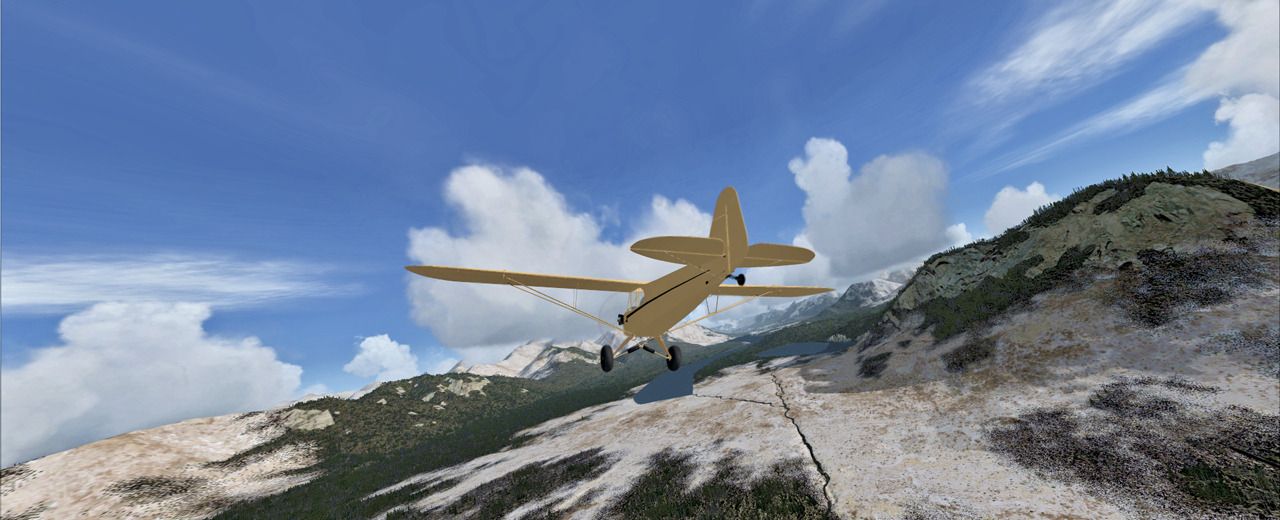
Posted: Thu Apr 19, 2012 4:39 amPosted: Thu Apr 19, 2012 7:40 amPosted: Thu Apr 19, 2012 1:20 pmTimmo wrote:QUOTE (Timmo @ Apr 18 2012,12:40 PM) <{POST_SNAPBACK}>how does that change things compared to normal? presumably it would only be relevant on widescreen monitors?That's what Nick Needham said on SimForum. Mine is 26.5 and, by today's standards, that may not qualify as 'wide'. What I saw was more distortion with the aircraft than scenery. Seems to have serious fuselage stretching and differential wing lengths from certain angles.
Posted: Thu Apr 19, 2012 5:58 pm Posted: Wed Apr 25, 2012 3:04 am
Olderndirt wrote:QUOTE (Olderndirt @ Apr 19 2012,3:20 AM) <{POST_SNAPBACK}>That's what Nick Needham said on SimForum. Mine is 26.5 and, by today's standards, that may not qualify as 'wide'. What I saw was more distortion with the aircraft than scenery. Seems to have serious fuselage stretching and differential wing lengths from certain angles.
Hello Olderndirt.
do you have another VC - Screenshot that shows the aircraft distortion? And did you have any drops in frame rates while in wide aspect? I might give the wide-aspect a try if it does not cost to much frames and still delivers a natural feeling.
Cheers
Alex
Posted: Wed Apr 25, 2012 4:54 amAlex1981 wrote:QUOTE (Alex1981 @ Apr 24 2012,8:04 AM) <{POST_SNAPBACK}>Hello Olderndirt.Simply go into your FSX.cfg where 'WideAspect=false' already resides under [DISPLAY]. Change 'false' to 'true' and judge for yourself. Be safe, backup your file.
do you have another VC - Screenshot that shows the aircraft distortion? And did you have any drops in frame rates while in wide aspect? I might give the wide-aspect a try if it does not cost to much frames and still delivers a natural feeling.
Cheers
Alex