Page 1 of 1
Sure, the sim is still a mess but my custom rego is back!

Posted:
Thu Feb 27, 2025 10:49 amby toprob
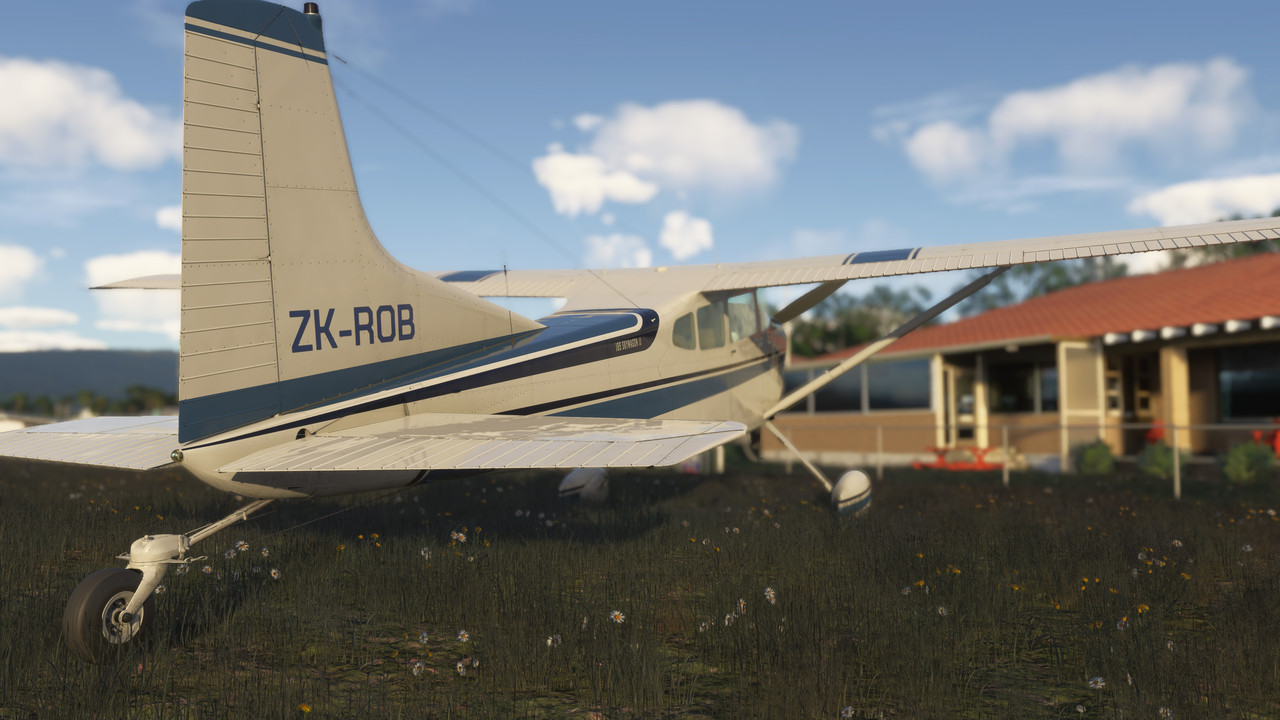
Here's the new, free Skywagon in MSFS2024, one of the four promised freebies to make up for the release mess. And that's my registration back in SP1 beta!!! Everything is forgiven... Well, apart from the fact that the beta ruins all my own airports.
Re: Sure, the sim is still a mess but my custom rego is back!
Posted:
Thu Feb 27, 2025 12:36 pmby deeknow
Hah great stuff Rob! .. I need a ZK-DNO

Re: Sure, the sim is still a mess but my custom rego is back!
Posted:
Thu Feb 27, 2025 5:25 pmby Splitpin
Nice one Rob , the sky wagon wears it well .
Re: Sure, the sim is still a mess but my custom rego is back!
Posted:
Fri Feb 28, 2025 6:57 amby ZK-DWF
That missing rego number is MSFS 2024 is one of the things I've really missed. Glad to see they've fixed it.
Re: Sure, the sim is still a mess but my custom rego is back!
Posted:
Fri Feb 28, 2025 2:31 pmby cowpatz
That looks a really nice model Rob. Is that the Carenado one that they perhaps did for Asobo?
How does it handle?
A very fitting rego! Will it take much to get your scenery sorted?
Re: Sure, the sim is still a mess but my custom rego is back!
Posted:
Fri Feb 28, 2025 7:59 pmby toprob
Yes, this is Carenado's as one of the Famous Flyer releases. No AP, but who cares. Well, a lot of people do, but with something like this I just want to fly. My first flight ended up with engine failure, but I managed to turn around and land safely. Did an early morning flight today (in the evening) to test my updated video drivers, and it was one of those flights which makes it all worthwhile. Plenty of power, but needs a bit more jockeying than I'm used to. (Hence the failure.)
Only thing which annoys me is the finicky walk-around, some aircraft make it very difficult to get the click spots centred, and this one is particularly bad. I just wanna wave my mouse at the pitot cover and make it go away, but I spend a couple of minutes overshooting the mark.
I grabbed some screenshots tonight, I may or may not add them here over the weekend.
Re: Sure, the sim is still a mess but my custom rego is back!
Posted:
Sat Mar 01, 2025 11:19 amby cowpatz
There’s not too many 180 or 185s around in the real world that haven’t been bent once or twice. You never stop flying them or relax until it’s parked up and picketed.
Are you using an Xbox controller for your external preflight?
I hope you get around to uploading those pics.
Re: Sure, the sim is still a mess but my custom rego is back!
Posted:
Sat Mar 01, 2025 1:18 pmby toprob
CP, your post reminded me that I was going to check out a couple of things with the walk-around. I do use an xbox-style controller for the walk-around, and for controlling the drone, but the weird lag which happens drives me balmy. The tool-tip for the click-point pops up, but by then I'm moved past it. Plus I don't see the mouse cursor, so I can't use the mouse. However, after testing this morning I figured that I can right-click the mouse to lock the view and control the cursor. In this mode, I can reach all the click-points easily. Cheers!
I didn't get to your question about my scenery, as I'm still hoping that this will magically be fixed when the beta is over. The problem is that all my own scenery starts with an aerial image, which has always been how I work. I mean, if there was one thing which defined all my scenery it would be a custom aerials. However none of my aerials appear with the beta. The only other scenery I have installed which uses aerial CGLs is Flightbeam's Wellington and Auckland, and these both work. Well, there's one issue with their grass in the beta, but the aerials work as they did.
I'm not sure what they do differently, but at least I know that they CAN work, so I'll wait and see if there is a solution. Actually, not many developers use custom aerials these days, as these are not encouraged by MS. I think this is mainly because not all custom aerials use properly licensed images, and with 2020 they did clamp down on the use of Google images, which people were uploading in huge quantities.
If I can't get this to work, which would probably mean this is a new feature rather than a bug, to prevent developers outside MS's control from using it, I don't think I'll continue with scenery. My bug report was moved out of the bug reporting forum, and I was told to take it to the SDK support platform, but I don't see it as a SDK issue. I did mention it there, but the lack of reaction seems to show that this isn't an issue for others. Which may be a good thing, once I figure out what I'm doing wrong.
Re: Sure, the sim is still a mess but my custom rego is back!
Posted:
Sat Mar 01, 2025 2:33 pmby cowpatz
Would you need to have custom aerials if they already use Bing maps for the scenery?
I could imagine trying to reason with MS would be a fruitless endeavour.
Re: Sure, the sim is still a mess but my custom rego is back!
Posted:
Sat Mar 01, 2025 6:10 pmby toprob
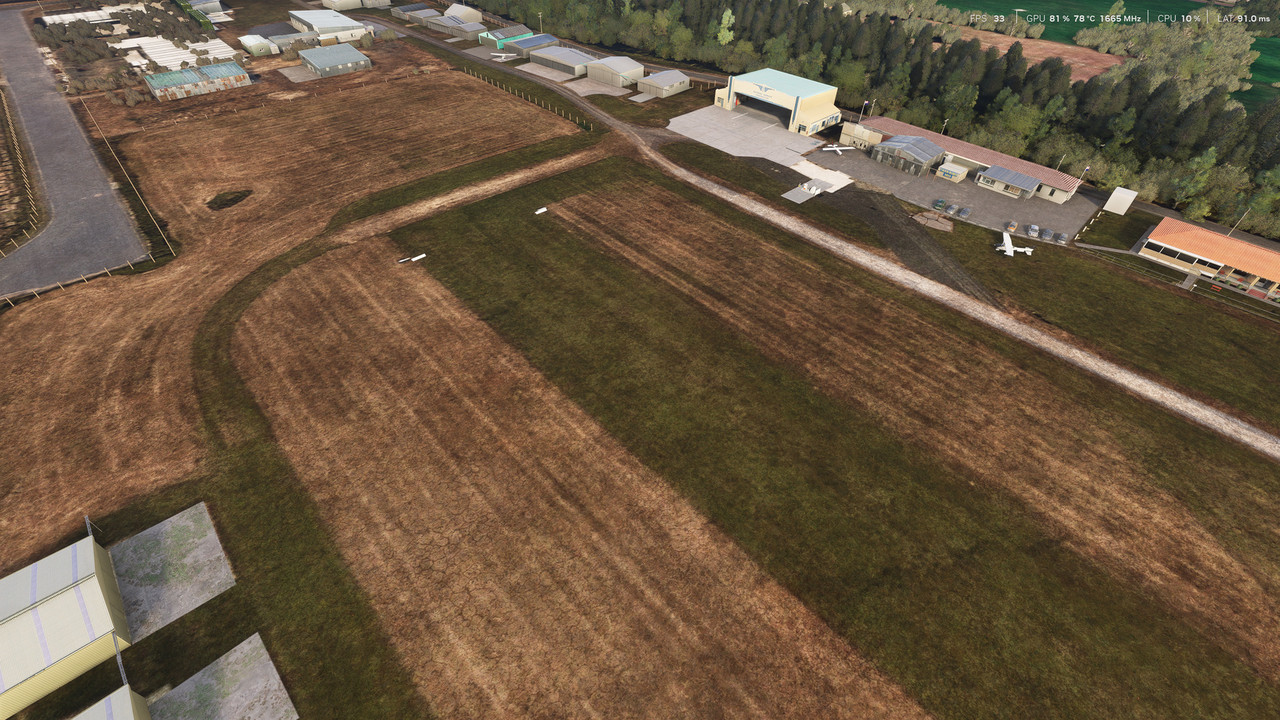
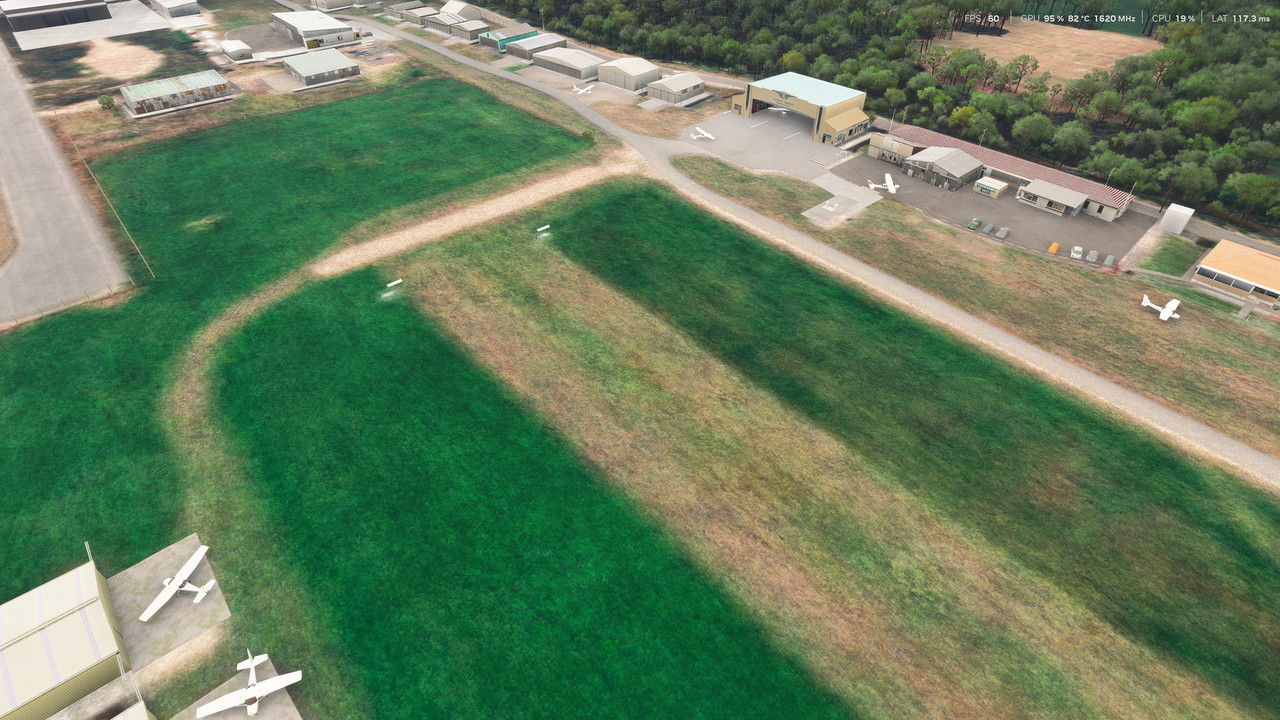
The trouble with Bing imagery is that it is horrible in parts. Here's a comparison showing what I want compared to what I see with Bing.
The top image shows the new photo scenery I made for 2024, but here I've dropped it into FS2020, where it works. The other image is FS2024 with default Bing imagery.
Note that the FS2020 shot is kind of a mock-up, being a combination of the old released airport, and the new aerial background. However even the old image in 2020 was a lot better than Bing.