Page 1 of 1

1200x380 Shots

PostPosted: Sun Feb 22, 2026 5:49 pm
by Charl
He's a hard Banner Master, our Adamski.
No matter how hard I try, so far he has not succumbed to the natural 3840 x 1600 format that happens to fit my monitor! :D

So I went trawling through the literally 100's of shots littering my HDD, to see how many could be massaged into that letterbox.
Here's the first of a series, I know everyone has one to offer too.

Image

PS I am soo enjoying that revolving history of banner shots that Adam has concocted, we must keep him fed.

Re: 1200x380 Shots

PostPosted: Sun Feb 22, 2026 7:05 pm
by Adamski
I feel your pain!!! I've seen so many great shots over the years that can't be shoe-horned into that shape. Don't blame me ... blame the forum software :lol:

I agree - the revolving banners are a treat: I wish I'd stumbled on it sooner!

Re: 1200x380 Shots

PostPosted: Sun Feb 22, 2026 8:50 pm
by emfrat
Adam, you might find some you can use here: https://postimg.cc/gallery/Kx58g3K
I particularly like the Catalina shot, though a lot of folk thought it was too dark - but the plane is ideally placed in shot to take out a 380px slice, which might make it more visible without losing the night-time effect.
These are all from my old FSX, or maybe even my FS9.1 Classic. I am not sure, because the blue Moth is around Ruawai. I know I made a Ruawai for AFS2, but the Moth is an FSX plane :rolleyes:
ATB,
Mike

Re: 1200x380 Shots

PostPosted: Mon Feb 23, 2026 8:41 am
by Adamski
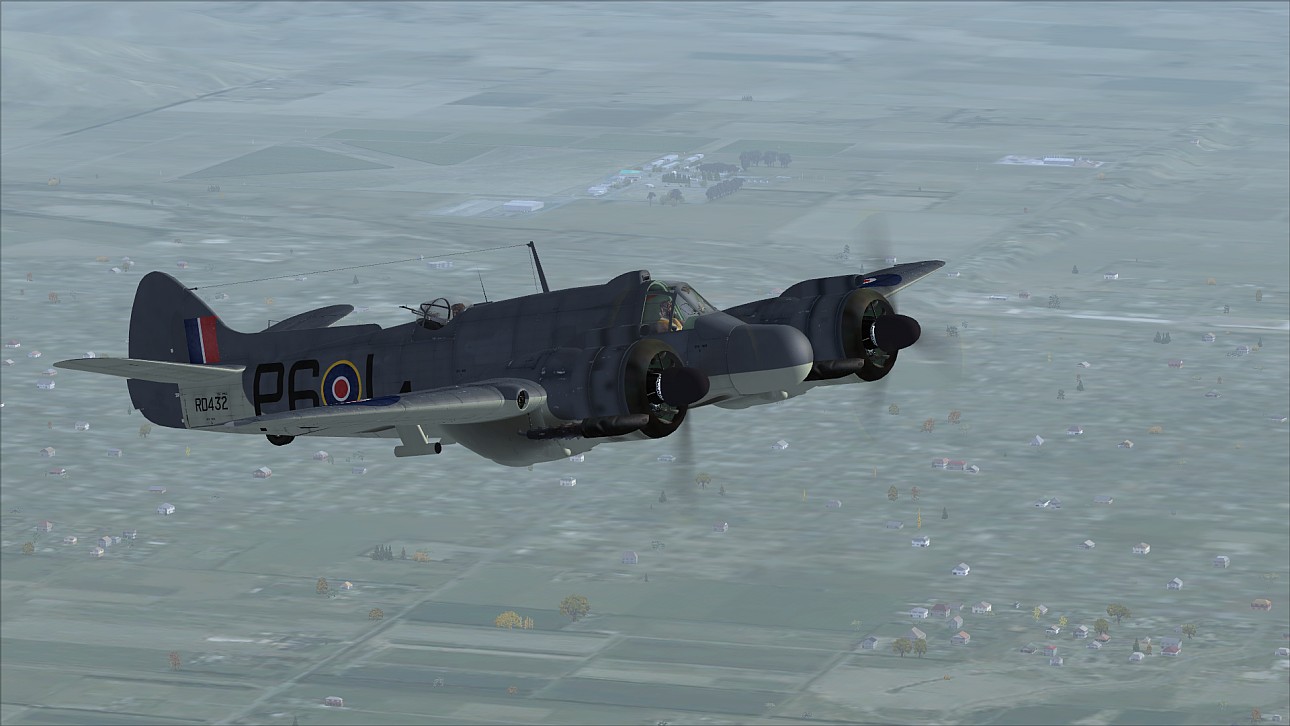
Many thanks - I've grabbed the Beaufighter!
Image

Re: 1200x380 Shots

PostPosted: Mon Feb 23, 2026 1:14 pm
by emfrat
Plus a couple from WOFF, others from FSX or 9.1 - just in case nothing better comes in :rolleyes:
https://postimg.cc/gallery/MHbRHcG

Re: 1200x380 Shots

PostPosted: Mon Feb 23, 2026 9:23 pm
by emfrat
Charl - I thought up a very complicated way of creating a frame that I could move around a screenie to see which slice looked best. Then I read the destructions for Irfan view - O, the shame of being reduced to that - and discovered I could create a custom selection of 1290x390 pixels which can be dragged around using the right-hand mouse button. Not only that, but the next time I clicked 'create a custom selection' I got that, like a default.
Hope this helps.
ATB. Mike

Re: 1200x380 Shots

PostPosted: Mon Feb 23, 2026 9:28 pm
by Adamski
Peeps ... I wouldn't be *too* worried about framing. So long as there's enough to room spare I can manage them quite easily. I have decent Photoshop template that has all the framing info on one layer. I then resize and slide the screenshot around underneath it.

Re: 1200x380 Shots

PostPosted: Mon Feb 23, 2026 9:35 pm
by emfrat
:thumbup:

Re: 1200x380 Shots

PostPosted: Mon Feb 23, 2026 10:13 pm
by Charl
So Adam... show us how you'd clip this one

Imagen Flickr

Re: 1200x380 Shots

PostPosted: Tue Feb 24, 2026 1:36 pm
by Adamski
Here we go!

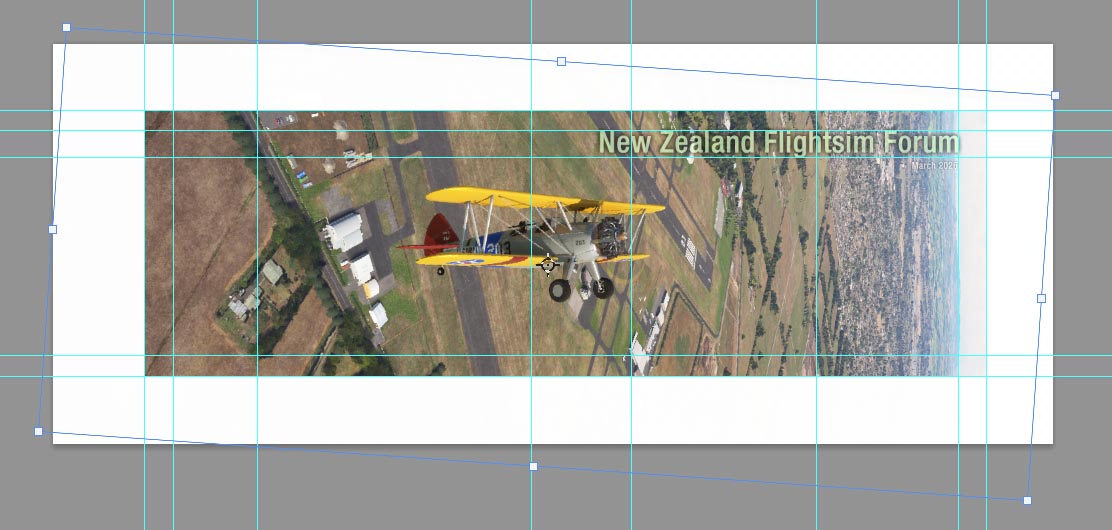
This is what it looks like in my Photoshop template (notice I rotated the image slightly). The white area is just a mask (easily toggled on/off) and the grid lines ensure consistency when placing the text:
Image

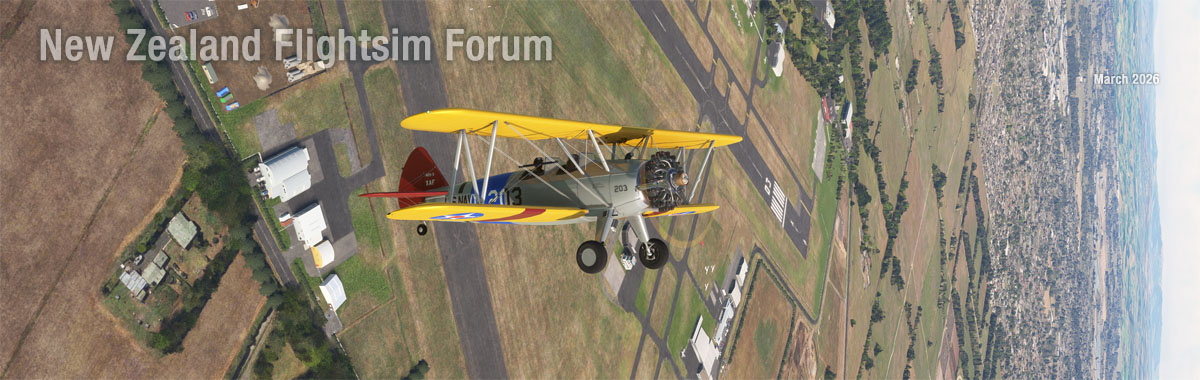
... and here's the result (with only some of the text placed):
Image

P.S. Isn't that Ardmore scenery superb!!!

Re: 1200x380 Shots

PostPosted: Tue Feb 24, 2026 7:53 pm
by Charl
Easy Peasy. Ha! :D

And yes, Ardmore gets a good workout in the sim, on a regular basis.

Re: 1200x380 Shots

PostPosted: Tue Feb 24, 2026 9:26 pm
by Fozzer
This is the useful bit of kit that I have been using since Pontius was a pilot...

"Sceeen Grab".... :D ...!

"Screen grab 1.1....>>>
...from "No Nonsense Software"

https://no-nonsense-software.com/freeware

Save the screen to the desktop with a press of a key....
Put a border around the selected screen object.
Save it, with the preferred size...
...post it...

Sorted!

Paul... :uk: ... mostly grabbing things!.... :lol: ....!

Re: 1200x380 Shots

PostPosted: Wed Feb 25, 2026 6:24 am
by Charl
Oh yeah? So... :lol:

Re: 1200x380 Shots

PostPosted: Wed Feb 25, 2026 8:33 pm
by Fozzer
Charl wrote:Oh yeah? So... :lol:


Charl...

.... :lol: .... :lol: ....>>>

I spend some time in the "Comfort Zone"..... :P ... :P ... :D ...!

Paul... :uk:.... :bow: .... :D .... :cheers: ....!


P.S...In my dreams.... :rolleyes: ... :rolleyes: ...!