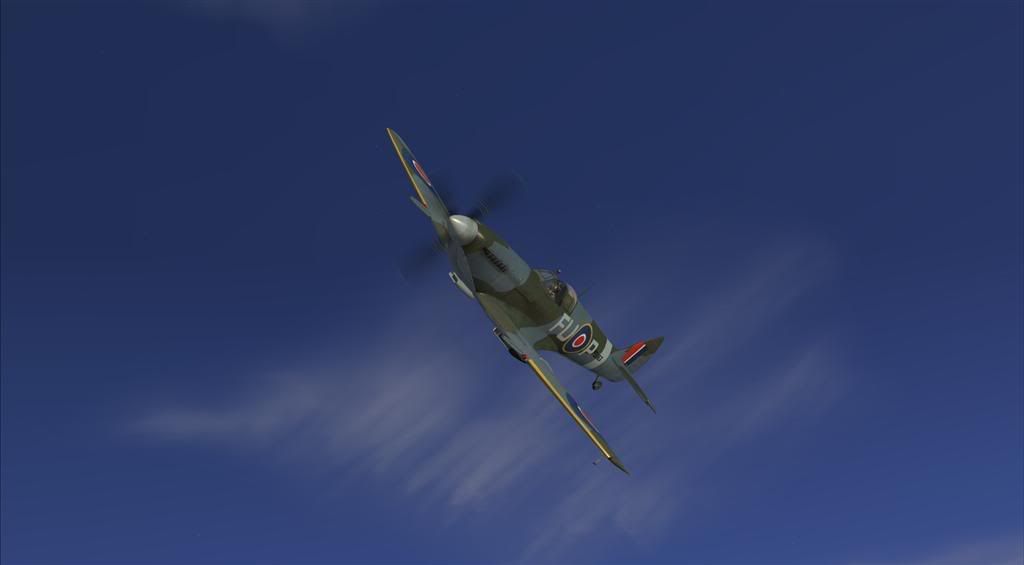
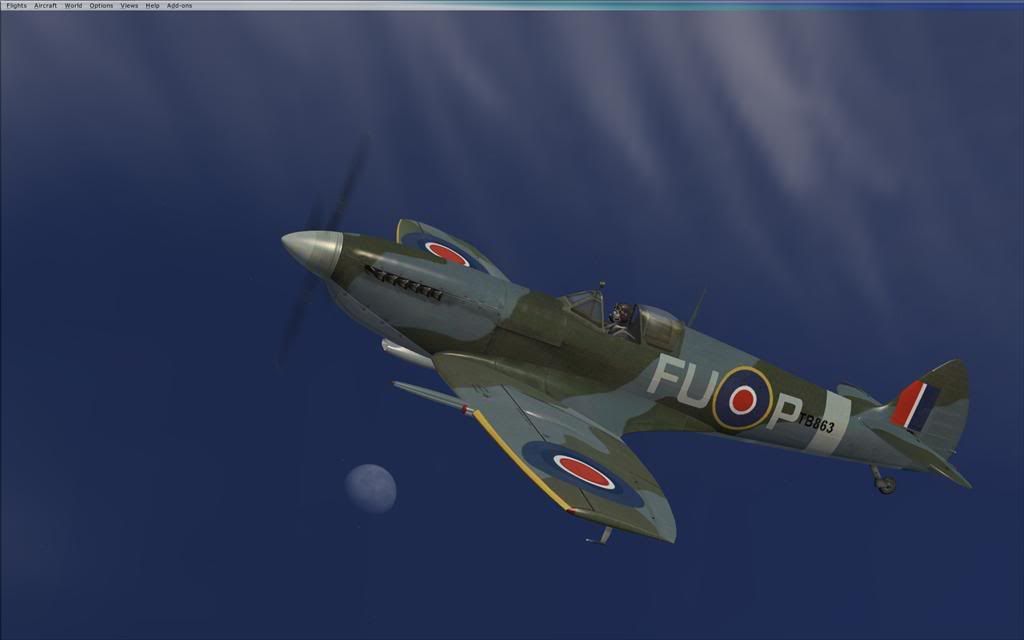
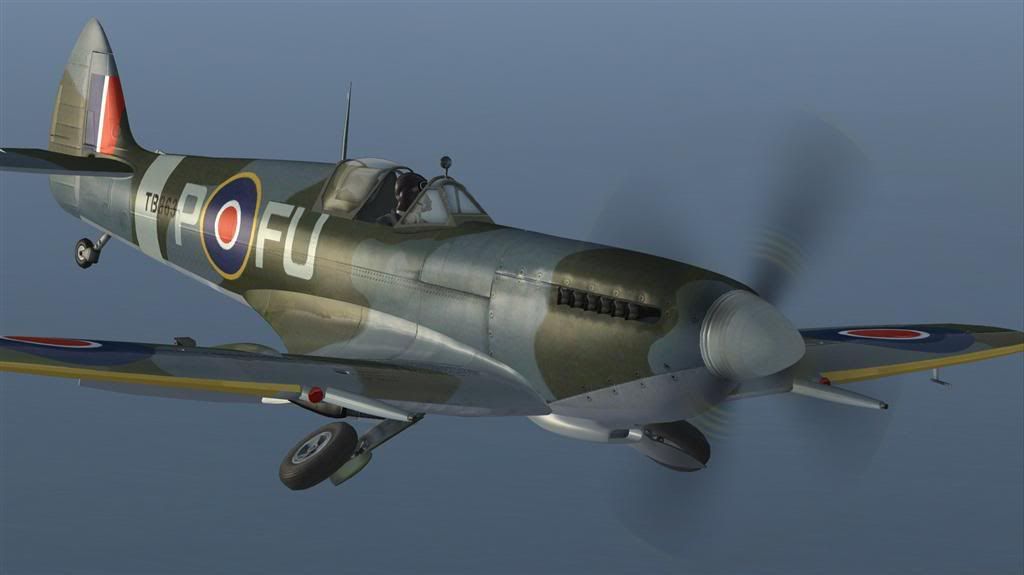
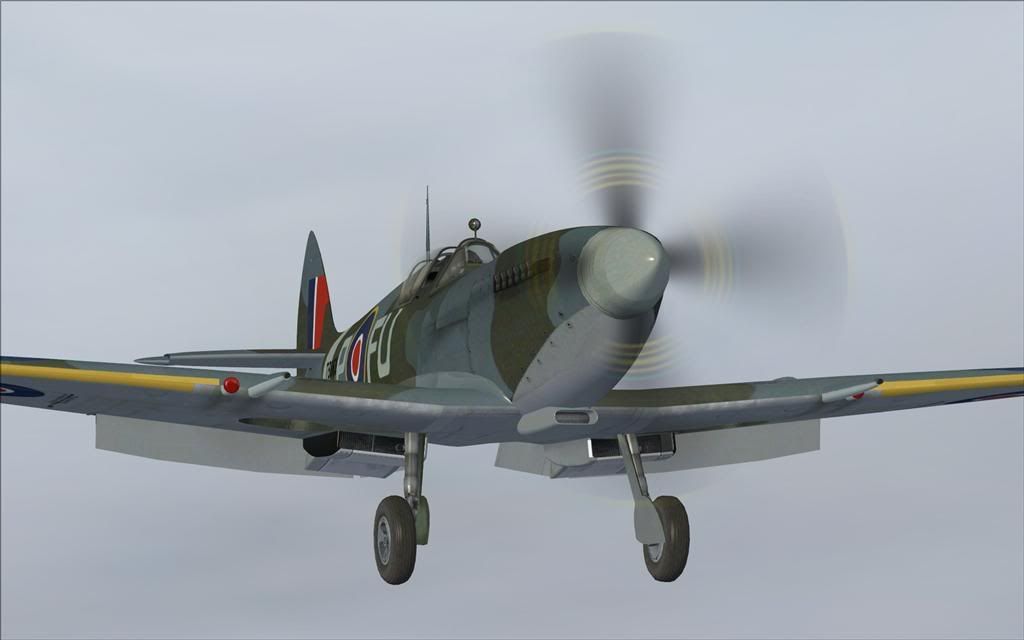
Spitfire again

Post and comment on screen captures from the beautiful game here. Home of the monthly screenshot competition

Postby happytraveller » Thu May 08, 2008 9:19 am

Love this add-on, but it is a pity that I cannot include the sound with the screenshot. Such a joy to listen to as well as fly. Fantastic textures and a wonderful add-on........


Smooth landings (stick all the way back)
happytraveller
Senior Member
 
Topic author
Joined: Sun Jun 18, 2006 10:44 pm
Posts: 1109

Postby Florian_S » Mon May 12, 2008 1:01 pm

Awesome!! FS9 version or FSX?...I have the FS9 and it is a dream to fly :D
Image
You haven't experienced Flight Simulator till you've flown NZ!
User avatar
Florian_S
Forum Addict
 
Joined: Wed Apr 18, 2007 4:17 pm
Posts: 328
Location: EDDH / HAM - Hamburg, Germany

Postby ardypilot » Mon May 12, 2008 4:40 pm

The landclass textures in the first pic are definitely FSX- great angles there HT!
Last edited by ardypilot on Mon May 12, 2008 4:40 pm, edited 1 time in total.
User avatar
ardypilot
NZFF Pro
 
Joined: Wed Apr 26, 2006 10:01 am
Posts: 6802
Location: Auckland

Postby K5054NZ » Mon May 12, 2008 4:44 pm

Bottom one for me! Shame that only one has a Merlin..... ;)
User avatar
K5054NZ
Senior Member
 
Joined: Sun Jul 30, 2006 4:53 pm
Posts: 1036
Location: NZOM

Postby happytraveller » Mon May 12, 2008 8:08 pm

Yes, definitely FSX!!!

It is much easier to get the right angles in FSX as on one of the views you can move around the outside of the aircraft 360 degrees in small steps, and also higher and lower in relation to the aircraft. This has made is much easier to get better screenshots. Another advantage of FSX.

Smooth landings.
happytraveller
Senior Member
 
Topic author
Joined: Sun Jun 18, 2006 10:44 pm
Posts: 1109

Postby Ian Warren » Mon May 12, 2008 9:59 pm

Following HTs lead


Lovvvvvvve it

:plane:
Image
User avatar
Ian Warren
NZFF Pro
 
Joined: Fri May 05, 2006 5:23 pm
Posts: 41187
Location: AREA 51

Postby Charl » Mon May 12, 2008 10:02 pm

happytraveller wrote:
QUOTE (happytraveller @ May 12 2008, 08:08 PM) <{POST_SNAPBACK}>
...It is much easier to get the right angles in FSX...

Well I have to say you're wrong about that, and the "camera" presets irritate me enormously - but nice aircraft, and I'm happy for you that you're happy with your FSX!

Ian Warren wrote:
QUOTE (Ian Warren @ May 12 2008, 09:59 PM) <{POST_SNAPBACK}>
Lovvvvvvve it ...

...as I said, happy for you...
what's the difference between FS9 and FSX versions? (I only have the former.)
User avatar
Charl
NZFF Pro
 
Joined: Mon May 01, 2006 8:28 am
Posts: 9691
Location: Auckland

Postby Ian Warren » Mon May 12, 2008 10:17 pm

Charl wrote:
QUOTE (Charl @ May 12 2008, 10:02 PM) <{POST_SNAPBACK}>
...as I said, happy for you...
what's the difference between FS9 and FSX versions? (I only have the former.)

I'd Love Rearair do a Teardrop 14 , equals Tims 1994-96 .. maybe a razorback in the that scheme , to suit both the FS9 and FSX . Latest model FSX - ONLY REAL difference is the Mk9 and a few texture models and changes and other would be the sound suite for the MERLIN .
Last edited by Ian Warren on Mon May 12, 2008 10:19 pm, edited 1 time in total.
Image
User avatar
Ian Warren
NZFF Pro
 
Joined: Fri May 05, 2006 5:23 pm
Posts: 41187
Location: AREA 51

Postby Charl » Mon May 12, 2008 10:47 pm

Mmm Rearair aye? Pusher prop on the Merlin? :D
Maybe I'll graft this .air file onto my Plane Designs Mk 16 and see if it behaves - brilliant sound pack on it.
FSX sound panning would be a big plus though I guess, if done well.
Last edited by Charl on Tue May 13, 2008 8:38 am, edited 1 time in total.
User avatar
Charl
NZFF Pro
 
Joined: Mon May 01, 2006 8:28 am
Posts: 9691
Location: Auckland

Postby Naki » Mon May 12, 2008 10:55 pm

...Charl there is one reason to switch to FSX - this Mk IX Spitfire ;) .
User avatar
Naki
NZFF Pro
 
Joined: Sat Aug 05, 2006 10:03 pm
Posts: 7170
Location: Tauranga

Postby happytraveller » Tue May 13, 2008 12:23 am

Charl wrote:
QUOTE (Charl @ May 12 2008, 10:02 PM) <{POST_SNAPBACK}>
Well I have to say you're wrong about that, and the "camera" presets irritate me enormously - but nice aircraft, and I'm happy for you that you're happy with your FSX!


I found something on FSX which helps to get great outside views.

On one of the outside views, there is an option to move around the aircraft and also up and down. I use the shift key and the arrows on the keyboard (it moves around in small steps) so that I can include/exclude anything in the background that I do not want, or so that I can move the 'camera' to where I want it to be. Not unlike Active Camera which I had installed on FS9. So have a go with the shift key and arrows on the numeric keyboard.

I quite like the under the wing preset camera view as well, great on approach.

smooth landings.
Last edited by happytraveller on Tue May 13, 2008 9:03 am, edited 1 time in total.
happytraveller
Senior Member
 
Topic author
Joined: Sun Jun 18, 2006 10:44 pm
Posts: 1109

Postby Charl » Tue May 13, 2008 8:12 am

Naki wrote:
QUOTE (Naki @ May 12 2008, 10:55 PM) <{POST_SNAPBACK}>
...Charl there is one reason to switch to FSX - this Mk IX Spitfire ;) .

I have FSX - issue is do I want another Spitfire!
I have 8 in the standby hangar, from a Mk 1A to a Mk F XIVE, does one need another??
OK don't answer that... :unsure:
Last edited by Charl on Tue May 13, 2008 8:39 am, edited 1 time in total.
User avatar
Charl
NZFF Pro
 
Joined: Mon May 01, 2006 8:28 am
Posts: 9691
Location: Auckland

Postby yak52dude » Tue May 13, 2008 8:25 am

those were some of the best shots i've seen for a while i personally can't get enough of the trusty old spitfire
yak52dude
 

Postby ardypilot » Tue May 13, 2008 5:08 pm

QUOTE
It is much easier to get the right angles in FSX as on one of the views you can move around the outside of the aircraft 360 degrees in small steps, and also higher and lower in relation to the aircraft. This has made is much easier to get better screenshots. Another advantage of FSX.[/quote]
That can be done with both F1 View and the FS Recorder Module in fs2004, where you can manually enter the degree of direction you wish to view the aircraft from, plus the distance, and altitude above or below the aircraft in feet ;)
User avatar
ardypilot
NZFF Pro
 
Joined: Wed Apr 26, 2006 10:01 am
Posts: 6802
Location: Auckland

Postby victor_alpha_charlie » Tue May 13, 2008 6:56 pm

Trolly wrote:
QUOTE (Trolly @ May 13 2008, 05:08 PM) <{POST_SNAPBACK}>
That can be done with both F1 View and the FS Recorder Module in fs2004, where you can manually enter the degree of direction you wish to view the aircraft from, plus the distance, and altitude above or below the aircraft in feet ;)


I thought F1 View only allowed you to scroll in/out with the scroll key?
User avatar
victor_alpha_charlie
NZFF Pro
 
Joined: Wed Jan 10, 2007 11:09 am
Posts: 2372

Postby ardypilot » Tue May 13, 2008 7:05 pm

QUOTE
I thought F1 View only allowed you to scroll in/out with the scroll key?[/quote]
Nah- you can use CTRL and SHIFT in combination with the scroller to achieve a combination of effects.
User avatar
ardypilot
NZFF Pro
 
Joined: Wed Apr 26, 2006 10:01 am
Posts: 6802
Location: Auckland

Postby happytraveller » Tue May 13, 2008 7:05 pm

I just use the standard outside aircraft view, and use the one where you can move right around the aircraft in small steps, and also up and down in relation to the aircraft in small steps as well. This, together with using the + and - keys on the keyboard, means that I can zoom in and out and pan right around the aircraft. It is the most useful view as it is so flexible. Next task must be to put a video up on the boards so that you can hear the fantastic sounds from the Real Air Spitfire as well. Good that other NZFF members love it too.

smooth landings.
happytraveller
Senior Member
 
Topic author
Joined: Sun Jun 18, 2006 10:44 pm
Posts: 1109

Postby Naki » Tue May 13, 2008 9:06 pm

Trolly wrote:
QUOTE (Trolly @ May 13 2008, 07:05 PM) <{POST_SNAPBACK}>
Nah- you can use CTRL and SHIFT in combination with the scroller to achieve a combination of effects.


Hey I didnt know that - must try it!
User avatar
Naki
NZFF Pro
 
Joined: Sat Aug 05, 2006 10:03 pm
Posts: 7170
Location: Tauranga


Return to Screenshots

Who is online

Users browsing this forum: No registered users and 11 guests