Page 1 of 1

PostPosted: Mon May 12, 2008 10:42 pm
by Charl
I know I'm behind the times with this, and I've actually had Walk & Follow for some time, but F1View seemed to do the job, so why fix something that works?
(Ultimately, that's the time you really need to fix it. :D )
So I had a look, and I reckon it's quite good, in that you get full screen spot views you could not get before:


Actually flying from this view can make you motion sick, as the horizon keeps tilting over...to say nothing of controlling the chopper.
I'll experiment a bit more - think some new screenshot angles are due.

PostPosted: Tue May 13, 2008 12:59 am
by Adamski
That's a great looking shot. I like the fact that the copter isn't centrally placed and that the horizon *isn't* straight! Also, it doesn't seem to have the usual "fisheye" distortion that some spot views seem to have.

Does you know whether F1View will work with FSX? Googling around seems inconclusive.

PostPosted: Tue May 13, 2008 8:01 am
by Charl
Adamski wrote:
QUOTE (Adamski @ May 13 2008, 12:59 AM) <{POST_SNAPBACK}>
...Does you know whether F1View will work with FSX? Googling around seems inconclusive.

Probably not.
But Gunnar Daehling did something called WheelCam which does more or less the same thing.
Free on the usual sites, last version I saw was 2.7

PostPosted: Tue May 13, 2008 8:28 am
by yak52dude
Adamski wrote:
QUOTE (Adamski @ May 13 2008, 12:59 AM) <{POST_SNAPBACK}>
That's a great looking shot. I like the fact that the copter isn't centrally placed and that the horizon *isn't* straight! Also, it doesn't seem to have the usual "fisheye" distortion that some spot views seem to have.


:hesaid: :pics:

PostPosted: Tue May 13, 2008 5:21 pm
by ardypilot
QUOTE
That's a great looking shot. I like the fact that the copter isn't centrally placed and that the horizon *isn't* straight! Also, it doesn't seem to have the usual "fisheye" distortion that some spot views seem to have.[/quote]
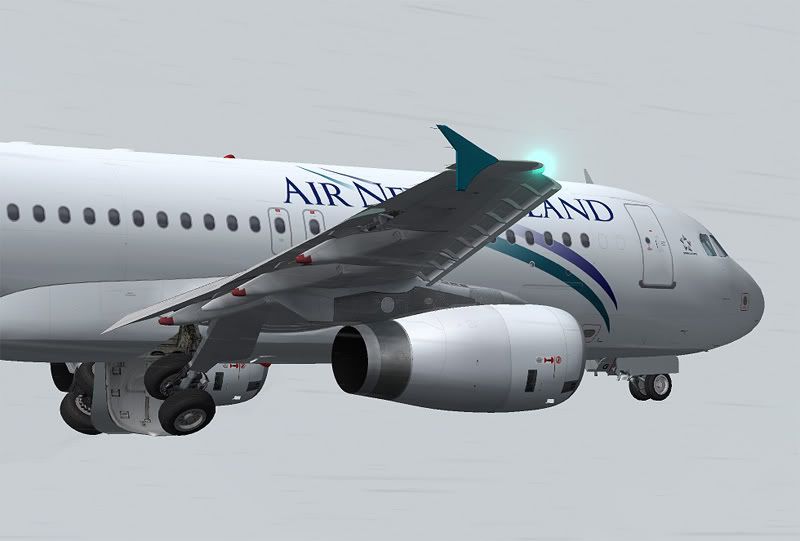
As I just mentioned in happytraveller's spitfire topic- all that can be done with the latest version of the FS Recorder module- which is freeware! You can select manual panning in spot view which lets you move your eyepoint wherever you want in the virtual world, unlike default FS9/X spot view that focuses on the aircrafts centre of gravity. This is really neat for zooming in on particular parts of your aircraft- say the front end of this A320 in this example below:


Usually you would have to crop this part of the screenshot down from a full screen image of the entire aircraft, but being able to zoom in with FS Recorder gives you more flexibility- along with a resultant bigger pixel size screenie that is higher quality than the otherwise standard method (Get it? I don’t think I explained that very well)

You can also set the camera to tilt to the same angle of the aircraft ascent or descent, which can result in a lot of dizzyness if you are cruising through turbulence! (And also saves time in editing if you photoshop your screenshots)

Just hit ALT in FS2004, then go to the ‘FS Recorder’ sub menu > Views > Create Custom View, and you can save up to 30 presets, which you can edit whenever you want :D

PostPosted: Tue May 13, 2008 6:42 pm
by Adamski
Thanks for that, Trolly. Actually, that's quite a stunning pic to make your point with!!!