Rafale Revisited

Post and comment on screen captures from the beautiful game here. Home of the monthly screenshot competition

Postby ShadowMystDK » Wed Oct 08, 2008 10:30 pm

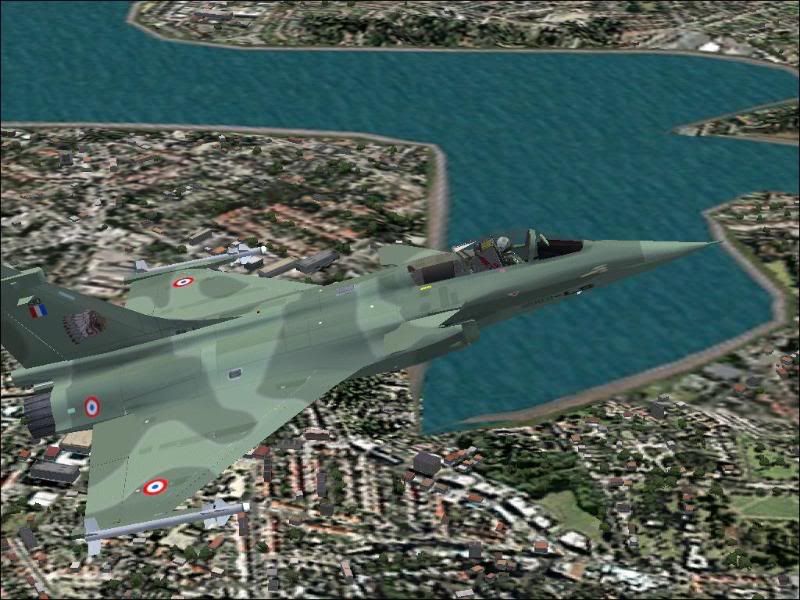
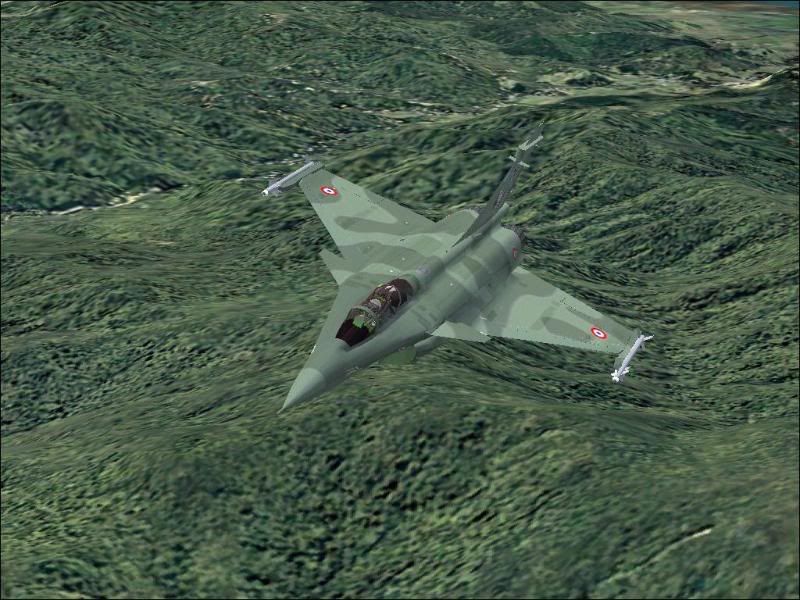
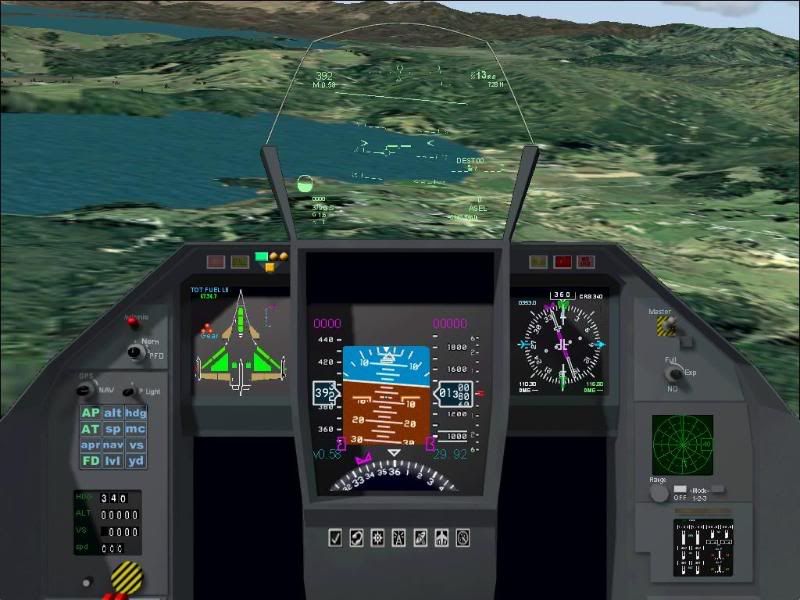
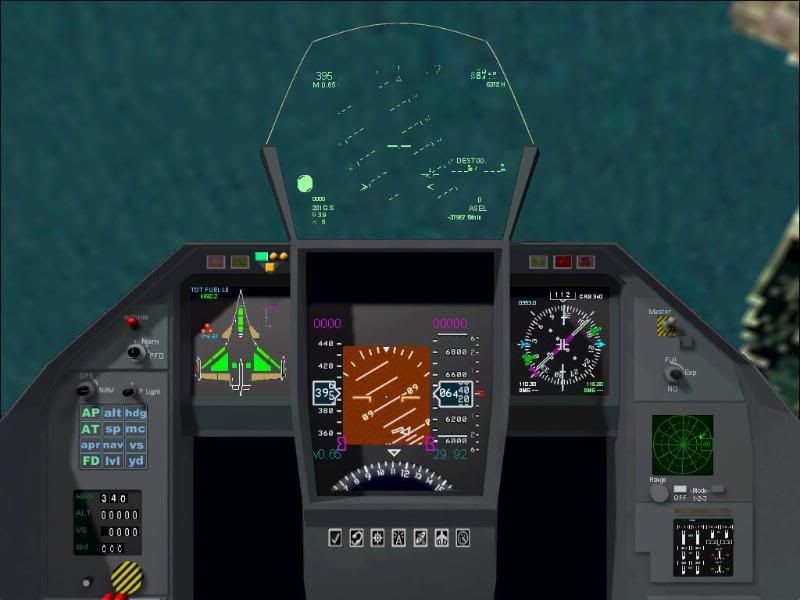
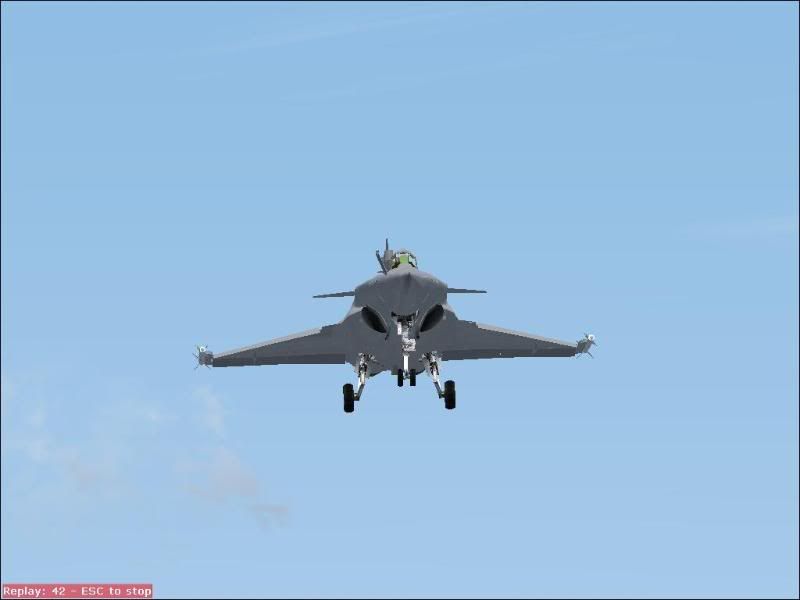
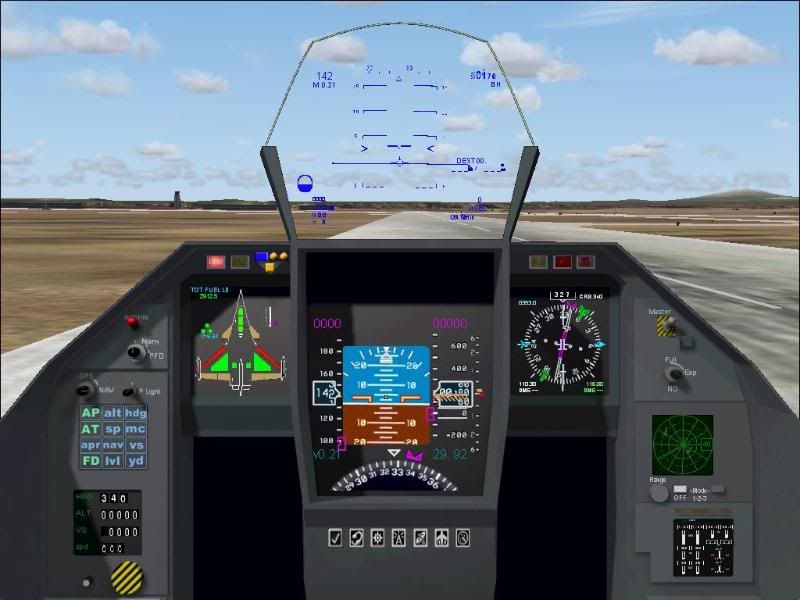
Several months ago I downloaded Cyril P's Rafale model, as it was the best available for FS2004. There were however a number of things that I didn't like about it. First was the HUD - it was borrowed from Kirk Olsen's F-16, and didn't even remotely match what the released photos and videos of the Rafale's HUD showed, not to mention the resolution and focus were off as well as being too light colored to even see unless you had it against a dark background like water. My second peeve was that for the life of me, despite multiple tries to fix it, I have yet to get the afterburner effect to work. Mind you, this thing moves - move your throttle lever about halfway up and the this Rafale shoots off like a bullet, and when the throttle is firewalled, she goes from 450kts to over 700kts in just a few seconds. There are two amber lights on the EICAS panel in the lower right of the cockpit that are supposed to indicate when the afterburner is engaged - but judging by the aircrafts acceleration, these are for display only as "Shift-F4 has no noticeable effect on acceleration. Also, you can't adjust the loadout on it - so all you have are two Matra Magic AAM's on the wingtips. My last wish for the aircraft, and it's once again a panel issue - is that I wish the Multifunction displays were indeed multifunction.

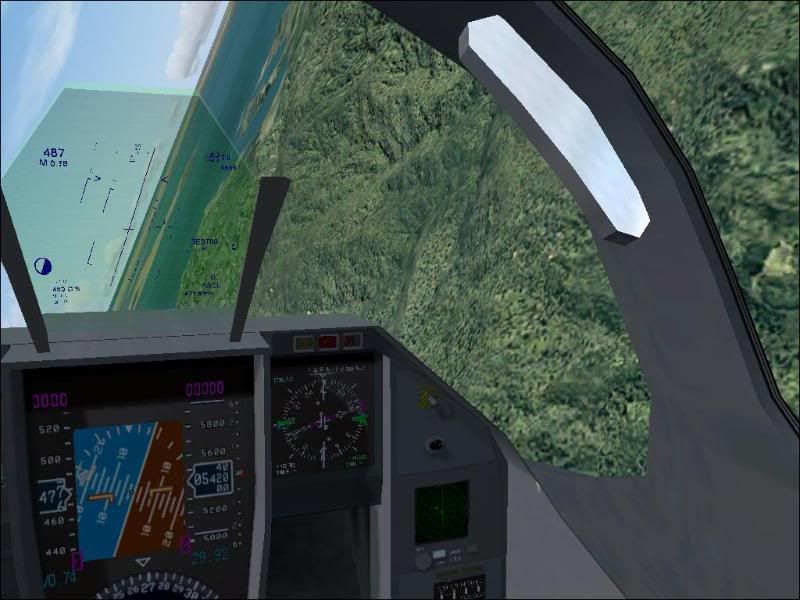
I found a HUD update on www.mirage4fs.com that more closely matches the Rafale's HUD, but the display resolution for it was off in the 2D cockpit, being all but completely unreadable. The only way I could use the thing "as-was" was in the virtual cockpit mode, where it's display resolution was readable. After some tweeking in the panel.cfg of the HUD's positioning and resolution/aspect ratio, I have it just about perfect. Mind you, I didn't have the benefit of a graphical panel editor, instead adjusting it's coordinates and resolution via lots of trial and error editing the panel.cfg

Eventually there are two things I would like to do to this aircraft:

1. Redo the panel's MFD's to make them true MFD's - incorporating the radios, EICAS, GPS/navigation, and an updated radar in them, and having them switchable from one MFD to the other - kinda like Alphasim's Gripen or Eurofighter.

2. Add different models/loadouts (ie droptanks, missiles, bombs, ect)

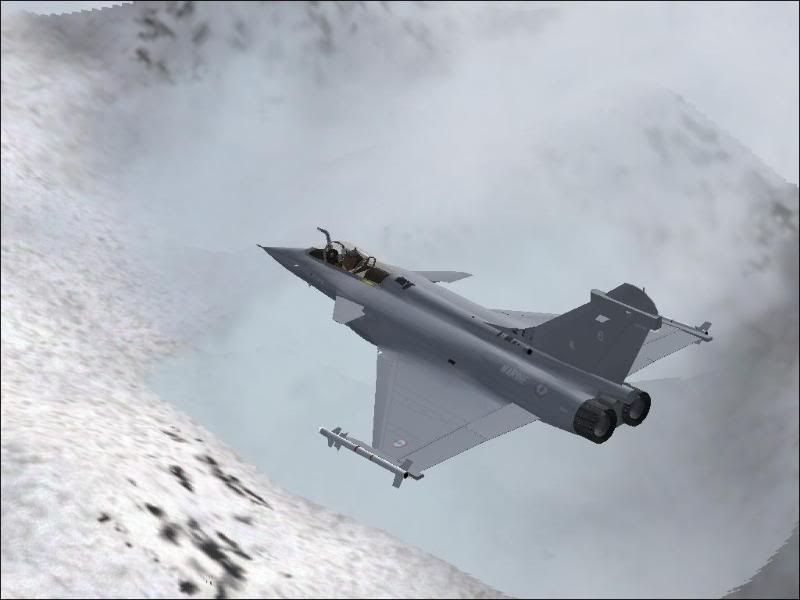
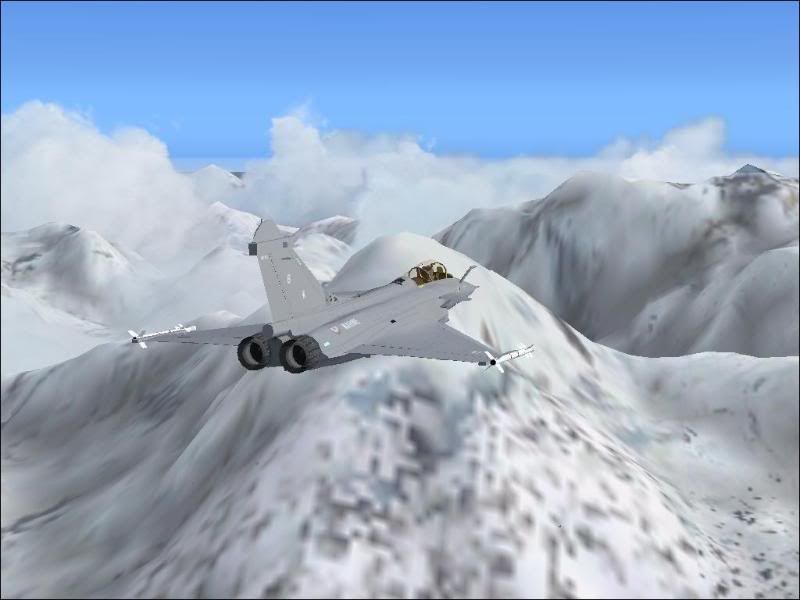
For now, here are the pics of how the HUD modification turned out, as well as the aircraft itself. Hope you enjoy smile.gif


She looks much much meaner with weapons doesn't she? biggrin.gif

Last edited by ShadowMystDK on Wed Oct 08, 2008 10:41 pm, edited 1 time in total.
ShadowMystDK
Forum Addict
 
Topic author
Joined: Mon Feb 18, 2008 7:36 am
Posts: 200

Postby fsafranek » Mon Oct 27, 2008 7:34 pm

ShadowMystDK wrote:
QUOTE (ShadowMystDK @ Oct 13 2008, 11:30 AM) <{POST_SNAPBACK}>
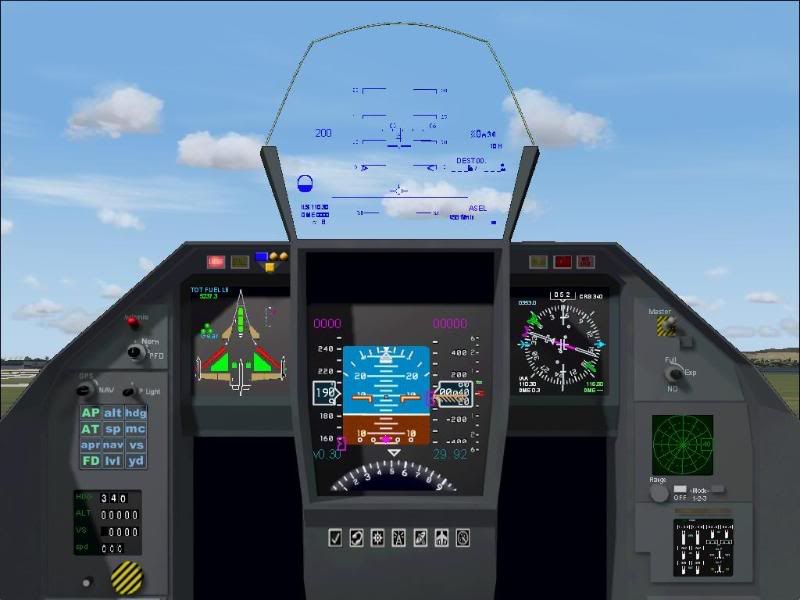
Several months ago I downloaded Cyril P's Rafale model, as it was the best available for FS2004. There were however a number of things that I didn't like about it. First was the HUD - it was borrowed from Kirk Olsen's F-16, and didn't even remotely match what the released photos and videos of the Rafale's HUD showed, not to mention the resolution and focus were off as well as being too light colored to even see unless you had it against a dark background like water. My second peeve was that for the life of me, despite multiple tries to fix it, I have yet to get the afterburner effect to work. Mind you, this thing moves - move your throttle lever about halfway up and the this Rafale shoots off like a bullet, and when the throttle is firewalled, she goes from 450kts to over 700kts in just a few seconds. There are two amber lights on the EICAS panel in the lower right of the cockpit that are supposed to indicate when the afterburner is engaged - but judging by the aircrafts acceleration, these are for display only as "Shift-F4 has no noticeable effect on acceleration. Also, you can't adjust the loadout on it - so all you have are two Matra Magic AAM's on the wingtips. My last wish for the aircraft, and it's once again a panel issue - is that I wish the Multifunction displays were indeed multifunction.

I found a HUD update on www.mirage4fs.com that more closely matches the Rafale's HUD, but the display resolution for it was off in the 2D cockpit, being all but completely unreadable. The only way I could use the thing "as-was" was in the virtual cockpit mode, where it's display resolution was readable. After some tweeking in the panel.cfg of the HUD's positioning and resolution/aspect ratio, I have it just about perfect. Mind you, I didn't have the benefit of a graphical panel editor, instead adjusting it's coordinates and resolution via lots of trial and error editing the panel.cfg

Eventually there are two things I would like to do to this aircraft:

1. Redo the panel's MFD's to make them true MFD's - incorporating the radios, EICAS, GPS/navigation, and an updated radar in them, and having them switchable from one MFD to the other - kinda like Alphasim's Gripen or Eurofighter.

2. Add different models/loadouts (ie droptanks, missiles, bombs, ect)

For now, here are the pics of how the HUD modification turned out, as well as the aircraft itself. Hope you enjoy smile.gif
I invite you to visit my website. You'll find a very similar application of the HUD from Roland Loborie's Mirage
2000 to the Rafale from a couple years ago by Julian Rozen. There have been updates to the AB as well.

There is no solution to the weapons unless Gator updates it himself.

When you finish the MFD's please make them available. They would be a welcome update.
Last edited by fsafranek on Mon Oct 27, 2008 7:51 pm, edited 1 time in total.
Frank Safranek - Alphasim Paint Crew
Mirage Aircraft for Flight Simulator
http://www.mirage4fs.com/

user posted image
fsafranek
Newbie
 
Joined: Wed Mar 21, 2007 5:12 am
Posts: 6
Location: San Diego, CA USA

Postby Charl » Mon Oct 27, 2008 8:10 pm

fsafranek wrote:
QUOTE (fsafranek @ Oct 27 2008, 08:34 PM) <{POST_SNAPBACK}>
I invite you to visit my website...When you finish the MFD's please make them available. They would be a welcome update.

Great to see you are still keeping the Mirages up to date, Frank.
Cyril's Rafale was a FS2k2 model as I recall, and is still brilliant.
Be good to have an avionics upgrade SMDK - big job if you pull it off - any progress?
User avatar
Charl
NZFF Pro
 
Joined: Mon May 01, 2006 8:28 am
Posts: 9691
Location: Auckland

Postby fsafranek » Thu Dec 11, 2008 11:34 am

Charl wrote:
QUOTE (Charl @ Nov 1 2008, 09:10 AM) <{POST_SNAPBACK}>
Great to see you are still keeping the Mirages up to date, Frank.
Cyril's Rafale was a FS2k2 model as I recall, and is still brilliant.
Be good to have an avionics upgrade SMDK - big job if you pull it off - any progress?

No progress from me. I've been working very closely with Mark Harper (formerly at Alphasim but now at Skysim)
on the upcoming Mirage III/5 package. If you haven't seen or heard about it visit my website. It's awesome.
thumbup1.gif
Frank Safranek - Alphasim Paint Crew
Mirage Aircraft for Flight Simulator
http://www.mirage4fs.com/

user posted image
fsafranek
Newbie
 
Joined: Wed Mar 21, 2007 5:12 am
Posts: 6
Location: San Diego, CA USA


Return to Screenshots

Who is online

Users browsing this forum: No registered users and 8 guests