QF2704- Showcasing Dan's Artwork

Post and comment on screen captures from the beautiful game here. Home of the monthly screenshot competition

Postby ardypilot » Sun Dec 14, 2008 5:45 pm

This time last year, I spent most of my time in FS, flying flights particularly from spot view just to snap screenshots and post them here on NZFF- however, lately, whilst I'm still simming just as much, I haven't been tapping PrintScreen as often as I used to, purely because, the standard of images now uploaded to the forum have raised dramatically, whilst I'm still toodling along on my ancient FS9 rig with an 128mb graphics card!

I think the main thing is, with FSX's higher resolution textures, every time I review my ScreenHunter folder, looking at the few shots I have taken, they always appear inadequate to the amazing new scenery addons that are ever being captured by the new wave of flight simmers that have come along with the latest simulator from M$.

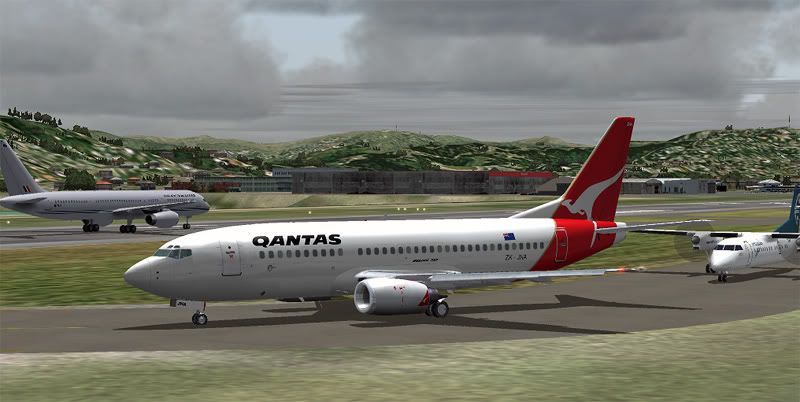
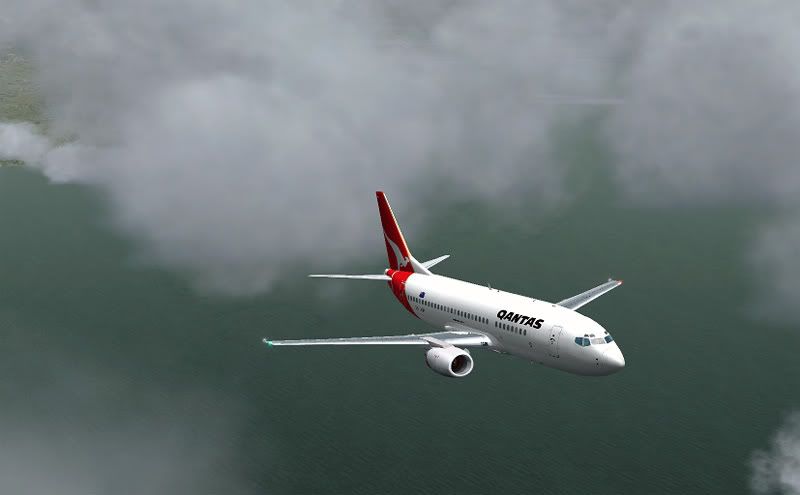
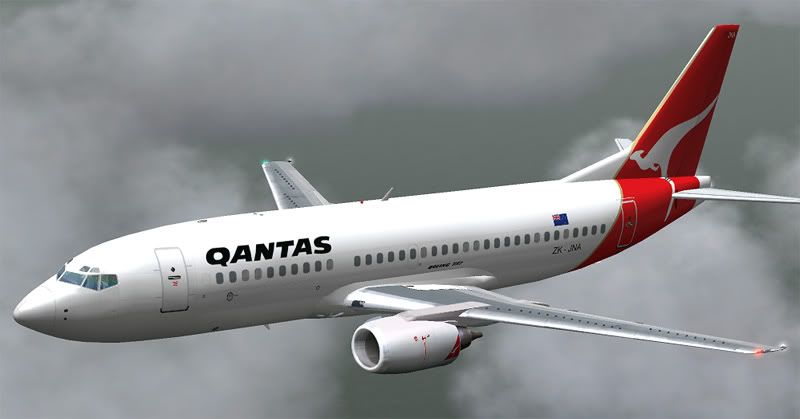
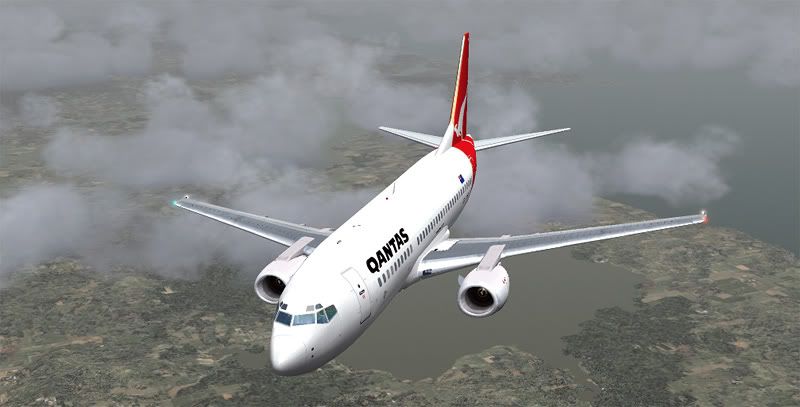
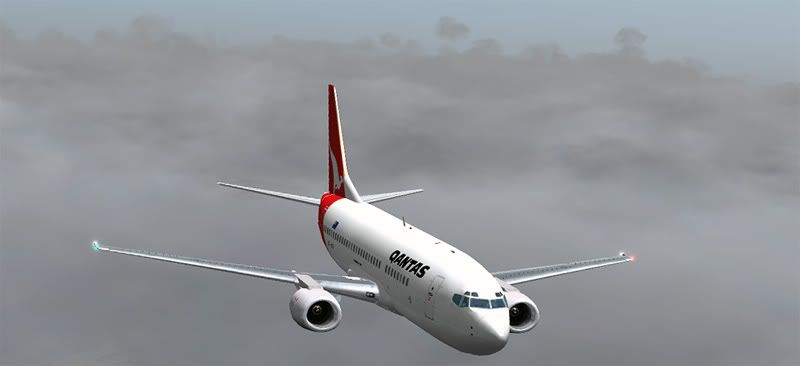
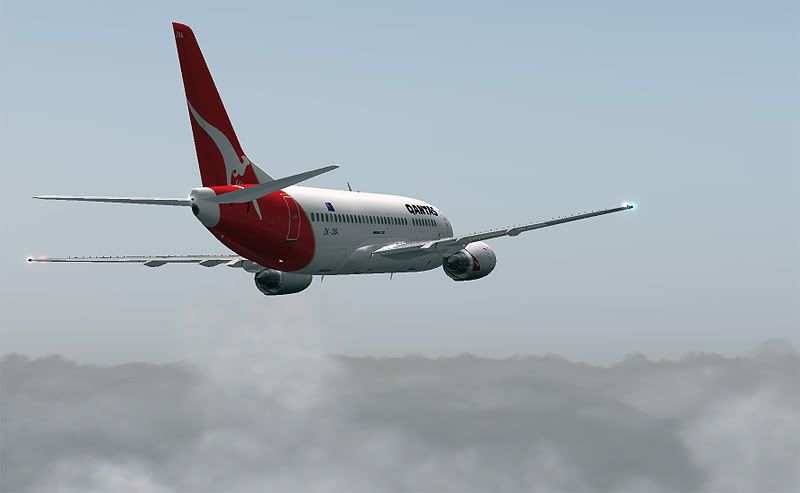
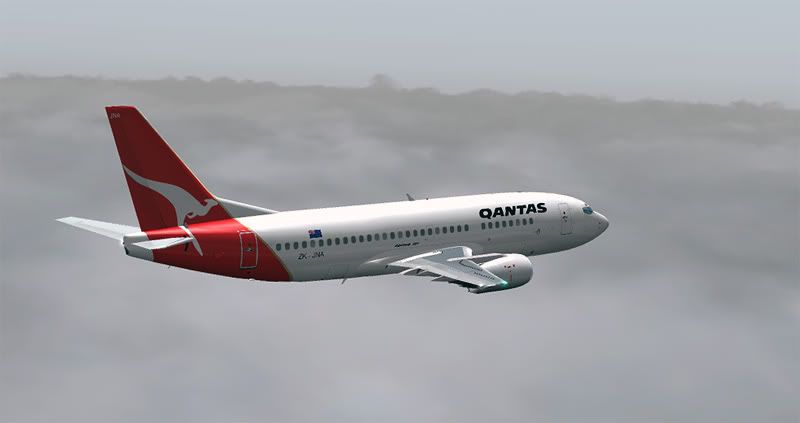
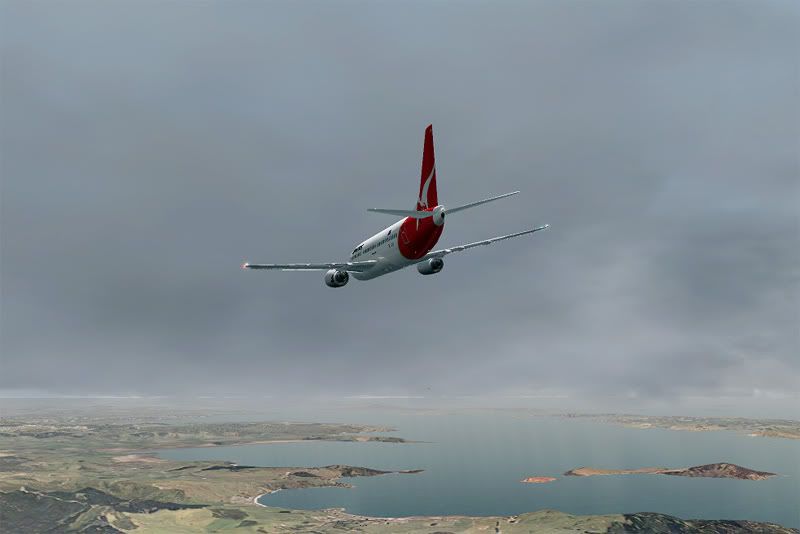
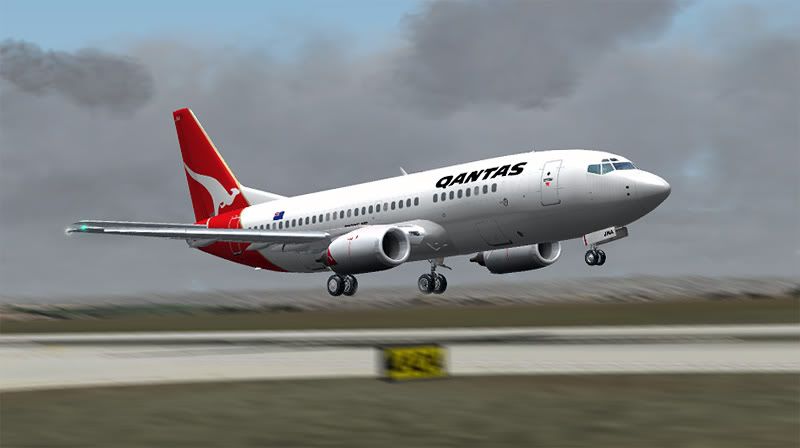
I really enjoy browsing through all these, but just for a change, I've decided to upload a few pics of my own, from a recent main-trunk QF flight I flew in one of Dan's fantastic Vistaliner's 733 repaints. The angles obviously focus more on the aircraft and ActiveSky textures (take note Charl!) than those ground, as reasoned in the above paragraph- so compared to most of the other Screenshot threads, these might appear a little mundane:

Still loving the NZAI


Up and above the clouds


Looking good close up


And from the front right, over the South Raglen area


And from the front left...


Back down into the soup


Banking over overcast rural Auckland


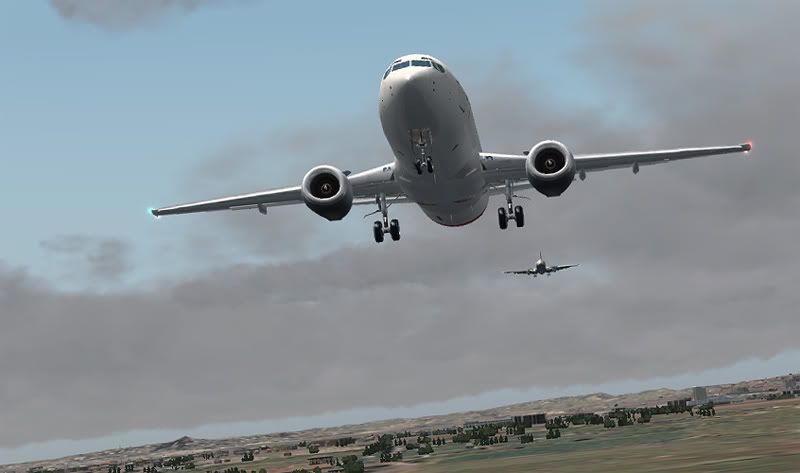
A crazy AI ANZ 733 way too close on long finals (he had to go around)


And a poor attempt at blur editing (inspired by Frank) on short finals for 23L


Still enjoying your addons Dan, keep up the good work with BSMP thumbup1.gif
Last edited by ardypilot on Sun Dec 14, 2008 5:48 pm, edited 1 time in total.
User avatar
ardypilot
NZFF Pro
 
Topic author
Joined: Wed Apr 26, 2006 10:01 am
Posts: 6802
Location: Auckland

Postby C152 » Sun Dec 14, 2008 6:03 pm

Cool shots Trolly. Where did you get the paint for it?
C152
 

Postby pilotgallagher01 » Sun Dec 14, 2008 6:12 pm

WOAI isn't it
pilotgallagher01
 

Postby victor_alpha_charlie » Sun Dec 14, 2008 6:16 pm

C152 wrote:
QUOTE (C152 @ Dec 14 2008, 07:03 PM) <{POST_SNAPBACK}>
Cool shots Trolly. Where did you get the paint for it?


Search 'Dan Mitchell' on Avsim.com. Dan's done every 737-300 in NZ, they're all great quality too.

Stop making excuses Trolly! Your shots look fine! Well better than fine really! They look great! Let's see some more biggrin.gif
User avatar
victor_alpha_charlie
NZFF Pro
 
Joined: Wed Jan 10, 2007 11:09 am
Posts: 2372

Postby ardypilot » Sun Dec 14, 2008 6:41 pm

QUOTE
Where did you get the paint for it?[/quote]
As Tom says, they can all be found on avsim, or look through the 'Dan's NZ 737 Repaints' thread for links.

QUOTE
WOAI isn't it[/quote]
World of AI are a group who make addon traffic packages- I don't think any of their paints are up to the level of quality of Dan's ones.

QUOTE
Your shots look fine! Well better than fine really! They look great! Let's see some more biggrin.gif[/quote]
How about seeing some from you old boy!
Last edited by ardypilot on Sun Dec 14, 2008 6:42 pm, edited 1 time in total.
User avatar
ardypilot
NZFF Pro
 
Topic author
Joined: Wed Apr 26, 2006 10:01 am
Posts: 6802
Location: Auckland

Postby victor_alpha_charlie » Sun Dec 14, 2008 6:47 pm

Trolly wrote:
QUOTE (Trolly @ Dec 14 2008, 07:41 PM) <{POST_SNAPBACK}>
How about seeing some from you old boy!


I wish I could take some, but the old comp isn't very happy at the moment. I haven't been able to go on FS since before you got back from Europe!
User avatar
victor_alpha_charlie
NZFF Pro
 
Joined: Wed Jan 10, 2007 11:09 am
Posts: 2372

Postby Adamski » Sun Dec 14, 2008 8:22 pm

C152 wrote:
QUOTE (C152 @ Dec 14 2008, 07:03 PM) <{POST_SNAPBACK}>
Cool shots Trolly. Where did you get the paint for it?

Yeah! Gimme those details so I can add it to the database winkyy.gif

Is that a 737-377? Not sure what a 733 is!
Image
User avatar
Adamski
NZFF Pro
 
Joined: Thu Nov 01, 2007 2:22 am
Posts: 5029
Location: Birkenhead, Auckland

Postby Charl » Sun Dec 14, 2008 9:26 pm

Yeah, nice to see you still enjoying the hobby Andrew!
Dam those Active Skies do look good...
Last edited by Charl on Sun Dec 14, 2008 9:27 pm, edited 1 time in total.
User avatar
Charl
NZFF Pro
 
Joined: Mon May 01, 2006 8:28 am
Posts: 9691
Location: Auckland

Postby Alex » Sun Dec 14, 2008 9:36 pm

Adam, that's Dan's (ronindanbo) repaint - all of his are on AVSIM I believe. winkyy.gif

B733 = Boeing 737-300
i.e
B744 = Boeing 747-400 and so on and so forth. winkyy.gif

Alex
Alex
NZFF Pro
 
Joined: Fri Jul 14, 2006 3:39 pm
Posts: 3620

Postby Kelburn » Sun Dec 14, 2008 9:52 pm

Just a question, but how do you take and then edit your screenshots because yours seem to come out quite well (I especially noticed that during screenshot competition entries)?
Image

Isn't it evident?? Boeing are my favourite aircraft.

P.S. that's is my real birthday but I wish to keep my real age secret to keep you all pondering.
Kelburn
NZFF Pro
 
Joined: Sat Oct 14, 2006 10:59 am
Posts: 2193
Location: On a reverse 'hole'

Postby Adamski » Sun Dec 14, 2008 9:58 pm

Alex wrote:
QUOTE (Alex @ Dec 14 2008, 10:36 PM) <{POST_SNAPBACK}>
Adam, that's Dan's (ronindanbo) repaint - all of his are on AVSIM I believe. winkyy.gif

Great ... thanks for that ... I may just PM Dan about me sticking them on the system, as I've still not heard back from Avisim.
Image
User avatar
Adamski
NZFF Pro
 
Joined: Thu Nov 01, 2007 2:22 am
Posts: 5029
Location: Birkenhead, Auckland

Postby Alex » Sun Dec 14, 2008 10:09 pm

Perhaps it might be easier to just link to the download page (that automatically redirects to the file - e.g. http://library.avsim.net/download.php?DLID=123818), that way it'd be keeping in line with not abusing the AVSIM website as well, although it's not a direct link...

Alex
Alex
NZFF Pro
 
Joined: Fri Jul 14, 2006 3:39 pm
Posts: 3620

Postby NZ255 » Sun Dec 14, 2008 11:19 pm

Alex wrote:
QUOTE (Alex @ Dec 14 2008, 11:09 PM) <{POST_SNAPBACK}>
Perhaps it might be easier to just link to the download page (that automatically redirects to the file - e.g. http://library.avsim.net/download.php?DLID=123818), that way it'd be keeping in line with not abusing the AVSIM website as well, although it's not a direct link...

Alex

I think it was more about copying info/details and photos from avsim to speed up the long process ahead of him smile.gif
Nick
User avatar
NZ255
NZFF Pro
 
Joined: Wed Jun 20, 2007 12:57 pm
Posts: 2475

Postby ronindanbo » Mon Dec 15, 2008 6:38 am

Wow thanks Andrew, it's nice to know my birds are still being worked out there biggrin.gif
BSMP ltd Chairman of the board

Image
Visit www.bsmp.co.nz
User avatar
ronindanbo
Sim-holic
 
Joined: Fri Jul 14, 2006 5:59 am
Posts: 700
Location: Wellington

Postby ardypilot » Mon Dec 15, 2008 11:51 am

QUOTE
Just a question, but how do you take and then edit your screenshots because yours seem to come out quite well (I especially noticed that during screenshot competition entries)?[/quote]
I use Wisdom-Soft Screenhunter every time I run FS- a small freeware program that saves a high-res bitmap capture every time you hit the print-screen key.

So say, after an hour long flight, I may have somewhere between 30 and 50 shots saved on my HDD, then I sort through them, copy about 10 of my favorites depecting different stages of the journey (this thread is a bad example- see here for what I mean) then process each one through photoshop.

I also like to try and create as many varied angles to take my snaps from as possible, which I do using a combination of the F1 View Utility for zooming levels, and the FS Recorder Module playback feature that allows you to create up to 30 custom spot views, another 30 custom VC views and 30 custom Tower Views which comes in really handy- you can set your angle from the aircraft, distance, height and zoom, plus set the camera to pitch rotate on the aircrafts horizontal axis or on the FS world axis which allows shots like this one below to be taken:
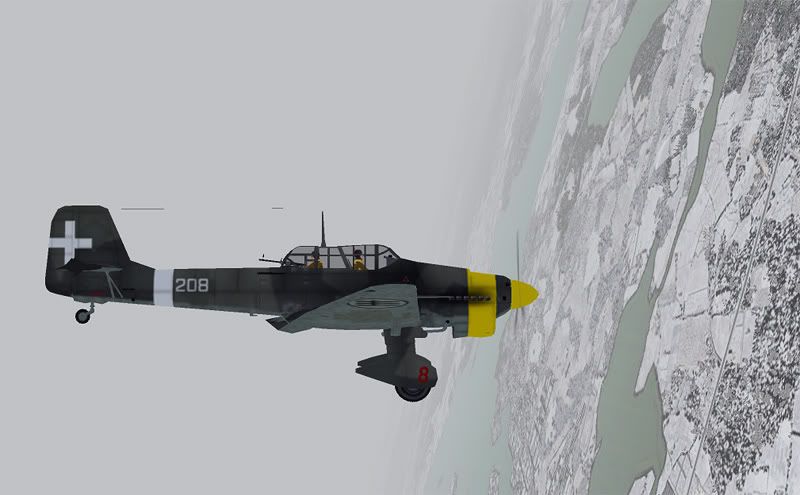


When setting up new camera views, I always make the effort to move the aircraft away from the center of the screen, which is what you always see with default FS9 to make the scenery or sky above/below your plane the center of focus- in my eyes, this makes your outcome shot seem a little more realistic, as real world photographers aren't going to capture their subjects perfectly in the center of their frame all the time- so by adding it an off balance horizon (this can be done by tilting the shot in photoshop afterwards too) it adds the illusion that the shot is not a perfect computerized setup.

The processing is pretty basic- I'm not sure what other people do, but I usually go for Image > Adjustments > Auto Levels (then reduce it by 50%), then Auto Color (and reduce it by 50% again).

Once it looks right on my screen, I crop it down to as close as possible to a 5:3 aspect ratio rectangle (apparently the 'Golden Ratio' that is most visually pleasing to the human eye, according to my graphics teacher- although I do like to mix up proportions and cuts, including some vertical strips, for a bit of variation), then go to Image > Image Size and shrink the width to 800 pixels wide (making sure the aspect ratio feature is locked on, otherwise the shot will be out of proportion)

Lastly I go for the Sharpen filter, and reduce that by as much as 70% or 80& depending on how bad the anti-aliasing looks on my screen- this setting will vary per graphics card I expect, and mine is notoriously bad.

Also, I save it at the highest possible quality .JPG option so it doesn't become all pixelated as MSpaint likes to do by default- usually the average size of my images are 150kb which I bulk upload to photobucket smile.gif

This may seem quite long winded, but I've made such a habit of following the above rules that I usually finish each shot in about 30 seconds smile.gif
Last edited by ardypilot on Mon Dec 15, 2008 12:10 pm, edited 1 time in total.
User avatar
ardypilot
NZFF Pro
 
Topic author
Joined: Wed Apr 26, 2006 10:01 am
Posts: 6802
Location: Auckland


Return to Screenshots

Who is online

Users browsing this forum: No registered users and 8 guests