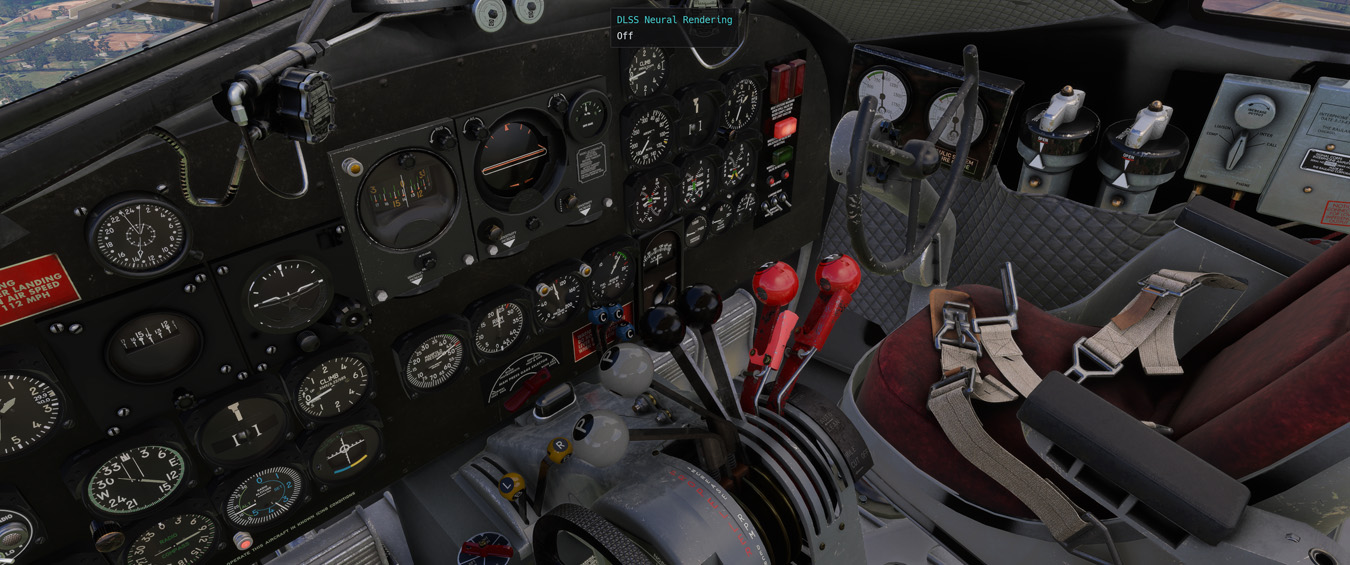
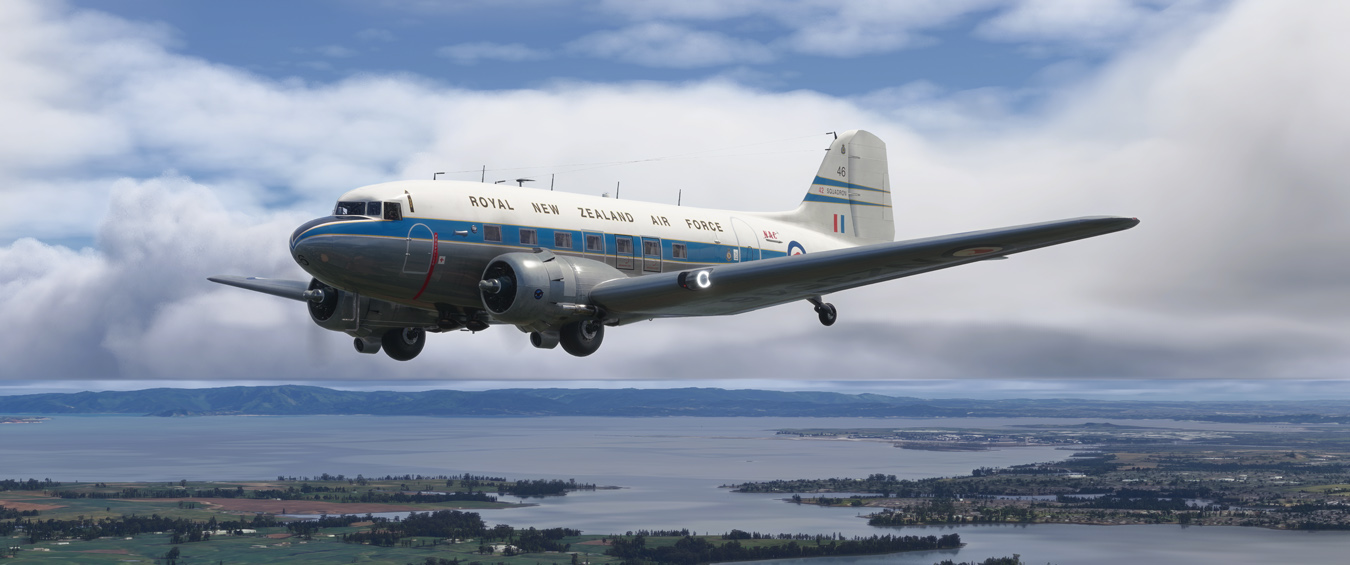
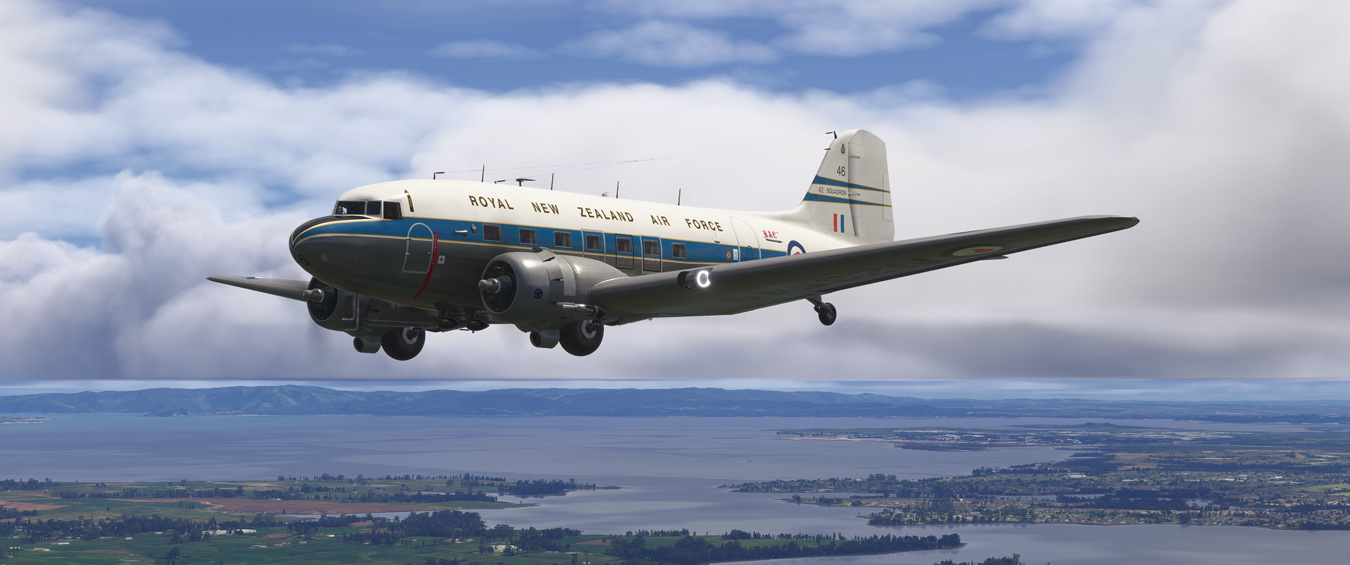
DLSS5 Hurricane

Post and comment on screen captures from the beautiful game here. Home of the monthly screenshot competition

DLSS5 Hurricane

Postby Adamski » Wed Oct 07, 2026 7:48 pm

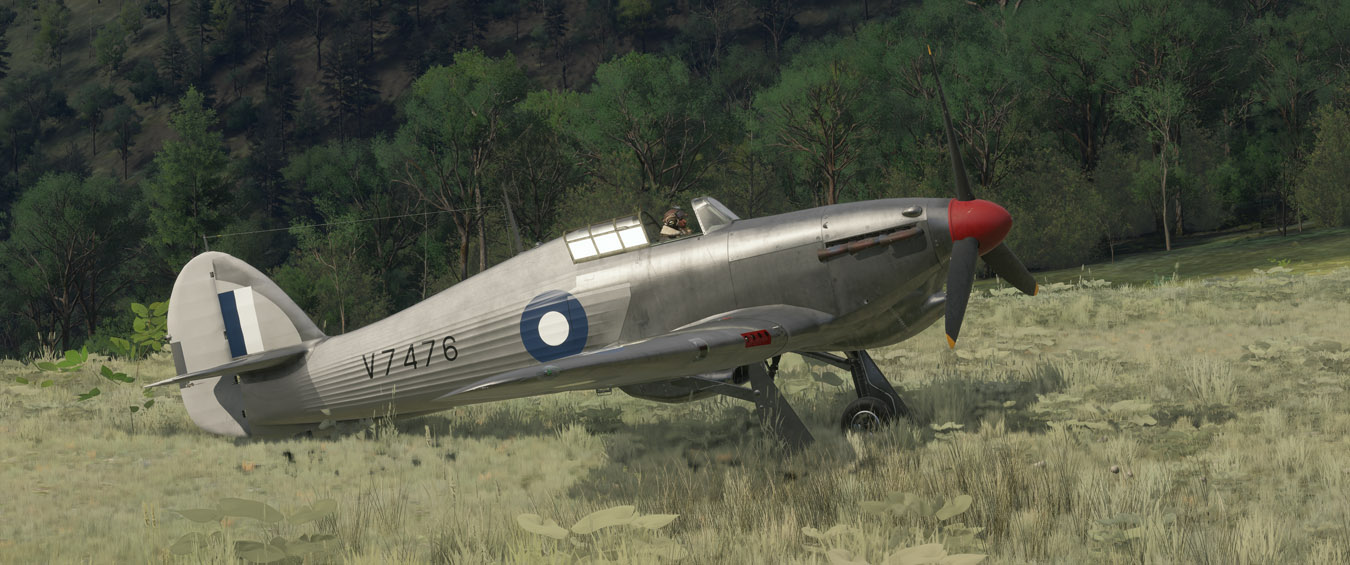
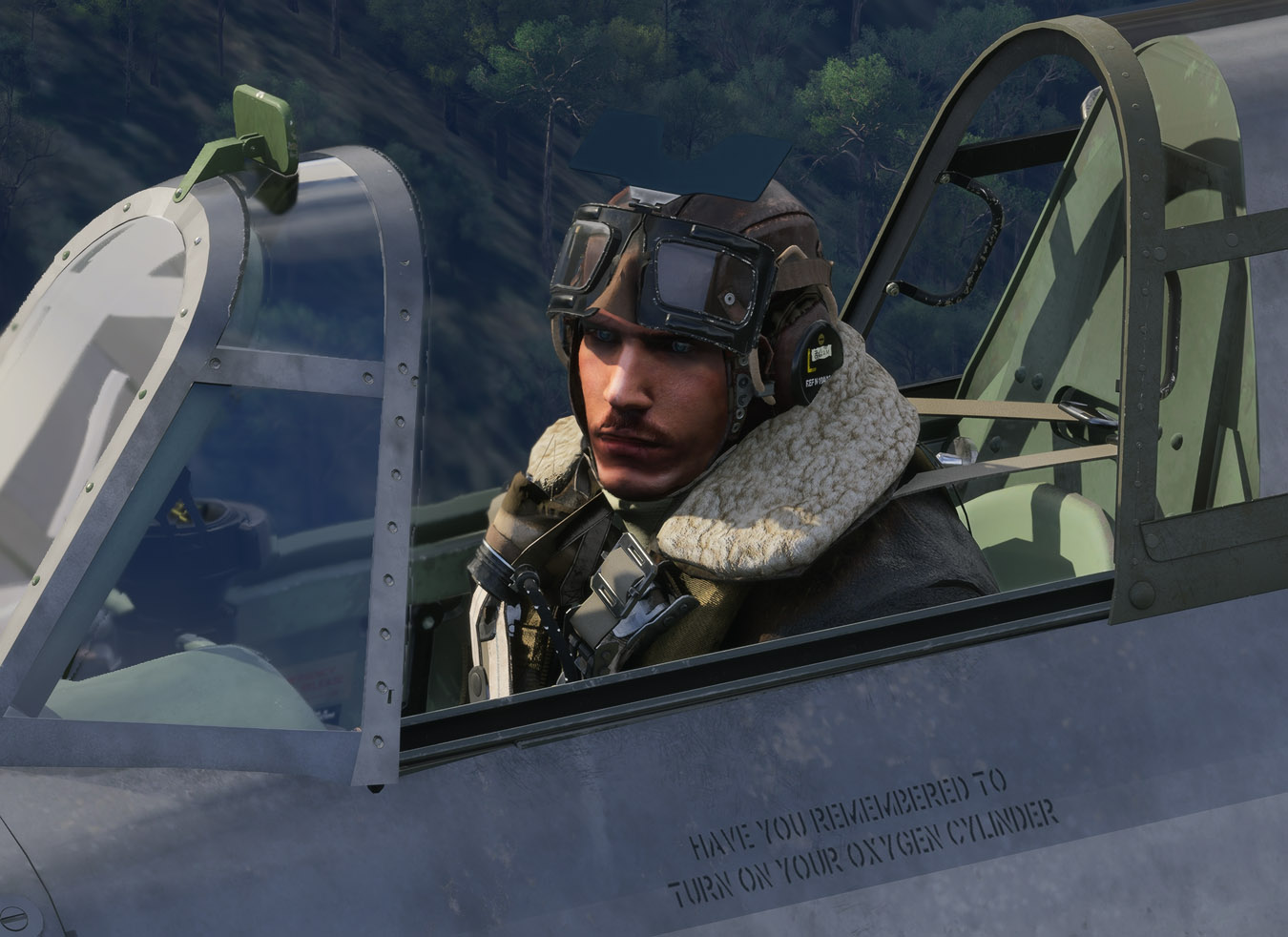
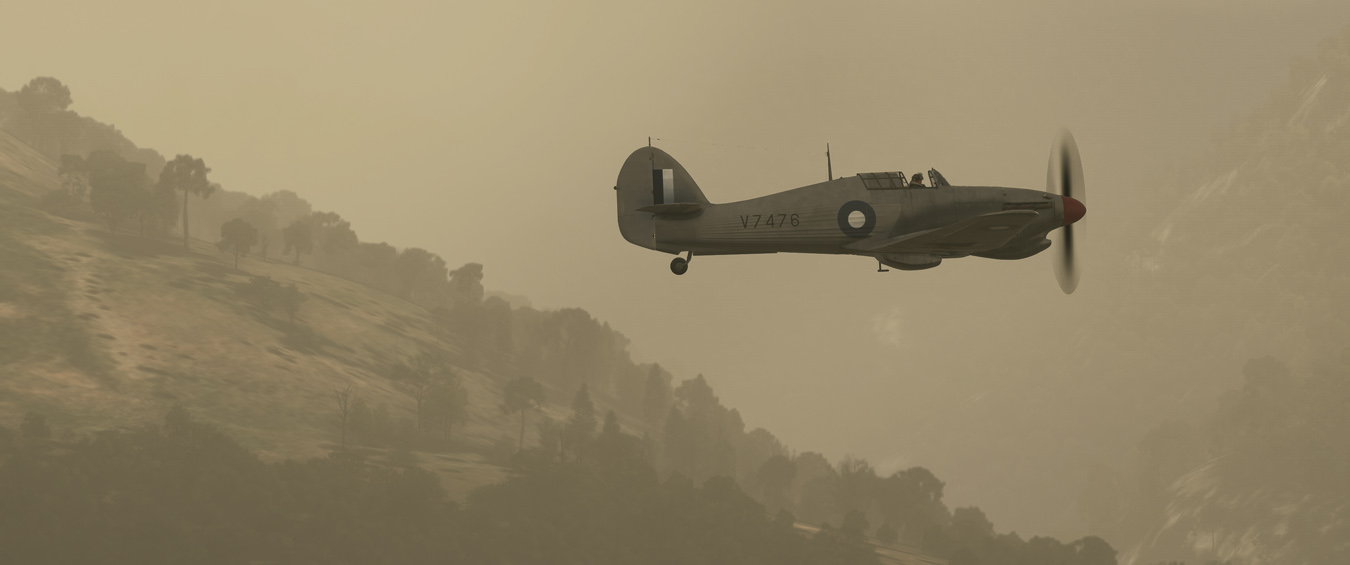
I'm still intrigued by this recent development, so here are some more shots showing (I hope) the more significant improvements:

With DLSS5, then default (below). Metal areas are much better rendered:
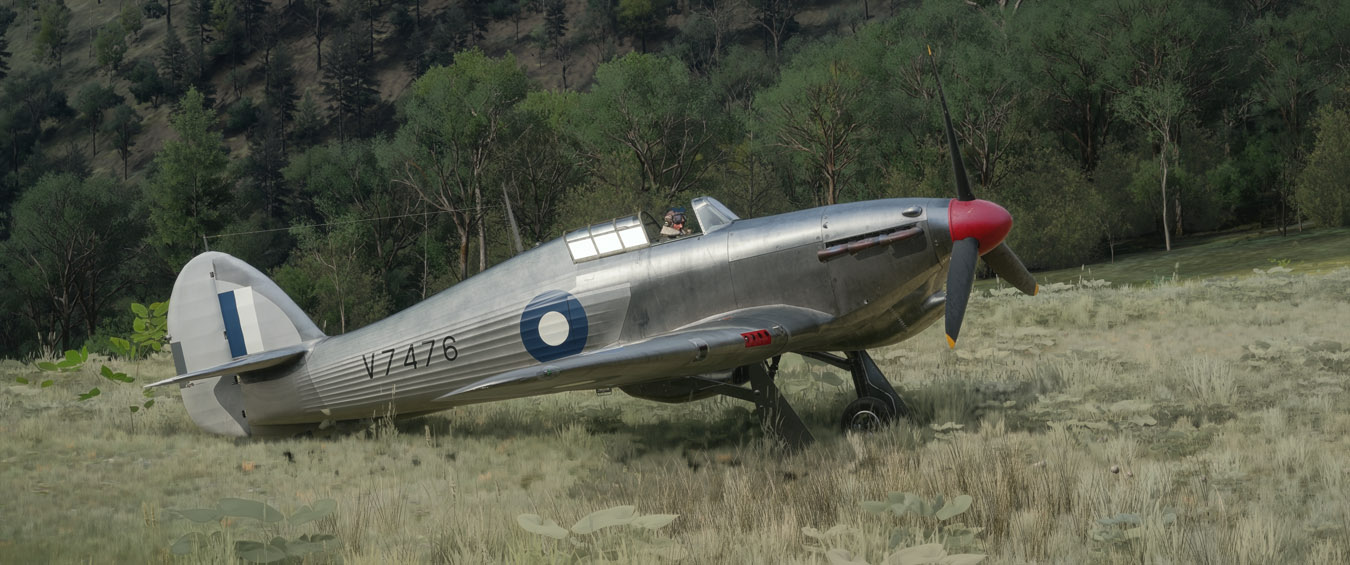
Image
Image

Just look at the texturing on the clothing:
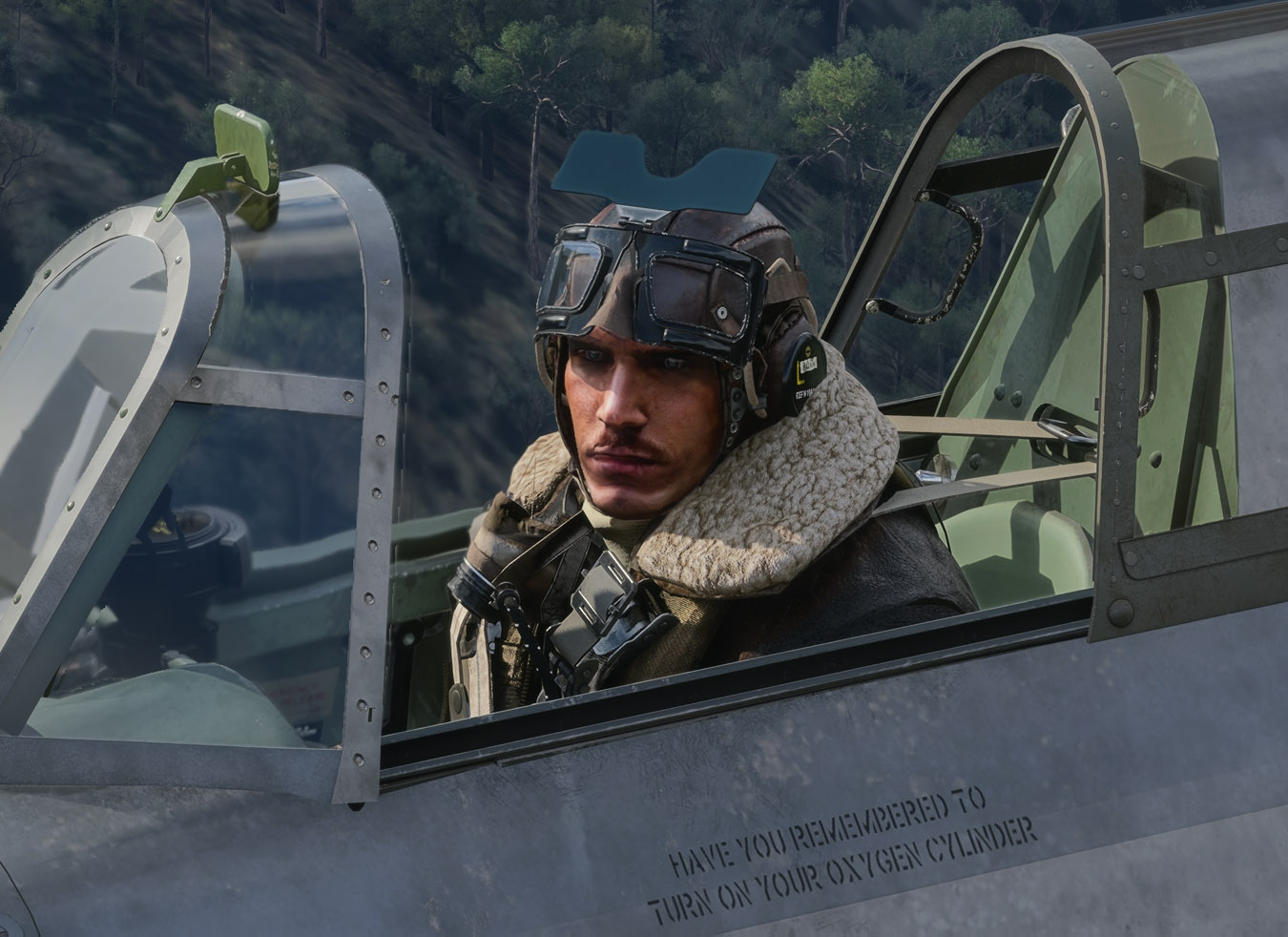
Image
Image

The default rendering looks flat and unappealing:
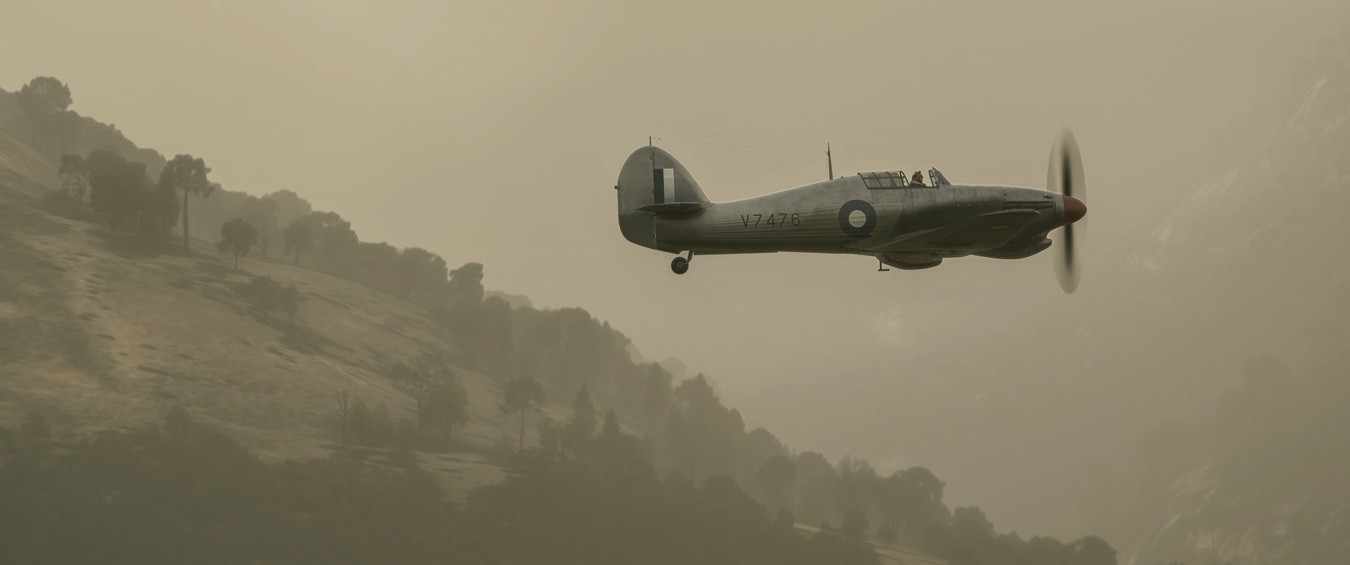
Image
Image
User avatar
Adamski
NZFF Pro
 
Topic author
Joined: Thu Nov 01, 2007 2:22 am
Posts: 5247
Location: Birkenhead, Auckland

Re: DLSS5 Hurricane

Postby jankees » Thu Oct 08, 2026 12:54 am

nice shots, but what is DLSS5?
jankees
Senior Member
 
Joined: Tue Jan 08, 2008 9:31 pm
Posts: 1944
Location: B/NL/S

Re: DLSS5 Hurricane

Postby Adamski » Thu Oct 08, 2026 9:23 am

jankees wrote:nice shots, but what is DLSS5?

It's the "next generation" of lighting/textures shading. It's all over YouTube at the moment, so I couldn't avoid seeing it.

There seem to be all sorts of ways of installing it, but this is the video (and method) that worked for me: Optiscaler Setup Guide - This Version Can Run DLSS5 in MSFS 2024.

I also use Reshade, and this method allows you to keep using it. If you follow the YT guide above, it's quite simple. Once you've downloaded the necessary files, it's all installed by one batch file. Another batch file removes it if you screw up. Anything that installs and runs in the root MSFS folder gives me the creeps, but this one appears to be quite simple and safe. Nothing else in MSFS gets touched.

There are dozens of settings you can tweak from within Optiscaler, but I followed the video (at first) and left nearly all of them untouched. After a fair bit of experimenting with the options, I did find a setting that stuffed things up, so I got the chance to test the de-installer. It worked fine - and a quick re-install got me going again.

If you're experimenting with the settings, I'd suggest making frequent backups of OptiScalar.ini, so you can get back to your last experimental/working profile.

Screenshots don't really do it justice: you really need to see it in-sim. You can easily toggle the effect on and off to see the difference. It's not the Holy Grail, but I think it's a *huge* improvement, visually. There are odd side-effects (eg. wet ground textures becoming too reflective) and a slight frame rate hit, but I really like the way it improves objects (aircraft, buildings etc.). As an avid repainter, I think you'll like what DLSS5 will do for your liveries.
User avatar
Adamski
NZFF Pro
 
Topic author
Joined: Thu Nov 01, 2007 2:22 am
Posts: 5247
Location: Birkenhead, Auckland

Re: DLSS5 Hurricane

Postby cowpatz » Thu Oct 08, 2026 1:58 pm

Many of the YT videos I have watched on this subject appear to be somewhat over-sharpened to me. Does it help at all with the glass cockpit displays like the fuzzy rolling altimeter scale?
User avatar
cowpatz
NZFF Pro
 
Joined: Wed Mar 07, 2007 3:28 pm
Posts: 3902

Re: DLSS5 Hurricane

Postby Adamski » Thu Oct 08, 2026 4:05 pm

cowpatz wrote:Many of the YT videos I have watched on this subject appear to be somewhat over-sharpened to me. Does it help at all with the glass cockpit displays like the fuzzy rolling altimeter scale?

Quite a few of those Youtubers use Reshade (over the top of DLSS) and add excessive sharpening (they may also be adding it via the nVidia control panel). Though I use Reshade to cure excessive magenta bias, I don't add any sharpening (nor in the nVidia CP).

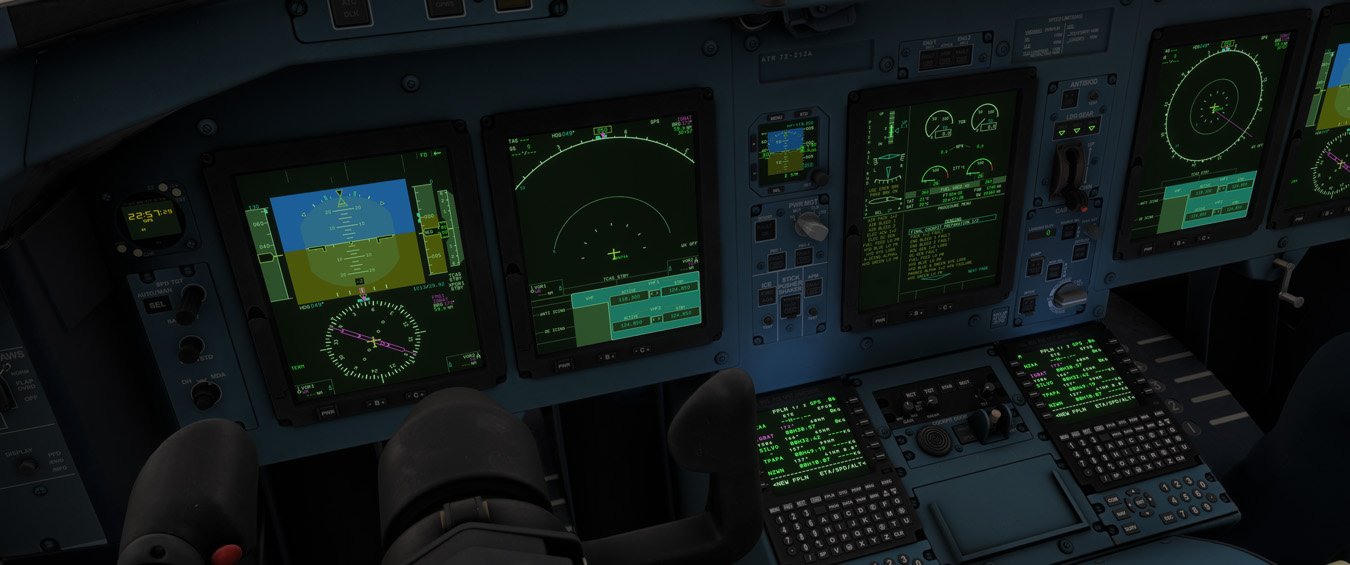
Sadly, the glass cockpit blur thing remains untouched by DLSS5. The only way I can get rid of that is to drop back to TAA :(

It also doesn't cure that nasty ghost aircraft shadow you often get in water reflections. That little horror has been with us since day one. How many years is it now?
User avatar
Adamski
NZFF Pro
 
Topic author
Joined: Thu Nov 01, 2007 2:22 am
Posts: 5247
Location: Birkenhead, Auckland

Re: DLSS5 Hurricane

Postby cowpatz » Thu Oct 08, 2026 4:10 pm

Thanks for that. I too find that TAA is the only setting that renders moving scales without blur. It is odd the way that MS/Asobo choose what is, or isn't, worthy of a fix.
User avatar
cowpatz
NZFF Pro
 
Joined: Wed Mar 07, 2007 3:28 pm
Posts: 3902

Re: DLSS5 Hurricane

Postby cowpatz » Thu Oct 08, 2026 4:41 pm

What sort of GPU load and temp increase do you get when you change to and from DLSS 5 in a complex environment?
User avatar
cowpatz
NZFF Pro
 
Joined: Wed Mar 07, 2007 3:28 pm
Posts: 3902

Re: DLSS5 Hurricane

Postby Adamski » Thu Oct 08, 2026 6:16 pm

cowpatz wrote:What sort of GPU load and temp increase do you get when you change to and from DLSS 5 in a complex environment?

Good point. I'll run some diagnostics. Normally, if I get a heavy load, I can hear my GPU fans kicking in. I haven't had that (yet) with DLSS 5 so it can't be *that* bad.

UPDATE: I ran a test with Afterburner/RTSS graphs showing:

DLSS5          ON  OFF
----------------------
1) Framerate: 28 30
2) GPU Useage: 95 84
3) GPU temp: 57 54

This was at NZAA with live traffic and ApronLife running (for extra objects) and MSFS settings pretty well maxed out (for screenshots) - hence the low FPS (even with AutoFPS).
The rise in GPU useage is as expected, but temps don't seem to be affected that much.
User avatar
Adamski
NZFF Pro
 
Topic author
Joined: Thu Nov 01, 2007 2:22 am
Posts: 5247
Location: Birkenhead, Auckland

Re: DLSS5 Hurricane

Postby Adamski » Mon Oct 12, 2026 4:27 pm

cowpatz wrote:Does it help at all with the glass cockpit displays like the fuzzy rolling altimeter scale?

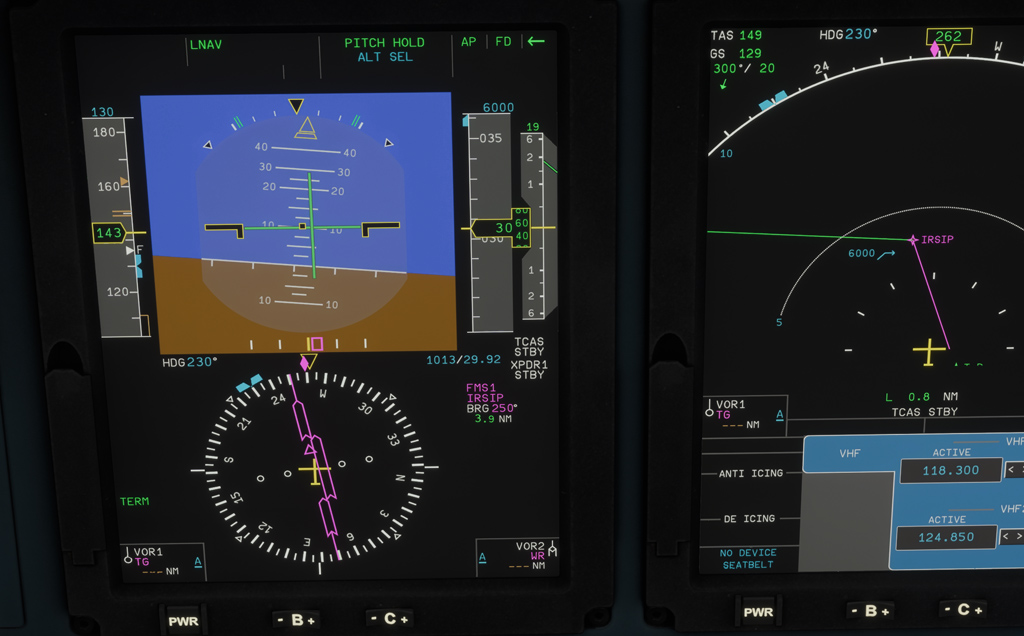
FINALLY! ... There's a fix for this:
No more DLSS smearing

Note: You'll need to have ReShade installed/running for this to work.
User avatar
Adamski
NZFF Pro
 
Topic author
Joined: Thu Nov 01, 2007 2:22 am
Posts: 5247
Location: Birkenhead, Auckland

Re: DLSS5 Hurricane

Postby cowpatz » Tue Oct 13, 2026 8:21 am

There are some clever chaps around. I take it the FPS figure was without FG?
I might use that mod and swap from TAA to DLSS and see how it goes. I assume that this can be done on the fly so as to get a good comparison?
User avatar
cowpatz
NZFF Pro
 
Joined: Wed Mar 07, 2007 3:28 pm
Posts: 3902

Re: DLSS5 Hurricane

Postby Adamski » Tue Oct 13, 2026 9:25 am

cowpatz wrote:There are some clever chaps around. I take it the FPS figure was without FG?
I might use that mod and swap from TAA to DLSS and see how it goes. I assume that this can be done on the fly so as to get a good comparison?

FG was on all the time. Frame rates around the 30s are fine for me, as I have most of my settings maxed out for screenshots etc.

The non-smearing mod works well - and kicks in automatically when it detects DLSS5 *and* a cockpit with glass panels (of any sort). DLSS5 is a simple hotkey toggle - so yes - everything can be done on the fly.

Weirdly, once the non-smearing mode activates once, it stays active - even when DLSS5 is toggled off (providing ReShade remains on).
User avatar
Adamski
NZFF Pro
 
Topic author
Joined: Thu Nov 01, 2007 2:22 am
Posts: 5247
Location: Birkenhead, Auckland

Re: DLSS5 Hurricane

Postby Adamski » Tue Oct 13, 2026 12:41 pm
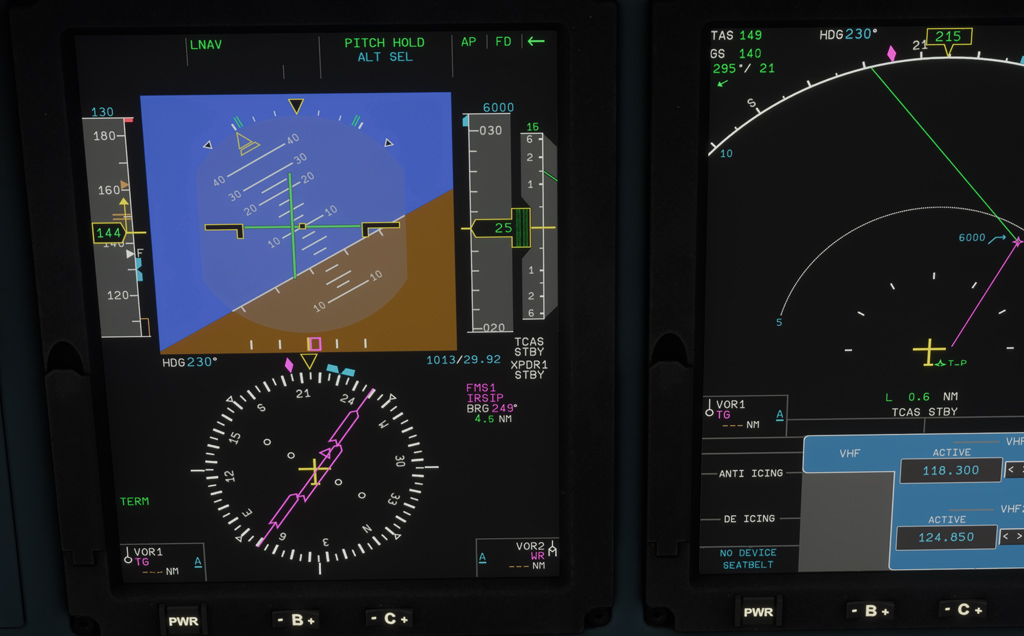
Here's the ghosting fix in action:

Image

Image
Image

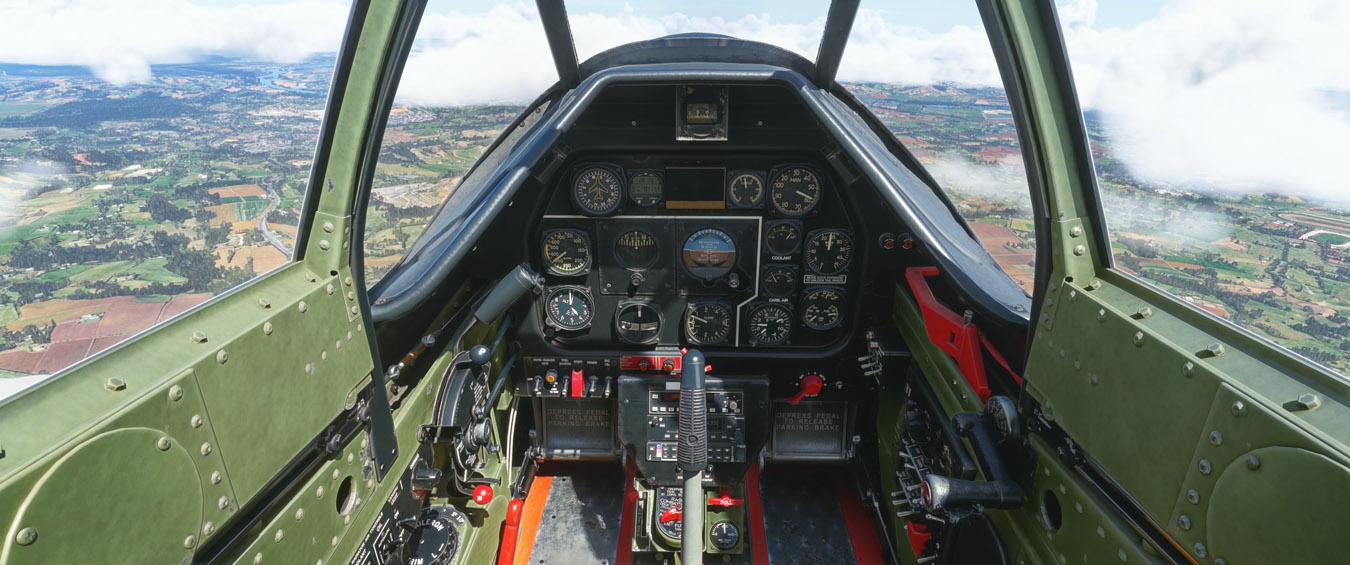
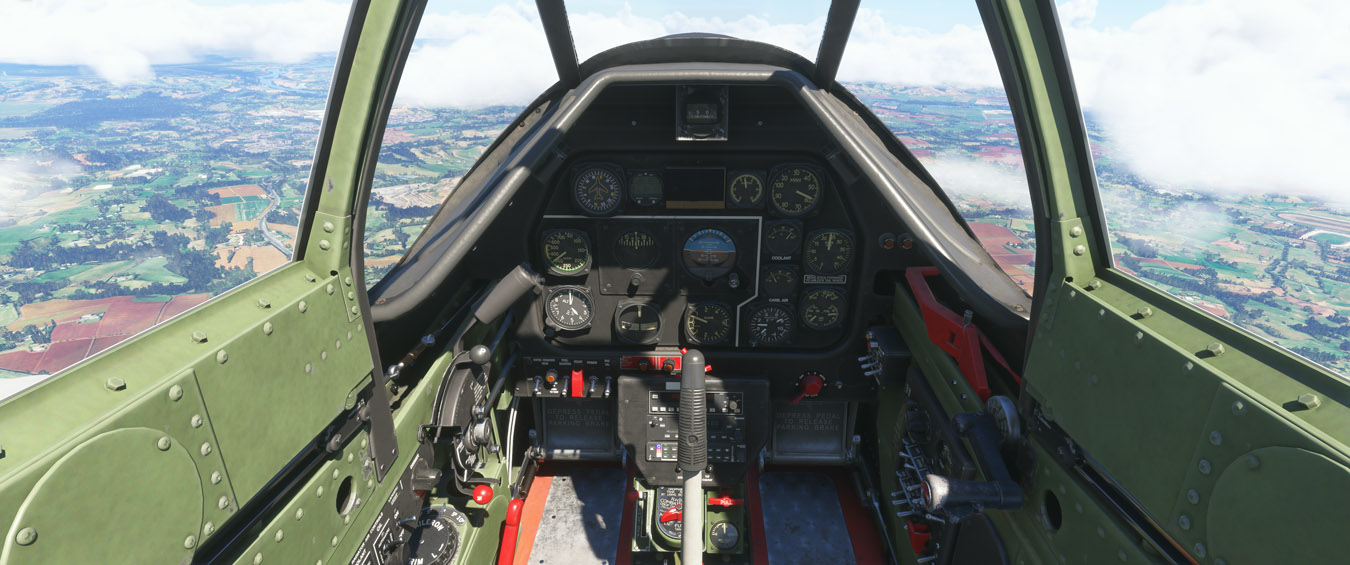
DLSS5 comes into its own in old cockpits (on is top):
Image
Image

Image
Image

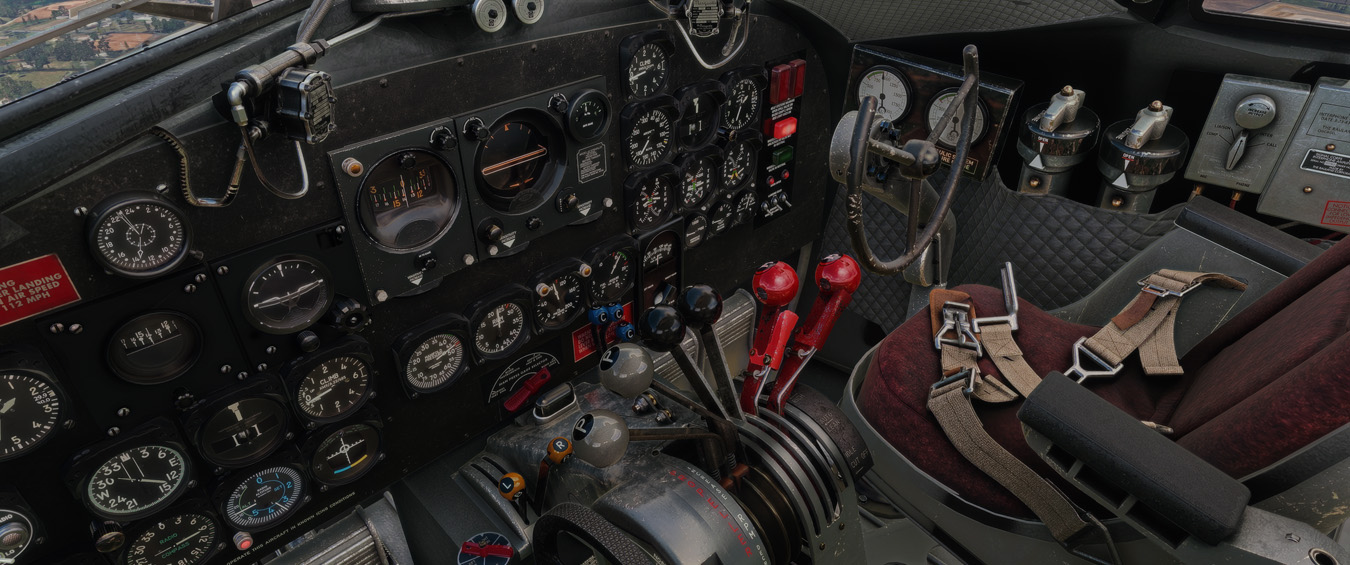
My favourite! (on is top):
Image
Image
User avatar
Adamski
NZFF Pro
 
Topic author
Joined: Thu Nov 01, 2007 2:22 am
Posts: 5247
Location: Birkenhead, Auckland


Return to Screenshots

Who is online

Users browsing this forum: No registered users and 172 guests