Charl's new AI packages

Read and report on flightsim developers progress of upcoming or completed products

Postby ardypilot » Sun Mar 01, 2009 11:19 am

Good on ya Charl clapping.gif


Royal New Zealand Air Force AI Package 1 REDUX
File Description:

Complete AI package of aircraft and flightplans. Royal New Zealand Air Force aircraft including Boeing 757, C-130 Hercules, P-3 Orion, CT4 Airtrainer, Kingair, NH90, Seasprite, and Iroquois helicopters. This is the definitive RNZAF package. All previously issued RNZAF packs should be removed, including the earlier Package 1 release rnzafa1.zip (1290 AVSIM downloads) A companion "Airshow" update will shortly be released on AVSIM.

Filename: rnzafa11.zip


Royal New Zealand Air Force AI Airshow Package 2 REDUX
File Description:

Mike McIntyre's excellent Otis AFB package (File name at AVSIM: ai_tb_demo.zip) was the inspiration for all this. A complete AI package of scenery, aircraft and flightplans, this is an airshow practice and sortie package which focuses on Ohakea airbase in New Zealand. You will see multi-ship crossovers and manoeuvres at high and low altitude, and heavily-armed aircraft depart for training on far shores, later to return unladen. Aircraft include F-16C, F-16D, and CT-4 trainers. This is the companion volume to RNZAF AI Package 1 REDUX. All other previously issued RNZAF packs should be removed, including the earlier Package 2 release rnzafa2.zip (1225 AVSIM downloads). Because it relies on complex FS2004 AFCADs, this package may not work in FSX. Callsigns by Keagan Garkeuken. Repaints are by Steve Jenks. Steve has also done a special RNZAF Anniversary paint for Kirk Olsson's F-16 Viper, textures included here.

Filename: rnzafa21.zip
Last edited by ardypilot on Sun Mar 01, 2009 11:20 am, edited 1 time in total.
User avatar
ardypilot
NZFF Pro
 
Topic author
Joined: Wed Apr 26, 2006 10:01 am
Posts: 6802
Location: Auckland

Postby Ian Warren » Sun Mar 01, 2009 11:32 am

With a complete reinstall of FS9 , i think its time to have a look at this AI cool.gif
Image
User avatar
Ian Warren
NZFF Pro
 
Joined: Fri May 05, 2006 5:23 pm
Posts: 41187
Location: AREA 51

Postby Adamski » Sun Mar 01, 2009 11:52 am

Thanks, Charl!

Just a note to fsx.gif users ... I've had some success with getting the first one to work in the past ... give it a whirl!!

Image
User avatar
Adamski
NZFF Pro
 
Joined: Thu Nov 01, 2007 2:22 am
Posts: 5029
Location: Birkenhead, Auckland

Postby Menemeth » Sun Mar 01, 2009 12:10 pm

This is one AWESOME scenery! I spent roughly 1hr toying with it, and it worked a treat! (SEE SLIDESHOW).

Thank You! clapping.gif thumbup1.gif
Menemeth
 

Postby CDTDAN » Sun Mar 01, 2009 8:59 pm

THANKS!!! Can I get the scenery to work in FSX Accell?? Looks awsome!! Thanks Charl!! thumbup1.gif
Click below to go to my website.
Image
CDTDAN
Forum Addict
 
Joined: Sat Apr 12, 2008 8:52 pm
Posts: 171
Location: Christchurch!

Postby Kahu » Mon Mar 02, 2009 8:11 pm

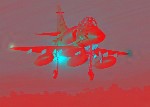
I have both working in fsx sp2 biggrin.gif although I did replace the F-16 with A4's

Image
User avatar
Kahu
Sim-holic
 
Joined: Sat May 05, 2007 3:59 pm
Posts: 578
Location: Tauranga

Postby Ian Warren » Tue Mar 03, 2009 12:39 am

He may have past away from the forums , but he still with us in spirit ! smile.gif
Image
User avatar
Ian Warren
NZFF Pro
 
Joined: Fri May 05, 2006 5:23 pm
Posts: 41187
Location: AREA 51

Postby creator2003 » Tue Mar 03, 2009 8:10 am

Ah he will be back if not as himself or as a new member ,why stay away ,not like we are a bad place to hang out ,and opinions are ok but not always listened too ...
Good to hear you are still hard at it for the NZ community ..
I suggest emailing Charl's to thank him
Last edited by creator2003 on Tue Mar 03, 2009 8:14 am, edited 1 time in total.
User avatar
creator2003
NZFF Pro
 
Joined: Fri Jun 16, 2006 12:08 am
Posts: 4633
Location: Cant U C im LOCO

Postby Charl » Tue Mar 03, 2009 10:57 am

Cheers guys.
Having a bit of time away from forum-hogging gives more of a chance to tie up all those loose ends!
Ian Warren wrote:
QUOTE (Ian Warren @ Mar 3 2009, 01:39 AM) <{POST_SNAPBACK}>
He may have past away from the forums , but he still with us in spirit ! smile.gif

whathesaid.gif
Last edited by Charl on Tue Mar 03, 2009 10:58 am, edited 1 time in total.
User avatar
Charl
NZFF Pro
 
Joined: Mon May 01, 2006 8:28 am
Posts: 9691
Location: Auckland

Postby Naki » Tue Mar 03, 2009 11:12 am

Hey A BIG WELCOME BACK Charl! cheers1.gif clapping.gif groupwave.gif notworthy.gif thumbup1.gif
User avatar
Naki
NZFF Pro
 
Joined: Sat Aug 05, 2006 10:03 pm
Posts: 7170
Location: Tauranga

Postby 2fst4u » Tue Mar 03, 2009 3:28 pm

will installing both packs create doubleups? if not then i shall install both
2fst4u
Forum Addict
 
Joined: Fri Dec 07, 2007 3:27 pm
Posts: 388
Location: Wellington, New Zealand

Postby ardypilot » Mon Oct 03, 2011 8:44 am

I've just downloaded and installed the first pack- ran the traffic files through it through the AIFPC decompiler and complier to make them FSX suitable, and now have the aircraft flying alongside my FTX commercial AI and the GNZLAP aircraft.

However, parked at Woodbourne for example, I see no statics around me like I used to with FS9. When I go into views icon_arrow.gif Air Traffic, there are only 2 airforce aircraft in the list out of the 30 odd Air NZ and GA planes. Any idea on how to make the RNZAF fleet a more prominent fixture?
User avatar
ardypilot
NZFF Pro
 
Topic author
Joined: Wed Apr 26, 2006 10:01 am
Posts: 6802
Location: Auckland


Return to Announcements

Who is online

Users browsing this forum: No registered users and 12 guests

