c172 repaint request

Discuss aircraft addons and repaints for Flight Simulator here

Postby ardypilot » Mon Jul 31, 2006 9:43 pm

Is there anyone out there willing to repaint the default C172 in Ardmore Flying School colours? (Not for AI purposes ;) )

I have plenty of photos available for reference, and would just like to add a little local flavour to my Auckland GA scene.

user posted image
user posted image
user posted image
user posted image

Please post here if you are interested,
Cheers

:D
User avatar
ardypilot
NZFF Pro
 
Topic author
Joined: Wed Apr 26, 2006 10:01 am
Posts: 6802
Location: Auckland

Postby creator2003 » Tue Aug 01, 2006 6:28 pm

I tryed for you but didnt workout the way i wanted it to youll see what i mean it has left the other side back to front i hate that when that happens
user posted image
user posted image
user posted image
i know this doesnt cut the mustard but i though id give it ago im sure there is someone out there that will be able to do it maybe james he is getting good at them :D
creator2003
 

Postby Jimmy » Tue Aug 01, 2006 8:23 pm

Ill give it a try for you Andrew :) if not tomoro I may have something for you by tomoro or thursday. O goody iv been waiting for anothor project lol :lol:
Jimmy
 

Postby creator2003 » Tue Aug 01, 2006 10:40 pm

yeah james hav a go ,the textures are just one sided on the model i did thats why i think they came out that way not sure .
i use abacus fs repaint to paint my aircraft that one took about ten minutes (if you cant tell )
i should now walk the walk of shame :(
do you ever have those days where nothing goes to plan :blink: lol
looking forward to see what you come up with

mike :ph43r:
creator2003
 

Postby Jimmy » Thu Aug 03, 2006 10:24 am

Hehe yes I thort you must have used abascus repainter or something.
I havent had a chance to load up this texture palet and sart but I should hopefully have a nice looking ardmore 172 on avsim by sunday night (hopefully lol :lol: )

James
Jimmy
 

Postby Jimmy » Thu Aug 03, 2006 4:33 pm

Well its not quite the simplest texture palet is it! :lol:

Im giveing it a try but would be very happy if theres any other 172 that I could paint with a clear , two sided!, textures?!? lol

What rego o you want done as these ac all differ slightly.

Thanks
James
Last edited by Jimmy on Thu Aug 03, 2006 5:56 pm, edited 1 time in total.
Jimmy
 

Postby ardypilot » Thu Aug 03, 2006 10:01 pm

Wow- thanks for the great effort already Mike :o :D

I did not realise it was a double sided texture thingy- perhaps it cannot be changed from that??

By the way, I am pretty sure the reg. number could be made invisable by editing the aircraft.cfg maybe.

And Jimmy, in reply to "What rego o you want done as these ac all differ slightly." You can choose mate- if you would like to paint it, then it is up to you ;)

Thanks!
User avatar
ardypilot
NZFF Pro
 
Topic author
Joined: Wed Apr 26, 2006 10:01 am
Posts: 6802
Location: Auckland

Postby Dan » Fri Aug 04, 2006 10:24 am

The rego could be left blank and the registration underneath could be allowed to show through. I understand that in it's default form it looks pretty yuck but I think through the aircraft.cfg file the font, colour and size of the rego can be adjusted. As an example the default white C-172 has a small black registration but the dusty red C-172 has it's rego in a larger white lettering - all determined in the .cfg file.

Great looking repaint though, will it be released to a wider audience?
User avatar
Dan
Member
 
Joined: Tue Jul 25, 2006 7:07 pm
Posts: 78
Location: Waitakere

Postby creator2003 » Fri Aug 04, 2006 10:43 am

proberly not this one i really was just seeing how it could be done and maybe invite some others with repaint experance to give it a go ,you know a bit of encouagement i will try if no one comes to the plate but from my understanding young jimmy is going to have a go looking forward to having a look i also seen some re paints for the great A1 project and thought they looked really good and had way better detail than my quick 10 min re paint
i would lov to see this finsh for you all and will help if needed but im no great painter even though i was a signwriter once :lol:
cheers mike
creator2003
 

Postby Jimmy » Mon Aug 07, 2006 7:20 pm

Hello again!

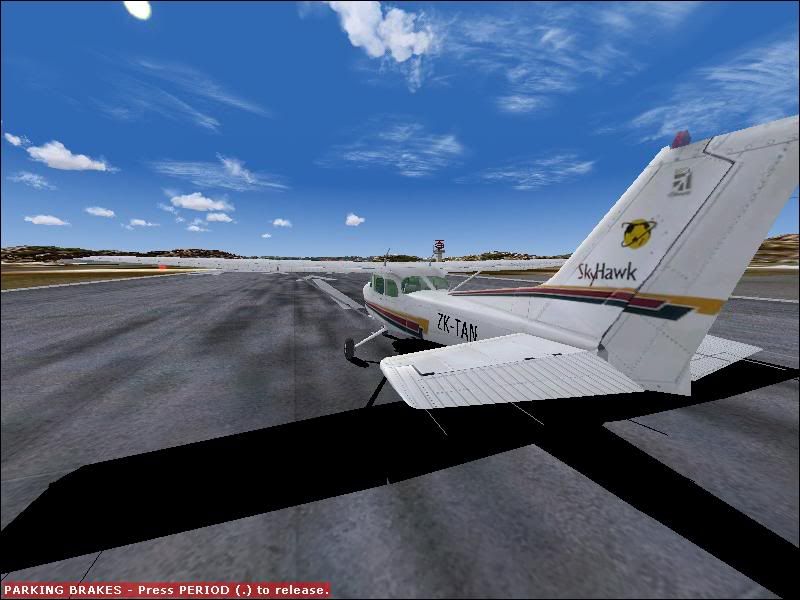
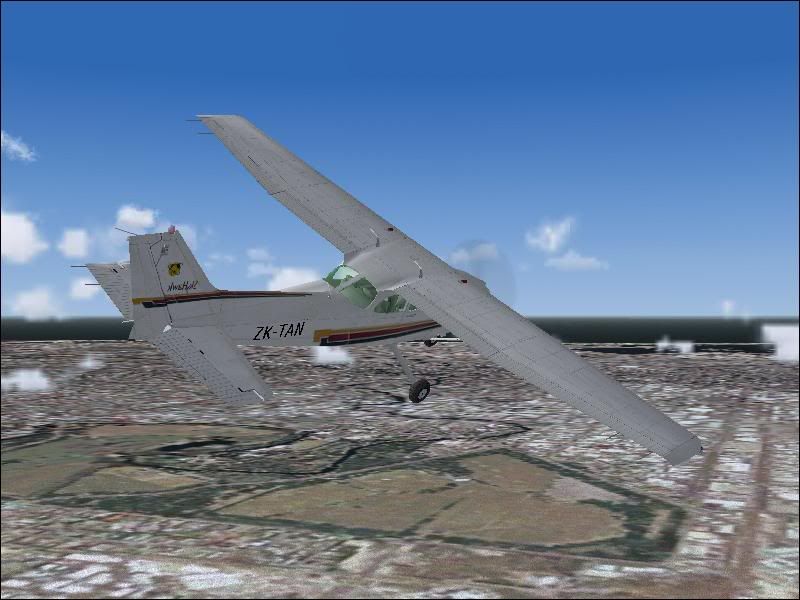
what do you think of this Andrew?
As you can see the textures are reversed on the right side and i havent put the "ardmore flying school" words on the tail yet.
do you want me to leave these words out so its not so easy to see that its reversed ;)
user posted image
user posted image

Please say what you think, theres alot of detail to do still.
does anybody know how to make it so its not reversed like that, a two sided texture palet? :huh:

James B)
Last edited by Jimmy on Mon Aug 07, 2006 7:21 pm, edited 1 time in total.
Jimmy
 

Postby Dan » Tue Aug 08, 2006 6:14 pm

The repaint looks fantasitc! Unfortunately the reverse imaging on one side is determined by the .mdl file and can't be changed. After looking at the aircraft container SDK, I had a fiddle with the .cfg file to see if you can get bigger lettering on the side and it is determined like this:

atc_id_color = 0x1f82121f

1st two characters - always 0x
2nd two characters - not used
3rd two characters - red value in hex 00 - ff
4th two characters - green value in hex 00 - ff
5th two characters - blue value in hex 00 - ff

The example above gives maroon lettering.

atc_id_font = Verdana,-30,1,900,1

-30 relative weight of font in this case 30 point
1 flag determining default character set is to be used
900 heaviness of boldness of font
1 italics flag (1 for italics, 0 for non-italics)

This is the important bit, you can use any font you have installed (but if you release the repaint I suppose you'll have to include the font with it) and there is a maximum size you can go before the lettering becomes truncated. In the case of the default C172, you can't go much above 30 point.

Once again, great repaint. Where do you plan to upload it?
User avatar
Dan
Member
 
Joined: Tue Jul 25, 2006 7:07 pm
Posts: 78
Location: Waitakere

Postby Jimmy » Tue Aug 08, 2006 6:39 pm

Thanks for that Dan ..thats Aswome! :D

ill finsih the paint and upload it to avsim soon even thow its reversed kinda lol :P

james B)
Jimmy
 

Postby Jimmy » Tue Aug 22, 2006 6:51 pm

DONE!!!! :D

Its still reversed but o well, this is a dirty looking one, a cessna that hasnt had a washed for a while, looks quite kool :P

user posted image

Iv uploaded it to avsim so should be ready by morning.
This isnt the best so feal free to download it then fix it all up lol :lol:
I won't mind.
Sorry its taked so long iv been real busy painting a CAC partenavia wich will be done in less than a week :P

Enjoy :)
James
Jimmy
 

Postby ardypilot » Tue Aug 22, 2006 7:05 pm

Nice work Jimmy!

At least it is better than nothing- in fact it looks very cool in that screenshot :D Well done
User avatar
ardypilot
NZFF Pro
 
Topic author
Joined: Wed Apr 26, 2006 10:01 am
Posts: 6802
Location: Auckland

Postby Jimmy » Sun Oct 01, 2006 5:33 pm

hay is there any way the rego set by the aircraft.cfg can be moved up on the fusealgre?

Thanks
James
Jimmy
 

Postby ardypilot » Sun Oct 01, 2006 6:11 pm

hay is there any way the rego set by the aircraft.cfg can be moved up on the fusealgre?

And/or make the text larger and bolder?
User avatar
ardypilot
NZFF Pro
 
Topic author
Joined: Wed Apr 26, 2006 10:01 am
Posts: 6802
Location: Auckland

Postby Jimmy » Sun Oct 01, 2006 6:14 pm

nope I know how to do that from Dan's post up there ^

Its moveing the rego I need to know ;)
Jimmy


Return to Aircraft

Who is online

Users browsing this forum: No registered users and 4 guests