by toprob » Thu Jun 26, 2008 1:34 pm
First, I got around to testing PhotoShop at my old work, just to see how the alpha creation compared to the imaging tool I use. This is what I did:
Created a new CHANNEL -- this was automatically named Alpha 1;
Cleared this new alpha channel to white; (not really required, but I am used to making reflective maps, where the non-reflective channel is white)
Made the image visible by activating the 'eye' on the RGB channel;
Made my 'mask' by painting on the alpha channel (actually, made a selection of all the windows, and filled with grey -- thinking reflective again);
Saved as a PSD;
...which loaded into ImageTool with alpha no worries.
Anyway, here's what I base my texture type on, courtesy of Bill Leaming over at FSDeveloper:
1. If your image has no alpha, use DXT1 compression. Using DXT3/5 will double your image size over DXT1 and not gain anything.
2. If your image has 1-bit (on or off) alpha information, use DXT1 with one-bit alpha. If the DXT1 image quality is too low and you don't mind doubling image size, use DXT3 or DXT5 (which one doesn't matter, they'll give the same results).
3. If your image has smooth gradations of alpha (fading in/out slowly), DXT5 is almost certainly your best bet, as it will give you the most accurate transparency representation.
4. If your image has sharp transitions between multiple alpha levels (one pixel is 100%, the next one is 50%, and another neighbor is 12%), DXT3 is probably your best bet. You may want to compare the alpha results in DXT1, DXT3 and DXT5 compression, however, to make sure.
So I used different formats for different reasons (specifically scenery, rather than aircraft here) --
For textures with no alpha, I use DXT1;
For full transparency, such as fences etc, I use DXT1, as there is just a single alpha bit here -- white alpha=opaque, black alpha=transparent, no other values needed;
For specular and reflective maps, I normally use DXT3, as normally these are just blocks of different shades of grey, no gradations required;
...but I may use DXT5 if a more complex specular map is needed. There is a case for DXT5 instead of DXT3 for general use, though.
For bump maps, I always use DXT5, as the alpha quality is the most important part here.
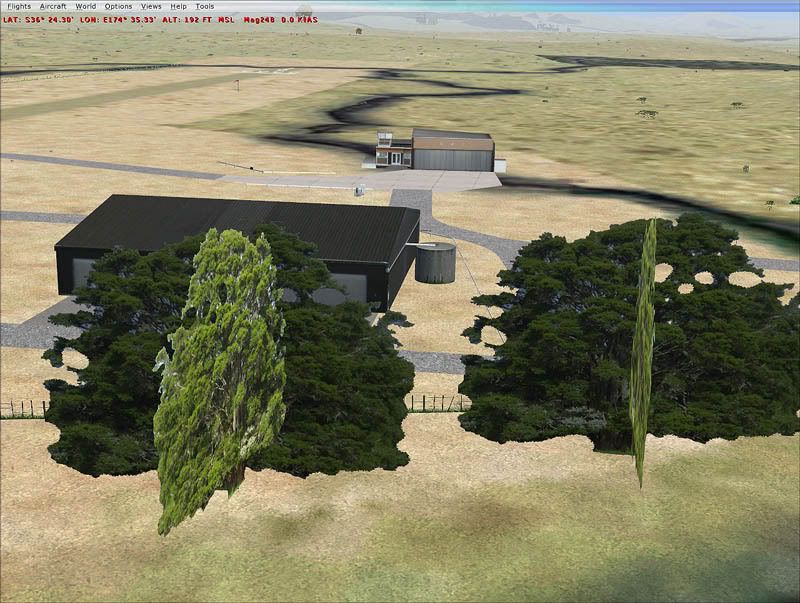
Some developers use graduated transparency maps for things like wire fencing, thinking that a smooth graduation will improve the appearance, but in reality this never works well. I only use variable transparency when the real object is variably transparent -- a wire fence is not partially visible ever! but glass/plastic are. The same with trees -- you can't see through a branch, so 'fading' the edges -- sort of anti-aliasing -- is not a good idea. Some people swear by fading alphas for transparency, but I think that's only because they don't take enough care building their textures.