New AI RNZAF B757

The official Forum for the GNZLAP and Charl's other NZ AI addons

Postby Charl » Thu Jul 03, 2008 8:48 pm

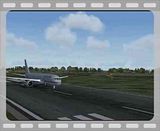
Jason King has done a repaint b757-2k2_rnzaf.zip on the Alpha India B757 aig_752_rr_pw_basemodel.zip which can be substituted into the RNZAF AI Package rnzafa1.zip
The model has
- Flaps set to the takeoff position when the aircraft leaves the gate or stand.
- Flaps set to full when the aircraft is on approach.
- Animated thrust reversers
- Animated flaps, slats and spoilers
- Compressing landing gear
If you already have Nick's Exhaust Smoke and Shockwave strobe/light effects
installed, there is an optional aircraft.cfg file to include them.
To bluff the Flight Plan, remove the original
AI RNZAF B757 aircraft folder, and insert a couple of lines into the Alpha India [color=#800080]aircraft.cfg like this:

[fltsim.2]
//Fake title to match RNZAF FP
title=AIA B752RR RNZAF NZ7571
//title=AIG Boeing 757-2K2 Royal New Zealand Air Force (71)

sim=aig_752
model=RR
texture=RNZAF\NZ7571
kb_checklists=
kb_reference=
atc_id=
atc_airline=Kiwi
ui_manufacturer=Boeing
ui_type=757-200 RR
ui_variation=Royal New Zealand Air Force #40 Squadron NZ7571
prop_anim_ratio=1.59
atc_parking_types=Mil_Cargo
atc_parking_codes=757
[/color]
[fltsim.3]
[color=#800080]//Fake title to match RNZAF FP
title=AIA B752RR RNZAF NZ7572
//title=AIG Boeing 757-2K2 Royal New Zealand Air Force (72)

sim=aig_752
model=RR
texture=RNZAF\NZ7572
kb_checklists=
kb_reference=
atc_id=
atc_airline=Kiwi
ui_manufacturer=Boeing
ui_type=757-200 RR
ui_variation=Royal New Zealand Air Force #40 Squadron NZ7572
prop_anim_ratio=1.59
atc_parking_types=Mil_Cargo
atc_parking_codes=757

This may sound like too much trouble, but it does give you a very nice updated model.
Goodonya Jason.


[/color]
Last edited by Charl on Thu Jul 03, 2008 8:49 pm, edited 1 time in total.
User avatar
Charl
NZFF Pro
 
Topic author
Joined: Mon May 01, 2006 8:28 am
Posts: 9691
Location: Auckland

Postby Naki » Thu Jul 03, 2008 10:55 pm

Nice model - as soon as I saw that arrive at Avsim I thought of you - and sure enough.......
User avatar
Naki
NZFF Pro
 
Joined: Sat Aug 05, 2006 10:03 pm
Posts: 7170
Location: Tauranga

Postby Ian Warren » Thu Jul 03, 2008 11:03 pm

Naki wrote:
QUOTE (Naki @ Jul 3 2008, 10:55 PM) <{POST_SNAPBACK}>
Nice model - as soon as I saw that arrive at Avsim I thought of you - and sure enough.......

Hey Paul , laugh.gif Its the Job .. I no .. I no .. but WHO ELSE smile.gif ... Mister AI Charl thumbup1.gif
Image
User avatar
Ian Warren
NZFF Pro
 
Joined: Fri May 05, 2006 5:23 pm
Posts: 41187
Location: AREA 51

Postby Charl » Fri Jul 04, 2008 9:13 am

You know you've been around too long when you tout addons to addons...
Terrible to be so predictable sad.gif
User avatar
Charl
NZFF Pro
 
Topic author
Joined: Mon May 01, 2006 8:28 am
Posts: 9691
Location: Auckland

Postby 2fst4u » Wed Sep 03, 2008 5:11 pm

so what would you put instead of the 'fake title'? and where can i get the flight plan from? or do i have to make it ?
Last edited by 2fst4u on Wed Sep 03, 2008 5:16 pm, edited 1 time in total.
2fst4u
Forum Addict
 
Joined: Fri Dec 07, 2007 3:27 pm
Posts: 388
Location: Wellington, New Zealand

Postby Charl » Wed Sep 03, 2008 7:36 pm

Just read the post carefully again, dude.
User avatar
Charl
NZFF Pro
 
Topic author
Joined: Mon May 01, 2006 8:28 am
Posts: 9691
Location: Auckland

Postby 2fst4u » Wed Sep 03, 2008 8:15 pm

all righty. thanks. i thought it would be a good idea to try making a custom flight plan anyway so im giving it a go
2fst4u
Forum Addict
 
Joined: Fri Dec 07, 2007 3:27 pm
Posts: 388
Location: Wellington, New Zealand


Return to New Zealand AI Projects

Who is online

Users browsing this forum: No registered users and 3 guests
