Whangarei / Onerahi FSX

An area to discuss scenery addons for virtual NZ

Postby INTOX » Sat Jul 18, 2009 2:55 pm

Hi Guys
Im Having a play around with ADE etc and editing NZWR ......which has been a learning curve but fun
My question is with Autogen
Is there a way to only have the vegetation generated and not buildings as I want to do those myself ?

FSX Gold Edition (Deluxe With Expansion)
ADE 1.40.09

EDIT
Just messing around
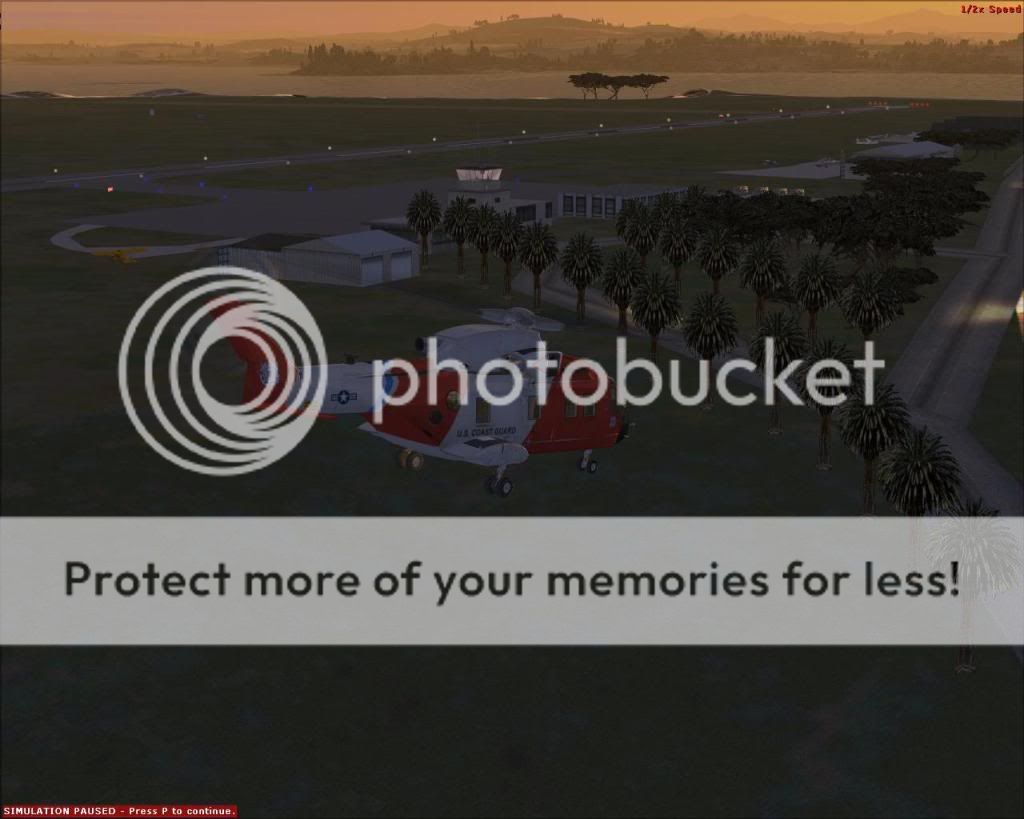
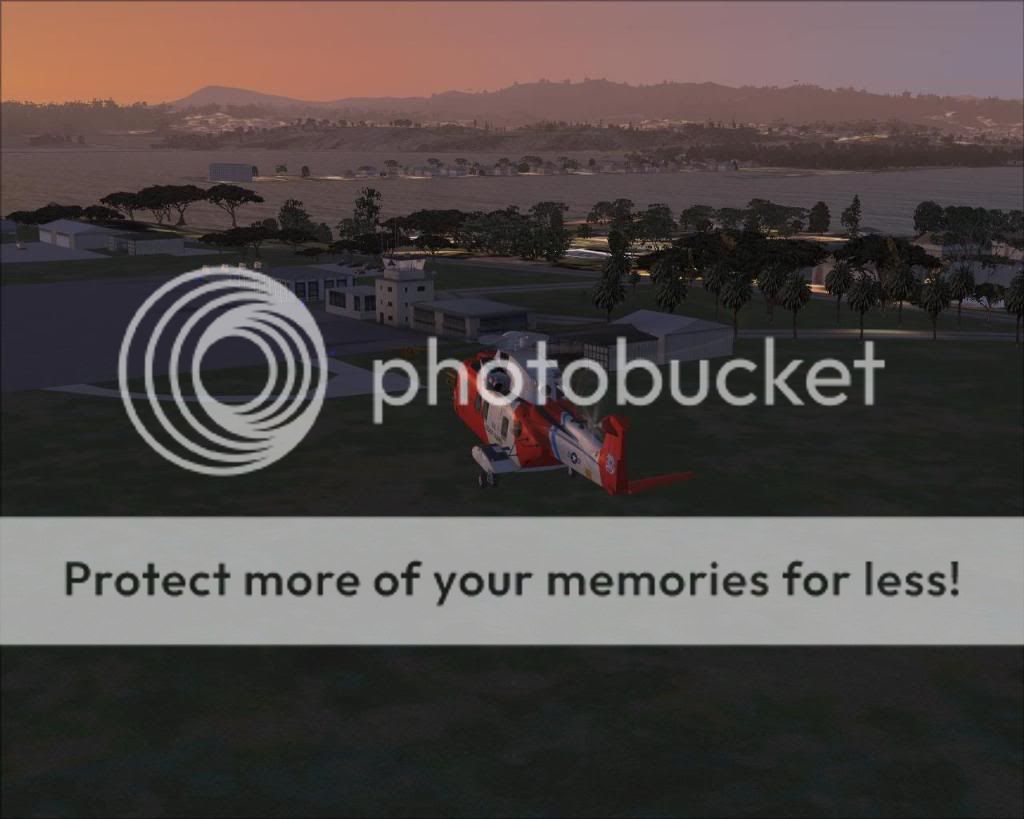
Ive just gone out to the Airport last weekend and taken a heap of photos..............
But I couldnt bear to fly out of Onerahi anymore without some changes so I mucked around for a bit (Just Default Library Buildings
Placement isnt correct .....but its a start


Last edited by INTOX on Tue Aug 04, 2009 10:42 pm, edited 1 time in total.
INTOX
 

Postby NZ255 » Sat Jul 18, 2009 3:03 pm

Do you mean the airport buildings?
If so, create an exclusion rectangle around the airport and compile it
Nick
User avatar
NZ255
NZFF Pro
 
Joined: Wed Jun 20, 2007 12:57 pm
Posts: 2475

Postby INTOX » Sat Jul 18, 2009 3:09 pm

NZ255 wrote:
QUOTE (NZ255 @ Jul 18 2009, 03:03 PM) <{POST_SNAPBACK}>
Do you mean the airport buildings?
If so, create an exclusion rectangle around the airport and compile it


Not airport buildings ................as such ........the houses and cr@p that autogen throws all over the place
and on this airport they are in the middle of an area that has no houses etc
So it sounds like this "exclusion area" is the answer
Ill go figure out how to do that

Cheers
INTOX
 

Postby INTOX » Sat Jul 18, 2009 3:22 pm

NZ255 wrote:
QUOTE (NZ255 @ Jul 18 2009, 03:03 PM) <{POST_SNAPBACK}>
Do you mean the airport buildings?
If so, create an exclusion rectangle around the airport and compile it


Put a big exclusion window around the whole airport and chose "generic buildings"
that didnt remove them

So I also chose "Library Buildings" and the buildings are all still there ?

Ill Keep Fiddling

Intox
INTOX
 

Postby NZ255 » Sat Jul 18, 2009 3:23 pm

No I don't think it excludes autogen, but try it.
Nick
User avatar
NZ255
NZFF Pro
 
Joined: Wed Jun 20, 2007 12:57 pm
Posts: 2475

Postby NZ255 » Sat Jul 18, 2009 3:33 pm

Edit: OK, what you need to do is connect ADE with FSX and click "lock" (top right of ADE) now slew (press 'y' in fsx) to the area with the autogen you want to get rid of. slew around from point to point each time adding a position marker for reference in ADE then when you have got an area to exclude, goto ADE and click on the green shape button labled "add polygon" when you hover over it. draw a polygon, clicking on the position markers you placed. when you reach the last position marker double click to close the polygon. when you double click it a window will pop up, click on 'exclude autogen' then click OK. Make sure you delete the position markers before you compile the bgl.

Confused?
Nick
User avatar
NZ255
NZFF Pro
 
Joined: Wed Jun 20, 2007 12:57 pm
Posts: 2475

Postby INTOX » Sat Jul 18, 2009 3:46 pm

NZ255 wrote:
QUOTE (NZ255 @ Jul 18 2009, 03:23 PM) <{POST_SNAPBACK}>
No I don't think it excludes autogen, but try it.


Hmm no it doesnt
so I guess my only option is to turn autogen off alltogether and use photoscenery and insert my own buildings
looks like thats going to work

Cheers
Intox

NZ255 wrote:
QUOTE (NZ255 @ Jul 18 2009, 03:33 PM) <{POST_SNAPBACK}>
Edit: OK, what you need to do is connect ADE with FSX and click "lock" (top right of ADE) now slew (press 'y' in fsx) to the area with the autogen you want to get rid of. slew around from point to point each time adding a position marker for reference in ADE then when you have got an area to exclude, goto ADE and click on the green shape button labled "add polygon" when you hover over it. draw a polygon, clicking on the position markers you placed. when you reach the last position marker double click to close the polygon. when you double click it a window will pop up, click on 'exclude autogen' then click OK. Make sure you delete the position markers before you compile the bgl.

Confused?


Nope........ luckily Ive got them Linked and was working on this earlier
So the Slew and stuff ive got a handle on
That sounds cool
Then I can keep the dense forestry where I need it
Thank you for that ill test it now
INTOX
 

Postby INTOX » Sat Jul 18, 2009 3:55 pm

Worked Perfectly
Thanks for that
now I can get to worked on the real buildings
sorry for all the noob questions
Cheers

Intox
INTOX
 

Postby NZ255 » Sat Jul 18, 2009 3:57 pm

All good...I'm learning too!
Nick
User avatar
NZ255
NZFF Pro
 
Joined: Wed Jun 20, 2007 12:57 pm
Posts: 2475

Postby larral1123 » Sat Jul 18, 2009 5:21 pm

Good on ya Intox
After the fail of mY NZWR scenery
I have been waiting for a NZWR scenery
Have a GREAT holiday
From larral1123™
User avatar
larral1123
Forum Addict
 
Joined: Fri Apr 03, 2009 5:18 pm
Posts: 189
Location: Inside A house

Postby dienamics » Sun Jul 19, 2009 1:19 pm

Sick as, someones had a go at it.

When can we see an add on file up?
dienamics
 

Postby INTOX » Sun Jul 19, 2009 10:08 pm

Not sure when
Ill post as soon as I have something workable
But this is all new to me and is gunna take a little to get my head around everything

Cheers

Intox
INTOX
 

Postby dienamics » Fri Sep 18, 2009 8:05 am

any progress on that scenery??
dienamics


Return to Scenery

Who is online

Users browsing this forum: No registered users and 9 guests