Makara Wind turbines

An area to discuss scenery addons for virtual NZ

Postby Timmo » Mon Aug 17, 2009 9:54 pm

there already is a animated wind turbine on the fsdeveloper site from memory- no point in reinventing the wheel winkyy.gif

I had a play with them a couple of years ago
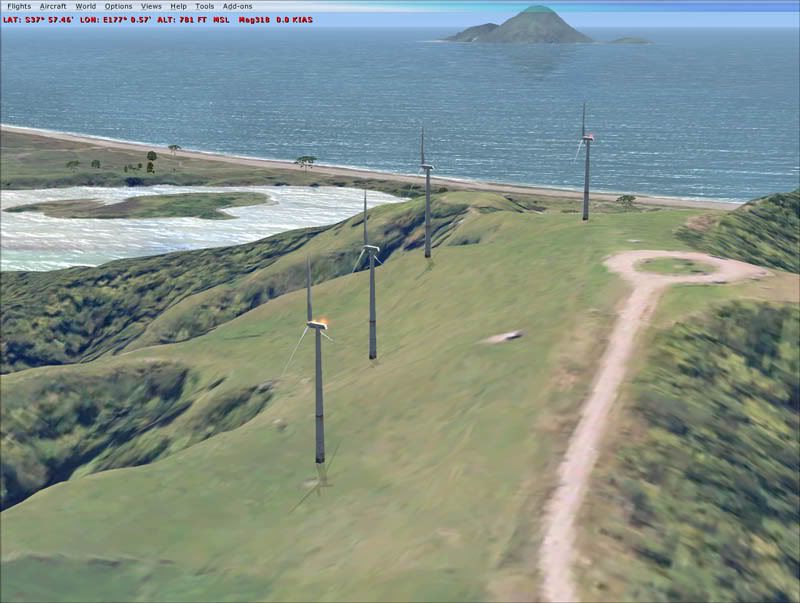
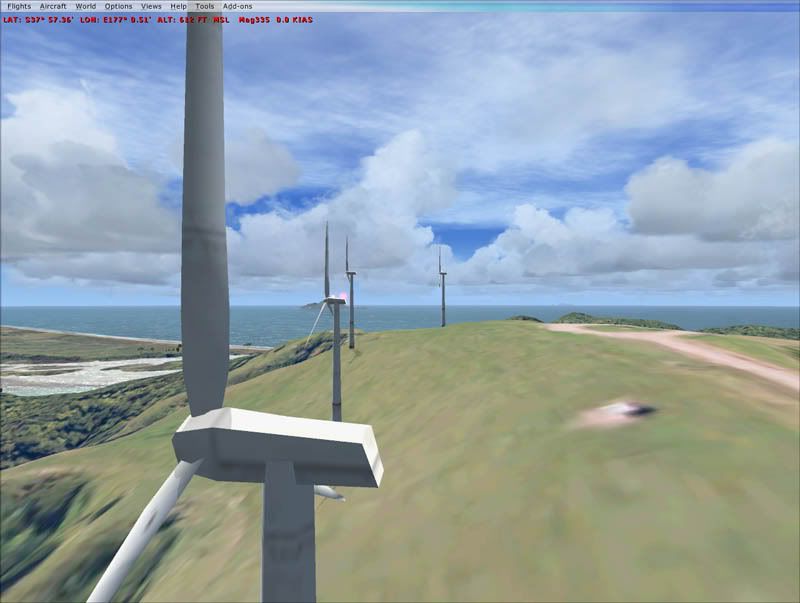
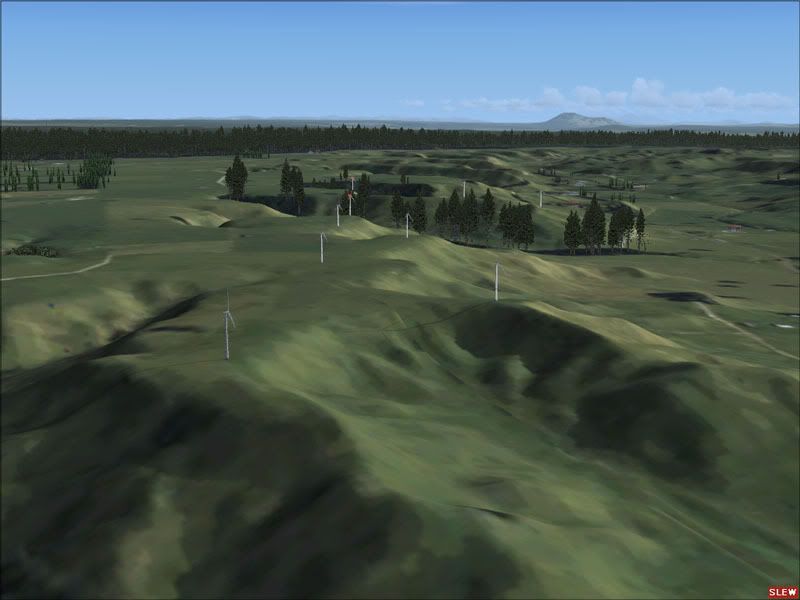


Last edited by Timmo on Mon Aug 17, 2009 9:56 pm, edited 1 time in total.
Timmo
NZFF Pro
 
Joined: Wed Oct 25, 2006 6:28 pm
Posts: 2056
Location: Tauranga

Postby NZ255 » Mon Aug 17, 2009 10:59 pm

Cool....

http://www.fsdeveloper.com/forum/downloads.php?do=file&id=46
Nick
User avatar
NZ255
NZFF Pro
 
Joined: Wed Jun 20, 2007 12:57 pm
Posts: 2475

Postby husker » Tue Aug 18, 2009 1:15 pm

Here's what the look like for real from the air - useful reference (that's not all of them, still more being built after these photos)


Rodney's Aviation Ramblings
Last edited by husker on Tue Aug 18, 2009 1:16 pm, edited 1 time in total.
husker
Member
 
Joined: Fri Jan 30, 2009 4:36 pm
Posts: 128
Location: Wellington

Postby 2fst4u » Tue Aug 18, 2009 5:08 pm

Unfortunatly its just a gmax scene and a .mdl file. I'm unsure as to how to use either...

help please?
2fst4u
Forum Addict
 
Topic author
Joined: Fri Dec 07, 2007 3:27 pm
Posts: 388
Location: Wellington, New Zealand

Postby Timmo » Sat Aug 22, 2009 7:42 pm

Youll need to create a placement xml file and then run this through bglcomp.exe.....by far the easiest way to do this would be to download a program called 'Whisplacer', add the mdl to new library, and then place them when connected to FSX.
Timmo
NZFF Pro
 
Joined: Wed Oct 25, 2006 6:28 pm
Posts: 2056
Location: Tauranga

Postby 2fst4u » Sun Aug 23, 2009 8:44 am

alrighty then. one last question though...

what height are these turbines modeled at? having used them before i thought you might have found it out. figuring out scale is the hard part
2fst4u
Forum Addict
 
Topic author
Joined: Fri Dec 07, 2007 3:27 pm
Posts: 388
Location: Wellington, New Zealand

Postby NZ255 » Sun Aug 23, 2009 1:40 pm

I've download them and have scaled them to the right size, just having a bit of trouble with animation ATM.
Nick
User avatar
NZ255
NZFF Pro
 
Joined: Wed Jun 20, 2007 12:57 pm
Posts: 2475

Postby NZ255 » Sun Aug 23, 2009 3:34 pm

Quite a sight


Last edited by NZ255 on Sun Aug 23, 2009 4:08 pm, edited 1 time in total.
Nick
User avatar
NZ255
NZFF Pro
 
Joined: Wed Jun 20, 2007 12:57 pm
Posts: 2475

Postby 2fst4u » Sun Aug 23, 2009 7:32 pm

oh wow, you did all the work for me smile.gif i started getting the positions right this morning but gave up after three objects because the co-ordinates didnt like me. any prospect of uploading to avsim?
Last edited by 2fst4u on Sun Aug 23, 2009 7:32 pm, edited 1 time in total.
2fst4u
Forum Addict
 
Topic author
Joined: Fri Dec 07, 2007 3:27 pm
Posts: 388
Location: Wellington, New Zealand

Postby NZ255 » Mon Aug 24, 2009 4:48 pm

Yup, just have to make LOD (level of detail) with 60+ of them you get a lot of polygons!
Nick
User avatar
NZ255
NZFF Pro
 
Joined: Wed Jun 20, 2007 12:57 pm
Posts: 2475

Postby 2fst4u » Mon Aug 24, 2009 4:58 pm

yea i was afraid of that
2fst4u
Forum Addict
 
Topic author
Joined: Fri Dec 07, 2007 3:27 pm
Posts: 388
Location: Wellington, New Zealand

Postby Timmo » Wed Aug 26, 2009 11:00 am

Good practice is to also vary the levels in the scenery complexity tab so that users with slower machines using lower sliders won't see as many windturbines smile.gif

Good effort though!

2fst4u- How did you get on with Whisplacer?
Timmo
NZFF Pro
 
Joined: Wed Oct 25, 2006 6:28 pm
Posts: 2056
Location: Tauranga

Postby 2fst4u » Wed Aug 26, 2009 4:16 pm

Timmo wrote:
QUOTE (Timmo @ Aug 26 2009, 11:00 AM) <{POST_SNAPBACK}>
Good practice is to also vary the levels in the scenery complexity tab so that users with slower machines using lower sliders won't see as many windturbines smile.gif

Good effort though!

2fst4u- How did you get on with Whisplacer?

not well unfortunatly. it was very hard to choose what object you wanted to place. and i couldnt find a feature for adding .mdl files. object placment tool is good enough for me
2fst4u
Forum Addict
 
Topic author
Joined: Fri Dec 07, 2007 3:27 pm
Posts: 388
Location: Wellington, New Zealand

Postby toprob » Wed Aug 26, 2009 4:33 pm

2fst4u wrote:
QUOTE (2fst4u @ Aug 26 2009, 04:16 PM) <{POST_SNAPBACK}>
not well unfortunatly. it was very hard to choose what object you wanted to place. and i couldnt find a feature for adding .mdl files. object placment tool is good enough for me


Yes, Whisplacer has some brilliant features (eg placing fence segments along a line) but the fact that you need to 'register' each object as a simobject makes it awkward for quick jobs. I'm more likely to fire up Object Placement Tool for most things. Still, I wouldn't want to use OPT for a kilometre of custom fence segments:)
User avatar
toprob
NZFF Pro
 
Joined: Sat Apr 29, 2006 4:56 pm
Posts: 6711
Location: Upper Hutt

Postby pilotgallagher01 » Wed Aug 26, 2009 4:46 pm

NZ255 wrote:
QUOTE (NZ255 @ Aug 23 2009, 03:34 PM) <{POST_SNAPBACK}>
Quite a sight


Awesome mate,

Let us know when you have uploaded
Last edited by pilotgallagher01 on Wed Aug 26, 2009 4:55 pm, edited 1 time in total.
Image
pilotgallagher01
Forum Addict
 
Joined: Fri Jul 10, 2009 1:54 pm
Posts: 317
Location: Tauranga

Postby Timmo » Wed Aug 26, 2009 5:29 pm

toprob wrote:
QUOTE (toprob @ Aug 26 2009, 04:33 PM) <{POST_SNAPBACK}>
Yes, Whisplacer has some brilliant features (eg placing fence segments along a line) but the fact that you need to 'register' each object as a simobject makes it awkward for quick jobs. I'm more likely to fire up Object Placement Tool for most things. Still, I wouldn't want to use OPT for a kilometre of custom fence segments:)


How do you mean?

Adding your own mdl files takes 5 seconds? (Tools > Library Manager> Current scenery > Rightclick: add objects
Timmo
NZFF Pro
 
Joined: Wed Oct 25, 2006 6:28 pm
Posts: 2056
Location: Tauranga

Postby NZ255 » Wed Aug 26, 2009 6:42 pm

I can't seem to do that
Nick
User avatar
NZ255
NZFF Pro
 
Joined: Wed Jun 20, 2007 12:57 pm
Posts: 2475

Postby Timmo » Thu Aug 27, 2009 8:43 pm

click the new document icon, then you should be able to.
Timmo
NZFF Pro
 
Joined: Wed Oct 25, 2006 6:28 pm
Posts: 2056
Location: Tauranga

Postby toprob » Thu Aug 27, 2009 9:48 pm

Timmo wrote:
QUOTE (Timmo @ Aug 26 2009, 05:29 PM) <{POST_SNAPBACK}>
How do you mean?

Adding your own mdl files takes 5 seconds? (Tools > Library Manager> Current scenery > Rightclick: add objects


I'm not talking about adding a single object, I'm talking about maintaining the libraries. My libraries can have hundreds of objects, many of which are updated often. With Whisplacer, you need to recreate the simobjects every time you update a library. I find that very fiddly. Not to mention the resources they use, I have about 400MB of Whisplacer simobjects.
User avatar
toprob
NZFF Pro
 
Joined: Sat Apr 29, 2006 4:56 pm
Posts: 6711
Location: Upper Hutt

Postby Timmo » Fri Aug 28, 2009 6:10 pm

Oh true about the extra copies of models.....I use the find and replace functionality to update models but I agree if you had hundreds of objects that could fiddly.

What about saving the whisplacer project as XML? or does it still reference the mdls it makes?
Timmo
NZFF Pro
 
Joined: Wed Oct 25, 2006 6:28 pm
Posts: 2056
Location: Tauranga

PreviousNext

Return to Scenery

Who is online

Users browsing this forum: No registered users and 3 guests