FSX Effect tools

A forum specifically to discuss the latest and greatest of all flight simulators

Postby larral1123 » Mon Oct 26, 2009 6:00 pm

Hello smile.gif
I started attempted doing special effects A couple of hours ago I used the FX tool in the SDK but it just didn't work
im wondering if there is any other special effect tool I could use instead
if not I better just try to get my head around the not so detailed manual
any comments appreciated smile.gif
Last edited by larral1123 on Mon Oct 26, 2009 6:02 pm, edited 1 time in total.
Have a GREAT holiday
From larral1123™
User avatar
larral1123
Forum Addict
 
Topic author
Joined: Fri Apr 03, 2009 5:18 pm
Posts: 189
Location: Inside A house

Postby Timmo » Mon Oct 26, 2009 7:10 pm

What are you trying to do exactly? Create your own effect?

Can you see the effects tool bar?
Timmo
NZFF Pro
 
Joined: Wed Oct 25, 2006 6:28 pm
Posts: 2056
Location: Tauranga

Postby larral1123 » Mon Oct 26, 2009 8:08 pm

I will explain it as best as i can
I am attempting to make Ground effects
Example
Forest fire, volcano eruption etc
and the effects toolbar,
I See Tools on the toolbar And I See FX tool under the tools area
hope this explains slight bit more to you smile.gif
And to define the question better
IS there any Freeware or Paywere effects tools were I can make forest fires, volcanos etc
Apart from the Default SDK tool
Have a GREAT holiday
From larral1123™
User avatar
larral1123
Forum Addict
 
Topic author
Joined: Fri Apr 03, 2009 5:18 pm
Posts: 189
Location: Inside A house

Postby larral1123 » Tue Oct 27, 2009 7:08 pm

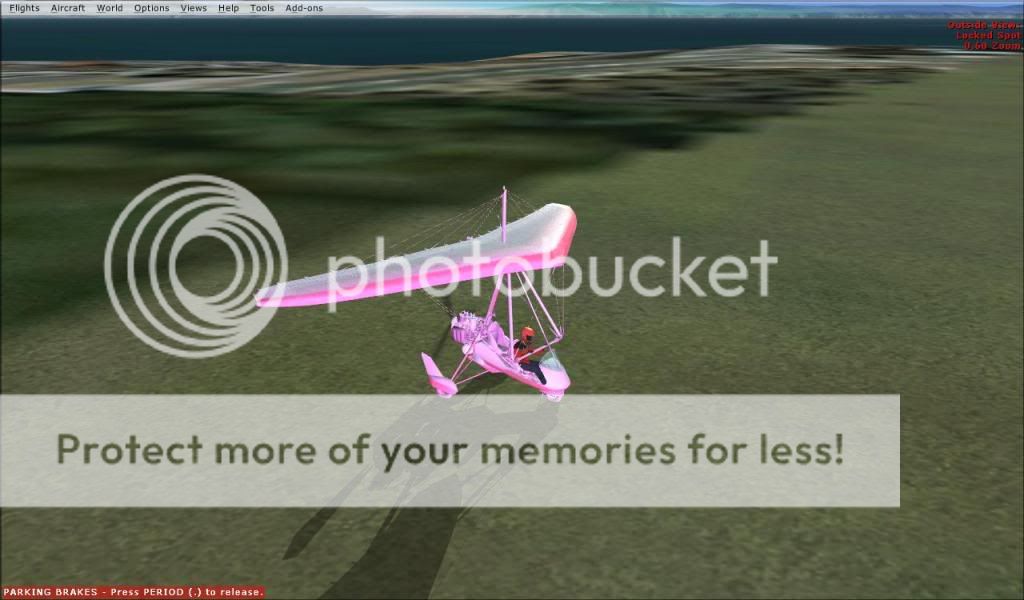
Here is a picture off my design
it was supposed to be a 5 meter high 2 meter wide pink smoke effect attached somewere by lake taupo
But it turned out Wrong
really wrong
Last edited by larral1123 on Tue Oct 27, 2009 7:09 pm, edited 1 time in total.
Have a GREAT holiday
From larral1123™
User avatar
larral1123
Forum Addict
 
Topic author
Joined: Fri Apr 03, 2009 5:18 pm
Posts: 189
Location: Inside A house

Postby Timmo » Tue Oct 27, 2009 7:47 pm

Im not aware of any other programs that do it, but then again I've never looked.

There are lots of default effects and I found it was easiest to take a copy of a default one, save it with a new name, and then play with it.

There is a handy little button on the effects dialogue called 'do effect'- this will test the effect by attaching it temporarily to your aircraft (although not all effects work in this way for some reason....maybe only FSX native effects work?)

Also, boxes highlighted in red mean there is an issue with that parameter.
Timmo
NZFF Pro
 
Joined: Wed Oct 25, 2006 6:28 pm
Posts: 2056
Location: Tauranga

Postby larral1123 » Wed Oct 28, 2009 6:32 am

Timmo wrote:
QUOTE (Timmo @ Oct 27 2009, 08:47 PM) <{POST_SNAPBACK}>
Im not aware of any other programs that do it, but then again I've never looked.

There are lots of default effects and I found it was easiest to take a copy of a default one, save it with a new name, and then play with it.

There is a handy little button on the effects dialogue called 'do effect'- this will test the effect by attaching it temporarily to your aircraft (although not all effects work in this way for some reason....maybe only FSX native effects work?)

Also, boxes highlighted in red mean there is an issue with that parameter.


Ok then
thank very much tim
Have a GREAT holiday
From larral1123™
User avatar
larral1123
Forum Addict
 
Topic author
Joined: Fri Apr 03, 2009 5:18 pm
Posts: 189
Location: Inside A house

Postby MadRich » Tue Jun 01, 2010 2:34 pm

Have you resolved this issue? One of the options in the Effects tool is "emits light" I think this is your problem. If u want light to be emitted, then copy the tab for the effect, and in the newly created tab, uncheck "emits light". Now one tab will produce light, and the other tab will produce smoke...it will look better at night if u do add light, so your half way there allready. Timmo gave great advice when he said its easier to edit default effects and save them under a new name. For example, i took a small explosion and turned it into a simple little volcano. Since i edited a default effect to create a new effect, the new effect is mine so i can share the code. U wont need any special textures for this one but u will need to make a soundfile called rumble.wav if u want your volcano to have sound. The Code:

[Library Effect]
Lifetime=5
Version=2.00
Radius=-1
Priority=0
[Sound]
FileName=rumble.wav
MinAttenuationDistance=300.00
Looping=TRUE

[Properties]

[Emitter.0]
Lifetime=0.00, 0.00
Delay=0.00, 0.00
Bounce=0.00
No Interpolate=1
Rate=90.00, 290.00
X Emitter Velocity=0.00, 0.00
Y Emitter Velocity=0.00, 0.00
Z Emitter Velocity=0.00, 0.00
Drag=0.00, 0.00
X Particle Velocity=-90.00, 90.00
Y Particle Velocity=4.00, 59.00
Z Particle Velocity=-90.00, 90.00
X Rotation=0.00, 0.00
Y Rotation=0.00, 0.00
Z Rotation=0.00, 0.00
X Offset=-50.00, 50.00
Y Offset=0.00, 0.00
Z Offset=-50.00, 50.00
Pitch=0.00, 0.00
Bank=0.00, 0.00
Heading=0.00, 0.00

[Particle.0]
Lifetime=99.00, 9999.00
Type=19
X Scale=1.00, 45.00
Y Scale=1.00, 45.00
Z Scale=0.00, 0.00
X Scale Rate=1.00, 1.00
Y Scale Rate=1.00, 1.00
Z Scale Rate=0.00, 0.00
Drag=0.00, 0.00
Color Rate=0.00, 0.00
X Offset=-10.00, 10.00
Y Offset=0.00, 0.00
Z Offset=-10.00, 10.00
Fade In=0.00, 0.00
Fade Out=0.00, 0.00
Rotation=0.00, 0.00
Face=1, 1, 1

[ParticleAttributes.0]
Blend Mode=2
Texture=fx_2.bmp
Bounce=0.00
Color Start=150, 50, 0, 255
Color End=250, 50, 0, 0
Jitter Distance=0.00
Jitter Time=0.00
uv1=0.00, 0.00
uv2=0.50, 0.50
X Scale Goal=1.00
Y Scale Goal=1.00
Z Scale Goal=0.00
Extrude Length=0.00
Extrude Pitch Max=0.00
Extrude Heading Max=0.00


You simply place this code into notepad and save it as Volcano.fx or whatever, and then place the file in your FSX Effects folder. U can then place the effect into the sim. U can open this effect with the Effects Tool and test it. One last thing. When u run the effects tool and u click on run the effect, it usually runs the previous effect instead of the one u just loaded, you will need to click run effect two times for it to work correctly(not sure if thats the case on every pc but it seems like it). You will however need to find a soundclip and call it rumble.wav and place it in your Sounds folder.(Effect should work without it but wont have any sound) Hope this helps someone.
MadRich


Return to All Flight Simulators

Who is online

Users browsing this forum: No registered users and 3 guests