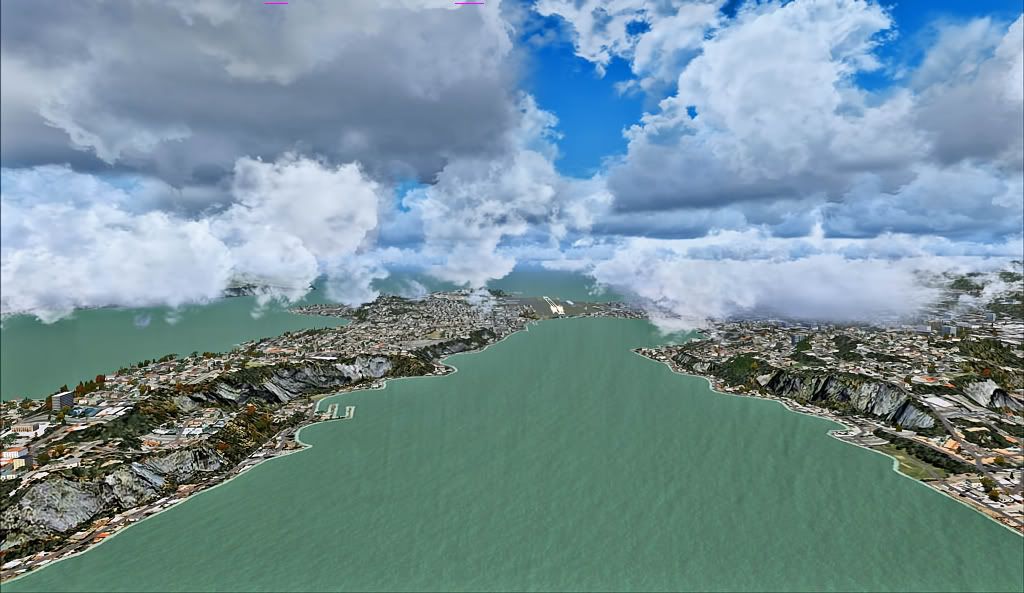
Climbing northbound off Wellington
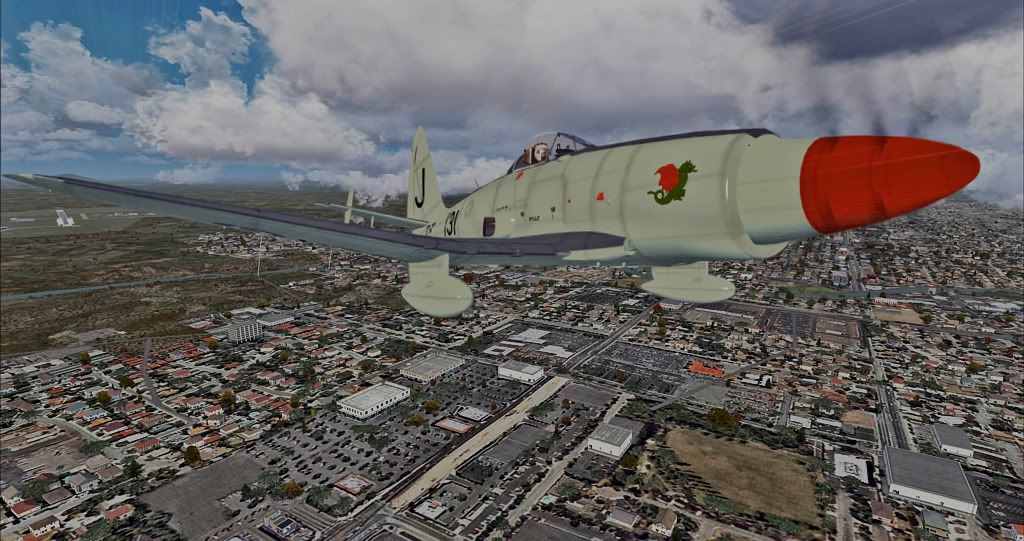
Departing Hamilton northbound
100% ad-free
 by Olderndirt » Tue Mar 22, 2011 11:33 am


by Adamski » Tue Mar 22, 2011 12:43 pm


by Olderndirt » Tue Mar 22, 2011 1:34 pm
Adamski wrote:QUOTE (Adamski @ Mar 21 2011,5:43 PM) <{POST_SNAPBACK}>Olderndirt - what video card have you got? I tried using Nvidia tweak, but it didn't seem to help much, so I went back to the usual nVidia control panel. I have a GTX260. Your NZWN seems oddly pink (but clouds look great)!It's a GTX460 and I'm not claiming this thing works, just that there's more kb in my shots than before. The NZWN color is caused by selecting 'auto color correction' in PS7. Obviously, in this case, a mistake.
Last edited by Olderndirt on Tue Mar 22, 2011 1:35 pm, edited 1 time in total.
by Adamski » Tue Mar 22, 2011 3:17 pm
Olderndirt wrote:QUOTE (Olderndirt @ Mar 22 2011,2:34 PM) <{POST_SNAPBACK}>It's a GTX460 and I'm not claiming this thing works, just that there's more kb in my shots than before. The NZWN color is caused by selecting 'auto color correction' in PS7. Obviously, in this case, a mistake
My brother is a great fan of 'auto color correction' - and has managed to produce some pretty weird results on perfectly decent originals! I've tried to wean him off it, to no avail
by Ian Warren » Tue Mar 22, 2011 7:18 pm
 , ... your scenery default nice , so much photoreal out there .. also many freewares for New Zealand

by Olderndirt » Wed Mar 23, 2011 4:12 am
Ian Warren wrote:QUOTE (Ian Warren @ Mar 22 2011,12:18 AM) <{POST_SNAPBACK}>Dave , I love the Westland WyvernPhotoreal doesn't seem to remain so as you get closer to the ground and, as my birthday approaches, my chances of VLC are improving.
Adamski wrote:QUOTE (Adamski @ Mar 21 2011,8:17 PM) <{POST_SNAPBACK}>My brother is a great fan of 'auto color correction' - and has managed to produce some pretty weird results on perfectly decent originals! I've tried to wean him off it, to no availA lot depends on the number of beers - changed itLast edited by Olderndirt on Wed Mar 23, 2011 4:30 am, edited 1 time in total.
Olderndirt- Senior Member
- Topic author
- Joined: Wed Jan 05, 2011 2:36 pm
- Posts: 1774
- Location: Rochester, Washington USA
by Splitpin » Wed Mar 23, 2011 12:18 pm

by Olderndirt » Wed Mar 23, 2011 12:54 pm
Splitpin wrote:QUOTE (Splitpin @ Mar 22 2011,5:18 PM) <{POST_SNAPBACK}>Dave....great shots. You can "fade" all those effects.....curves, levels, and other other auto tweaks......Ive had photoshop do some awfull things to good shots, before i found out about fadeing(Which Im sure you know)Recently bought 'Photo Shop 7 for dummies' - so my level of expertise hasn't peaked yet. Helpful hints welcome
MartyLast edited by Olderndirt on Thu Mar 24, 2011 4:43 am, edited 1 time in total.
by Ian Warren » Wed Mar 23, 2011 1:44 pm
Olderndirt wrote:QUOTE (Olderndirt @ Mar 23 2011,5:12 AM) <{POST_SNAPBACK}>as my birthday approaches, my chances of VLC are improving
Oh Boy ..
by Olderndirt » Thu Mar 24, 2011 4:40 am
Olderndirt wrote:QUOTE (Olderndirt @ Mar 22 2011,5:54 PM) <{POST_SNAPBACK}>Recently bought 'Photo Shop 7 for dummies' - so my level of expertise hasn't peaked yetIn supplement to the above, any helpful hints welcome - my lack of knowledge is only exceeded by my desire to learn
by Adamski » Thu Mar 24, 2011 4:58 am
Olderndirt wrote:QUOTE (Olderndirt @ Mar 24 2011,5:40 AM) <{POST_SNAPBACK}>In supplement to the above, any helpful hints welcome - my lack of knowledge is only exceeded by my desire to learn
The most useful thing is the "feather" option when making/using selections
Also - the mistake people make is thinking that Photoshop is a *painting* program. It isn't - it's an *image manipulation* program ... so learning how to use channels/layers is crucial. Most corrections should be made to individual channels - not across the image as a whole. You get much more control that way.
It can seem a bit counter-intuitive at first, but it's worth learning to do it properly from the start - and you'll be able to use all its power.
by Olderndirt » Fri Mar 25, 2011 6:11 am
Adamski wrote:QUOTE (Adamski @ Mar 23 2011,9:58 AM) <{POST_SNAPBACK}>The most useful thing is the "feather" option when making/using selectionsSo what you're saying is, rather than than simply clicking 'V' and editing a single layer shot, you should have the scenery and aircraft in separate layers so they can be edited individually?
Also - the mistake people make is thinking that Photoshop is a *painting* program. It isn't - it's an *image manipulation* program ... so learning how to use channels/layers is crucial. Most corrections should be made to individual channels - not across the image as a whole. You get much more control that way.
It can seem a bit counter-intuitive at first, but it's worth learning to do it properly from the start - and you'll be able to use all its power.
by Adamski » Fri Mar 25, 2011 11:49 am
Olderndirt wrote:QUOTE (Olderndirt @ Mar 25 2011,7:11 AM) <{POST_SNAPBACK}>So what you're saying is, rather than than simply clicking 'V' and editing a single layer shot, you should have the scenery and aircraft in separate layers so they can be edited individually?
Absolutely - yes. If you make your [aircraft] selection properly - and have all its b/g feathered and transparent - you should should be able to move it, resize it etc. all independently of the background. I generally only add the sharpen filter to the aircraft itself, leaving the b/g scenery to be slightly soft (by comparison). Don't forget to save the .psd file regularly
If you read the book about *channels* (too complicated to go into here) ... they're a great way of making *selections*, based on colours, tonal values or whatever. 99% of the power of Photoshop is it's ability to let you select whatever it is you want to work on within the main image.
by Olderndirt » Fri Mar 25, 2011 1:38 pm
Adamski wrote:QUOTE (Adamski @ Mar 24 2011,4:49 PM) <{POST_SNAPBACK}>Absolutely - yes. If you make your [aircraft] selection properly - and have all its b/g feathered and transparent - you should should be able to move it, resize it etc. all independently of the background. I generally only add the sharpen filter to the aircraft itself, leaving the b/g scenery to be slightly soft (by comparison). Don't forget to save the .psd file regularlyThank you, sir. Always suspected there was much more to this than I was getting. By the by, new VLC (#1144) customer here - no more funny default
If you read the book about *channels* (too complicated to go into here) ... they're a great way of making *selections*, based on colours, tonal values or whatever. 99% of the power of Photoshop is it's ability to let you select whatever it is you want to work on within the main image.
by Adamski » Fri Mar 25, 2011 2:57 pm
Olderndirt wrote:QUOTE (Olderndirt @ Mar 25 2011,2:38 PM) <{POST_SNAPBACK}>By the by, new VLC (#1144) customer here - no more funny default
Congratulations!!! I can't imagine my FSX without it. All you need now is the full set of Rob's NZ sceneries ... then we can see about Kiwi citizenship for youLast edited by Adamski on Fri Mar 25, 2011 2:58 pm, edited 1 time in total.
Users browsing this forum: No registered users and 17 guests

