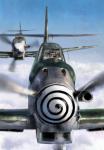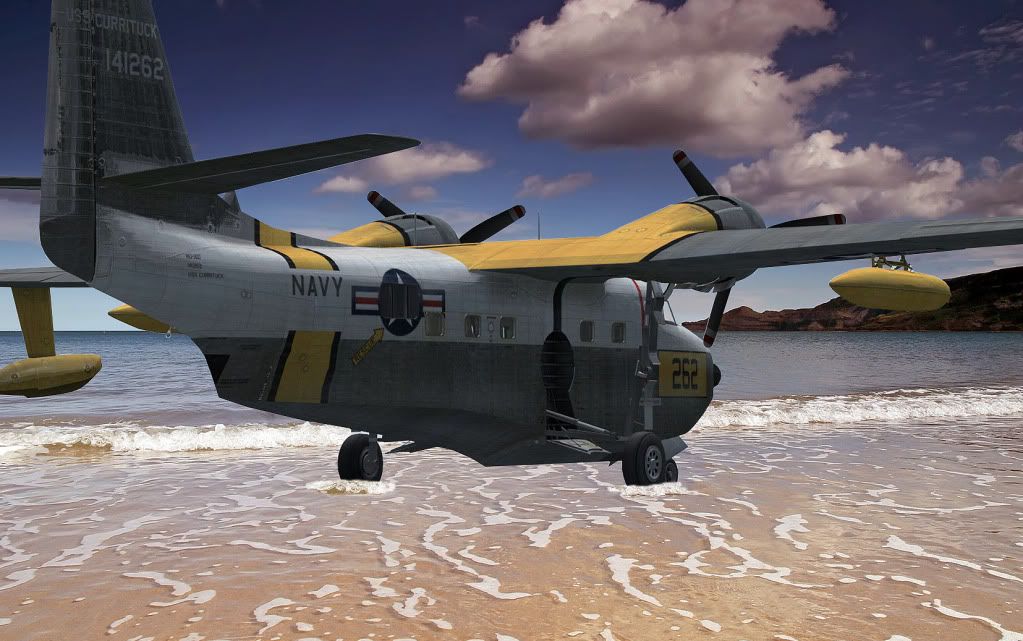

A couple more composites

Post and comment on screen captures from the beautiful game here. Home of the monthly screenshot competition

Postby Alfashark » Fri Apr 22, 2011 8:25 pm

Getting the hang of this now... I'd say the hardest part is lining up the initial capture with the right perspective. Next on the improvement list is creating suitable shadows, where they would fall.


ImageImage
User avatar
Alfashark
Sim-holic
 
Topic author
Joined: Wed Jul 25, 2007 7:45 pm
Posts: 549
Location: Putaruru

Postby J7G » Fri Apr 22, 2011 11:14 pm

I love the Heinknel one!
User avatar
J7G
Forum Addict
 
Joined: Wed Feb 23, 2011 8:49 pm
Posts: 449

Postby Olderndirt » Sat Apr 23, 2011 2:14 am

Like the wavelets around the wheels of the Albatross - are you using layers?
Image
User avatar
Olderndirt
Senior Member
 
Joined: Wed Jan 05, 2011 2:36 pm
Posts: 1774
Location: Rochester, Washington USA

Postby Alfashark » Sat Apr 23, 2011 11:36 am

Thanks!

Yes, I am using layers... But only in the most basic sense - cut the aircraft from the original screenshot, then paste that as a layer over the picture.
Trim away any excess and then used the clone-stamp tool to create the wavelets smile.gif
ImageImage
User avatar
Alfashark
Sim-holic
 
Topic author
Joined: Wed Jul 25, 2007 7:45 pm
Posts: 549
Location: Putaruru

Postby Olderndirt » Sat Apr 23, 2011 12:18 pm

Alfashark wrote:
QUOTE (Alfashark @ Apr 22 2011,4:36 PM) <{POST_SNAPBACK}>
Thanks!

Yes, I am using layers... But only in the most basic sense - cut the aircraft from the original screenshot, then paste that as a layer over the picture.
Trim away any excess and then used the clone-stamp tool to create the wavelets smile.gif
Not long ago "Adamski" mentioned that most screenshots are better done in layers, each layer edited separately to avoid aeroplane enhancements screwing up the scenery or vice versa. Makes sense to me smile.gif . A thing I do is line up a shot, pause it - move the plane out of the picture - take the no plane shot then move the plane back and take another shot. The second is the one for extracting the plane layer.
Last edited by Olderndirt on Sat Apr 23, 2011 12:24 pm, edited 1 time in total.
Image
User avatar
Olderndirt
Senior Member
 
Joined: Wed Jan 05, 2011 2:36 pm
Posts: 1774
Location: Rochester, Washington USA

Postby Splitpin » Sat Apr 23, 2011 7:52 pm

unsure.gif Jeez, i just push the "v" key........good job Alpha thumbup1.gif thumbup1.gif i need to go back too photoshop school.
User avatar
Splitpin
NZFF Pro
 
Joined: Mon Aug 03, 2009 12:15 pm
Posts: 21333
Location: Christchurch NZ

Postby Ian Warren » Sun Apr 24, 2011 7:42 pm

Steve , see you at the next Screen Shot Compo cool.gif
Image
User avatar
Ian Warren
NZFF Pro
 
Joined: Fri May 05, 2006 5:23 pm
Posts: 41187
Location: AREA 51


Return to Screenshots

Who is online

Users browsing this forum: No registered users and 18 guests