I need a few people to test the Hawera scenery on different set ups. Only 2 MB download, no install instructions. This is designed to be used in conjunction with VLC, but if any non VLC users want to give it a try - go for it!!
Download here
Thanks Deane
NZHA Hawera -Testers required
52 posts
• Page 1 of 3 • 1, 2, 3
 by Adamski » Thu May 05, 2011 9:57 pm
deaneb wrote:QUOTE (deaneb @ May 5 2011,9:32 PM) <{POST_SNAPBACK}>I need a few people to test the Hawera scenery on different set ups. Only 2 MB download, no install instructions. This is designed to be used in conjunction with VLC, but if any non VLC users want to give it a try - go for it!!
Always keen to help ... grabbing now ... watch this space for screenies! Not that I've actually *been* to Hawera ... could look like Dargaville for all I know!

-

Adamski - NZFF Pro
- Joined: Thu Nov 01, 2007 2:22 am
- Posts: 5072
- Location: Birkenhead, Auckland
by deaneb » Thu May 05, 2011 10:06 pm
Yes - have a good look around and report any faults if you see any. Also the hospital has a landing pad. If you don't know where it is, you can choose it from the airport menu.

-

deaneb - Senior Member
- Topic author
- Joined: Sat Aug 12, 2006 4:40 pm
- Posts: 1565
- Location: Blenheim
by Adamski » Thu May 05, 2011 11:43 pm
Hi Dean ... a couple of small problems, maybe:
I'm in DX10 ... central building not textured (maybe work in progress <?>)


Next two show elevation (or flatten) problem. Apron & runways ...


Extra tower?? Also maybe some missing autogen <?> I have mine set at max ...

I'm hoping this is the Hawera Model Aero Club!!!

EDIT: I'll check my mesh settings and reload/refly to see if anything changes.
Those main hangars look tremendous!!
I'm in DX10 ... central building not textured (maybe work in progress <?>)
Next two show elevation (or flatten) problem. Apron & runways ...
Extra tower?? Also maybe some missing autogen <?> I have mine set at max ...
I'm hoping this is the Hawera Model Aero Club!!!
EDIT: I'll check my mesh settings and reload/refly to see if anything changes.
Those main hangars look tremendous!!
Last edited by Adamski on Fri May 06, 2011 12:00 am, edited 1 time in total.

-
Adamski - NZFF Pro
- Joined: Thu Nov 01, 2007 2:22 am
- Posts: 5072
- Location: Birkenhead, Auckland
by Naki » Thu May 05, 2011 11:51 pm
Ive downloaded and had a quick test...hope you dont mind me adding my comments here:
The hangars, aeroclub rooms etc are just how I remembered them including nearby farm sheds etc plus the racecourse which is quite prominent from any flight out of Hawera. Love the man waving, the fence lines, signage, all the airfield buildings and the RC aircraft (nice touch!).
Only issue I have is that I am getting inconsistent FPS jerking from 1 or 3 FPS to 23 FPS (where its capped on my system). Whether its a certain object that I m not sure ...maybe the fences?
One other small matter can you also add from the pull down menu when loading the airfield an option to park somewhere instead of straight onto the field.
If I can get the FPS sorted I can see myself spending many hours flying from here!
Edit: I dont have Adam's elevation probem...all good here..Edit 2: Adam one your hangars looks huge which I dont have!...you also seem to have a default control tower as well as the water tower in town??? My autogen looks more dense as well (mines set at dense)
The hangars, aeroclub rooms etc are just how I remembered them including nearby farm sheds etc plus the racecourse which is quite prominent from any flight out of Hawera. Love the man waving, the fence lines, signage, all the airfield buildings and the RC aircraft (nice touch!).
Only issue I have is that I am getting inconsistent FPS jerking from 1 or 3 FPS to 23 FPS (where its capped on my system). Whether its a certain object that I m not sure ...maybe the fences?
One other small matter can you also add from the pull down menu when loading the airfield an option to park somewhere instead of straight onto the field.
If I can get the FPS sorted I can see myself spending many hours flying from here!
Edit: I dont have Adam's elevation probem...all good here..Edit 2: Adam one your hangars looks huge which I dont have!...you also seem to have a default control tower as well as the water tower in town??? My autogen looks more dense as well (mines set at dense)
Last edited by Naki on Thu May 05, 2011 11:55 pm, edited 1 time in total.
-

Naki - NZFF Pro
- Joined: Sat Aug 05, 2006 10:03 pm
- Posts: 7175
- Location: Tauranga
by scaber » Fri May 06, 2011 12:41 am
not seeing the lack of textures that Adam is; however, I am suffering from the same fluctuations in frame rate that Naki is (from 2 to around 17). At first I thought that some other process was running and stealing cycles but when I transferred to Wellington all was back to normal again.

|---------- Virtual Tour and Panoramic Photography ---------|
|-------------------- greg mckenzie, Christchurch -------------------|
-

scaber - Senior Member
- Joined: Mon Feb 08, 2010 9:51 am
- Posts: 1417
- Location: Christchurch
by creator2003 » Fri May 06, 2011 7:18 am
Ill go have a quick burn this morning and see if i can pick up some of the issues mentioned ,coffee first lol
-

creator2003 - NZFF Pro
- Joined: Fri Jun 16, 2006 12:08 am
- Posts: 4633
- Location: Cant U C im LOCO
by Naki » Fri May 06, 2011 8:40 am
Just to add Im not having having the texture issues on the Dairy Factory Adam is having.
Adam must have a conflicting scenery and/or AFCAD to get what he has with the Aerodrome.
Pretty sure its not the fence causing my FPS issue as on the ground all seems fine....once you get in the air it becomes an issue. I also checked whether it was my system causing FPS problems but Im not having FPS issues elsewhere.
Adam must have a conflicting scenery and/or AFCAD to get what he has with the Aerodrome.
Pretty sure its not the fence causing my FPS issue as on the ground all seems fine....once you get in the air it becomes an issue. I also checked whether it was my system causing FPS problems but Im not having FPS issues elsewhere.
Last edited by Naki on Fri May 06, 2011 9:44 am, edited 1 time in total.
-
Naki - NZFF Pro
- Joined: Sat Aug 05, 2006 10:03 pm
- Posts: 7175
- Location: Tauranga
by creator2003 » Fri May 06, 2011 9:11 am
Well i only see one issue with a flatten right next to the airport
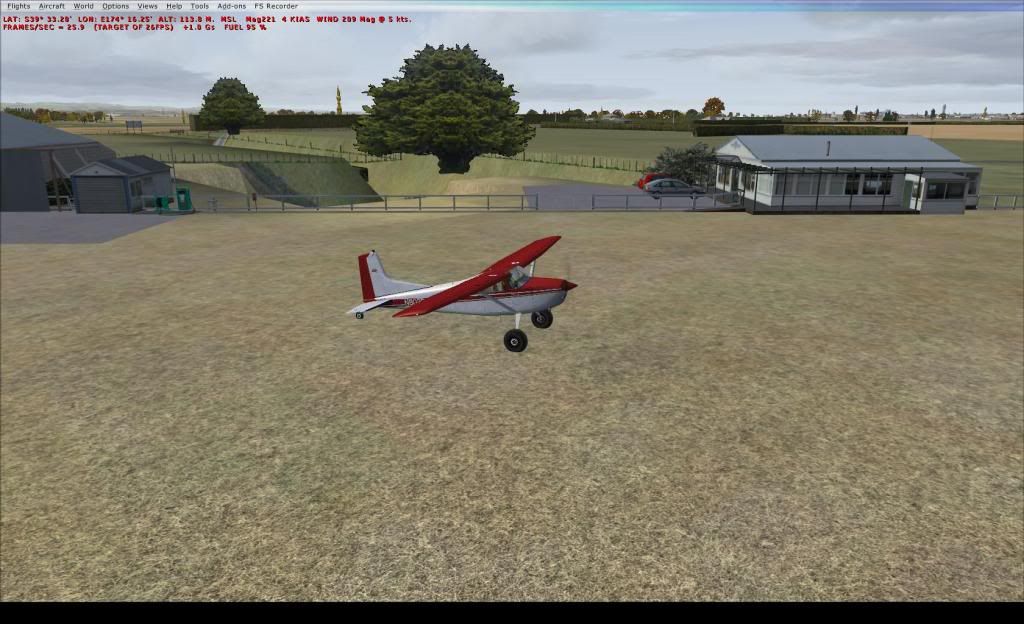
over head shot
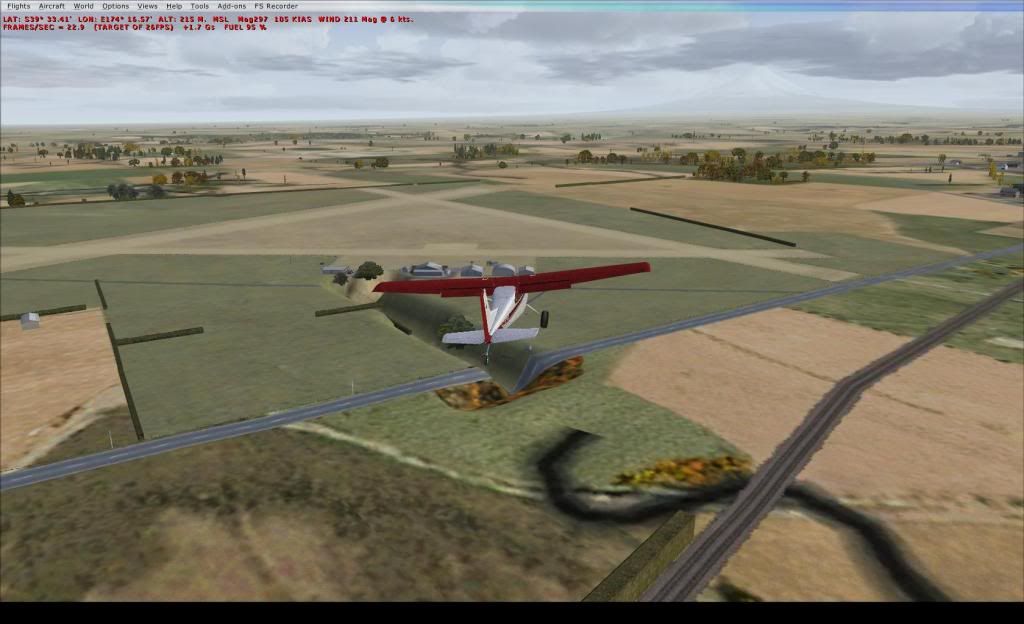
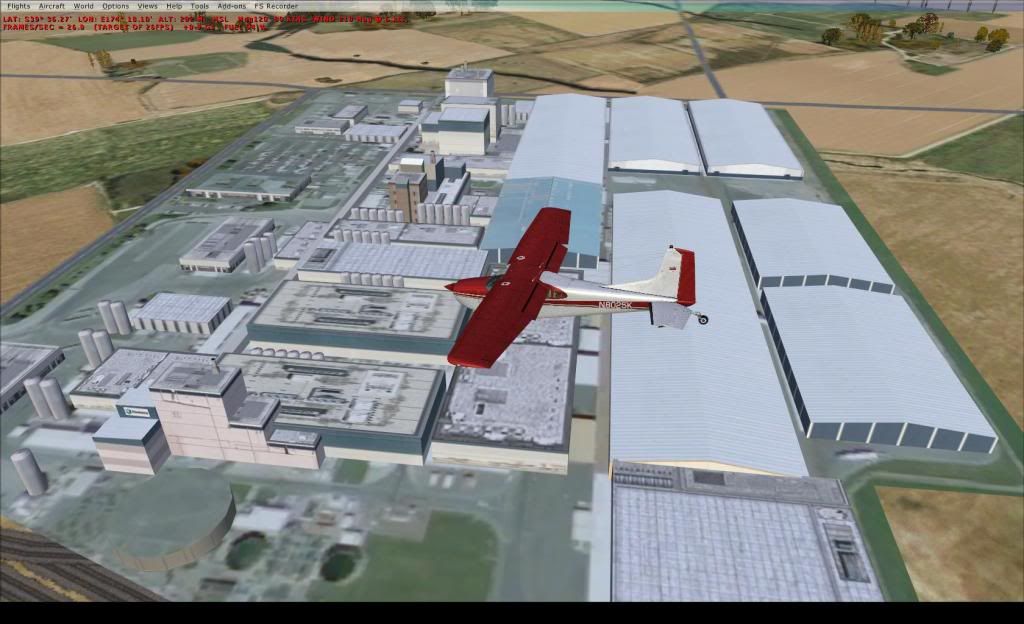
milk factory looks sweet
system tested on
6Xcore AMD
8 gig ram
hd5750 graphic card
FSX addons
VLC beta install
mesh set at 10 meters on the main menu slider
scenery Hawera installed default location addon scenery folder
FSX sp2 acceleration
the low frame hit i got was when looking at the mountain in that direction only which was only 2 flp on my rig and was only a second when i panned that way ..
edit: also just remembered there is only one tower and no NZ ai traffic or afcads installed
great package Deane
over head shot
milk factory looks sweet
system tested on
6Xcore AMD
8 gig ram
hd5750 graphic card
FSX addons
VLC beta install
mesh set at 10 meters on the main menu slider
scenery Hawera installed default location addon scenery folder
FSX sp2 acceleration
the low frame hit i got was when looking at the mountain in that direction only which was only 2 flp on my rig and was only a second when i panned that way ..
edit: also just remembered there is only one tower and no NZ ai traffic or afcads installed
great package Deane
Last edited by creator2003 on Fri May 06, 2011 9:14 am, edited 1 time in total.
-
creator2003 - NZFF Pro
- Joined: Fri Jun 16, 2006 12:08 am
- Posts: 4633
- Location: Cant U C im LOCO
by deaneb » Fri May 06, 2011 9:14 am
Adam - in nearly all your shots I can see additional scenery objects - which tells me you have an additional scenery overlapping. The unmapped buildings are also additional scenery poking thru the Fonterra plant, they are not mine !!
Yes Adam you are parked in front of the model aero club. Users with acceleration installed will see two guys standing there as well.
The frame rate issue is very weird. I have a pretty low end system (Athlon 3500, 2GB Ram, 256 MB Graphics) and it works fine for me averaging 20 frames. The scenery is very small - few models and textures, so that has me stumped.
Creator - what the heck - where is that flatten coming from? LOL - I only have one flatten and it covers the whole airport, another I can't explain !!
Bummer - I was very confident about this scenery as its so simple, but now it appears, that things are so much more complicated.
Yes Adam you are parked in front of the model aero club. Users with acceleration installed will see two guys standing there as well.
The frame rate issue is very weird. I have a pretty low end system (Athlon 3500, 2GB Ram, 256 MB Graphics) and it works fine for me averaging 20 frames. The scenery is very small - few models and textures, so that has me stumped.
Creator - what the heck - where is that flatten coming from? LOL - I only have one flatten and it covers the whole airport, another I can't explain !!
Bummer - I was very confident about this scenery as its so simple, but now it appears, that things are so much more complicated.
Last edited by deaneb on Fri May 06, 2011 9:41 am, edited 1 time in total.
-
deaneb - Senior Member
- Topic author
- Joined: Sat Aug 12, 2006 4:40 pm
- Posts: 1565
- Location: Blenheim
by creator2003 » Fri May 06, 2011 9:36 am
Well i have a pretty default set up for my own work etc and i have nothing in this area at all ,i havent yet added the lastest north island beta vlc so yeah a little hassle for you trying to work this out ,sometimes and it should be always these things should just work but due to all the other addons that get added to personal systems just ends stuffing the build a little ,anyway now its installed in the system just let us know if there is anything else i can help ya with ..
-
creator2003 - NZFF Pro
- Joined: Fri Jun 16, 2006 12:08 am
- Posts: 4633
- Location: Cant U C im LOCO
by Naki » Fri May 06, 2011 9:38 am
deaneb wrote:QUOTE (deaneb @ May 6 2011,9:14 AM) <{POST_SNAPBACK}>The frame rate issue is very weird. I have a pretty low end system (Athlon 3500, 2GB Ram, 256 MB Graphics) and it works fine for me averaging 20 frames. The scenery is very small - few models and textures, so that has me stumped.
Naki - what the heck - where is that flatten coming from? LOL - I only have one flatten and it covers the whole airport, another I can't explain !!
Bummer - I was very confident about this scenery as its so simple, but now it appears, that things are so much more complicated.
You mean Creator not me? I dont have a flatten issue.
Thinking more about it now I think Adam has Lawrie's Hawera installed?
Just FYI my PC specs are Athlon 4400, 3GB Ram, 1 GB Graphics, XP Home
-
Naki - NZFF Pro
- Joined: Sat Aug 05, 2006 10:03 pm
- Posts: 7175
- Location: Tauranga
by deaneb » Fri May 06, 2011 9:42 am
Naki wrote:QUOTE (Naki @ May 6 2011,9:38 AM) <{POST_SNAPBACK}>You mean Creator not me? I dont have a flatten issue.
Yes sorry - updated my post !!
-
deaneb - Senior Member
- Topic author
- Joined: Sat Aug 12, 2006 4:40 pm
- Posts: 1565
- Location: Blenheim
by scaber » Fri May 06, 2011 10:51 am
deaneb wrote:QUOTE (deaneb @ May 6 2011,9:14 AM) <{POST_SNAPBACK}>The frame rate issue is very weird. I have a pretty low end system (Athlon 3500, 2GB Ram, 256 MB Graphics) and it works fine for me averaging 20 frames. The scenery is very small - few models and textures, so that has me stumped.
Ok Deane, the frame rate issue has more or less disappeared (back up top high 20s)
I took the liberty of parking my cub in your hanger while visiting the region....
Not sure but maybe I had an older pre-release version of your scenery or one of the files was corrupted(or maybe the hard drive has a developing problem :-(
Cheers, and thanks for a great add-on scenery with all those extra details that you put in. Much appreciated.
|---------- Virtual Tour and Panoramic Photography ---------|
|-------------------- greg mckenzie, Christchurch -------------------|

-
scaber - Senior Member
- Joined: Mon Feb 08, 2010 9:51 am
- Posts: 1417
- Location: Christchurch
by deaneb » Fri May 06, 2011 12:11 pm
FYI - I have my Hawera istalled in ....Microsoft Flight Simulator X\Addon Scnery\Hawera.
Creator - that sunken area in your shots, is the exact aread of a road. Why its sunk I don't know. Its a simple vector placed in ADE, so I have no idea how it changes the height like that??
Creator - that sunken area in your shots, is the exact aread of a road. Why its sunk I don't know. Its a simple vector placed in ADE, so I have no idea how it changes the height like that??
Last edited by deaneb on Fri May 06, 2011 12:27 pm, edited 1 time in total.
-
deaneb - Senior Member
- Topic author
- Joined: Sat Aug 12, 2006 4:40 pm
- Posts: 1565
- Location: Blenheim
by Ian Warren » Fri May 06, 2011 12:20 pm
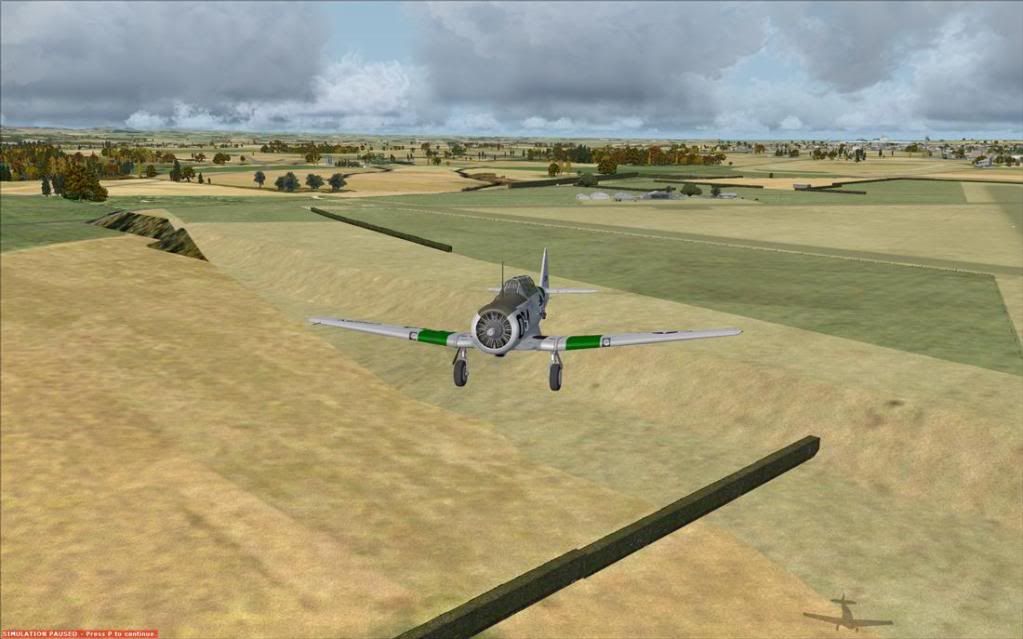
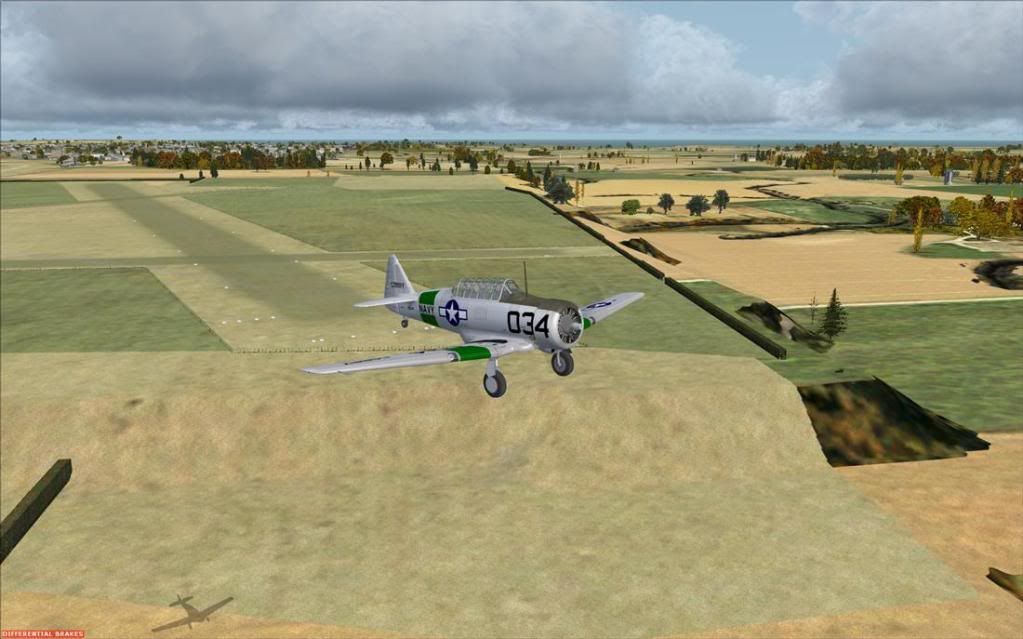
Only issue i have with Hawera is its slightly raise flatten elevating .... i do like the model plane , that could be Trolly testing out his new RC Cub  A great little airport scenery Deane
A great little airport scenery Deane 
-

Ian Warren - NZFF Pro
- Joined: Fri May 05, 2006 5:23 pm
- Posts: 41187
- Location: AREA 51
by deaneb » Fri May 06, 2011 12:38 pm
Ian Warren wrote:QUOTE (Ian Warren @ May 6 2011,12:20 PM) <{POST_SNAPBACK}>Only issue i have with Hawera is its slightly raise flatten elevating .... i do like the model plane , that could be Trolly testing out his new RC Cub
Can you expand on that or post a pic please?
-
deaneb - Senior Member
- Topic author
- Joined: Sat Aug 12, 2006 4:40 pm
- Posts: 1565
- Location: Blenheim
by Ian Warren » Fri May 06, 2011 1:02 pm
Sorry about delay my firefox took off ? transfered screens ex/hd
-
Ian Warren - NZFF Pro
- Joined: Fri May 05, 2006 5:23 pm
- Posts: 41187
- Location: AREA 51
52 posts
• Page 1 of 3 • 1, 2, 3
Who is online
Users browsing this forum: No registered users and 29 guests