Floating over the Islands

Post and comment on screen captures from the beautiful game here. Home of the monthly screenshot competition

Postby ScottyB » Thu Jul 21, 2011 11:35 am

Looked excellent (I thought unsure.gif) in a full screen, but as it has gone through photobucket, it has since turned to shite. Speaking of which, what site do you all host pics on - Photobucket turns them into a mess.
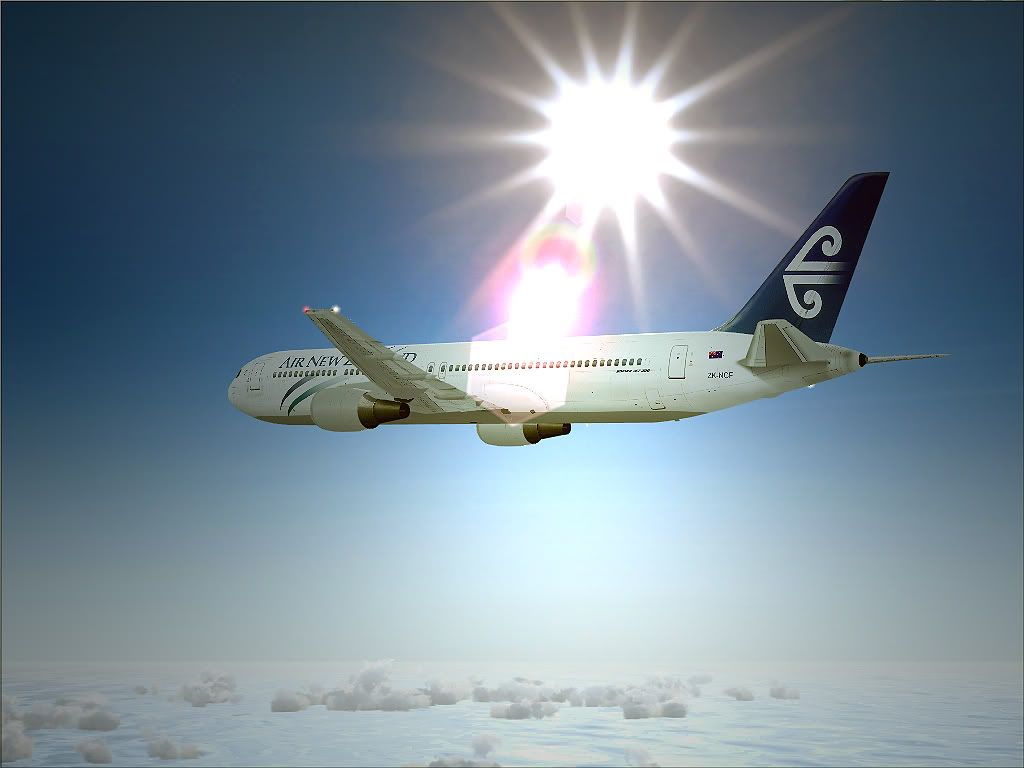


FS9, REX, LevelD 767
Last edited by ScottyB on Sun Jul 24, 2011 12:01 pm, edited 1 time in total.
Image
User avatar
ScottyB
Sim-holic
 
Topic author
Joined: Thu Aug 30, 2007 3:58 pm
Posts: 571
Location: New Zealand

Postby Splitpin » Thu Jul 21, 2011 11:41 am

Scotty, Ive always used the photobucket with no problems.....i wonder what went wrong?....its not a bad shot though. thumbup1.gif
User avatar
Splitpin
NZFF Pro
 
Joined: Mon Aug 03, 2009 12:15 pm
Posts: 21333
Location: Christchurch NZ

Postby ScottyB » Thu Jul 21, 2011 12:01 pm

How do I get the normal screen size? Because it's saved on my computer as bigger than the shot shown here - everytime I use photobucket it reduces the size
Image
User avatar
ScottyB
Sim-holic
 
Topic author
Joined: Thu Aug 30, 2007 3:58 pm
Posts: 571
Location: New Zealand

Postby happytraveller » Thu Jul 21, 2011 1:26 pm

I am wondering if you are uploading a low resolution picture??? From the pattern on the shot, it looks like the resolution was too low to display properly, so perhaps this is the problem. Try uploading a higher resolution screenshot and see if that looks any better. I use photobucket and it seems to work ok,

smooth landings.
happytraveller
Senior Member
 
Joined: Sun Jun 18, 2006 10:44 pm
Posts: 1109

Postby AlisterC » Thu Jul 21, 2011 11:18 pm

When you log in to the first page of photobucket, there will be a drop down tab beside your user name. Select account options from that menu. Then select album options, and then you'll see "uploading options" in blue, click that. Then you can select a new upload size. 1024 works for me.
No winglets on ANZ? winkyy.gif
Image
User avatar
AlisterC
NZFF Pro
 
Joined: Thu Jul 20, 2006 11:13 am
Posts: 2543
Location: Nelson, NZ

Postby ScottyB » Sun Jul 24, 2011 12:01 pm

Thanks AlisterC - Got it
Image
User avatar
ScottyB
Sim-holic
 
Topic author
Joined: Thu Aug 30, 2007 3:58 pm
Posts: 571
Location: New Zealand

Postby AndrewJamez » Sun Jul 24, 2011 12:41 pm

try saving the image as a PNG file. I just use windows snippit at the mo and the difference in file size is huge. Jpeg full screen less than 300kibts and PNG 2.5mb.
AndrewJamez
Sim-holic
 
Joined: Sun Feb 14, 2010 5:04 pm
Posts: 766
Location: Hamilton

Postby connor » Mon Jul 25, 2011 2:56 pm

Funnily enough, I was on the return flight on the same plane, a couple of years back. cool.gif
connor
Senior Member
 
Joined: Sat Nov 27, 2010 11:01 am
Posts: 1616
Location: Christchurch


Return to Screenshots

Who is online

Users browsing this forum: No registered users and 10 guests
