Timmo wrote:QUOTE (Timmo @ Dec 17 2012,2:33 PM) <{POST_SNAPBACK}>Just a note: VLC (the base package nor the Airfieds packs) don't modify Wellington or Ohakea at this time so the issues you are seeing are not related to it.
Thanks, Timmo - I'm glad to hear that, even though it probably means a lot more digging around for me. All the VLC stuff is very good, and it's a shame to have some weird thing spoiling it.
Another poster suggested turning down the Autogen settings, so I will give that a try, although these structures don't behave like autogen.
I checked for possible conflicting airport files, but if they are there, they do not have NZWN or NZOH in the filenames.
Thanks again for your help. I will be busy the next couple of days, then away until after Christmas so I can't do much testing.
All the best to you and yours.
MikeWMikeW
'Propliner' is actually short for 'Proper airliner, with big rumbly radials'
VLC Nth Island Airport pack V1.2
55 posts
• Page 2 of 3 • 1, 2, 3
 by emfrat » Mon Dec 17, 2012 6:50 pm
-

emfrat - NZFF Pro
- Joined: Sat May 07, 2011 7:41 pm
- Posts: 4159
- Location: 50 DME YBBN
by Timmo » Mon Dec 17, 2012 8:45 pm
It won't be an autogen setting, rather a Scenery density setting....but even then, you are only then hiding the problem  I don't think it is any sort of conflicting scenery either* (unless, of course, the conflicting scenery is missing textures)
In your reinstall, have you applied the 2 service packs?
*excluding Whenuapai, which does seem to be a conflict- Perhaps someone could post a screenie of that?
I don't think it is any sort of conflicting scenery either* (unless, of course, the conflicting scenery is missing textures)In your reinstall, have you applied the 2 service packs?
*excluding Whenuapai, which does seem to be a conflict- Perhaps someone could post a screenie of that?
- Timmo
- NZFF Pro
- Topic author
- Joined: Wed Oct 25, 2006 6:28 pm
- Posts: 2056
- Location: Tauranga
by emfrat » Tue Dec 18, 2012 12:16 am
Timmo wrote:QUOTE (Timmo @ Dec 17 2012,6:45 PM) <{POST_SNAPBACK}>It won't be an autogen setting, rather a Scenery density setting....but even then, you are only then hiding the problem
In your reinstall, have you applied the 2 service packs?
*excluding Whenuapai, which does seem to be a conflict- Perhaps someone could post a screenie of that?
Timmo - Superbeast is FSX Gold, SP2+ Acc. Minibeast is just FSX Gold, SP2
I thought the gentleman really meant Scenery Density, but he is trying to help and I appreciate that.
Some pics of the Whenuapai I see in Superbeast : http://postimage.org/gallery/8ulbj468/
The last two pics (006,007)are with the VLC airports disabled. There seems to be an exclude not working - but there is also an evident mesh problem (the buried bus) which could well be my doing. I have several meshes installed for the Oceania region, and I trust FS to use the best one. I don't know how that might interact with an exclude written for a different elevation.
Cheers
MikeWMikeW
'Propliner' is actually short for 'Proper airliner, with big rumbly radials'
-
emfrat - NZFF Pro
- Joined: Sat May 07, 2011 7:41 pm
- Posts: 4159
- Location: 50 DME YBBN
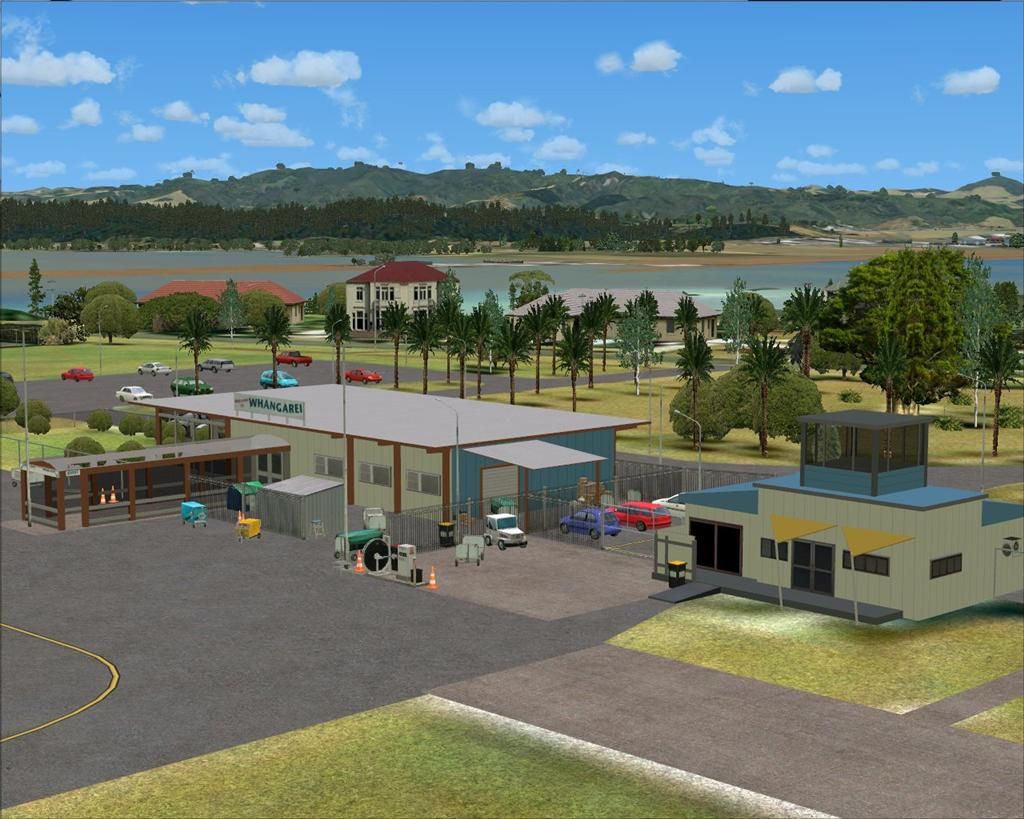
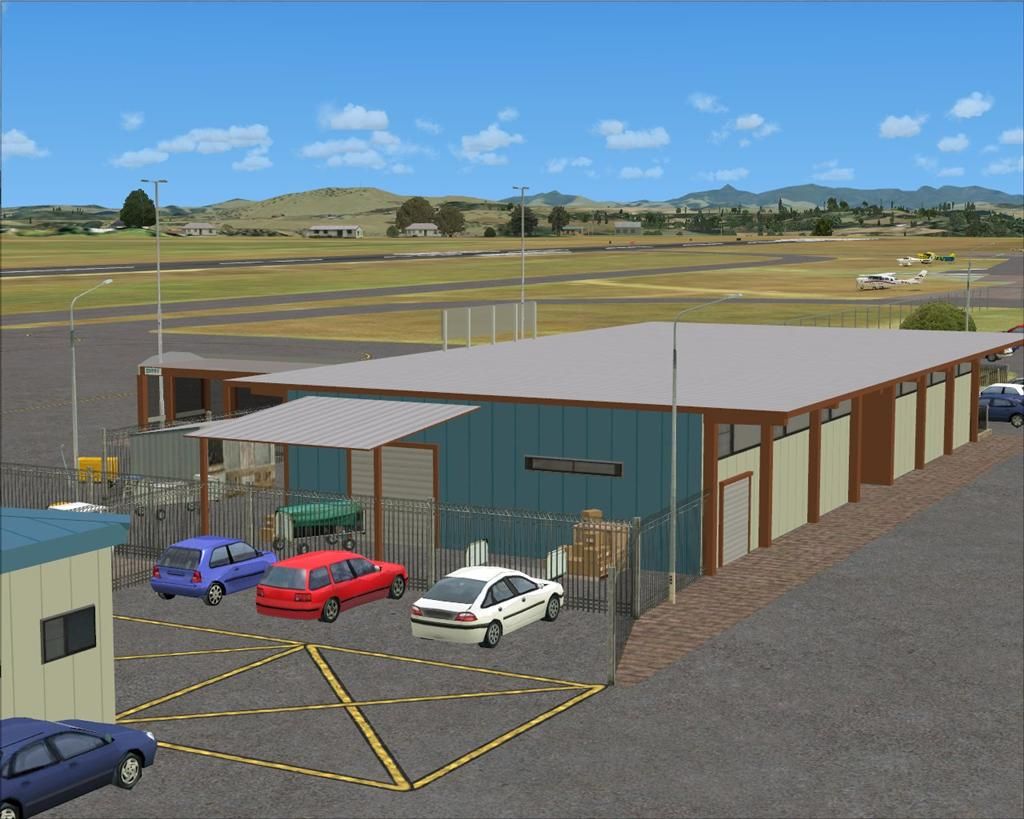
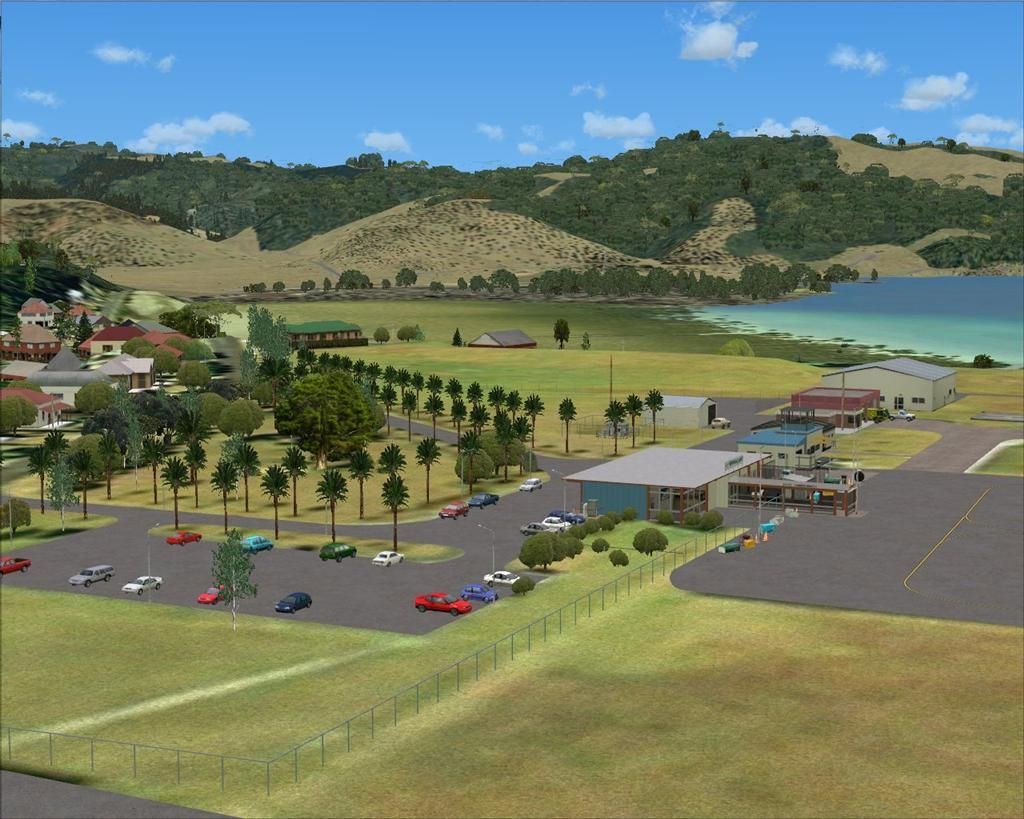
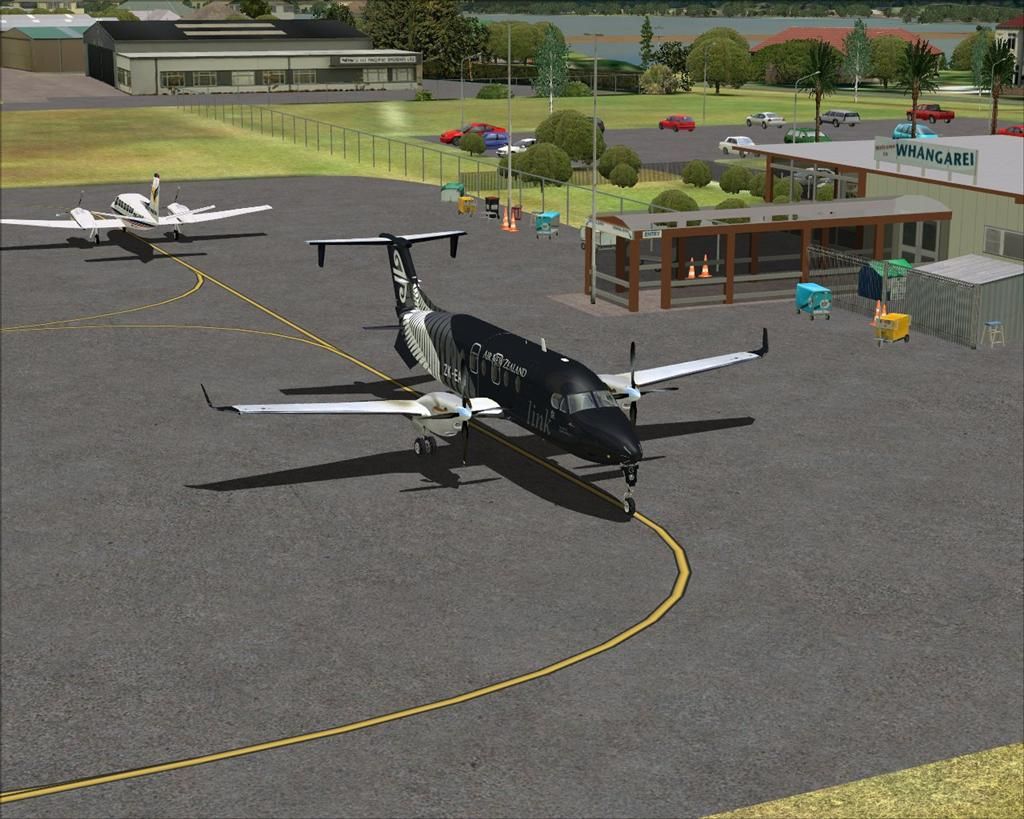



by emfrat » Wed Jan 02, 2013 1:14 pm
Timmo, Ade, and others -
First of all thanks to rayclyde [Clyde Williams] who suggested reducing the Scenery Complexity setting. It does get rid of the intruding
default stuff, textured and untextured.
I have Rob's VLC Nelson, and could see nothing 'wrong' with it, certainly no black buildings. So
being a stubborn know-all sort of bugger I tried all sorts of other things first.

My original setting was Scenery Complexity = Very Dense. This caused problems at these airports:
Wellington NZWN - three black buildings and four textured intruding. Scenery Complexity = Normal gets rid of them.
Ohakea NZOH - two black buildings and three textured intruding. Scenery Complexity = Normal gets rid of them.
NB - Neither of the above is in the VLC Airfields package.
Gisborne NZGS - part of the terminal model appears as a black building. Reducing Scenery Complexity (even to Zero) has no effect.
Whenuapai NZWP - numerous intruding buildings, both textured and untextured. Scenery Complexity = Normal gets rid of them, but it also gets
rid of the 3D cars, which I can live with, but I would rather have them than just coloured blotches on the ground.
Whangarei NZWR - I hadn't looked at this until I checked it before trying Lawrie's new one. The terminal model was mostly black. I then
installed Lawrie's (because installing a new airport at Invercargill had solved a black building problem there) and ran into a shoal of red
herrings....long story short, I finished up deactivating, deleting and uninstalling VLC Airfields and Lawrie's NZWR. I then reinstalled both
and finished up with Whangarei looking as Lawrie meant it to, even with the Scenery Complexity still at Very Dense.
Sad to say, this had not changed NZGS or NZWP.
So I finally tried Clyde's suggestion, with the results described above.
I no longer see 3D cars at Rob's VLC Nelson, which is a shame. There is one at Gisborne, and heaps of them at Whangarei.
I moved the VLC Libraries up from 67 to 1 in the Scenery Library, without effect.
So it seems Scenery Complexity (on my machine at least) should not be set greater than Normal.
I am still a bit mystified as to why this setting, which should have a global effect, disappears the cars from some airfields but leaves them at others.
Many thanks to everyone who helped.
MikeW
First of all thanks to rayclyde [Clyde Williams] who suggested reducing the Scenery Complexity setting. It does get rid of the intruding
default stuff, textured and untextured.
I have Rob's VLC Nelson, and could see nothing 'wrong' with it, certainly no black buildings. So
being a stubborn know-all sort of bugger I tried all sorts of other things first.
My original setting was Scenery Complexity = Very Dense. This caused problems at these airports:
Wellington NZWN - three black buildings and four textured intruding. Scenery Complexity = Normal gets rid of them.
Ohakea NZOH - two black buildings and three textured intruding. Scenery Complexity = Normal gets rid of them.
NB - Neither of the above is in the VLC Airfields package.
Gisborne NZGS - part of the terminal model appears as a black building. Reducing Scenery Complexity (even to Zero) has no effect.
Whenuapai NZWP - numerous intruding buildings, both textured and untextured. Scenery Complexity = Normal gets rid of them, but it also gets
rid of the 3D cars, which I can live with, but I would rather have them than just coloured blotches on the ground.
Whangarei NZWR - I hadn't looked at this until I checked it before trying Lawrie's new one. The terminal model was mostly black. I then
installed Lawrie's (because installing a new airport at Invercargill had solved a black building problem there) and ran into a shoal of red
herrings....long story short, I finished up deactivating, deleting and uninstalling VLC Airfields and Lawrie's NZWR. I then reinstalled both
and finished up with Whangarei looking as Lawrie meant it to, even with the Scenery Complexity still at Very Dense.
Sad to say, this had not changed NZGS or NZWP.
So I finally tried Clyde's suggestion, with the results described above.
I no longer see 3D cars at Rob's VLC Nelson, which is a shame. There is one at Gisborne, and heaps of them at Whangarei.
I moved the VLC Libraries up from 67 to 1 in the Scenery Library, without effect.
So it seems Scenery Complexity (on my machine at least) should not be set greater than Normal.
I am still a bit mystified as to why this setting, which should have a global effect, disappears the cars from some airfields but leaves them at others.
Many thanks to everyone who helped.
MikeW
MikeW
'Propliner' is actually short for 'Proper airliner, with big rumbly radials'

'Propliner' is actually short for 'Proper airliner, with big rumbly radials'
-
emfrat - NZFF Pro
- Joined: Sat May 07, 2011 7:41 pm
- Posts: 4159
- Location: 50 DME YBBN
by toprob » Wed Jan 02, 2013 4:41 pm
emfrat wrote:QUOTE (emfrat @ Jan 2 2013,2:14 PM) <{POST_SNAPBACK}>I am still a bit mystified as to why this setting, which should have a global effect, disappears the cars from some airfields but leaves them at others.
Many thanks to everyone who helped.
MikeW
Placed objects such as cars normally have a scenery complexity setting at the discretion of the airport developer. Normally I aim for all airport buildings and facilities visible at all settings, but 'extras' such as cars, vegetation and fencing spread over the complexity range, so that those at the very low end of performance can still use the airport at lower settings.
In this case, I think that an exclude would be a better solution, so that you can turn the scenery complexity right up if you wish.
-

toprob - NZFF Pro
- Joined: Sat Apr 29, 2006 4:56 pm
- Posts: 6741
- Location: Upper Hutt
by emfrat » Wed Jan 02, 2013 5:40 pm
Thankyou Rob - I had Alan Fidler's EGGD Bristol scenery in my FS9 VFR setup, which allowed a range of car parking densities, presumably by that method. Nelson looks fine at the higher setting - it is the other airports where undesirable objects appear. I will have to brush up on my exclude skills, which haven't been used for quite a while.
I do have ADEX on this machine, so I am sure that will do the job
Thanks again for your help
MikeW
I do have ADEX on this machine, so I am sure that will do the job
Thanks again for your help
MikeW
MikeW
'Propliner' is actually short for 'Proper airliner, with big rumbly radials'
'Propliner' is actually short for 'Proper airliner, with big rumbly radials'
-
emfrat - NZFF Pro
- Joined: Sat May 07, 2011 7:41 pm
- Posts: 4159
- Location: 50 DME YBBN
by Snowman » Wed Jan 02, 2013 8:07 pm
toprob wrote:QUOTE (toprob @ Jan 2 2013,5:41 PM) <{POST_SNAPBACK}>Placed objects such as cars normally have a scenery complexity setting at the discretion of the airport developer. Normally I aim for all airport buildings and facilities visible at all settings, but 'extras' such as cars, vegetation and fencing spread over the complexity range, so that those at the very low end of performance can still use the airport at lower settings.
In this case, I think that an exclude would be a better solution, so that you can turn the scenery complexity right up if you wish.
Same as you Rob, i have the compexity settings for all airport buildings etc to be visible accross the entire settings range.
Cars in carparks, for instance, i set to only show from NORMAL or higher.
Lawrie.
-

Snowman - NZFF Pro
- Joined: Wed Jul 26, 2006 3:52 pm
- Posts: 2427
- Location: Tauranga, NZ.
by emfrat » Fri Jan 04, 2013 8:48 am
dask77 wrote:QUOTE (dask77 @ Jan 4 2013,6:30 AM) <{POST_SNAPBACK}>will this work with ftx north island
It's easy enough to test - just start a flight at the problem airfield, go to Options>Settings>Display>Scenery and bring the Scenery Complexity slider back a step (it isn't graduated, worse luck).
You can do this 'on the fly' without shutting FSX down.
Given that this is a situation where an FSX setting is adding default structures to a third-party scenery, it probably will work, but I don't know.
MikeWMikeW
'Propliner' is actually short for 'Proper airliner, with big rumbly radials'
-
emfrat - NZFF Pro
- Joined: Sat May 07, 2011 7:41 pm
- Posts: 4159
- Location: 50 DME YBBN
by toprob » Fri Jan 04, 2013 9:57 am
The Scenery Complexity slider shouldn't really be used to remove unwanted detail, it's there to tweak performance. Relying on this to 'fix' airports doesn't seem all that acceptable to me.
It would be better to track down the real problem here. I suspect that the black buildings are not default, unless a lot of people have seriously messed-up FSX installs.
Black objects mean missing textures, and I've never seen these in default NZ airports. I suspect that there are other airport sceneries here, so I'd check for duplicate airports first. You should really only have one version of each airport, so if you install an addon airport you'd need to remove any previous addons for that airport. This also applies to the VLC airfield packs, so you'd need to remove any other addon airfields if you want to use the VLC versions. (If you want to keep any other version, you'd need to disable the VLC version -- there's an 'inactive' folder in the airfield scenery folder for this purpose.
A quick search of your FSX install for the airport code should show any duplicates. I do think that the VLC Whenuapai might need an exclude, but once again any black buildings here are a different issue.
It would be better to track down the real problem here. I suspect that the black buildings are not default, unless a lot of people have seriously messed-up FSX installs.
Black objects mean missing textures, and I've never seen these in default NZ airports. I suspect that there are other airport sceneries here, so I'd check for duplicate airports first. You should really only have one version of each airport, so if you install an addon airport you'd need to remove any previous addons for that airport. This also applies to the VLC airfield packs, so you'd need to remove any other addon airfields if you want to use the VLC versions. (If you want to keep any other version, you'd need to disable the VLC version -- there's an 'inactive' folder in the airfield scenery folder for this purpose.
A quick search of your FSX install for the airport code should show any duplicates. I do think that the VLC Whenuapai might need an exclude, but once again any black buildings here are a different issue.
-
toprob - NZFF Pro
- Joined: Sat Apr 29, 2006 4:56 pm
- Posts: 6741
- Location: Upper Hutt
by emfrat » Fri Jan 04, 2013 10:28 am
Rob, I'm with you there - reducing the complexity is just a cover-up, it does not fix or identify the underlying cause.
This machine is FSX SP2 +Acc. I made a clean default install (no Acc) on another machine to test Tim's suggestion about missing textures. The missing ones don't seem to be in the group Tim nominated, and I wasn't happy about copying the whole lot of default textures over at the time. That install shows the 'extra' buildings and they are textured. (pics in Post#19)
I couldn't find any duplicates. A total remove /reinstall of the VLC 1.21 North airfields fixed the problem at Lawrie's NZWR but not the others.
I might add VLC and the VLC Airfields(NI) to the other install and see what happens - at least that should eliminate Acceleration as a cause, which seems unlikely anyway.
ATB
MikeW
This machine is FSX SP2 +Acc. I made a clean default install (no Acc) on another machine to test Tim's suggestion about missing textures. The missing ones don't seem to be in the group Tim nominated, and I wasn't happy about copying the whole lot of default textures over at the time. That install shows the 'extra' buildings and they are textured. (pics in Post#19)
I couldn't find any duplicates. A total remove /reinstall of the VLC 1.21 North airfields fixed the problem at Lawrie's NZWR but not the others.
I might add VLC and the VLC Airfields(NI) to the other install and see what happens - at least that should eliminate Acceleration as a cause, which seems unlikely anyway.
ATB
MikeW
Last edited by emfrat on Fri Jan 04, 2013 10:30 am, edited 1 time in total.
MikeW
'Propliner' is actually short for 'Proper airliner, with big rumbly radials'
'Propliner' is actually short for 'Proper airliner, with big rumbly radials'
-
emfrat - NZFF Pro
- Joined: Sat May 07, 2011 7:41 pm
- Posts: 4159
- Location: 50 DME YBBN
by rayclyde » Fri Jan 04, 2013 10:37 am
toprob wrote:QUOTE (toprob @ Jan 8 2013,10:57 PM) <{POST_SNAPBACK}>The Scenery Complexity slider shouldn't really be used to remove unwanted detail, it's there to tweak performance. Relying on this to 'fix' airports doesn't seem all that acceptable to me.
It would be better to track down the real problem here. I suspect that the black buildings are not default, unless a lot of people have seriously messed-up FSX installs.
Black objects mean missing textures, and I've never seen these in default NZ airports. I suspect that there are other airport sceneries here, so I'd check for duplicate airports first. You should really only have one version of each airport, so if you install an addon airport you'd need to remove any previous addons for that airport. This also applies to the VLC airfield packs, so you'd need to remove any other addon airfields if you want to use the VLC versions. (If you want to keep any other version, you'd need to disable the VLC version -- there's an 'inactive' folder in the airfield scenery folder for this purpose.
A quick search of your FSX install for the airport code should show any duplicates. I do think that the VLC Whenuapai might need an exclude, but once again any black buildings here are a different issue.
Hi Robin
FYI the problem I had with RealNZNelson was with two default buildings (not appearing as black blobs either but as they appear in the default Nelson) appearing in the NE area of the airfield. I had absolutely no other third party scenery installed. I run one computer with FSX Acceleration installed upon which I test install most productions before putting them on the main FSX computer. The computer prior to install of Nelson was cleaned of anything not default FSX
Clyde Williams
LEVIN
- rayclyde
- Forum Addict
- Joined: Sat Sep 09, 2006 10:25 am
- Posts: 150
- Location: Levin
by toprob » Fri Jan 04, 2013 1:51 pm
Clyde -- do you have a screenshot of Nelson with the extra buildings?
MikeW -- ok, I've had a closer look at your Wgtn screenshots, those are default, 'generic' buildings. The missing texture seems to be sky_w_white3.dds, which should be located in FSX\Texture.
Apart from this missing texture, the difference between your 2 shots seems to be just the scenery complexity setting. The top pic shows the Very Dense setting, and the bottom shot shows Dense. You'll only see them all at Extremely Dense.
MikeW -- ok, I've had a closer look at your Wgtn screenshots, those are default, 'generic' buildings. The missing texture seems to be sky_w_white3.dds, which should be located in FSX\Texture.
Apart from this missing texture, the difference between your 2 shots seems to be just the scenery complexity setting. The top pic shows the Very Dense setting, and the bottom shot shows Dense. You'll only see them all at Extremely Dense.
-
toprob - NZFF Pro
- Joined: Sat Apr 29, 2006 4:56 pm
- Posts: 6741
- Location: Upper Hutt
by emfrat » Fri Jan 04, 2013 3:41 pm
toprob wrote:QUOTE (toprob @ Jan 4 2013,11:51 AM) <{POST_SNAPBACK}>Clyde -- do you have a screenshot of Nelson with the extra buildings?
MikeW -- ok, I've had a closer look at your Wgtn screenshots, those are default, 'generic' buildings. The missing texture seems to be sky_w_white3.dds, which should be located in FSX\Texture.
Apart from this missing texture, the difference between your 2 shots seems to be just the scenery complexity setting. The top pic shows the Very Dense setting, and the bottom shot shows Dense. You'll only see them all at Extremely Dense.
Rob - That gave some very interesting results:
SUPERBEAST\C:\FS10\Texture - 1491 files, 246MB (this is the machine with problem) There are no sky*.dds files, the only sky* files are bmps related to dawn, sunset etc and these stop at sky_sunset_9.bmp
MINIBEAST\C:\FSX\Texture - 1643 files, 228MB (Default install, not Acc) After sky_sunset_9.bmp there are 229 sky*.dds files including bump, LM and specular ones. Copying these across shortly, and will report back. Just checking all of SUPERBEAST\C: for any sky*dds first.
NB the minus 18MB difference, with more files. I did add some Nova Gold textures to SUPERBEAST, and it also has FTX AU and OzX stuff installed. (and Acc)
Many thanks
MikeWMikeW
'Propliner' is actually short for 'Proper airliner, with big rumbly radials'
-
emfrat - NZFF Pro
- Joined: Sat May 07, 2011 7:41 pm
- Posts: 4159
- Location: 50 DME YBBN
by emfrat » Fri Jan 04, 2013 5:39 pm
OK, that has fixed a lot of things, including Tim's "blended" building at NZGS. Happy birthday, Tim 
With Scenery Complexity set above Normal, the black buildings are now textured. How many intruders there are depends on how far above Normal the setting is.
There are evidently still a couple of textures missing, but I know now where to get them.
They are in a folder named 1_Safe_Store where I put stuff that must not be deleted - as I did back in September, when I was deleting an earlier installation and wanted to keep the customised folders for copying back after a fresh install -Addon Scenery, Texture and so on.....Obviously I forgot to put them back 
That was when I was trying to fix the terrain.cfg problem, caused by the FTX switcher not putting the correct file back. Mebbe I can plead temporary insanity?
My apologies for taking up so much of everyone's time, and many thanks to all of you for your help.
MikeW
With Scenery Complexity set above Normal, the black buildings are now textured. How many intruders there are depends on how far above Normal the setting is.
There are evidently still a couple of textures missing, but I know now where to get them.
They are in a folder named 1_Safe_Store where I put stuff that must not be deleted - as I did back in September, when I was deleting an earlier installation and wanted to keep the customised folders for copying back after a fresh install -Addon Scenery, Texture and so on.....Obviously I forgot to put them back That was when I was trying to fix the terrain.cfg problem, caused by the FTX switcher not putting the correct file back. Mebbe I can plead temporary insanity?
My apologies for taking up so much of everyone's time, and many thanks to all of you for your help.
MikeW
MikeW
'Propliner' is actually short for 'Proper airliner, with big rumbly radials'
'Propliner' is actually short for 'Proper airliner, with big rumbly radials'
-
emfrat - NZFF Pro
- Joined: Sat May 07, 2011 7:41 pm
- Posts: 4159
- Location: 50 DME YBBN
by rayclyde » Fri Jan 04, 2013 7:56 pm
toprob wrote:QUOTE (toprob @ Jan 9 2013,2:51 AM) <{POST_SNAPBACK}>Clyde -- do you have a screenshot of Nelson with the extra buildings?
MikeW -- ok, I've had a closer look at your Wgtn screenshots, those are default, 'generic' buildings. The missing texture seems to be sky_w_white3.dds, which should be located in FSX\Texture.
Apart from this missing texture, the difference between your 2 shots seems to be just the scenery complexity setting. The top pic shows the Very Dense setting, and the bottom shot shows Dense. You'll only see them all at Extremely Dense.
Robin
I am sorry but I am unable replicate the problem with the set up I have at this time. My experience with RNZNelson took place shortly after you first released it. 18-24 months ago?
Regards
Clyde Williams
LEVIN
- rayclyde
- Forum Addict
- Joined: Sat Sep 09, 2006 10:25 am
- Posts: 150
- Location: Levin
by zkcav » Sun Jan 13, 2013 9:38 pm
Timmo wrote:QUOTE (Timmo @ Dec 9 2012,6:21 PM) <{POST_SNAPBACK}>Hi all
Version 1.2 of the North Island airfield pack has now been released- This includes some tweaks to airports in previous versions as well as some new additions. Perhaps the most exciting of these are Matamata, a popular North Island GA and gliding airfield and Whenuapai, the RNZAFs main Auckland airbase. Both of these are based around an aerial photo base and feature custom modelled objects. Gisborne features a model of the Fletcher gate guardian kindly modeled by Deane B and both Whangarei and Pauanui have aerial photo bases as well.
NZDA-Dargaville
NZDV- Dannevirke
NZFI- Fielding
NZHS-Hastings
NZKO- Kaikohe
NZKT- Kaitaia
NZNP- New Plymouth
NZRU- Waiouru
NZTN-Turangi
(New for 1.2) NZGS- Gisborne
(New for 1.2) NZWP- Whenuapai
(New for 1.2) NZUN- Pauanui
(New for 1.2) NZVR- Taihape
(New for 1.2) NZMA- Matamata
(New for 1.2) NZPM- Palmerston Nth
(New for 1.2) NZTA- Te Aroha
(New for 1.2) NZWR-Whangarei
(New for 1.2) NZWO- Wairoa
(New for 1.2) NZWT- Whitianga
It's always great to see how these are being used so post up some screen shots!
Cheers
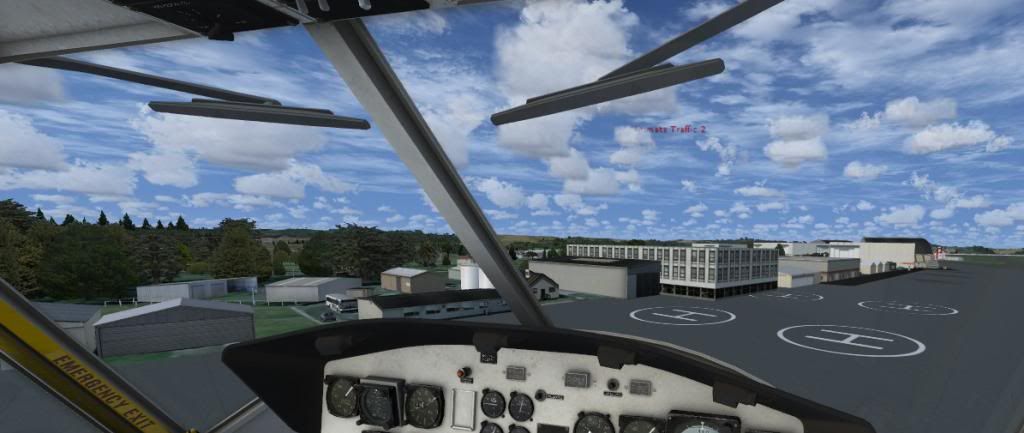
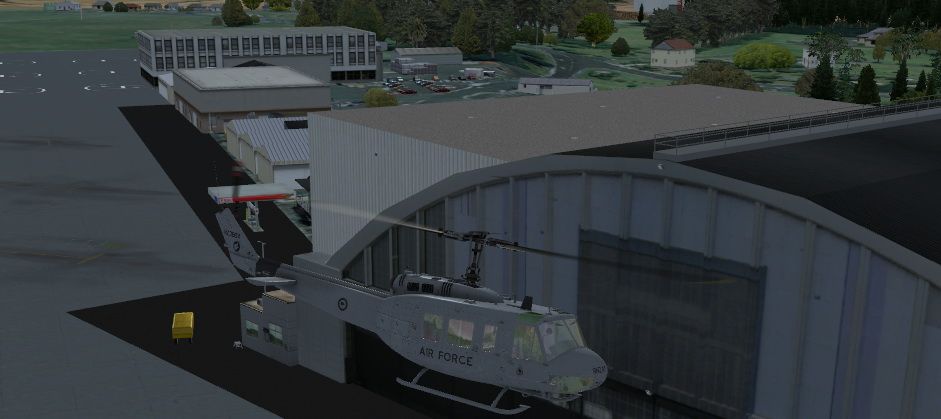
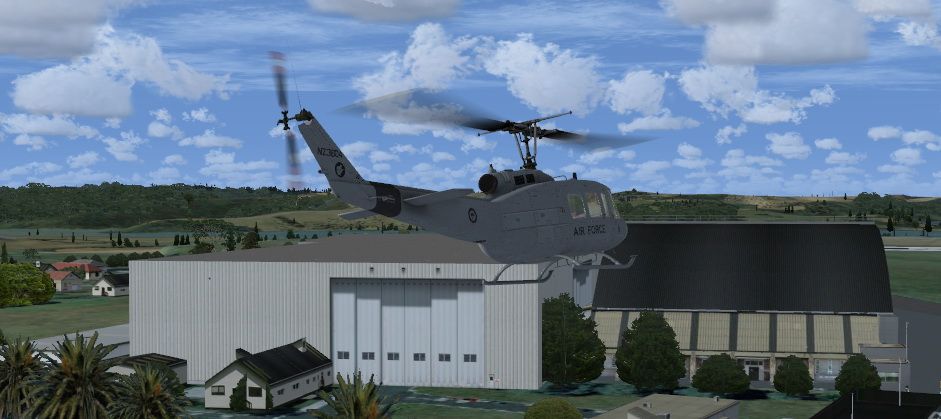
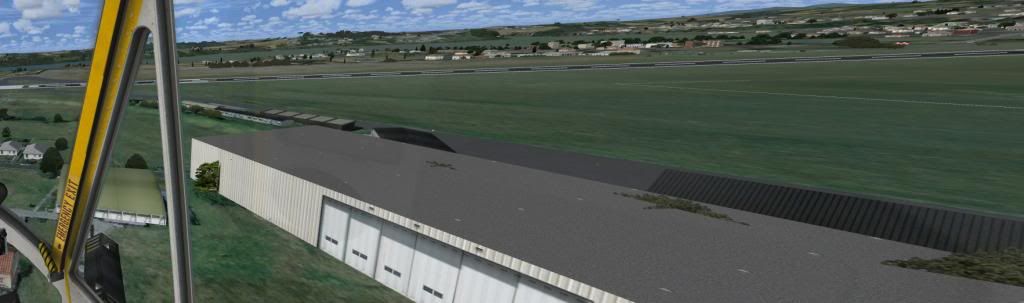
Hi
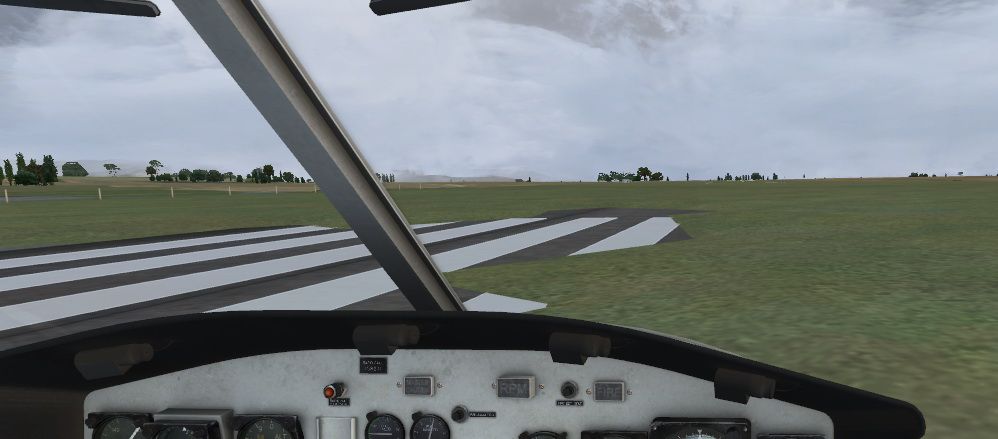
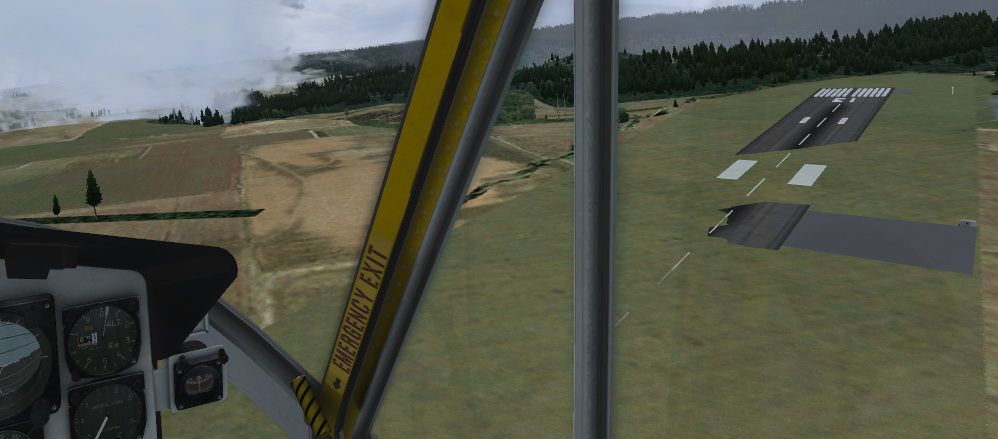
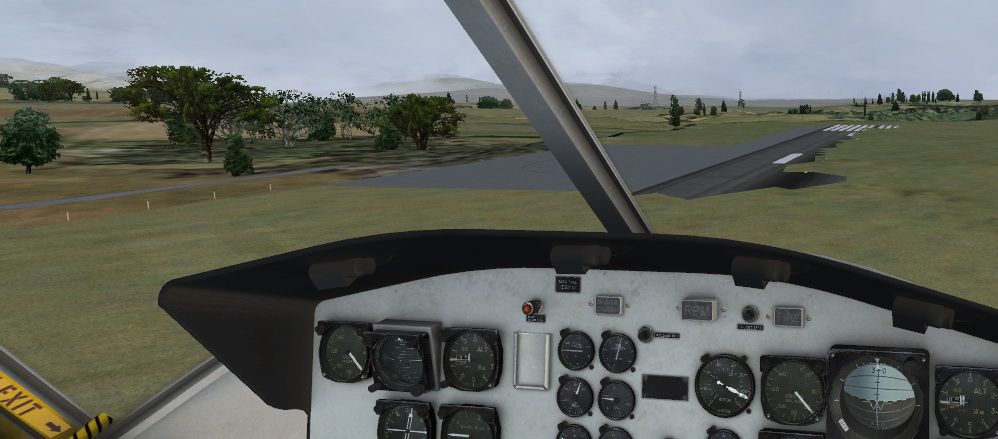
Have the issues apart from turning the sliders down been solved?
The reason I ask is I've done a few test flights today and yesterday at NZWP and NZRU and have issues with the default buildings at WP
And at RU it seems my elevations are screwed:
Done all the usual fault finding - search additional .bgl entries for both airports, and that's about the limit of my knowledge
With RU I'm running FS Global 2012 over VLC (VLC higher priority) which may have a bearing and I'm trying to track down how to disable NZ only on global without effecting the remainder of the globe.Takeoff's are optional. Landings are mandatory.
-

zkcav - Forum Addict
- Joined: Fri Jul 30, 2010 8:58 pm
- Posts: 401
- Location: NZPM
by Timmo » Mon Jan 14, 2013 7:30 pm
I'm still puzzled about the Whenuapai default buildings as I've included a exclude in the facilities file and don't see any default buildings: If any developers have any other ideas about things to try I'd be grateful!
The Waiouru issue I'll check....it looks to be an issue with a missing flatten
The Waiouru issue I'll check....it looks to be an issue with a missing flatten
- Timmo
- NZFF Pro
- Topic author
- Joined: Wed Oct 25, 2006 6:28 pm
- Posts: 2056
- Location: Tauranga
55 posts
• Page 2 of 3 • 1, 2, 3
Who is online
Users browsing this forum: No registered users and 25 guests