An XP11 Selection - new XVision Preset

Post and comment on screen captures from the beautiful game here. Home of the monthly screenshot competition

An XP11 Selection - new XVision Preset

Postby Adamski » Sun Jul 14, 2019 6:11 pm

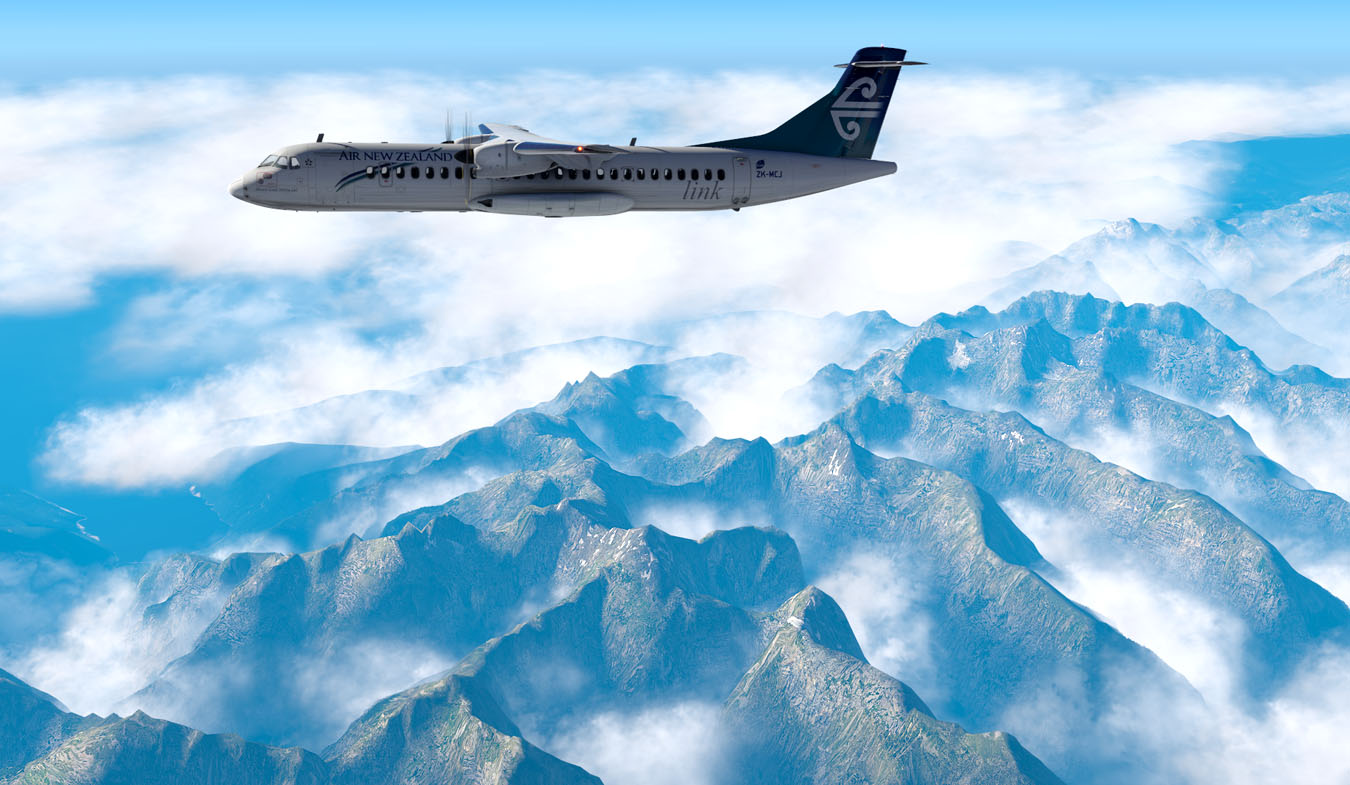
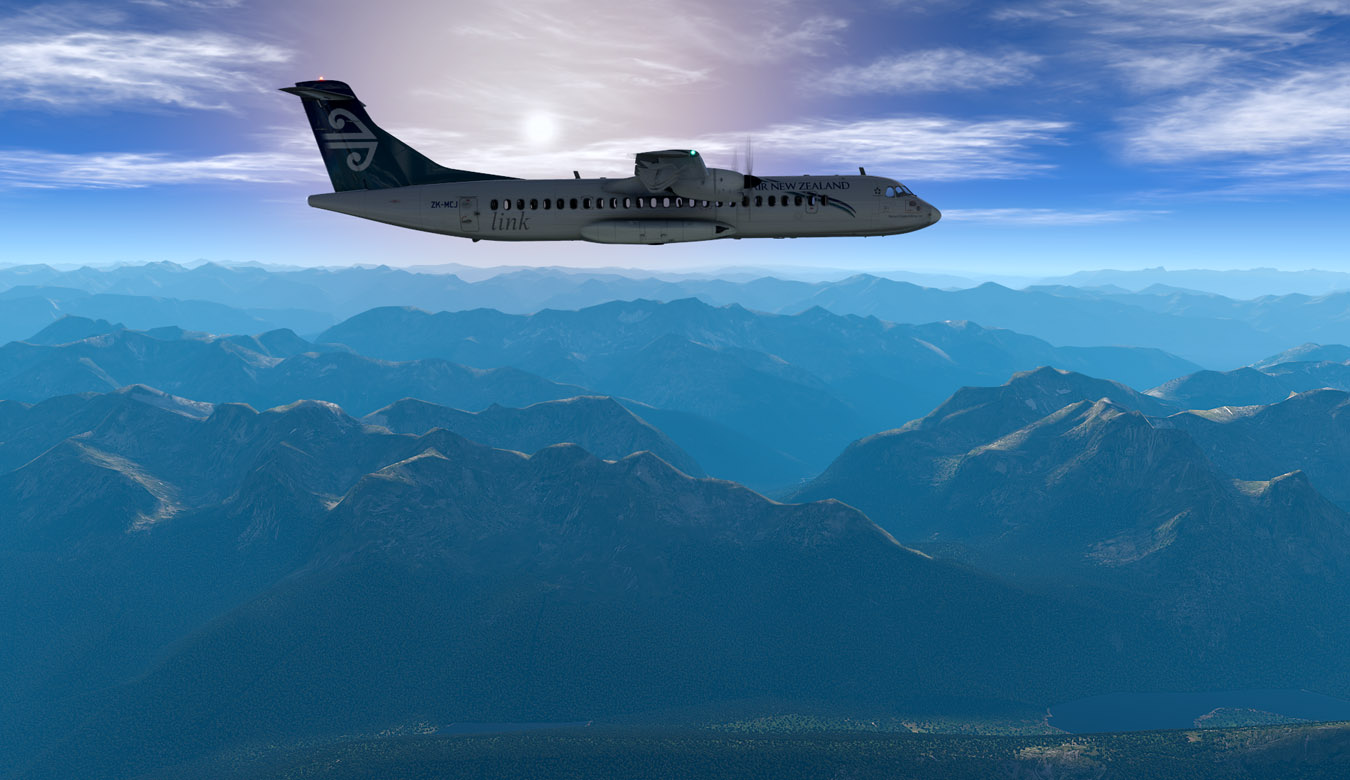
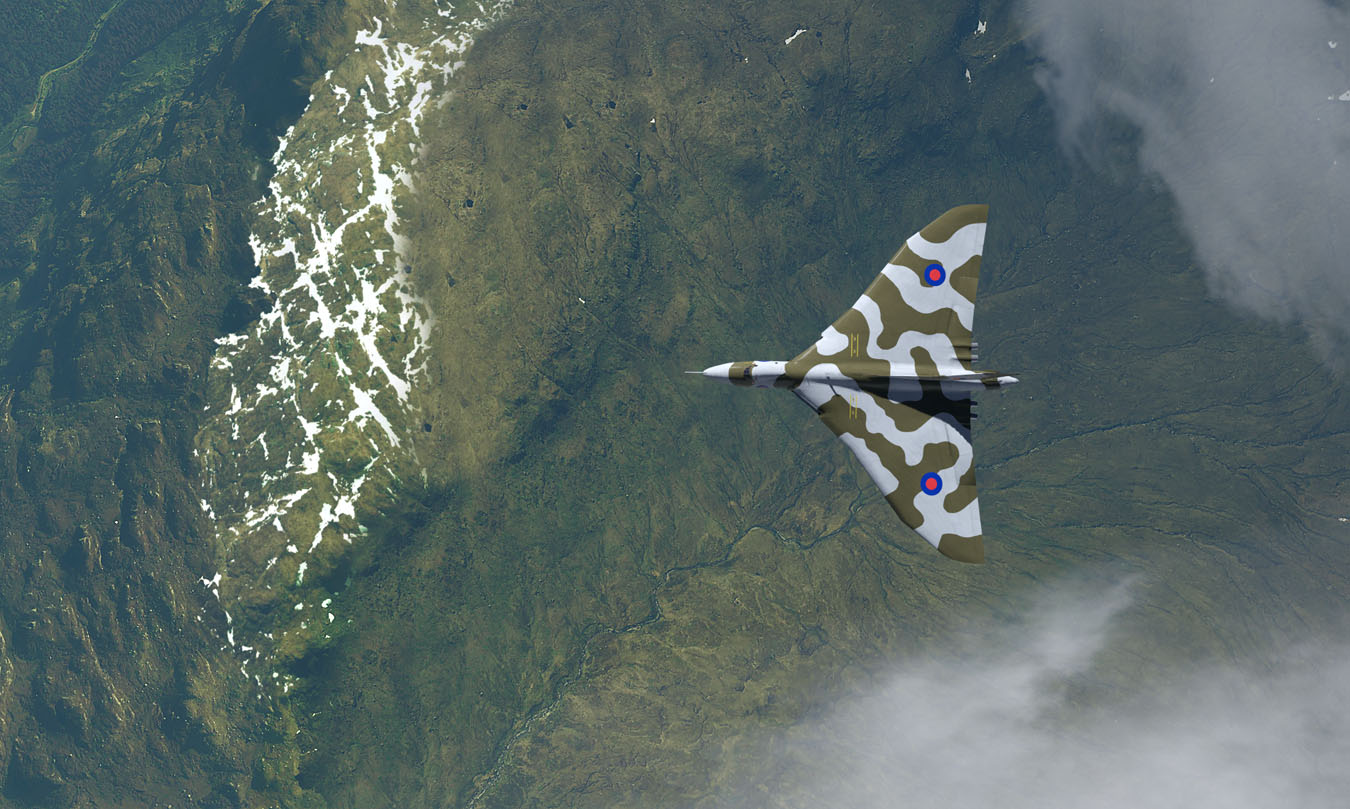
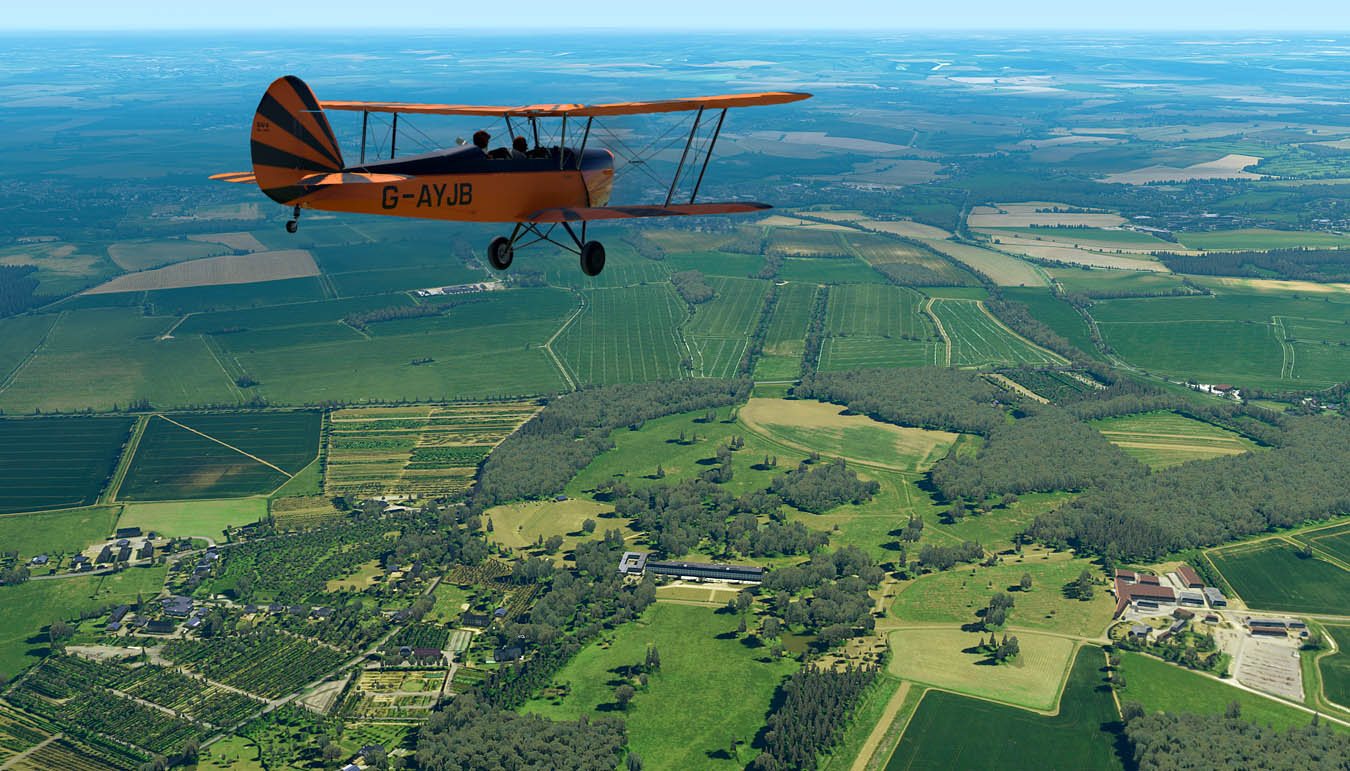
I've been working on a new XVision preset - and here are some tests ...

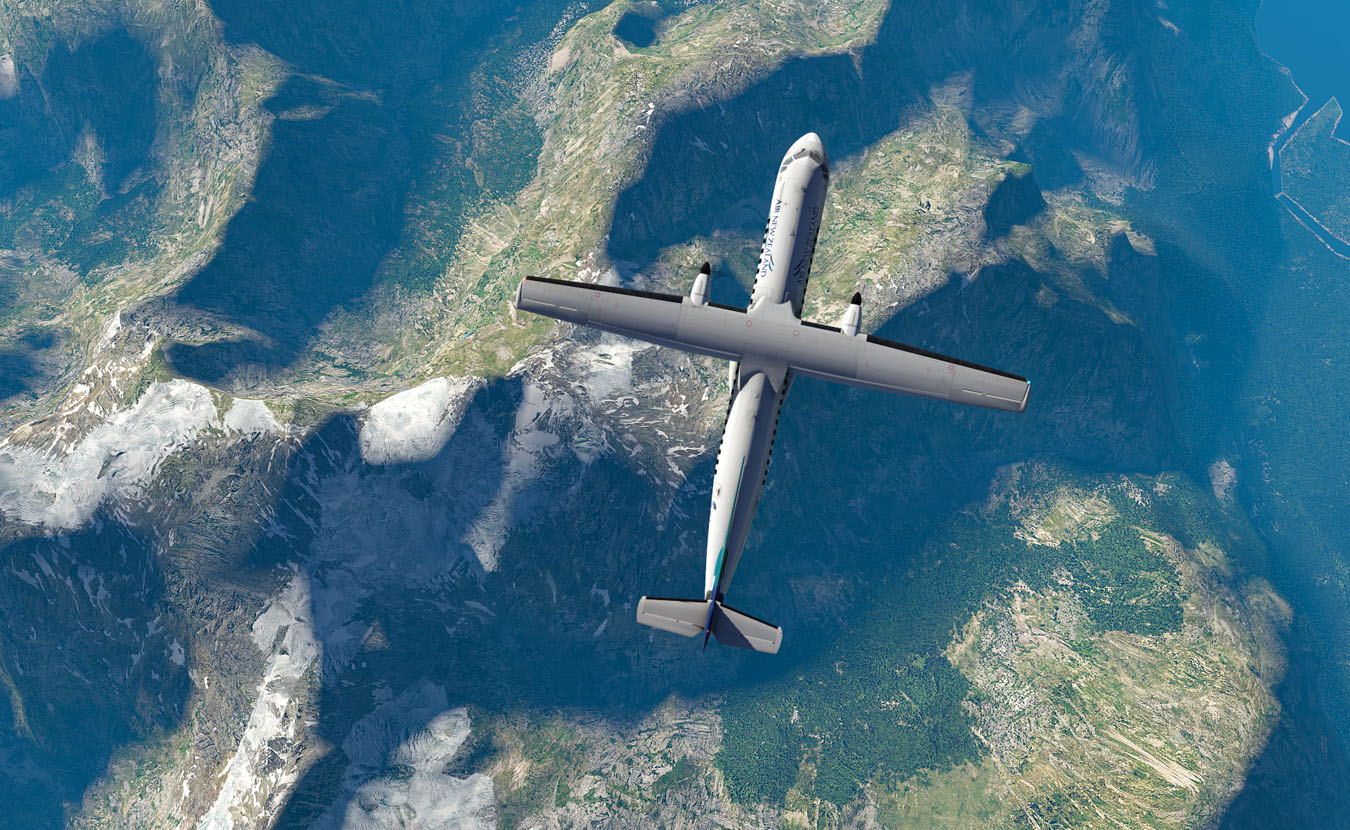
Aerosoft ATR72-500 near NZMF:
Image

Image

Image

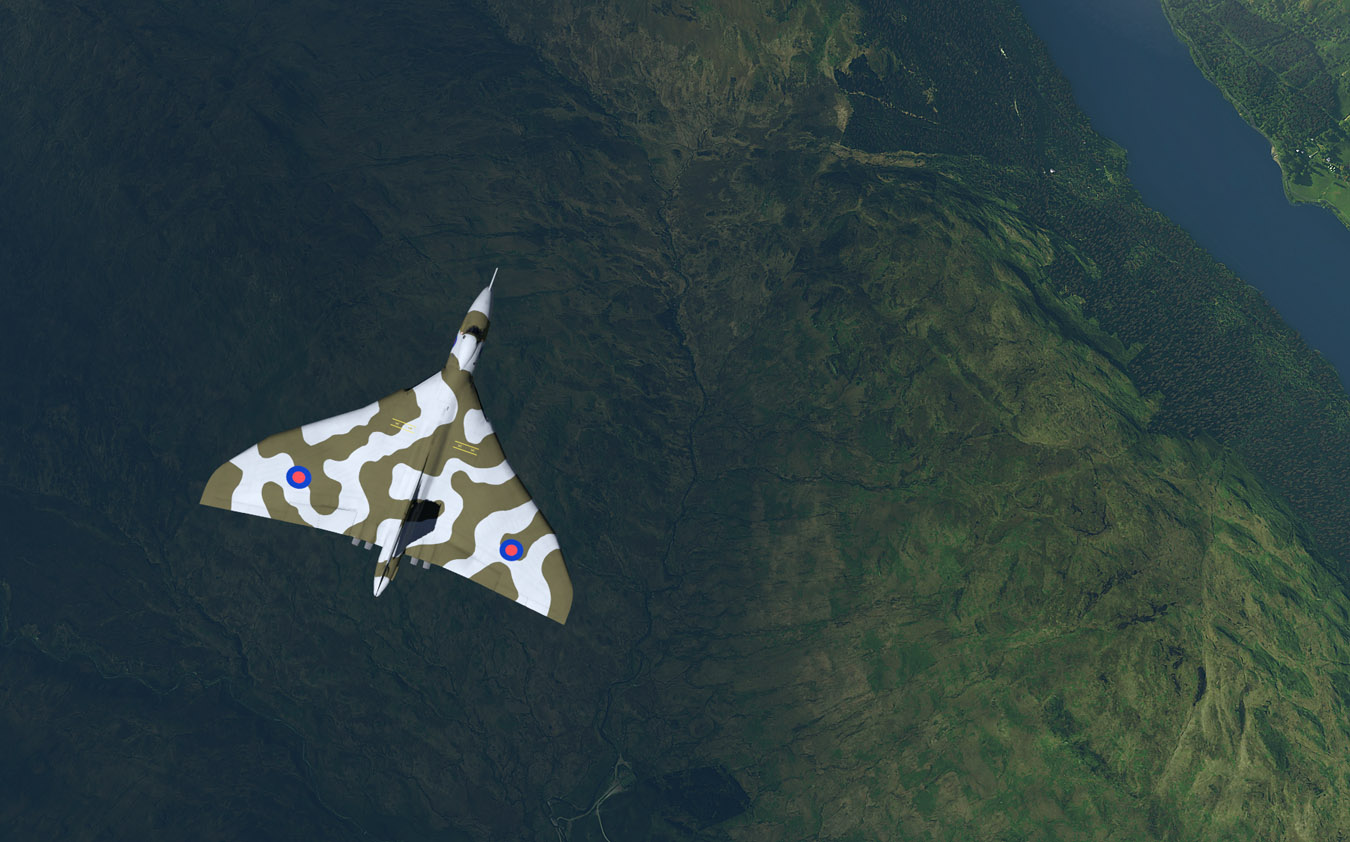
Hauntingly beautiful - as ever (over Scotland):
Image

Image

Stampe near Old Warden:
Image

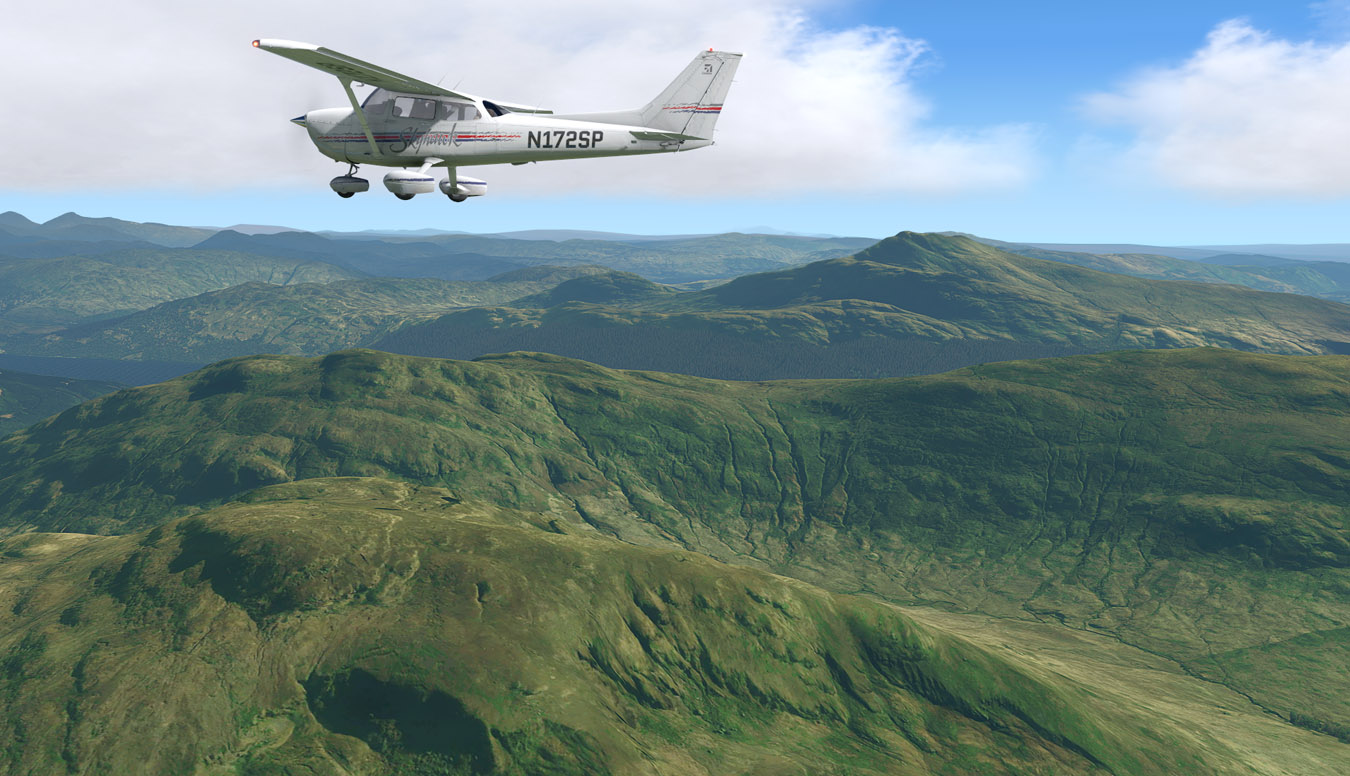
Default XP11 C172 over Scotland:
Image

For anyone that uses XP11 and XVision, the preset is here: Adam XV 126_01. 

Adam.
Image
User avatar
Adamski
NZFF Pro
 
Topic author
Joined: Thu Nov 01, 2007 2:22 am
Posts: 5029
Location: Birkenhead, Auckland

Re: An XP11 Selection - new XVision Preset

Postby Aharon » Mon Jul 15, 2019 2:32 am

Screenshot numbers 2, 3, and 6 are MASTERPIECES!!! :groupwave: :groupwave: :groupwave:

Regards,

Aharon
Aharon
Senior Member
 
Joined: Sun Jul 23, 2017 11:39 am
Posts: 1996

Re: An XP11 Selection - new XVision Preset

Postby toprob » Mon Jul 15, 2019 9:28 am

Holy guacamole...
X-plane can really look great, I need to actually do the work with mine! That's stunning atmospherics.
I notice that the winner of last month's Orbx screenshot comp was an atmospheric X-plane shot which really showed how great X-plane can be.
User avatar
toprob
NZFF Pro
 
Joined: Sat Apr 29, 2006 4:56 pm
Posts: 6711
Location: Upper Hutt

Re: An XP11 Selection - new XVision Preset

Postby Adamski » Mon Jul 15, 2019 2:07 pm

Thanks for the kind comments, gents!

Out-of-the-box XP11 lighting is altogether more natural than FSX or P3D. However - just like the others - it needs the odd tweak utility to get the best out of it (the lighting, that is). XP11's weakest points are cloud and water algorithms, where even FS9 fares better! Object shadowing (VC and exterior) can often be a little crude as well ... but the overall *effect* still appears more realistic for some reason.
Image
User avatar
Adamski
NZFF Pro
 
Topic author
Joined: Thu Nov 01, 2007 2:22 am
Posts: 5029
Location: Birkenhead, Auckland

Re: An XP11 Selection - new XVision Preset

Postby hoki1185 » Mon Jul 15, 2019 6:23 pm

Your pics look great.Would like to do the download.Where do I place it in X Plane 11?
hoki1185
Forum Addict
 
Joined: Thu Aug 14, 2008 3:32 pm
Posts: 236

Re: An XP11 Selection - new XVision Preset

Postby Splitpin » Mon Jul 15, 2019 6:41 pm

Holy cow ....those are fantastic screens, you may have sold me Adam.
By the way ...are you aware that there is nobody in the ATR's cockpit :ph43r:
User avatar
Splitpin
NZFF Pro
 
Joined: Mon Aug 03, 2009 12:15 pm
Posts: 21333
Location: Christchurch NZ

Re: An XP11 Selection - new XVision Preset

Postby Adamski » Mon Jul 15, 2019 6:43 pm

hoki1185 wrote:Your pics look great. Would like to do the download. Where do I place it in X Plane 11?

You'll need to buy a copy of xVision (if you haven't already). You can load the preset from anywhere you like - and xVision itself can live anywhere: it doesn't need to be in the XP11 folder. You may also like to grab (the free) LUA script - FlyAGI while you're at it!

Adam.
Image
User avatar
Adamski
NZFF Pro
 
Topic author
Joined: Thu Nov 01, 2007 2:22 am
Posts: 5029
Location: Birkenhead, Auckland

Re: An XP11 Selection - new XVision Preset

Postby Adamski » Mon Jul 15, 2019 6:49 pm

Splitpin wrote:Holy cow ....those are fantastic screens, you may have sold me Adam.
By the way ...are you aware that there is nobody in the ATR's cockpit :ph43r:

Naaaaah... they're just very "laid back" :D :lol: B-) ... or midgets. Can't *both* be in the lav, Shirley?

It's a fairly old add-on and I suspect not 100% XP11-compatible. I don't think I saw an option to "hide" them anywhere.

Looking forward to the Carenado XP version.

Adam.
Image
User avatar
Adamski
NZFF Pro
 
Topic author
Joined: Thu Nov 01, 2007 2:22 am
Posts: 5029
Location: Birkenhead, Auckland

Re: An XP11 Selection - new XVision Preset

Postby Splitpin » Mon Jul 15, 2019 7:16 pm

Whatever you say ....still looks good to me ...and don't call me Shirley.
User avatar
Splitpin
NZFF Pro
 
Joined: Mon Aug 03, 2009 12:15 pm
Posts: 21333
Location: Christchurch NZ

Re: An XP11 Selection - new XVision Preset

Postby scaber » Mon Jul 22, 2019 4:44 pm

Adamski wrote:Thanks for the kind comments, gents!

Out-of-the-box XP11 lighting is altogether more natural than FSX or P3D. However - just like the others - it needs the odd tweak utility to get the best out of it (the lighting, that is). XP11's weakest points are cloud and water algorithms, where even FS9 fares better! Object shadowing (VC and exterior) can often be a little crude as well ... but the overall *effect* still appears more realistic for some reason.


I agree, but I do have a big problem with the polluted air look that XP11 seems to think occurs over the whole planet. Is there anyway your shaders can return NZ/Aus to their more natural clearer air appearance. Maybe most of Europe and America really does look like that but the flights I've done in NZ seldom have air looking like that.
Image
|---------- Virtual Tour and Panoramic Photography ---------|
|-------------------- greg mckenzie, Christchurch -------------------|
User avatar
scaber
Senior Member
 
Joined: Mon Feb 08, 2010 9:51 am
Posts: 1417
Location: Christchurch

Re: An XP11 Selection - new XVision Preset

Postby Adamski » Mon Jul 22, 2019 7:47 pm

scaber wrote:I agree, but I do have a big problem with the polluted air look that XP11 seems to think occurs over the whole planet. Is there anyway your shaders can return NZ/Aus to their more natural clearer air appearance. Maybe most of Europe and America really does look like that but the flights I've done in NZ seldom have air looking like that.

There's a preset in xVision that does exactly that, called "Khaki correction" - which can be tweaked to various strengths. xVision is payware, but well worth it IMHO. I had an awful lot to do with Yuri Tryfonov with his original PTA and he was always incredibly friendly and helpful. You tend to want to support people like that!

Other than that, there's loads of tweaks out there that control the amount of haze in XP - which makes it way more flexible than in P3D. You can easily set it up for zero haze if that's what you prefer.

The other thing is that I generally find photoreal scenery too contrasty/saturated compared to default, so I usually use two versions of my tweaks (PTA/P3D or xVision/XP11) to counter that. Also, photoreal usually comes with one season only, so it's invariably summer - and generally too warm in palette (especially in Oz!).

Adam.
Image
User avatar
Adamski
NZFF Pro
 
Topic author
Joined: Thu Nov 01, 2007 2:22 am
Posts: 5029
Location: Birkenhead, Auckland

Re: An XP11 Selection - new XVision Preset

Postby emfrat » Mon Jul 22, 2019 8:19 pm

In AFS2, you can just tap V to increase visibility, and Shift+V to introduce the amount of haze you want. You can also use T and Shift+T to move the Sun around. Takes half the fun out of plotting screenies, but gets them there a lot quicker :D
Mike
MikeW
'Propliner' is actually short for 'Proper airliner, with big rumbly radials'

Image
User avatar
emfrat
NZFF Pro
 
Joined: Sat May 07, 2011 7:41 pm
Posts: 4100
Location: 50 DME YBBN

Re: An XP11 Selection - new XVision Preset

Postby Adamski » Mon Jul 22, 2019 9:24 pm

emfrat wrote:In AFS2, you can just tap V to increase visibility, and Shift+V to introduce the amount of haze you want. You can also use T and Shift+T to move the Sun around. Takes half the fun out of plotting screenies, but gets them there a lot quicker :D

The "V" function sounds like a great [global] solution. What the add-ons to XP allow you to tweak *where* the haze occurs - high/low or with/without Rayleigh scattering etc.I use the "time warp" facility a lot in any sim - just to see how the shadows on aircraft and/or terrain changes. It's all a cheat, I suppose, but that's why we're flying sims and not the real thing LOL!

Adam.
Image
User avatar
Adamski
NZFF Pro
 
Topic author
Joined: Thu Nov 01, 2007 2:22 am
Posts: 5029
Location: Birkenhead, Auckland

Re: An XP11 Selection - new XVision Preset

Postby scaber » Wed Jul 24, 2019 10:46 am

Adamski wrote:There's a preset in xVision that does exactly that, called "Khaki correction" - which can be tweaked to various strengths. xVision is payware, but well worth it IMHO. I had an awful lot to do with Yuri Tryfonov with his original PTA and he was always incredibly friendly and helpful. You tend to want to support people like that!
Adam.


Thanks, Adam. I will investigate xVision and give it a try in that case. :)
Image
|---------- Virtual Tour and Panoramic Photography ---------|
|-------------------- greg mckenzie, Christchurch -------------------|
User avatar
scaber
Senior Member
 
Joined: Mon Feb 08, 2010 9:51 am
Posts: 1417
Location: Christchurch

Re: An XP11 Selection - new XVision Preset

Postby Adamski » Wed Jul 24, 2019 1:34 pm

scaber wrote:
Adamski wrote:There's a preset in xVision that does exactly that, called "Khaki correction" - which can be tweaked to various strengths. xVision is payware, but well worth it IMHO. I had an awful lot to do with Yuri Tryfonov with his original PTA and he was always incredibly friendly and helpful. You tend to want to support people like that!
Adam.


Thanks, Adam. I will investigate xVision and give it a try in that case. :)

I'm sure you won't be disappointed! As and when you do, try my xVison Presets

Adam.
Image
User avatar
Adamski
NZFF Pro
 
Topic author
Joined: Thu Nov 01, 2007 2:22 am
Posts: 5029
Location: Birkenhead, Auckland

Re: An XP11 Selection - new XVision Preset

Postby cowpatz » Thu Jul 25, 2019 9:25 am

Great scenery. Those first few seem quite blue to me. Could just be me or the devices I am viewing them on.
User avatar
cowpatz
NZFF Pro
 
Joined: Wed Mar 07, 2007 3:28 pm
Posts: 3739

Re: An XP11 Selection - new XVision Preset

Postby Adamski » Thu Jul 25, 2019 1:57 pm

cowpatz wrote:Great scenery. Those first few seem quite blue to me. Could just be me or the devices I am viewing them on.

Nothing wrong with your setup - they *are* blue! I think I had Rayleigh scattering enabled for those - which isn't so apparent when you're low down. I've since turned it off ;)

Adam.
Image
User avatar
Adamski
NZFF Pro
 
Topic author
Joined: Thu Nov 01, 2007 2:22 am
Posts: 5029
Location: Birkenhead, Auckland


Return to Screenshots

Who is online

Users browsing this forum: No registered users and 10 guests