OH GREAT!! Imgbb website is no longer free image hosting site. I have to look for new image hosting site for free for my FSX pics. That makes THIRD fiascos after Photobucket extortion scheme and FS Files website failure.
Anybody got a good idea for free unlimited image hosting site with extremely reliable reputation, please ?? I have to continue publishing my screenshots.
Regards,
Aharon
Need Extremely Reliable Image Hosting Site
10 posts
• Page 1 of 1
Need Extremely Reliable Image Hosting Site
 by Aharon » Sat May 02, 2020 8:30 am
- Aharon
- NZFF Pro
- Topic author
- Joined: Sun Jul 23, 2017 11:39 am
- Posts: 2042
Re: Need Extremely Reliable Image Hosting Site
by Dash8captain » Sat May 02, 2020 12:19 pm
I use Imgur.com - easy and reliable
-

Dash8captain - Senior Member
- Joined: Fri Apr 08, 2011 10:24 am
- Posts: 1643
- Location: Nelson
Re: Need Extremely Reliable Image Hosting Site
by Adamski » Sat May 02, 2020 1:23 pm
I've been using Postimages for years now. It's always been free. Maybe not as sophisticated as other hosters, but then it doesn't need to be (!!).

-

Adamski - NZFF Pro
- Joined: Thu Nov 01, 2007 2:22 am
- Posts: 5072
- Location: Birkenhead, Auckland
Re: Need Extremely Reliable Image Hosting Site
by deeknow » Sat May 02, 2020 5:47 pm
There ain't no such thing as a free lunch. Reach into your wallet as much as it pains your and splash our on a pay-for service. For me that has been the following for many years....
https://flickr.com/
https://flickr.com/
-

deeknow - NZFF Pro
- Joined: Tue Sep 18, 2007 10:15 pm
- Posts: 4484
- Location: NZHN
Re: Need Extremely Reliable Image Hosting Site
by Splitpin » Sat May 02, 2020 7:21 pm
I'll run with DashCap ....imgur ...  I've been using for a while now ...no problems, easy to use.
I've been using for a while now ...no problems, easy to use.-

Splitpin - NZFF Pro
- Joined: Mon Aug 03, 2009 12:15 pm
- Posts: 21446
- Location: Christchurch NZ
Re: Need Extremely Reliable Image Hosting Site
by Jeffref » Sat May 02, 2020 7:46 pm
I'm with Adamski on this one. If I can use Postimages, anyone can.
- Jeffref
- Member
- Joined: Tue Dec 11, 2018 8:19 pm
- Posts: 146
Re: Need Extremely Reliable Image Hosting Site
by Adamski » Sat May 02, 2020 11:13 pm
If you choose Postimages, there's a little trick I use to get a full size image to display in forum posts. Maybe you don't need to do it like this any more, but it's what I've been doing for years and it's become a habit.
1) Upload your image(s) as per usual.
2) In the preview (listing) page, open the pic up to get a full view of it (I usually open a new tab for this).
3) Right mouse click on the "Download original image" button and use "Copy link location" to copy the URL into your KB buffer.
4) Go to your post and paste the URL between the usual BBCode tags.
I've found that trying to do it in others ways sometimes results in the pic not displaying in full resolution - or gives you some unnecessary link to click.
Here we go:
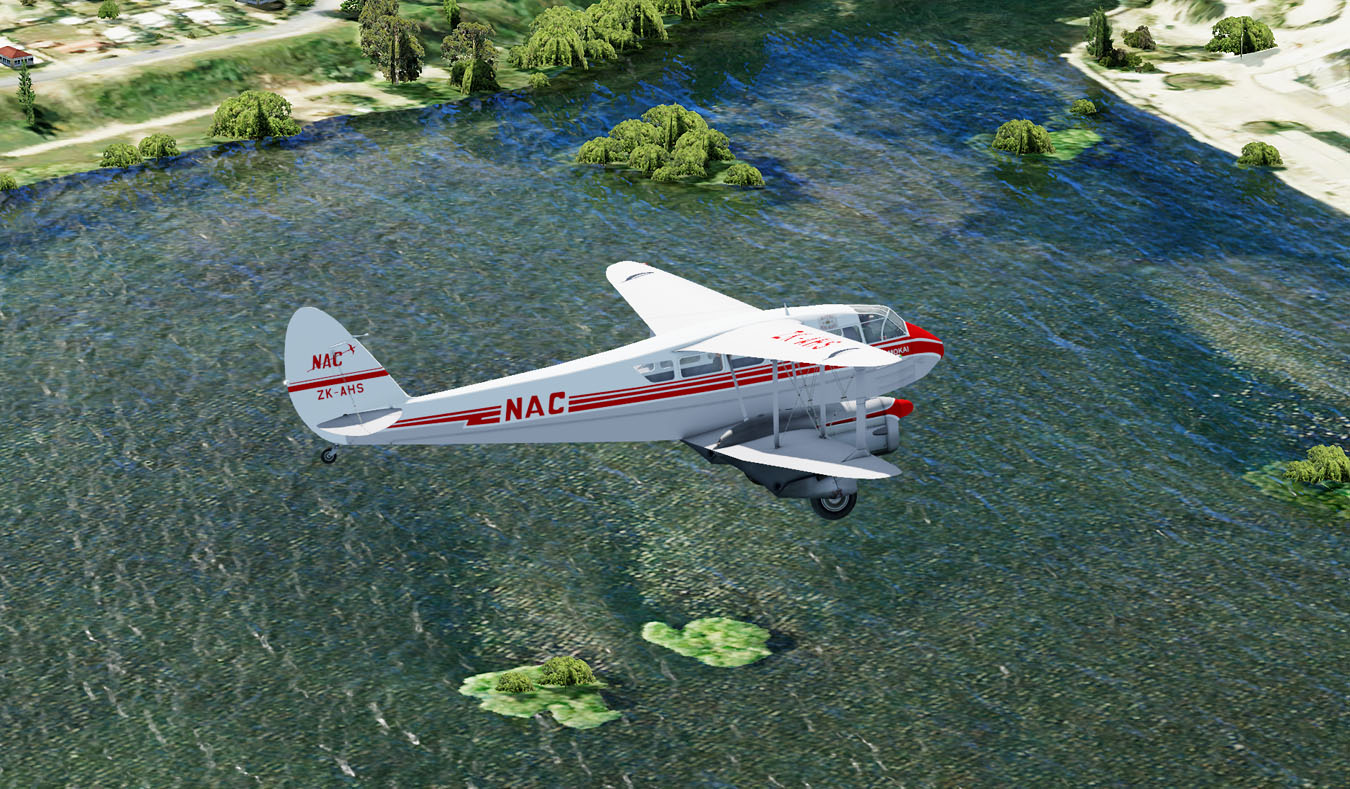
DH89a at Queenstown ...
Adam.
1) Upload your image(s) as per usual.
2) In the preview (listing) page, open the pic up to get a full view of it (I usually open a new tab for this).
3) Right mouse click on the "Download original image" button and use "Copy link location" to copy the URL into your KB buffer.
4) Go to your post and paste the URL between the usual BBCode tags.
I've found that trying to do it in others ways sometimes results in the pic not displaying in full resolution - or gives you some unnecessary link to click.
Here we go:
- Code: Select all
[img]https://i.postimg.cc/NYgSjZrH/NZQN-Rapide-1350.jpg?dl=1[/img]
DH89a at Queenstown ...
Adam.
-
Adamski - NZFF Pro
- Joined: Thu Nov 01, 2007 2:22 am
- Posts: 5072
- Location: Birkenhead, Auckland
Re: Need Extremely Reliable Image Hosting Site
by Aharon » Sun May 03, 2020 3:47 am
To my friends,
Thanks everyone for great explanations and suggestions.
I do not like Imgur because when I upload my screenshots containing specific file names into Imgur, the website change my file names to some sort of scrambled file names making it impossible for me to identify each of my screenshots to put explanations on each of screenshots.
My screenshots have specific file names for identification purposes.
For example, file name BR14KTPA tells me that the screenshot shows plane flying over KPTA airport and BR stands for the airport of arrival.
Another example is filename PH9SARO. This tells me that the screenshot shows the plane intercepting SARO waypoint and PH tells me that the airport of arrival is Edinburgh. And so on.
When IMGUR scrambles the file names, I cannot identity my screenshots and cannot write descriptions on each of my screenshots.
Regards,
Aharon
Thanks everyone for great explanations and suggestions.
I do not like Imgur because when I upload my screenshots containing specific file names into Imgur, the website change my file names to some sort of scrambled file names making it impossible for me to identify each of my screenshots to put explanations on each of screenshots.
My screenshots have specific file names for identification purposes.
For example, file name BR14KTPA tells me that the screenshot shows plane flying over KPTA airport and BR stands for the airport of arrival.
Another example is filename PH9SARO. This tells me that the screenshot shows the plane intercepting SARO waypoint and PH tells me that the airport of arrival is Edinburgh. And so on.
When IMGUR scrambles the file names, I cannot identity my screenshots and cannot write descriptions on each of my screenshots.
Regards,
Aharon
- Aharon
- NZFF Pro
- Topic author
- Joined: Sun Jul 23, 2017 11:39 am
- Posts: 2042
Re: Need Extremely Reliable Image Hosting Site
by Adamski » Sun May 03, 2020 4:02 am
Aharon wrote:When IMGUR scrambles the file names, I cannot identity my screenshots and cannot write descriptions on each of my screenshots.
In that case, Postimages should work OK for you ...
My filename in the example above (NZQN-Rapide-1350.jpg) was left intact.
Adam.
-
Adamski - NZFF Pro
- Joined: Thu Nov 01, 2007 2:22 am
- Posts: 5072
- Location: Birkenhead, Auckland
10 posts
• Page 1 of 1
Who is online
Users browsing this forum: No registered users and 33 guests