MSFS Taieri

An area to discuss scenery addons for virtual NZ

MSFS Taieri

Postby toprob » Thu Oct 08, 2020 9:43 am

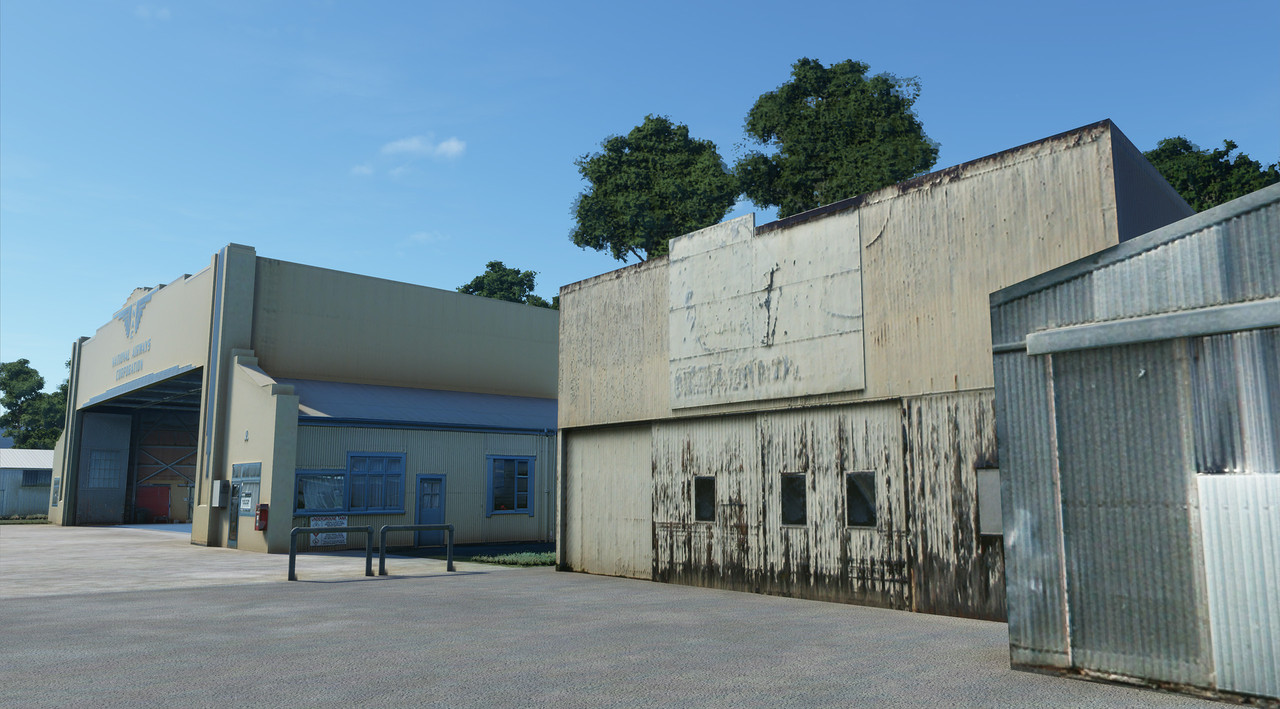
Just to reinforce what Che said about MSFS's PBR capabilities -- this is the one feature which really makes it worthwhile spending the time updating textures for existing projects, on top of adding model detail to really take advantage of the new display features. This is really me saying that although I've always been keen to offer free updates when the work involved in updating to a new sim version was really just a few week's work and a new installer, things are going to change going forward.
And of course there is a lot of places where it makes more sense just to start over -- Nelson is one of these, NZNS was a product of its time, but capabilities and expectations have changed since then. Plus there's a flash new terminal and tower:)
I've been using Taieri to get to grips with the new features, and although this is not going to be available for a while, this is a good example of the benefits of the new rendering system.

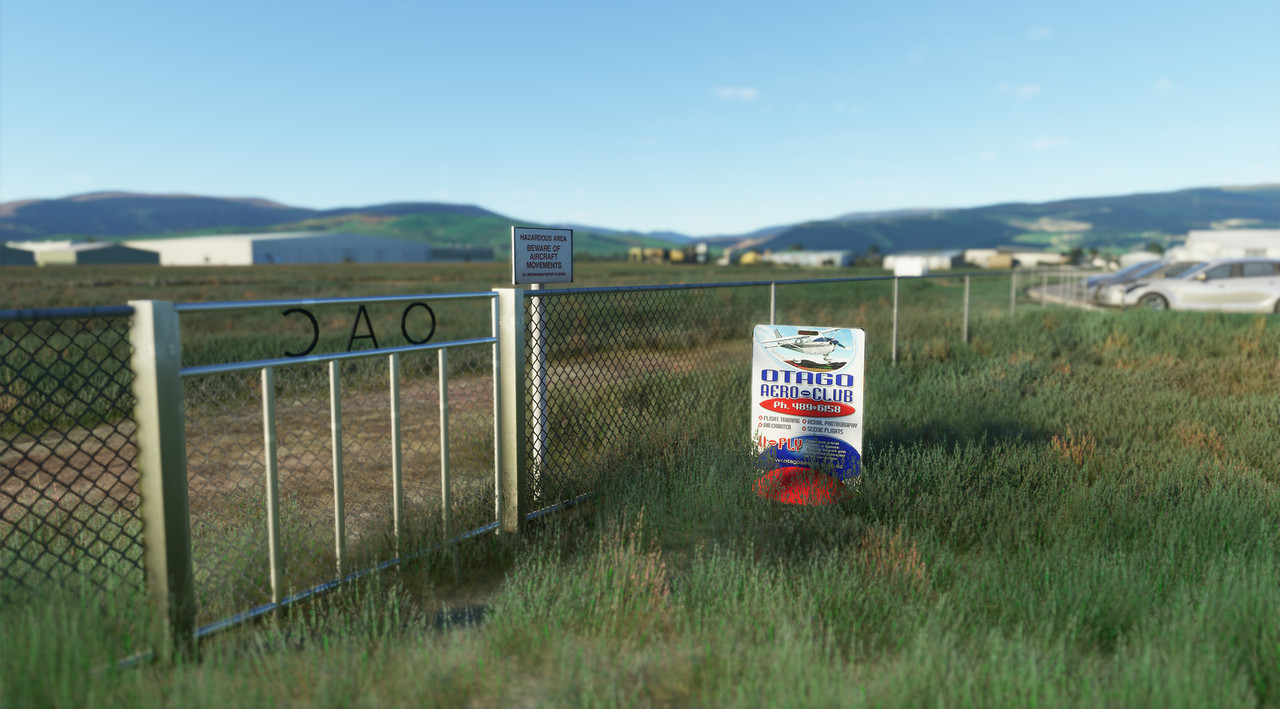
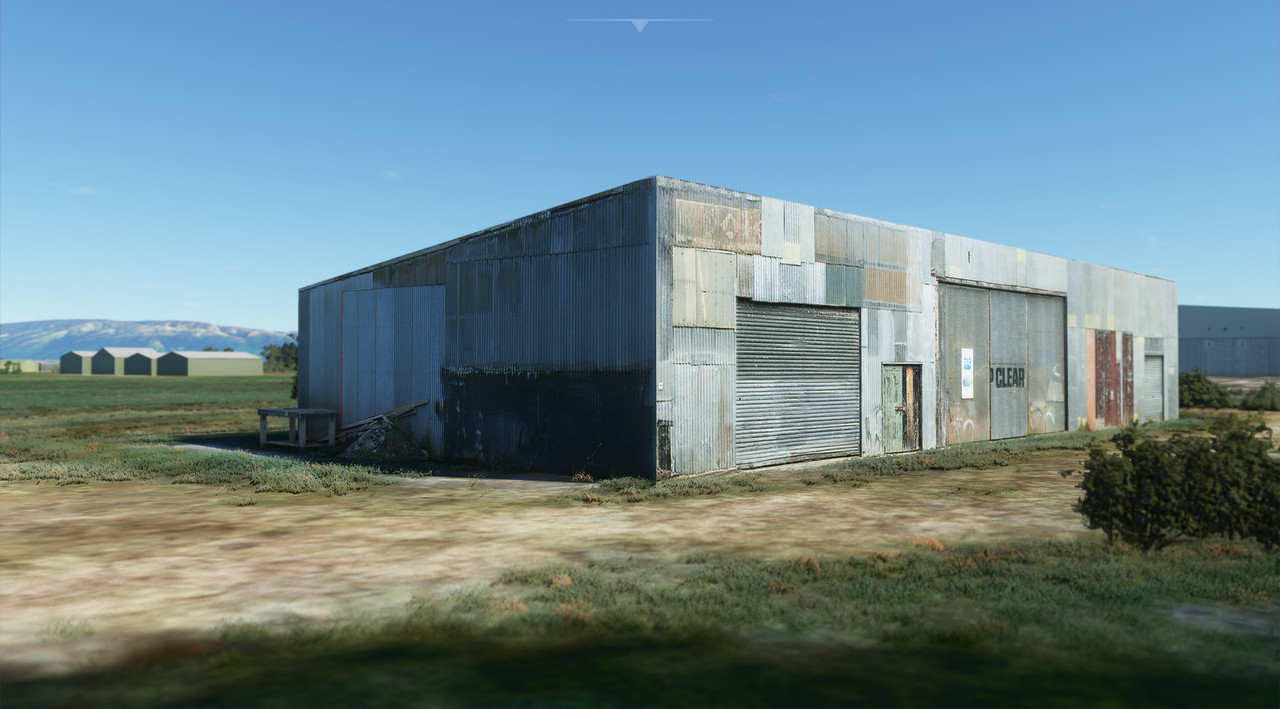
My goal is always to build an airport which you want to step into, and MSFS is the first which makes this possible. I don't normally use the focus feature on screenshots, but sometimes it helps to make a point -- I can almost here the clang of metal when I close the gate here. Still some work to do on some things shown here, the wire mesh is particularly annoying.
Image

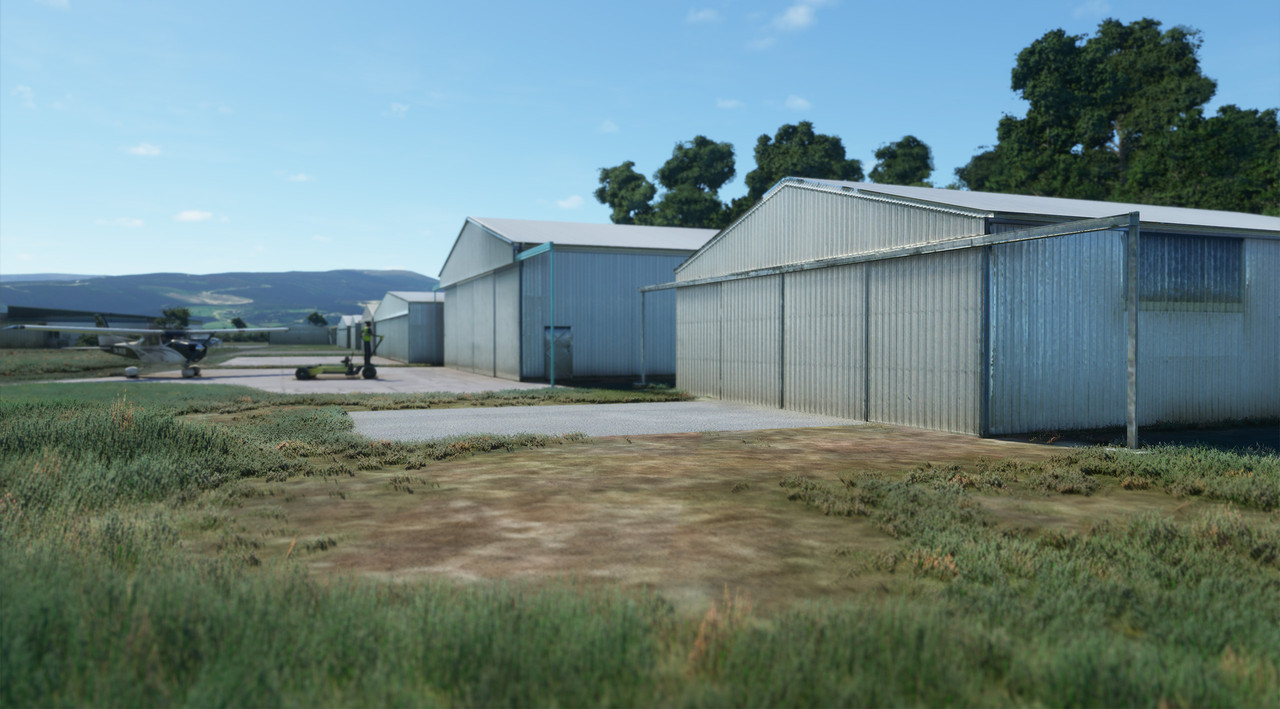
...and another short-focused shot, just because:
Image

Image

The PBR effect on the facades can be subtle and still add a lot:
Image

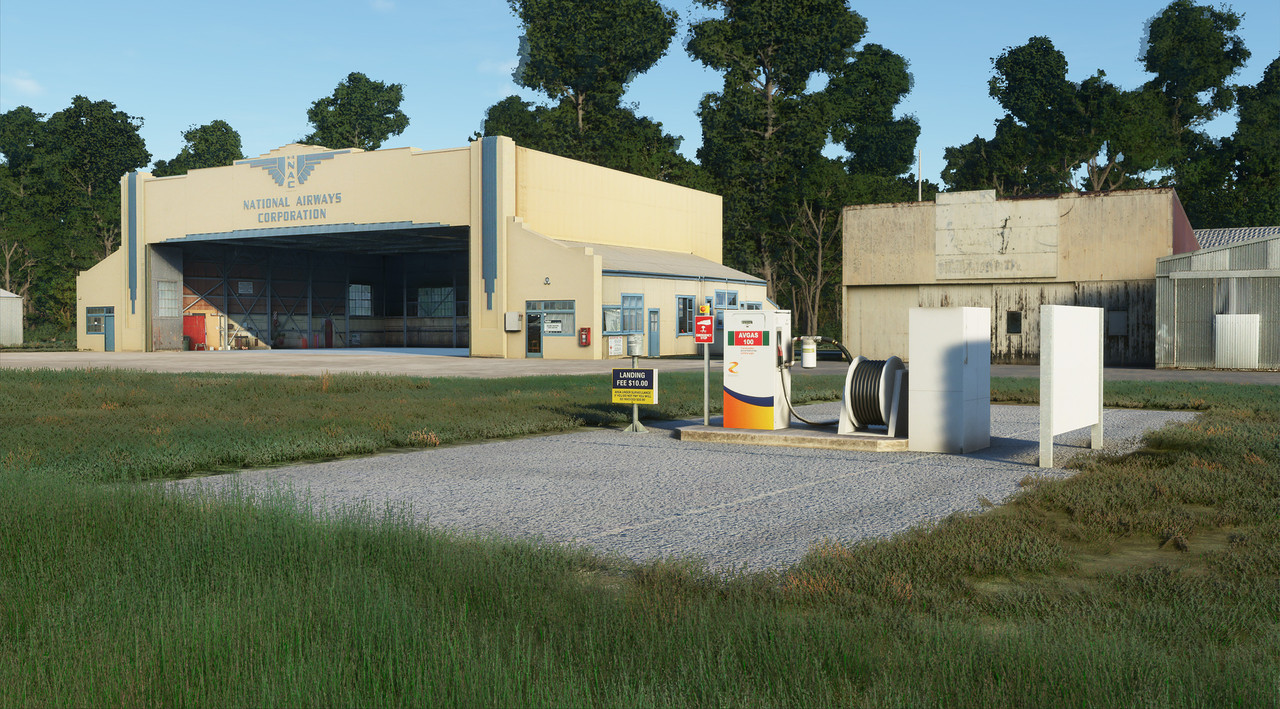
The 'character' of NZTI has always suffered a bit in previous sims, but now I can look at ways to bring it back.
Image

These are all work in progress, and experimental.
OnlineUser avatar
toprob
NZFF Pro
 
Topic author
Joined: Sat Apr 29, 2006 4:56 pm
Posts: 6711
Location: Upper Hutt

Re: MSFS Taieri

Postby Naki » Thu Oct 08, 2020 11:03 am

Very nice!
User avatar
Naki
NZFF Pro
 
Joined: Sat Aug 05, 2006 10:03 pm
Posts: 7170
Location: Tauranga

Re: MSFS Taieri

Postby Riddlez » Thu Oct 08, 2020 1:12 pm

Looks good mate! I know what you mean by Nelson being a product of its time. My NZNP is in exactly the same position.

The PBR looks especially good on the older corrugated iron buildings which make them pop. The only problem is it adds a lot more work to the project!
Riddlez
Member
 
Joined: Sat Dec 02, 2006 2:01 am
Posts: 149
Location: The Naki

Re: MSFS Taieri

Postby deaneb » Thu Oct 08, 2020 6:12 pm

Looking amazing Rob. Good work.
User avatar
deaneb
Senior Member
 
Joined: Sat Aug 12, 2006 4:40 pm
Posts: 1561
Location: Blenheim

Re: MSFS Taieri

Postby BruceR » Thu Oct 08, 2020 6:45 pm

Very nice Rob. I’ve spent many many hours at that airport in my previous life. I was the CFI of the Otago Gliding Club for a period back in the 80’s. In fact your second photo was the club’s hanger where we stored our gliders. If you need anymore photos send me a PM. It’s no bother. I don’t live far from the airfield.

Cheers

Bruce R
BruceR
Member
 
Joined: Sun Mar 02, 2014 4:58 pm
Posts: 91

Re: MSFS Taieri

Postby zk_ncf » Thu Oct 08, 2020 8:46 pm

Great stuff! :bow:

With the new rendering engine and lighting I think high quality photo textures + PBR effect would achieve the best result, which is exactly what's been shown here. Although I know there are amazing software out there that can do a lot of the stuff automatically, artistic judgment is still very important. I think you've nailed it, subtlety is the key. I've seen a lot of the new sceneries where people just went way over the top with PBR (especially the normal/height maps) which actually don't look that great. (suddenly all the airport interior must have shinny marble floor, for example :wacko: )

Just curious, are you converting existing textures into PBR or are you making new textures from scratch? Also what software are you using to make PBR maps?

I could use some help as I still have no bloody clue how I'm gonna texture the Tower yet...
zk_ncf
Member
 
Joined: Thu Feb 18, 2016 1:39 pm
Posts: 23

Re: MSFS Taieri

Postby toprob » Fri Oct 09, 2020 11:26 am

Cheers, Jack. First, I will need to say that the way I do this is ass-about, and certainly not recommended for PBR workflow, in case anyone is interested in getting started. A normal PBR workflow might mean building a 3D model, painting it, then creating a texture from the painted model. There are tools to help with painting, but the texture creation is normally automatic, once everything else is finished.

I still plan to build my textures first, as I always start with photographs, and don't start modelling until I've already figured out the texturing. I will try a proper PBR workflow at some stage, just to see if it could work for me. However I don't think I'm artistic enough to work this way, I'm really a technician with a good camera.

Here I've reused the Prepar3d models, although most are tweaked a little. In the past, I might have left a photo of a drainpipe on a hangar, for instance, whereas now I'd be inclined to model it in 3D. I have doubled the resolution of the textures, although this is an ongoing process. This means I need to reprocess all the original photos, and pop them in the right place on the texture sheet, but I can retain the UVW mapping.

The PBR elements are added using Materialize, as I already had experience with this and it's free. However I would love to try Substance Painter, I just need to wait until my finances are under control. I've spent a lot on the business lately, but didn't budget for a new washing machine, when the old one caught fire a couple of weeks ago....

Materialize is good for the Normal map, and handles metalness well, but not ideal for Roughness -- it uses Smoothness, for a start, so this channel needs to be inverted, but also it's not as clever with this channel. So normally I make several versions of all the maps, and cut/paste bits from these different versions to make the final version. Also as a freeware tool it isn't quite polished yet, it lacks things like adjusting the tool text etc for the resolution -- on my 4K monitor the file list for instance is so tiny I get frustrated even with my progressive lenses and putting my nose against the monitor....

Most of the Taieri models have been placed, but some are yet to be finished. My initial attempts at PBR weren't great, so I'm adjusting as I learn. One thing I'll say is that it is a lot of fun, and the results always exceed my expectations, unlike FSX/Prepar3d development.

I would think that texturing the Tower would benefit from a proper PBR workflow -- figure out what the materials actually are, and then reproduce them using their PBR components. How shiny are they? Are they metal? What's the base (albedo) colour? See, sounds fun already.
OnlineUser avatar
toprob
NZFF Pro
 
Topic author
Joined: Sat Apr 29, 2006 4:56 pm
Posts: 6711
Location: Upper Hutt

Re: MSFS Taieri

Postby Charl » Fri Oct 09, 2020 11:50 am

One thing I'll say is that it is a lot of fun, and the results always exceed my expectations

The screens above speak volumes about the benefits of having fun.
Please enjoy yourself, a lot. :D
User avatar
Charl
NZFF Pro
 
Joined: Mon May 01, 2006 8:28 am
Posts: 9690
Location: Auckland

Re: MSFS Taieri

Postby zk_ncf » Fri Oct 09, 2020 12:15 pm

toprob wrote:
I would think that texturing the Tower would benefit from a proper PBR workflow -- figure out what the materials actually are, and then reproduce them using their PBR components. How shiny are they? Are they metal? What's the base (albedo) colour? See, sounds fun already.

Hi Robin, yes I have designed the model with the normal PBR work flow in mind so I've separated geometries in accordance with their materials (for Sky Tower there are basically 3 main materials - concrete, metal and glass). From there I can bake ID maps which should make "painting" it in Substance Painter quite a straight forward process. I haven't really had an opportunity to play with Substance Painter yet. I've watched some tutorials online. By all accounts it's super powerful but a bit daunting to get into (like all professional software). I'll probably wrap up the modelling this weekend. See how I go.

BTW there's a 30 day free trial for Substance Painter so you should definitely take advantage of that. I think it won't take you long to get used to it, since you must be very proficient with PS. Being comfortable with layers and masks is a MUST for using Substance Painter. B-)
zk_ncf
Member
 
Joined: Thu Feb 18, 2016 1:39 pm
Posts: 23

Re: MSFS Taieri

Postby Aharon » Sun Oct 11, 2020 3:55 am

WOW those look so real as if they are Kodak photos!!!
Aharon
Senior Member
 
Joined: Sun Jul 23, 2017 11:39 am
Posts: 1996

Re: MSFS Taieri

Postby cowpatz » Sun Oct 11, 2020 9:03 am

Wow they look really great Rob. The ambient occlusion looks just about right.
The FB NZAA looks absolutely fantastic, but too my eye, the ambient occlusion seems a touch on the heavy side on some of the buildings.
User avatar
cowpatz
NZFF Pro
 
Joined: Wed Mar 07, 2007 3:28 pm
Posts: 3739


Return to Scenery

Who is online

Users browsing this forum: No registered users and 23 guests