Locked out of MSFS
5 posts
• Page 1 of 1
Re: Locked out of MSFS
 by Charl » Sat Dec 09, 2023 4:06 pm
No but I did clear the rolling cache after the last update...then restarted.
If all else fails, move the community folder to another location, then do the update.
If all else fails, move the community folder to another location, then do the update.
-

Charl - NZFF Pro
- Joined: Mon May 01, 2006 8:28 am
- Posts: 9800
- Location: Auckland
Re: Locked out of MSFS
by grumman4444 » Sat Dec 09, 2023 5:23 pm
If you got this error message and can't get in to MSFS, here is what I did.
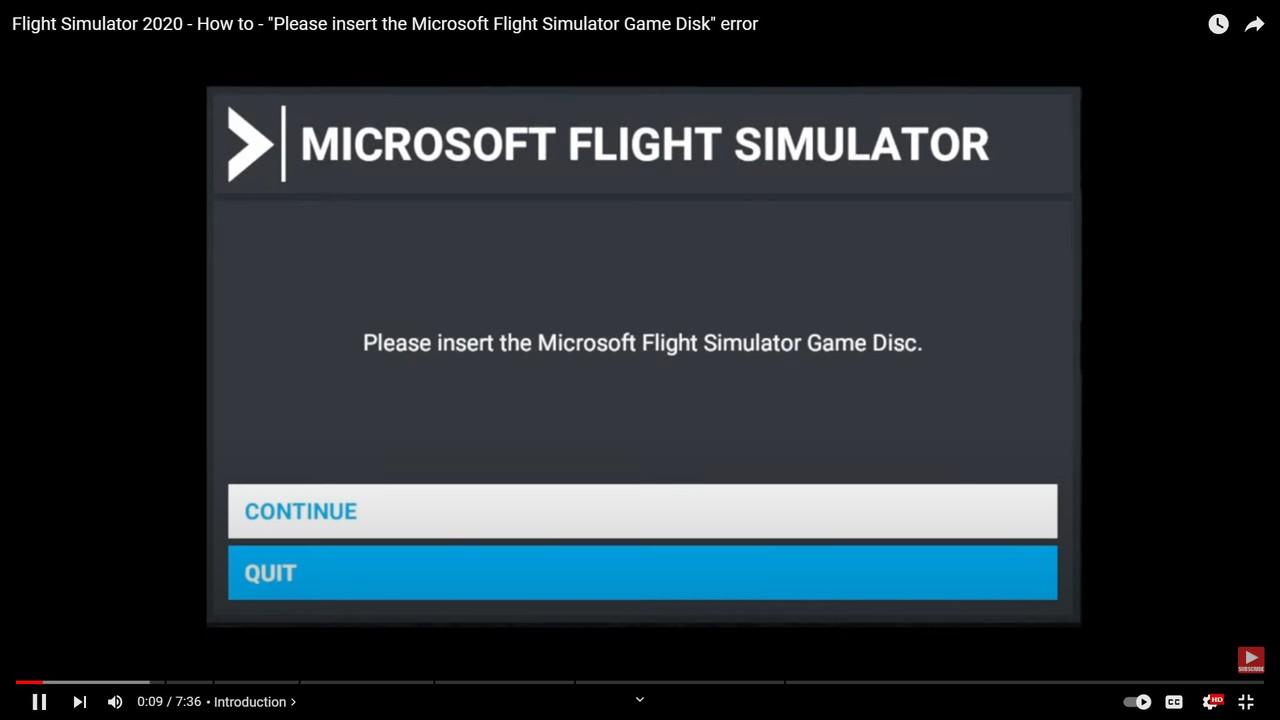
Windows Update - Reboot computer.
Make sure you signed out of Xbox completely.
Delete Xbox apps from Default Apps - Reboot computer.
Download new Xbox app, search - Xbox Windows 10 PC
Sign in to existing Xbox account.
Run MSFS update.
What I have noticed since the update the spinning loading circle doesn't go away the lower right corner of the screen. Let me know if you too experiencing the same please?
Windows Update - Reboot computer.
Make sure you signed out of Xbox completely.
Delete Xbox apps from Default Apps - Reboot computer.
Download new Xbox app, search - Xbox Windows 10 PC
Sign in to existing Xbox account.
Run MSFS update.
What I have noticed since the update the spinning loading circle doesn't go away the lower right corner of the screen. Let me know if you too experiencing the same please?
- grumman4444
- Member
- Topic author
- Joined: Sat Aug 06, 2016 4:59 pm
- Posts: 138
Re: Locked out of MSFS
by grumman4444 » Sat Dec 09, 2023 6:02 pm
The loading circle has gone away after loading the sim for the second time. Phew, fingers crossed.
- grumman4444
- Member
- Topic author
- Joined: Sat Aug 06, 2016 4:59 pm
- Posts: 138
Re: Locked out of MSFS
by FlyingKiwi » Sun Dec 10, 2023 6:17 am
I've had that a couple of times before and I think it's actually related to the MSFS servers temporarily being down. When it's happened to me it's resolved itself normally after an hour or so.
-

FlyingKiwi - Senior Member
- Joined: Mon May 29, 2006 4:17 pm
- Posts: 1690
- Location: Auckland
5 posts
• Page 1 of 1
Who is online
Users browsing this forum: No registered users and 39 guests