Trolly wrote:QUOTE (Trolly @ Jan 11 2008, 05:24 PM) <{POST_SNAPBACK}>Neat stuff Lawrie- do you think you will able to release your corrected AFCADs in a little pack just by themselves, for those who want a 'quick fix' ?
I had thought about that Andrew, but Pauanui and Whitianga will have to be re-builds, as not only the runways need moving to suit the new Godzone, but also the boundary fences and the odd building, and in the case of Whitianga, the racetrack behind the hangers needs to be removed. Its not there in the RBE, or in the old FS2002 Godzone, so i added it, but it IS there in the new Godzone.
So a "quick fix" isnt the answer unfortunately,.................... unless you want your AI taxi-ing and taking off through fences and buildings....................... Not a good look !! ( bad for the plane too !!)
Lawrie.Last edited by Snowman on Fri Jan 11, 2008 10:49 pm, edited 1 time in total.
COROMANDEL
58 posts
• Page 3 of 3 • 1, 2, 3
 by Snowman » Fri Jan 11, 2008 10:49 pm
-

Snowman - NZFF Pro
- Joined: Wed Jul 26, 2006 3:52 pm
- Posts: 2427
- Location: Tauranga, NZ.
by Charl » Sat Jan 12, 2008 2:55 pm
OK this is not unique to this photoscenery, but I'll pose the question here since this is where I've been noticing it most.
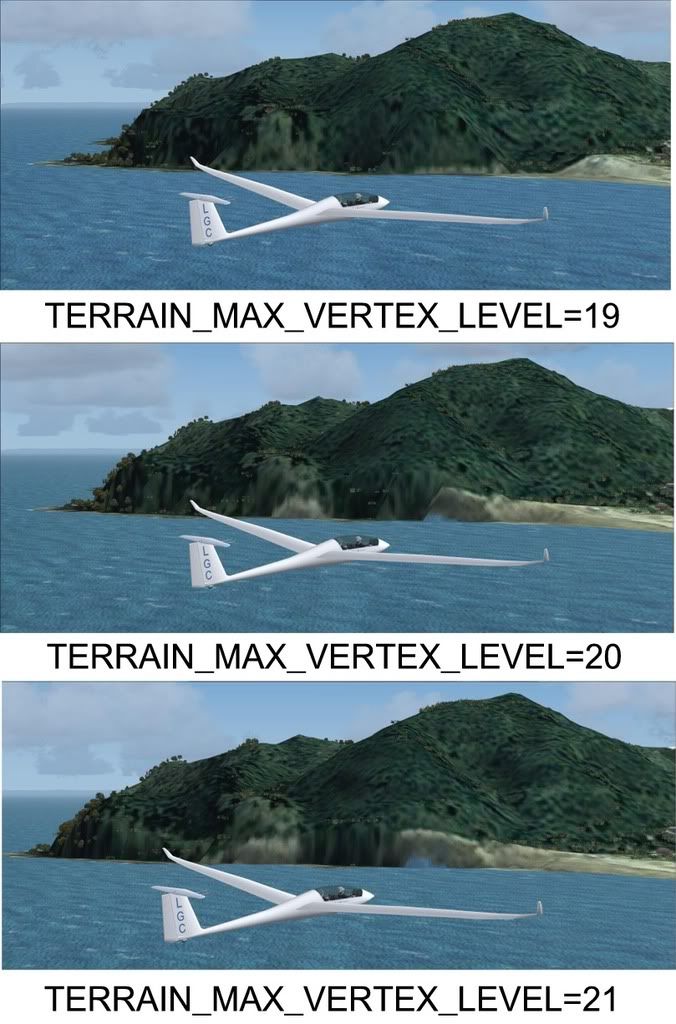
I'd like to stop the sea climbing up the landform, is there any other setting in FS9.cfg (or anywhere!) involved with this?
Obviously, I'd like to have my cake & eat it, as 19 sorts the sea level but ruins the skyline...I seem to remember this turns 20m mesh into 75.
I'd like to stop the sea climbing up the landform, is there any other setting in FS9.cfg (or anywhere!) involved with this?
Obviously, I'd like to have my cake & eat it, as 19 sorts the sea level but ruins the skyline...I seem to remember this turns 20m mesh into 75.
-

Charl - NZFF Pro
- Joined: Mon May 01, 2006 8:28 am
- Posts: 9801
- Location: Auckland
by Snowman » Sat Jan 12, 2008 3:40 pm
Charl wrote:QUOTE (Charl @ Jan 12 2008, 03:55 PM) <{POST_SNAPBACK}>I'd like to stop the sea climbing up the landform, is there any other setting in FS9.cfg (or anywhere!) involved with this?
Obviously, I'd like to have my cake & eat it, as 19 sorts the sea level but ruins the skyline...I seem to remember this turns 20m mesh into 75.
You noticed this too huh,............. old eagle-eyes does it again...............
Lawrie.
-
Snowman - NZFF Pro
- Joined: Wed Jul 26, 2006 3:52 pm
- Posts: 2427
- Location: Tauranga, NZ.
by toprob » Sat Jan 12, 2008 4:39 pm
Charl wrote:QUOTE (Charl @ Jan 12 2008, 03:55 PM) <{POST_SNAPBACK}>is there any other setting in FS9.cfg (or anywhere!) involved with this?
I don't think there's much you can do about that -- I did reduce the size of the water mask a little to minimise this, and if you saw the 'first draft' you'd appreciate this:)
I think that this is partly the result of the way that the aerial images are reprojected from NZMG or NZTM to WGS84, which the sim uses. I assume that the reprojection starts at the centre of the image, and works out, which makes the edges less accurate than the centre. In this case all the coastlines are at the edges (which is pretty much the definition of a peninsula:) so they suffer a bit from misalignment. But mainly this is due to the fact that even a 20 metre mesh cannot accurately model a high, steep cliff, which is where the problem shows up.
Things to check (but you probably are already there):
Terrain mesh complexity should be 100%;
A high resolution mesh WITHOUT the topo scenery still gives a distorted coastline;
In FS2004, it fits better with the 75 metre mesh because the mesh tends to clip land-side;
From a distance, the mesh displays chunkier, which highlights the problem. Try squinting until you get closer...
A 20 metre mesh should have an error factor of 10 metres each way, but in reality after reprojection it could be a full 20 metres. Ideally with a 20 metre mesh I should watermask at least 20 metres beyond the coastline to overcome this, but this gives a strange result around beaches. 20 metre resolution makes a lovely mesh, but it is still not high enough to pinpoint the exact location of a high cliff.
A 2 metre mesh would fix this:)Last edited by toprob on Sat Jan 12, 2008 4:43 pm, edited 1 time in total.
-

toprob - NZFF Pro
- Joined: Sat Apr 29, 2006 4:56 pm
- Posts: 6741
- Location: Upper Hutt
by Charl » Sun Jan 13, 2008 11:18 am
Robin thanks for the response - good to know that there isn't an easy fix, so motivates the longwinded one somewhat.
I created a "walkway" around the peninsula in AFCAD - just a closed taxi link at airport level - and this will satisfy the local need.
The sea now just washes up on the "rocks" and from the approach centreline at NZUN I think one can live with the result.
Obviously only a very local fix, but will catch stuff immediately adjacent to the airport.
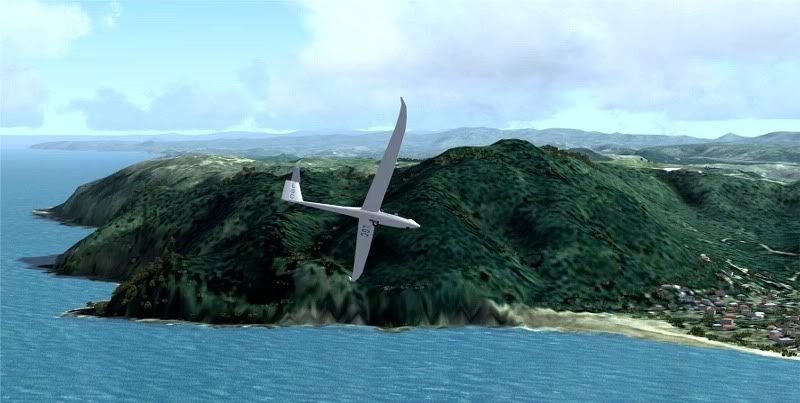
Probably someone with more patience than I could get the water edge a bit tighter...
I created a "walkway" around the peninsula in AFCAD - just a closed taxi link at airport level - and this will satisfy the local need.
The sea now just washes up on the "rocks" and from the approach centreline at NZUN I think one can live with the result.
Obviously only a very local fix, but will catch stuff immediately adjacent to the airport.
Probably someone with more patience than I could get the water edge a bit tighter...
Last edited by Charl on Sun Jan 13, 2008 11:21 am, edited 1 time in total.
-
Charl - NZFF Pro
- Joined: Mon May 01, 2006 8:28 am
- Posts: 9801
- Location: Auckland
by Ian Warren » Tue Jan 22, 2008 11:37 am
Whitianga, looking at FS9 in the first four with other completing the tour in FSX 
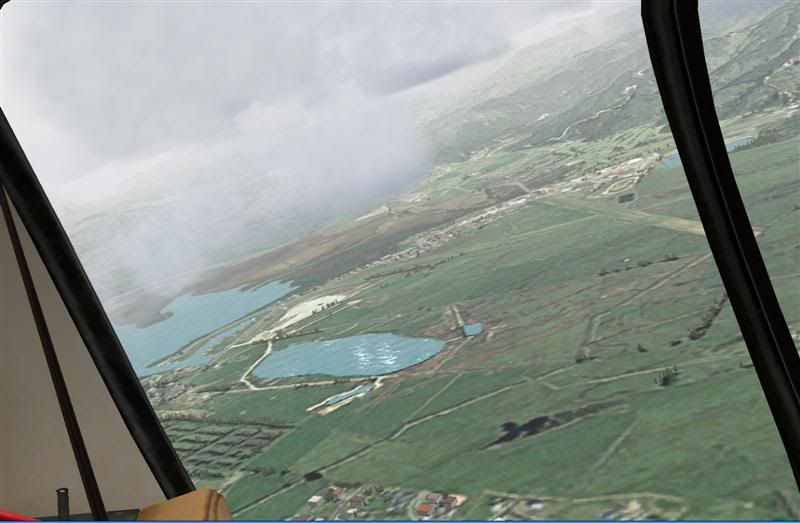
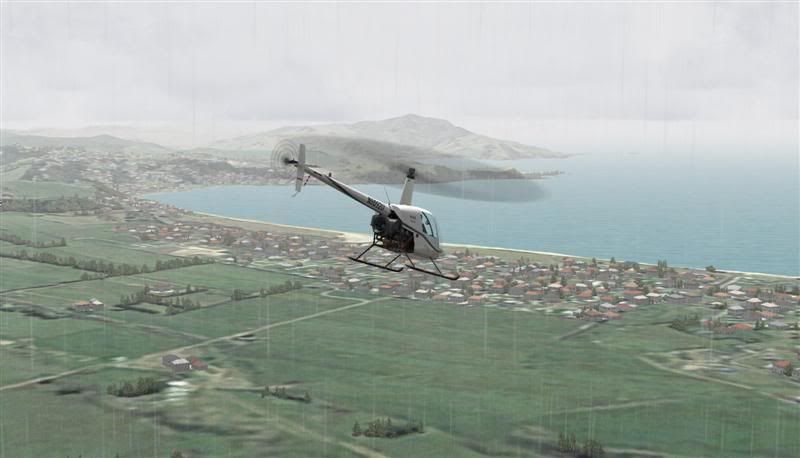
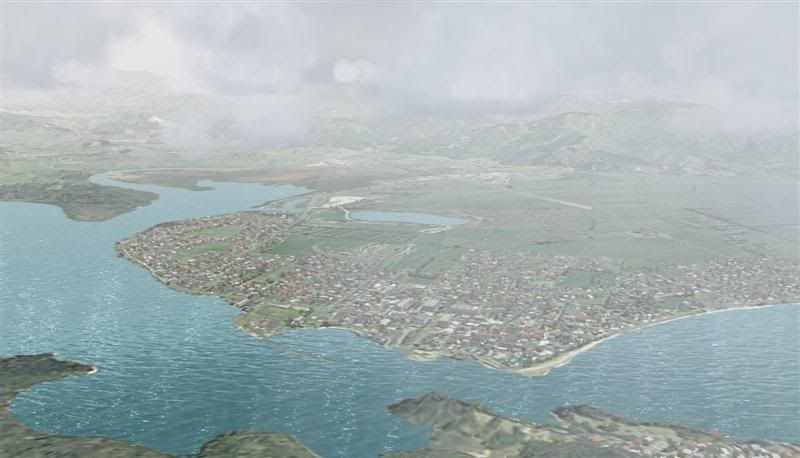
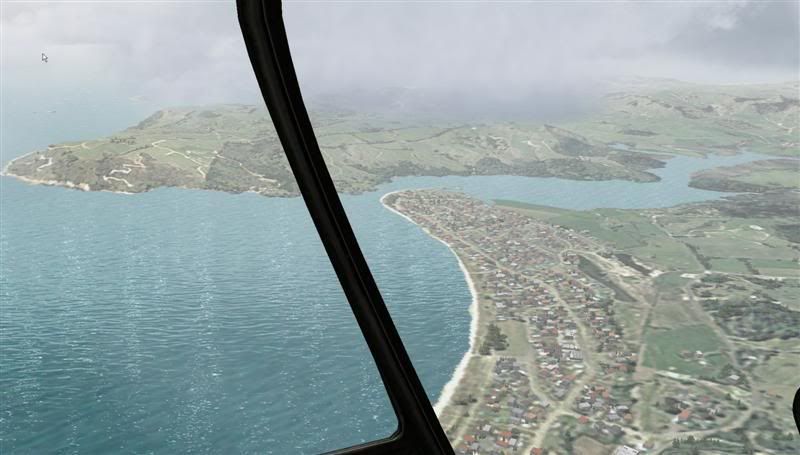
Off course that was yesterdays REAL weather
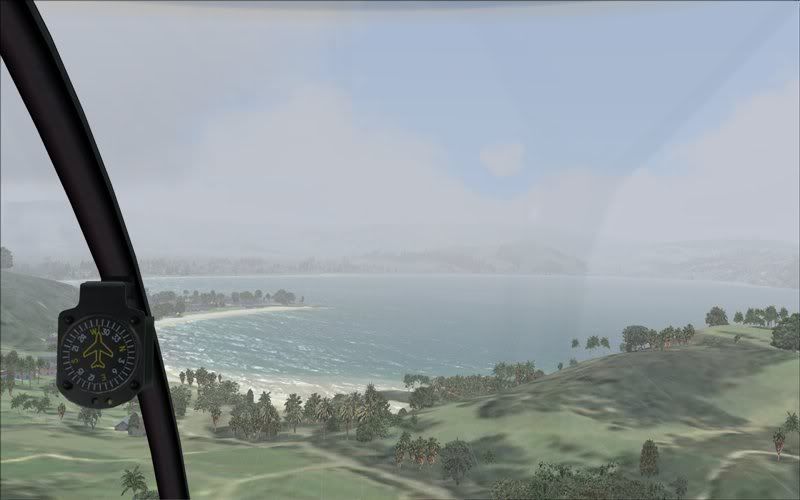
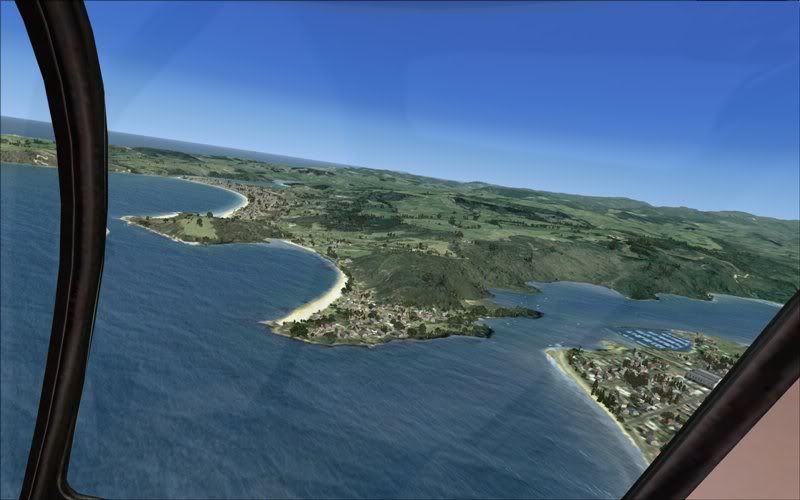
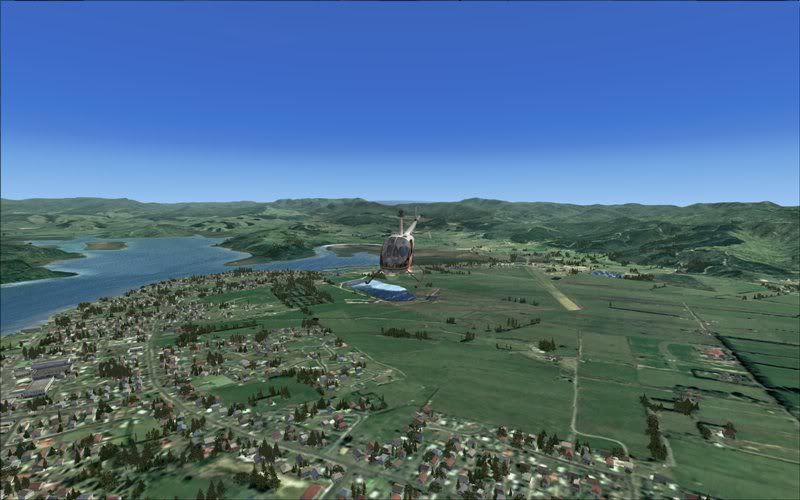
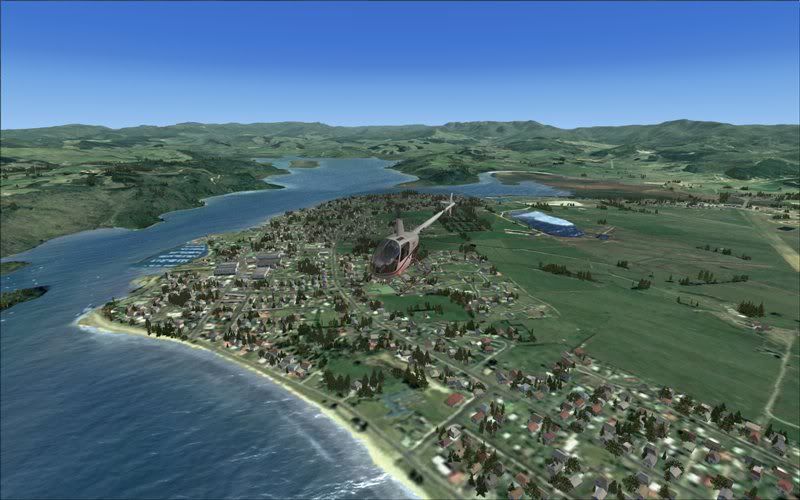

Off course that was yesterdays REAL weather

-

Ian Warren - NZFF Pro
- Topic author
- Joined: Fri May 05, 2006 5:23 pm
- Posts: 41187
- Location: AREA 51
by Snowman » Tue Jan 22, 2008 3:49 pm
Looking grand as always Ian. Going to re-visit my Whitanga scenery, and rebuild it to fit the new photoreal, as soon as i finish NZCX Coromandel currently under construction.
Lawrie.
Lawrie.


-
Snowman - NZFF Pro
- Joined: Wed Jul 26, 2006 3:52 pm
- Posts: 2427
- Location: Tauranga, NZ.
by Ian Warren » Tue Jan 22, 2008 4:54 pm
Snowman wrote:QUOTE (Snowman @ Jan 22 2008, 03:49 PM) <{POST_SNAPBACK}>Looking grand as always Ian. Going to re-visit my Whitanga scenery, and rebuild it to fit the new photoreal, as soon as i finish NZCX Coromandel currently under construction.
Lawrie.
Thanx Lawrie , I'll send these AGNs through to you to for your Whitianga , and Timmo , if your unpacked , locked and loaded
-
Ian Warren - NZFF Pro
- Topic author
- Joined: Fri May 05, 2006 5:23 pm
- Posts: 41187
- Location: AREA 51
by Snowman » Wed Jan 23, 2008 2:18 pm
Ian Warren wrote:QUOTE (Ian Warren @ Jan 22 2008, 05:54 PM) <{POST_SNAPBACK}>Thanx Lawrie , I'll send these AGNs through to you to for your Whitianga , and Timmo , if your unpacked , locked and loaded
Look forward to it very much, thanks Ian.
Lawrie.
-
Snowman - NZFF Pro
- Joined: Wed Jul 26, 2006 3:52 pm
- Posts: 2427
- Location: Tauranga, NZ.
by Charl » Tue Jan 29, 2008 4:07 pm
It's a stunning scenery area, and becoming a firm favourite.
Something else that caught my eye was: with a decent set of textures loaded, and Christian's landclass, the blend between photoreal and "stock" is really smooth nowadays.
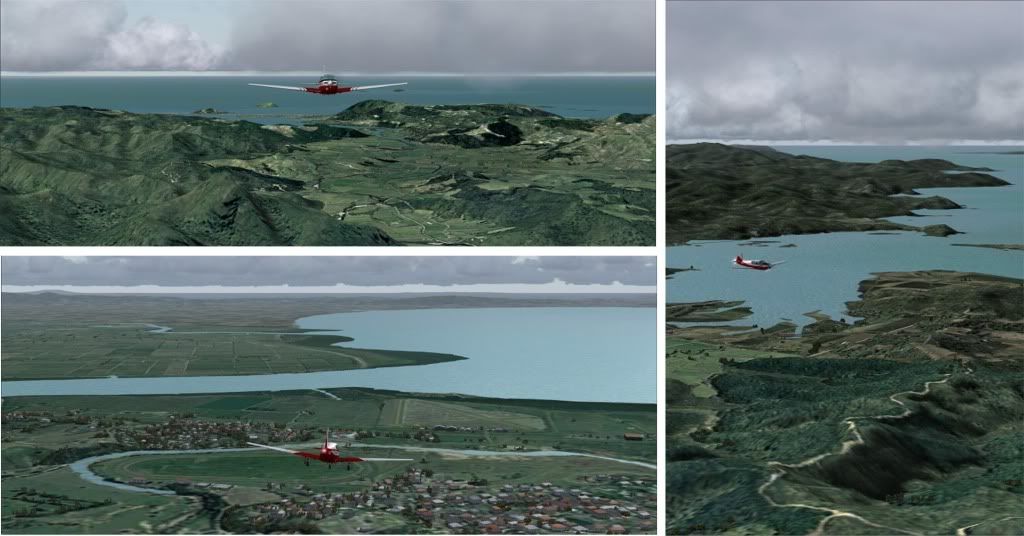
Something else that caught my eye was: with a decent set of textures loaded, and Christian's landclass, the blend between photoreal and "stock" is really smooth nowadays.
-
Charl - NZFF Pro
- Joined: Mon May 01, 2006 8:28 am
- Posts: 9801
- Location: Auckland
by ardypilot » Mon Feb 11, 2008 4:52 pm
QUOTE
It's a stunning scenery area, and becoming a firm favourite.[/quote]
Definitely, and especially fun to fly around with real world weather. Ian's complete autogens look great:
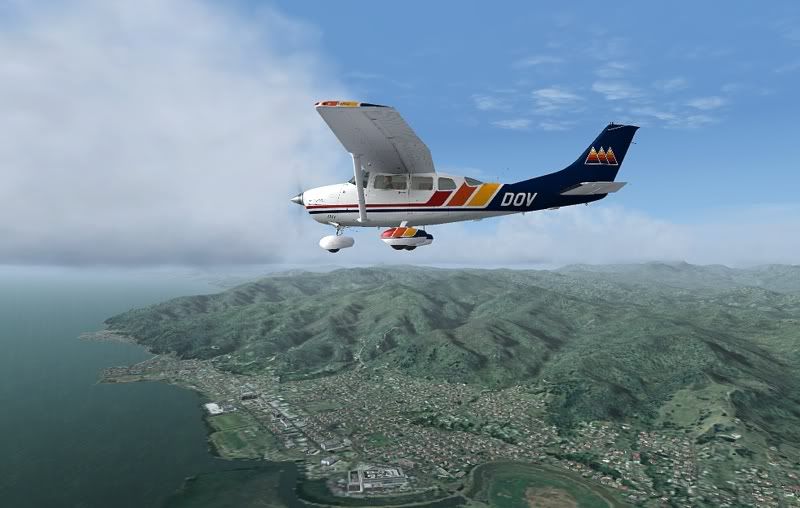
Definitely, and especially fun to fly around with real world weather. Ian's complete autogens look great:
-

ardypilot - NZFF Pro
- Joined: Wed Apr 26, 2006 10:01 am
- Posts: 6802
- Location: Auckland
by Florian_S » Sat Nov 15, 2008 5:10 pm
Sorry for bumping an old topic but was the complete autogen pack for this scenery ever uploaded anywhere?...I can't seem to find it 
Cheers
Florian
Cheers
Florian

You haven't experienced Flight Simulator till you've flown NZ!
-

Florian_S - Forum Addict
- Joined: Wed Apr 18, 2007 4:17 pm
- Posts: 328
- Location: EDDH / HAM - Hamburg, Germany
by Ian Warren » Sat Nov 15, 2008 6:38 pm
Florian ... Hummm one year later almost , My bad , slap me in the face and a punch in the nose , wakeup Ian  ... posting .. ill get on to that right away
... posting .. ill get on to that right away -
Ian Warren - NZFF Pro
- Topic author
- Joined: Fri May 05, 2006 5:23 pm
- Posts: 41187
- Location: AREA 51
by Ian Warren » Wed Nov 19, 2008 12:44 pm
The Autogen files have now been posted at Flightsim.com file name 'CORO_AGN' , you can simply copy and paste them into the Texture folder that Robin released setupcorofs2004.zip for FS9 and godzonecorofsx.zip for FSX , this will make the trees grow and carpenters and builders making little towns for you , dont forget to check the readme for all of Tim Barnes Timmo'sand Lawie the Snowman's work and again who else ..... Robin Corn ( aka toprob ) 
Last edited by Ian Warren on Wed Nov 19, 2008 12:46 pm, edited 1 time in total.
-
Ian Warren - NZFF Pro
- Topic author
- Joined: Fri May 05, 2006 5:23 pm
- Posts: 41187
- Location: AREA 51

by Charl » Wed Nov 19, 2008 1:58 pm
Robin revised the photoreal for 20m mesh for both sims, and Ian produced autogen for them.
Thinking about it a little more, would those two gents please step up, and take yet another bow for a brilliant bit of freeware, a real contribution to NZ flightsimming.
Thinking about it a little more, would those two gents please step up, and take yet another bow for a brilliant bit of freeware, a real contribution to NZ flightsimming.
-
Charl - NZFF Pro
- Joined: Mon May 01, 2006 8:28 am
- Posts: 9801
- Location: Auckland
by Florian_S » Wed Nov 19, 2008 2:26 pm
Charl wrote:QUOTE (Charl @ Nov 19 2008, 12:58 PM) <{POST_SNAPBACK}>Thinking about it a little more, would those two gents please step up, and take yet another bow for a brilliant bit of freeware, a real contribution to NZ flightsimming.


Thanks to you both!!
You haven't experienced Flight Simulator till you've flown NZ!
-
Florian_S - Forum Addict
- Joined: Wed Apr 18, 2007 4:17 pm
- Posts: 328
- Location: EDDH / HAM - Hamburg, Germany
58 posts
• Page 3 of 3 • 1, 2, 3
Who is online
Users browsing this forum: No registered users and 25 guests