So you like High Resolution aye!

Post and comment on screen captures from the beautiful game here. Home of the monthly screenshot competition

Postby Timmo » Thu Aug 21, 2008 2:04 pm

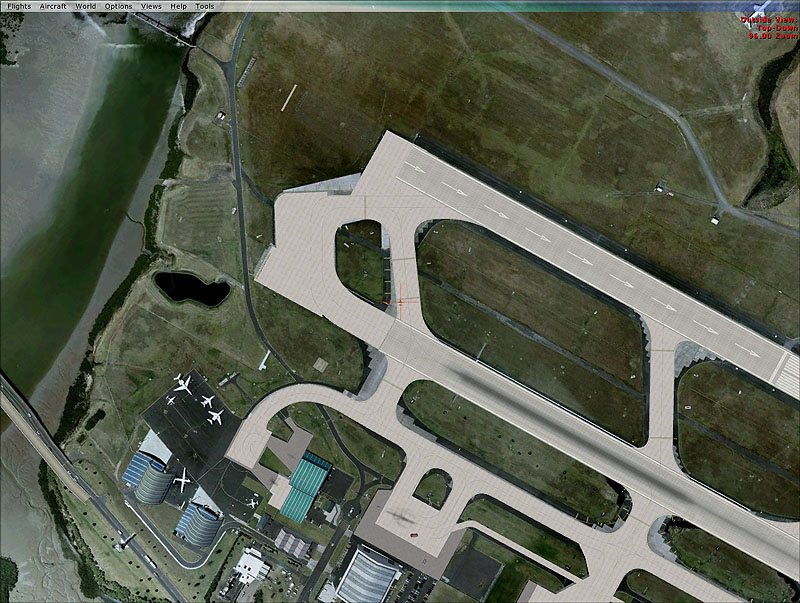
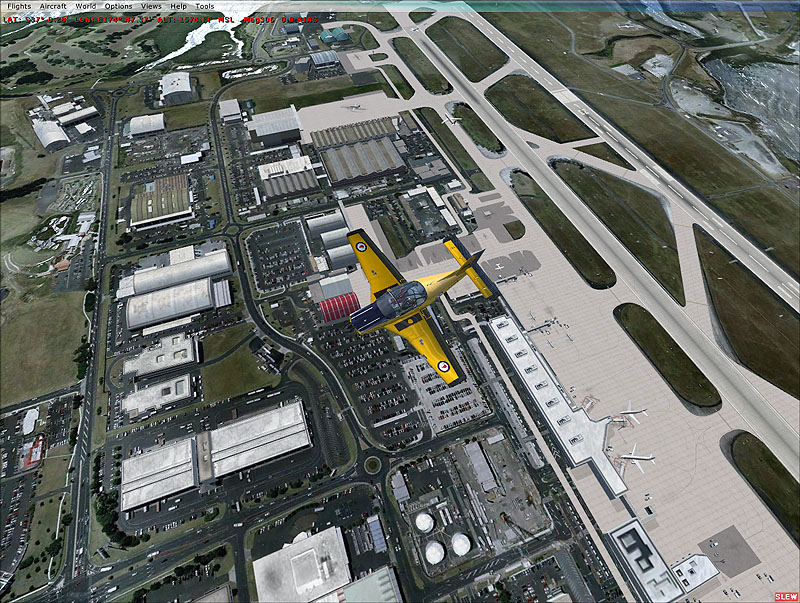
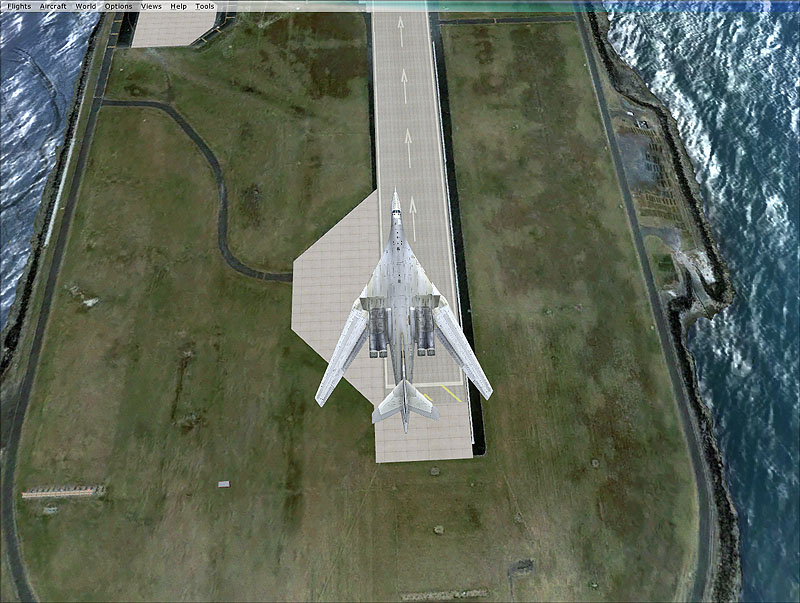
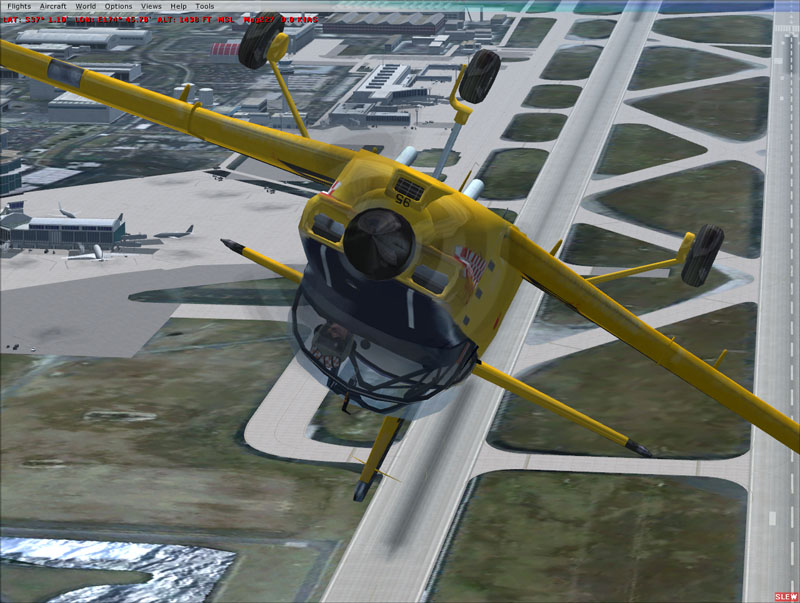
After drooling over the imagery of Auckland airport in Google Earth/Maps I decided to have a bit of a play to get them into FlightSimX

My colleague at work has created a cunning little script which take a GIS polygon (representing the area of interest), divide it into blocks, create alignment points, open google earth (Pro version), export an image for each block (which doesnt come with georeferencing information), georeference the images then clip them to create an image catalogue for use in GIS..very clever.

So i just exported them again, added the water and blend masks in photoshop and then resampled them for FSX...turned up my sliders and basked in the 8-16 FPS hi res glory smile.gif


For the rest of the album see here: Album

(PS due to the legal issues of Google Earth Imagery, there is no way that this can be released unfortunately)
Last edited by Timmo on Thu Aug 21, 2008 2:12 pm, edited 1 time in total.
Timmo
NZFF Pro
 
Topic author
Joined: Wed Oct 25, 2006 6:28 pm
Posts: 2056
Location: Tauranga

Postby Ian Warren » Thu Aug 21, 2008 2:19 pm

Nice Screens Timmo cool.gif who uses these photos once taken .. city planning ? ( legal issues of Google Earth Imagery ) ninja.gif
Image
User avatar
Ian Warren
NZFF Pro
 
Joined: Fri May 05, 2006 5:23 pm
Posts: 41187
Location: AREA 51

Postby toprob » Thu Aug 21, 2008 2:27 pm

That particular image belongs to the airport -- I hope to obtain permission to use in in Real NZ NZAA.
User avatar
toprob
NZFF Pro
 
Joined: Sat Apr 29, 2006 4:56 pm
Posts: 6711
Location: Upper Hutt

Postby Timmo » Thu Aug 21, 2008 3:22 pm

toprob wrote:
QUOTE (toprob @ Aug 21 2008, 02:27 PM) <{POST_SNAPBACK}>
That particular image belongs to the airport -- I hope to obtain permission to use in in Real NZ NZAA.


Do it!....


It is good to see how well the default airport bgl lines up with it actually.
Timmo
NZFF Pro
 
Topic author
Joined: Wed Oct 25, 2006 6:28 pm
Posts: 2056
Location: Tauranga

Postby Daniel » Thu Aug 21, 2008 3:52 pm

Those first two are simply stunning and the others look really good as well.
Very nice shots smile.gif
Daniel
Sim-holic
 
Joined: Tue Aug 28, 2007 9:42 pm
Posts: 946
Location: New Zealand

Postby Yak52aholic » Thu Aug 21, 2008 4:09 pm

Looking good Timmo!
Unfortunate about the un-releasability (is that a word???)
But is there a way of instructing people to make on their own this kinda stuff?
Last edited by Yak52aholic on Thu Aug 21, 2008 5:51 pm, edited 1 time in total.
Let the music be your master... Will you heed the master's call?
Yak52aholic
Forum Addict
 
Joined: Sat May 19, 2007 3:08 pm
Posts: 196
Location: Blenheim

Postby toprob » Thu Aug 21, 2008 4:23 pm

Yak52aholic wrote:
QUOTE (Yak52aholic @ Aug 21 2008, 04:09 PM) <{POST_SNAPBACK}>
But is there a way of instructing people to make on their own this kinda stuff?


The simplest way to use Google imagery in FS is to install Tileproxy.
User avatar
toprob
NZFF Pro
 
Joined: Sat Apr 29, 2006 4:56 pm
Posts: 6711
Location: Upper Hutt

Postby Yak52aholic » Thu Aug 21, 2008 4:38 pm

toprob wrote:
QUOTE (toprob @ Aug 21 2008, 04:23 PM) <{POST_SNAPBACK}>
The simplest way to use Google imagery in FS is to install Tileproxy.


I'll have a look at that, freeware I suppose?

Edit: downloading now.
Last edited by Yak52aholic on Thu Aug 21, 2008 5:00 pm, edited 1 time in total.
Let the music be your master... Will you heed the master's call?
Yak52aholic
Forum Addict
 
Joined: Sat May 19, 2007 3:08 pm
Posts: 196
Location: Blenheim

Postby Florian_S » Thu Aug 21, 2008 4:45 pm

Wow!!! that's brilliant!! ohmy.gif
Image
You haven't experienced Flight Simulator till you've flown NZ!
User avatar
Florian_S
Forum Addict
 
Joined: Wed Apr 18, 2007 4:17 pm
Posts: 328
Location: EDDH / HAM - Hamburg, Germany

Postby Alex » Thu Aug 21, 2008 4:58 pm

Yak, check out the TileProxy tutorial. winkyy.gif

Great to see what can be done with the high-res imagery; looks awesome. thumbup1.gif

Alex
Alex
NZFF Pro
 
Joined: Fri Jul 14, 2006 3:39 pm
Posts: 3620

Postby hamstickZKFLT » Thu Aug 21, 2008 5:41 pm

Freakin AWESOME! Have step up the the game a bit eh Rob? laugh.gif
hamstickZKFLT
 

Postby Adamski » Thu Aug 21, 2008 5:55 pm

Timmo wrote:
QUOTE (Timmo @ Aug 21 2008, 02:04 PM) <{POST_SNAPBACK}>
After drooling over the imagery of Auckland airport in Google Earth/Maps I decided to have a bit of a play to get them into FlightSimX


Amazing!!!!!

On a scale of 1(easy) to 10(hard), how easy was all this? I've not played with Tileproxy yet ... but I may have to at this rate!!!! winkyy.gif
Image
User avatar
Adamski
NZFF Pro
 
Joined: Thu Nov 01, 2007 2:22 am
Posts: 5029
Location: Birkenhead, Auckland

Postby Charl » Thu Aug 21, 2008 5:55 pm

Oooh that is undeniably Kool...
'Course for those not blessed with GEPro, and spatial mapping expertise, there is always plain vanilla GE.
Ctrl + Alt + A and a good joystick, and you have the choice of 2 planes, (the fast one and the slow one.)
I ran FRAPS and was going to show you the clip, but G**gle is far cleverer than that, and I couldn't edit and save the clip.
Here's a screen grab though:


This is going to be even better quite soon.
Perhaps someone is going to make a piece of software like Tile Proxy, that interfaces X-Plane with G**gle in real time.
Wow, perhaps...we can dream eh?
User avatar
Charl
NZFF Pro
 
Joined: Mon May 01, 2006 8:28 am
Posts: 9691
Location: Auckland

Postby Anthony » Thu Aug 21, 2008 6:33 pm

That is very, very nice.
Looks great. Nice shots as well, I quite like the last one you posted in the thread.
Image
User avatar
Anthony
Sim-holic
 
Joined: Mon Dec 03, 2007 4:07 pm
Posts: 947
Location: Rotorua

Postby towerguy » Sat Aug 23, 2008 2:33 pm

interesting to note in the first shot that the threshold markings for 23L bear no relationship to the 'real' 23L.

The real runway has the piano keys right down at the end and there are no inset arrows.

How do I know this? I'm sitting looking out the tower window as I type. dry.gif
CPU- i7 4790K @4.0Gb Cooler- Noctua NH-D15 M/B- Z97 ProGamer P/S- 750W RAM- 16Gb
Graphics- Nvidia GTX970 16Gb Drives- 2x 120Gb SSD Samsung 850EVO, 1x 2Tb HD, 1x DVD-RW
Sound- on M/B Logitec 5.1 surround sound system OS- Win 10 pro , all wrapped in a black Corsair case Display - Panasonic UHD 4k 50" Flatscreen TV.( 3840x2160 Res)
User avatar
towerguy
Sim-holic
 
Joined: Mon Aug 07, 2006 4:27 pm
Posts: 886

Postby NZ255 » Sat Aug 23, 2008 3:24 pm

Thats the native FSX runway, not the photo. I don't think he edited it either.
Nick
User avatar
NZ255
NZFF Pro
 
Joined: Wed Jun 20, 2007 12:57 pm
Posts: 2475

Postby spongebob206 » Sat Aug 23, 2008 4:56 pm

The things dreams are made of.

Let hope Toprob has success.

Anyone got contacts in the right places to help him?
Image
spongebob206
Senior Member
 
Joined: Thu Jan 10, 2008 6:04 pm
Posts: 1526
Location: Wanganui

Postby gojozoom » Thu Aug 28, 2008 11:21 am

I've tried this with FS2004 (TileProxy version 6 - they say this is the stable version for fs2004).

My opinion is that the tweaking/waiting for 10 minutes load time isn't worth it (I ONLY TALK ABOUT FS2004!!!). The resolution is not that spectacular and as a bug, you have some black tiles on the scenery. No AGN which makes it look funny. The other problem is the clouds that have fallen off the sky, lie on the ground (as there were there on the satelite image)
This last issue depends on what source you use for the images. Still, I think it's better to install a few photoreal sceneries... Only my opinion.

PS : I'm envious of FSX people, as they have a huge benefit of this fantastic project!
Last edited by gojozoom on Thu Aug 28, 2008 11:23 am, edited 1 time in total.
Image
User avatar
gojozoom
Sim-holic
 
Joined: Fri Dec 21, 2007 10:37 am
Posts: 947
Location: Wellington


Return to Screenshots

Who is online

Users browsing this forum: No registered users and 14 guests