Ian Warren wrote:QUOTE (Ian Warren @ Nov 7 2011,7:28 PM) <{POST_SNAPBACK}>I'll have to sign into the Cafe for a nor a the Bear since my Russian is not that gooddo they offer Vodka over the virtual bar
This?
http://www.gayot.com/spirits/top10vodkas/4...dka-review.html
FSX-Native PT Tu-154b2!
29 posts
• Page 2 of 2 • 1, 2
 by SeanTK » Tue Nov 08, 2011 12:43 pm
-

SeanTK - Senior Member
- Topic author
- Joined: Sun Feb 28, 2010 9:27 am
- Posts: 1617
by SeanTK » Tue Nov 08, 2011 3:38 pm
I put a full listing with links on my new Tu-154 and Russian aviation support area, and due to this FSX model being compatible with the 2004-era liveries, we have OVER 100 liveries available for this aircraft!!!
http://www.aviationcafe.co.uk/Index/viewforum.php?f=59
http://www.aviationcafe.co.uk/Index/viewforum.php?f=59
-
SeanTK - Senior Member
- Topic author
- Joined: Sun Feb 28, 2010 9:27 am
- Posts: 1617
by Ian Warren » Tue Nov 08, 2011 3:48 pm
SeanTK wrote:QUOTE (SeanTK @ Nov 8 2011,1:43 PM) <{POST_SNAPBACK}>This?
Not for the kiddies tho , they get in to much of a mess even with a fanta
-

Ian Warren - NZFF Pro
- Joined: Fri May 05, 2006 5:23 pm
- Posts: 41187
- Location: AREA 51
by SeanTK » Mon Nov 14, 2011 8:40 am
We now have 2D widescreen panels available. They may also be included in the next official update too. (near the bottom of the page)
http://www.protu-154.net/forum/viewtopic.p...asc&start=0
And again, if anyone is interested in help:
http://www.aviationcafe.co.uk/Index/viewforum.php?f=59
http://www.protu-154.net/forum/viewtopic.p...asc&start=0
And again, if anyone is interested in help:
http://www.aviationcafe.co.uk/Index/viewforum.php?f=59
Last edited by SeanTK on Mon Nov 14, 2011 8:44 am, edited 1 time in total.
-
SeanTK - Senior Member
- Topic author
- Joined: Sun Feb 28, 2010 9:27 am
- Posts: 1617
by SeanTK » Mon Nov 21, 2011 11:57 am
UPDATE AVAILABLE:
http://www.protu-154.net/forum/viewtopic.p...73&start=15
(halfway down the page)
BACK UP ANY REPAINT ENTRIES YOU HAVE IN YOUR AIRCRAFT.CFG PRIOR TO INSTALLING THIS.
YOU WILL NEED TO PUT THEM BACK INTO THE NEW CFG!
Attention!
Update 1.0 Beta to 1.0 Beta 2 Available
List of Changes:
1. MSRP is fixed
2. Panel initialisation system fixed. But there is a small chance to have the old problems. Use in this case "Reload Aircraft" function.
3. Front wheel steering switch and "10-63" are clickable in VC now.
4. Animated and Clickable RSBN channel selector
5. TKS is clickable, lamps are working now. TKS is fully functional in VC
6. TKS Start lattitude fixed, RV selector Start altitude-fixed
7. 70's Bitmaps of overhead corrected- no more "holes" for TCAS and VBE.
8. Exterior textures corrected(assymetrical wheels)
8. UMRT in VC are in place now. 1-2-3.
9. TCAS panel opening fixed
10. Yoke and pedals animation in VC is not linked directly to control surfaces anymore.
11. FSsound.dll is needed. This file needed for Crew Voices
12. Added missing effects files
13. VC light changed, now pedestal and front part of overhead are visible at night.
14. PNK lightning changed, now gauge lights are linked to switch. But Engeneer's gauge have old light system now.
You can download patch here:
http://files.protu-154.net/PT-154B2_FSX/PT..._v1_0_beta2.exe
Warning. If you download installer before 21:20 20.11.2011. just re-download and reinstall beta2. Installer updated
YOU NEED 1.0BETA! This is patch, not the completely new installer!
Additionally, a really nice Interflug repaint is now available on flightsim.com!
tupolev_tu-154_interflug.zip
My Tu-154 and other Russian addon training center is here:
http://www.aviationcafe.co.uk/Index/viewforum.php?f=59
http://www.protu-154.net/forum/viewtopic.p...73&start=15
(halfway down the page)
BACK UP ANY REPAINT ENTRIES YOU HAVE IN YOUR AIRCRAFT.CFG PRIOR TO INSTALLING THIS.
YOU WILL NEED TO PUT THEM BACK INTO THE NEW CFG!
Attention!
Update 1.0 Beta to 1.0 Beta 2 Available
List of Changes:
1. MSRP is fixed
2. Panel initialisation system fixed. But there is a small chance to have the old problems. Use in this case "Reload Aircraft" function.
3. Front wheel steering switch and "10-63" are clickable in VC now.
4. Animated and Clickable RSBN channel selector
5. TKS is clickable, lamps are working now. TKS is fully functional in VC
6. TKS Start lattitude fixed, RV selector Start altitude-fixed
7. 70's Bitmaps of overhead corrected- no more "holes" for TCAS and VBE.
8. Exterior textures corrected(assymetrical wheels)
8. UMRT in VC are in place now. 1-2-3.
9. TCAS panel opening fixed
10. Yoke and pedals animation in VC is not linked directly to control surfaces anymore.
11. FSsound.dll is needed. This file needed for Crew Voices
12. Added missing effects files
13. VC light changed, now pedestal and front part of overhead are visible at night.
14. PNK lightning changed, now gauge lights are linked to switch. But Engeneer's gauge have old light system now.
You can download patch here:
http://files.protu-154.net/PT-154B2_FSX/PT..._v1_0_beta2.exe
Warning. If you download installer before 21:20 20.11.2011. just re-download and reinstall beta2. Installer updated
YOU NEED 1.0BETA! This is patch, not the completely new installer!
Additionally, a really nice Interflug repaint is now available on flightsim.com!
tupolev_tu-154_interflug.zip
My Tu-154 and other Russian addon training center is here:
http://www.aviationcafe.co.uk/Index/viewforum.php?f=59
Last edited by SeanTK on Tue Nov 22, 2011 6:14 pm, edited 1 time in total.
-
SeanTK - Senior Member
- Topic author
- Joined: Sun Feb 28, 2010 9:27 am
- Posts: 1617
by Ian Warren » Mon Nov 21, 2011 12:31 pm
Thanx for the HU Sean , and hells whata people worried about engine startup , think the video confuses people , OH , and for flying out off Nelson , 60% fuel only ! 

-
Ian Warren - NZFF Pro
- Joined: Fri May 05, 2006 5:23 pm
- Posts: 41187
- Location: AREA 51
by SeanTK » Mon Nov 21, 2011 12:35 pm
You're missing a few trees off of runway 17 at Taupo today too.... 
Mike's Taupo has been my default startup airfield (for other aircraft) and I was in a hurry to get in the air to test something. Well...I got in the air after plowing a path.....
A neat feature of this update is that it brings back the crew callouts just like the FS2004 had. (The first FSX beta has a few, but this appears to have most of the others.)
They're speaking Russian, but still...adds a bit to the atmosphere.
Another note: The model comes prepared for RealityXP GNS430 GPS implementation, but if you don't own it, the GPS area in the VC is blank, and there obviously won't be a 2D popup (with Shift+6 I think).
I put the Friendly Panels KLN90 payware GPS in mine, and it works like a treat.
Beyond that, you may want to try to input the GNS430 from one of the Premier Aircraft Design planes, such as the Robin.
robin_3x2.zip @Flightsim.com
Mike's Taupo has been my default startup airfield (for other aircraft) and I was in a hurry to get in the air to test something. Well...I got in the air after plowing a path.....
A neat feature of this update is that it brings back the crew callouts just like the FS2004 had. (The first FSX beta has a few, but this appears to have most of the others.)
They're speaking Russian, but still...adds a bit to the atmosphere.
Another note: The model comes prepared for RealityXP GNS430 GPS implementation, but if you don't own it, the GPS area in the VC is blank, and there obviously won't be a 2D popup (with Shift+6 I think).
I put the Friendly Panels KLN90 payware GPS in mine, and it works like a treat.
Beyond that, you may want to try to input the GNS430 from one of the Premier Aircraft Design planes, such as the Robin.
robin_3x2.zip @Flightsim.com
Last edited by SeanTK on Mon Nov 21, 2011 12:38 pm, edited 1 time in total.
-
SeanTK - Senior Member
- Topic author
- Joined: Sun Feb 28, 2010 9:27 am
- Posts: 1617
by Ian Warren » Mon Nov 21, 2011 12:44 pm
Wait till you have a Russian who tries to correct you , me and anyone else ... we had RAMBO III last Friday on TV4 .... Who is this John RAMBO 
-
Ian Warren - NZFF Pro
- Joined: Fri May 05, 2006 5:23 pm
- Posts: 41187
- Location: AREA 51
by Ian Warren » Sat Nov 26, 2011 2:02 pm
Engine Startup not a fuss ... not GA but easy enough  and i don't no a word off Russian
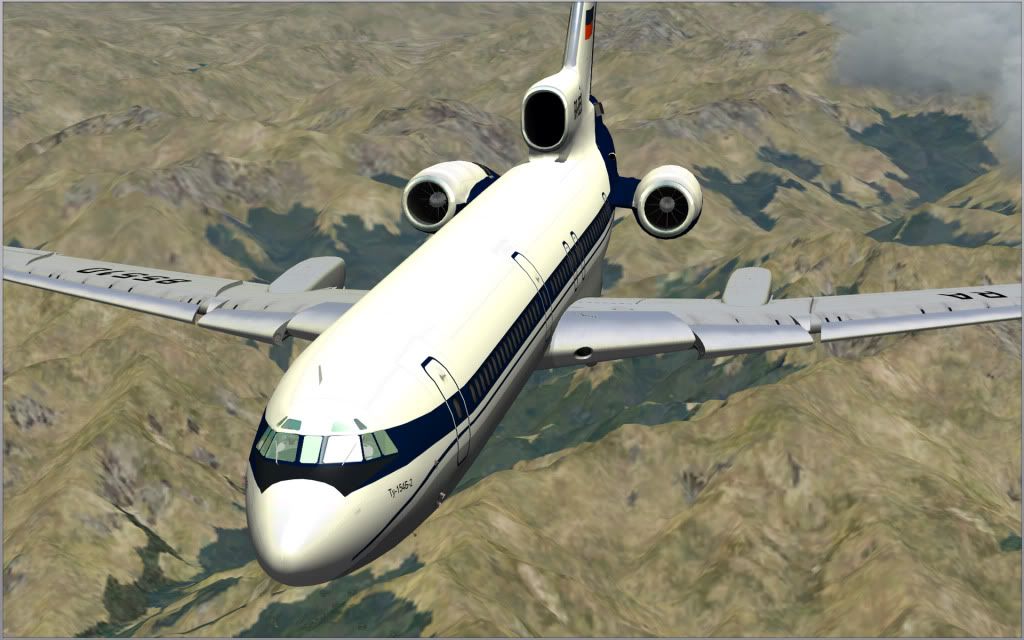
Course just like and standard airliner , as simple as falling of a log
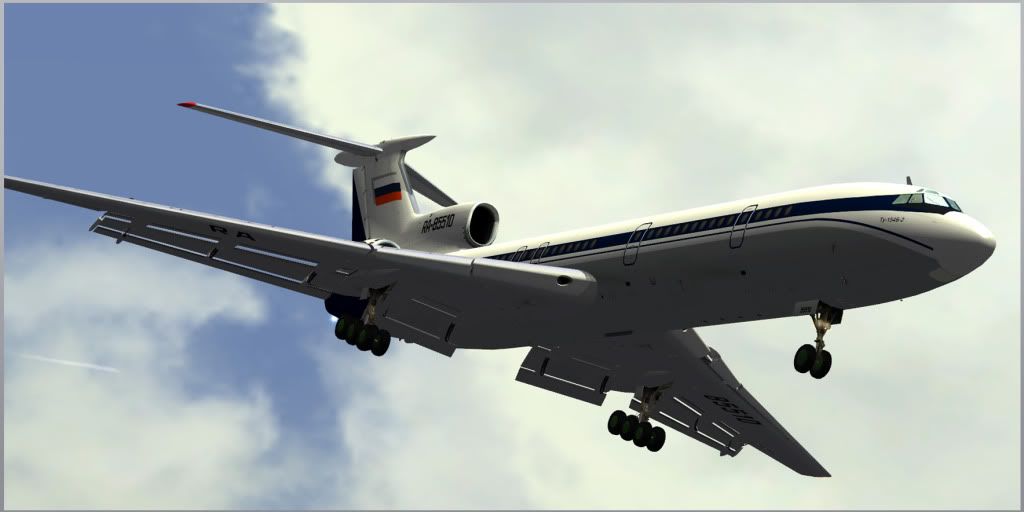
Fuel weights tho ... getting it out off then 'TOP SECRET' Nelson ... MAX:60% or die
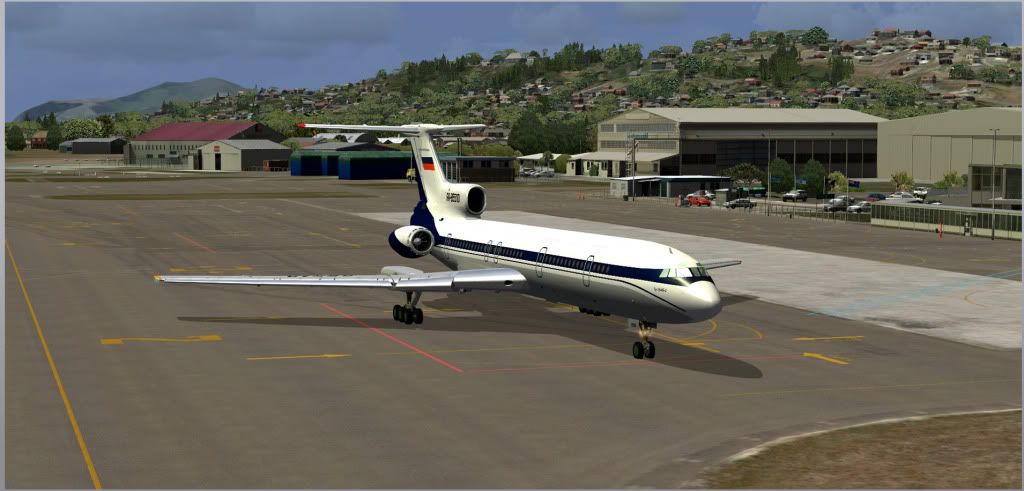
and i don't no a word off Russian Course just like and standard airliner , as simple as falling of a log
Fuel weights tho ... getting it out off then 'TOP SECRET' Nelson ... MAX:60% or die
-
Ian Warren - NZFF Pro
- Joined: Fri May 05, 2006 5:23 pm
- Posts: 41187
- Location: AREA 51
29 posts
• Page 2 of 2 • 1, 2
Who is online
Users browsing this forum: No registered users and 6 guests